

Best answer

How to automate Google Contacts with a specific Label // 'Add or update' with CRM

  • April 17, 2025
  • 4 replies
  • 62 views

Hi all, trying to solve this:

  • App: Google Contacts.
  • Trigger: A contact is given to a specific label, or contact details are edited within the same label (example label name: CRM Sync).
  • Zap: Looks for an existing contact within the CRM (Airtable) and creates if if not there, or updates all fields that were edited within Google Contacts.

Ideally this should be a two-way sync, still within the universe of that label, but one-way will do.

Note: I’m aware that Zapier refers to contact Labels as Groups (Dear Zapier, please change Groups to Labels so that it matches Google Contacts to help people avoid confusion).

Thanks to anyone who can help with this!

p.s. I saw a question from 3 years ago) on this as solved but the steps weren’t shared (and it doesn’t allow me to ask within that post).

Best answer by Troy Tessalone

Hi ​@daleepc 

NOTE: Zaps are not meant for 2-way data syncs: https://help.zapier.com/hc/en-us/articles/8495908569613-Does-Zapier-support-two-way-syncing


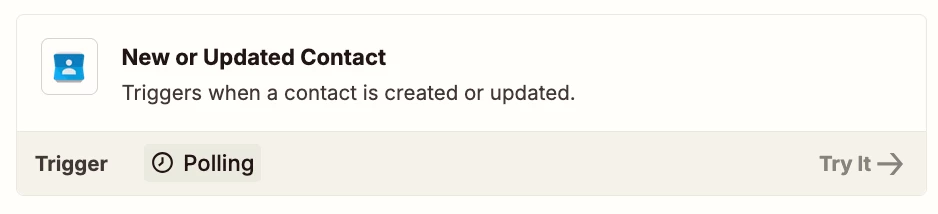
Try this Zap trigger: GContacts - New/Updated Contact

Try adding a Filter step to the Zap: https://zapier.com/apps/filter/integrations#help


This post has been closed for comments. Please create a new post if you need help or have a question about this topic.

4 replies

Troy Tessalone
Zapier Orchestrator & Solution Partner
Forum|alt.badge.img+14
  • Zapier Orchestrator & Solution Partner
  • Answer
  • April 17, 2025

Hi ​@daleepc 

NOTE: Zaps are not meant for 2-way data syncs: https://help.zapier.com/hc/en-us/articles/8495908569613-Does-Zapier-support-two-way-syncing


Try this Zap trigger: GContacts - New/Updated Contact

Try adding a Filter step to the Zap: https://zapier.com/apps/filter/integrations#help


SamB
Community Manager
Forum|alt.badge.img+11
  • Community Manager
  • April 25, 2025

Hi ​@daleepc 👋

Just checking in to make sure you’re all set. Did the New or Updated Contact trigger and Filter action Troy suggested do the trick?

Let us know if you have any further questions or need any more help! 🙂


  • Author
  • Beginner
  • April 25, 2025

Hi, the suggestion to try using a filter was spot on. I got it working.

The journey was challenging:

  • During experimentation, I had to add/update some fields of data in Google Contacts for Zapier to recognise and test the records.
  • However, it just wasn’t updating e.g. when I tagged an email address within ‘Work’ email for the zap to trigger.

But it worked.

Notes:

  • I found that this only works with a paid Zapier account as it’s a multi-step zap.
  • Also Zapier calls them Groups, whilst Google Contacts calls them Labels. Same thing so beware.

Thank you Troy and Sam.


JammerS
Forum|alt.badge.img+6
  • Zapier Staff
  • April 28, 2025

Wow! Thank you for confirming that their resolution got the Zap running. This will significantly help our Community members to have as a reference for the same issue.





