Question

How to automate AI-Detected action items from Fellow.ai into Monday.com?

  • February 14, 2026
  • 3 replies
  • 23 views

Hi everyone 👋,

I’m automating AI-Detected Action Items from Fellow.ai into Monday.com.

Structure:

  • Separate board per client

  • Group: Client Meetings

  • Each meeting = one item (e.g. Feb 10 Meeting)

  • AI-Detected Action Items = subitems

Flow:
Fellow.ai meeting
→ capture AI-Detected Action Items only
→ select correct client board
→ create/find meeting item
→ loop through AI actions
→ create subitems

Questions:

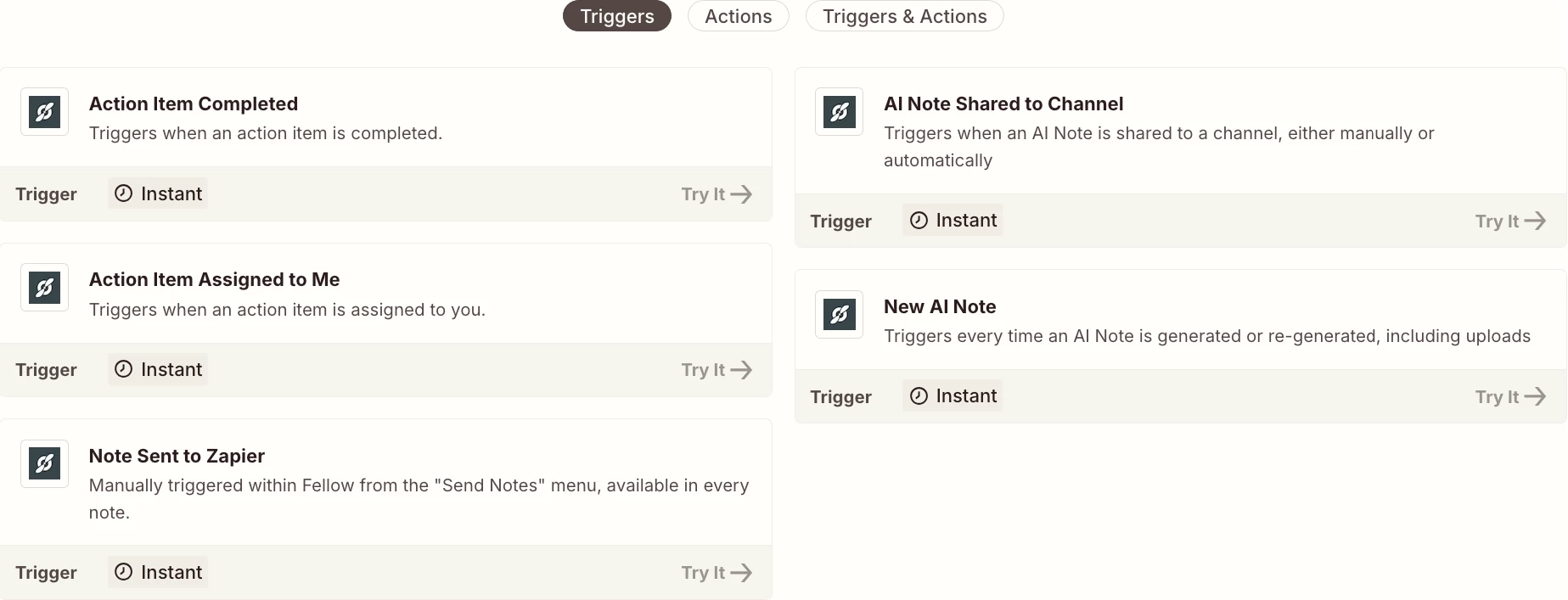
  1. Best Fellow.ai trigger for AI-detected actions?

  2. Best looping method for subitem creation?

  3. Best approach for dynamic client board mapping?

  4. Best duplicate-prevention strategy?

Goal: production-grade, scalable automation.

Thanks 🙏

3 replies

drtanvisachar
Forum|alt.badge.img+5
  • Zapier Solution Partner
  • February 14, 2026

Hello ​@Aleem 
 

Best Fellow.ai trigger
Use the trigger that fires when the meeting is finalized or notes are published, not “meeting created” since AI action items can change.

Best looping method
Use Looping by Zapier with “Create Loop From Line Items” if action items come through as an array.
If they’re in a text blob, use an OpenAI step to turn them into a JSON list first, then loop.

Dynamic client board mapping
Use Zapier Tables as a config map: client name → Monday board ID.
Then look up the board ID at runtime and pass it into Monday actions.

Duplicate prevention
Store stable unique keys in Storage by Zapier (or Tables).
One key for the meeting item (client + meeting ID/date)
One key per action item (meeting ID + action item ID/text)
Check before creating

Dr. Tanvi Sachar
Monday Certified Partner, Tuesday Wizard


Troy Tessalone
Zapier Orchestrator & Solution Partner
Forum|alt.badge.img+14
  • Zapier Orchestrator & Solution Partner
  • February 14, 2026

Hi ​@Aleem 

Review the available Fellow Zap app triggers: https://zapier.com/apps/fellow/integrations#triggers-and-actions

You may have to test different triggers to see what data points are returned for you to use in action steps.

Help link from Fellow about their Zap app: https://help.fellow.ai/en/articles/4232023-zapier-integration-basics


For looping, use the Looping Zap app: https://zapier.com/apps/looping/integrations#help


Help links for Filter: https://zapier.com/apps/filter/integrations#help


Monday Zap app actions: https://zapier.com/apps/monday/integrations#triggers-and-actions


SamB
Community Manager
Forum|alt.badge.img+11
  • Community Manager
  • February 23, 2026

Hi there ​@Aleem 👋 Looks like Troy and drtanvisachar have between them covered all four of your questions here, which is great!

Were you able to get started building this out? Would love to hear how you got on, and if you ran into any snags just share some details (or screenshots) on where you’re getting stuck and we’ll be happy to lend a hand!