Question

How do I upload a file from a Webflow form to Sharepoint - stuck on File Name

  • March 6, 2025
  • 6 replies
  • 42 views

Hi guys,

I have a form in Webflow with a 5 file upload elements.

I have connected to Webflow and Sharepoint.

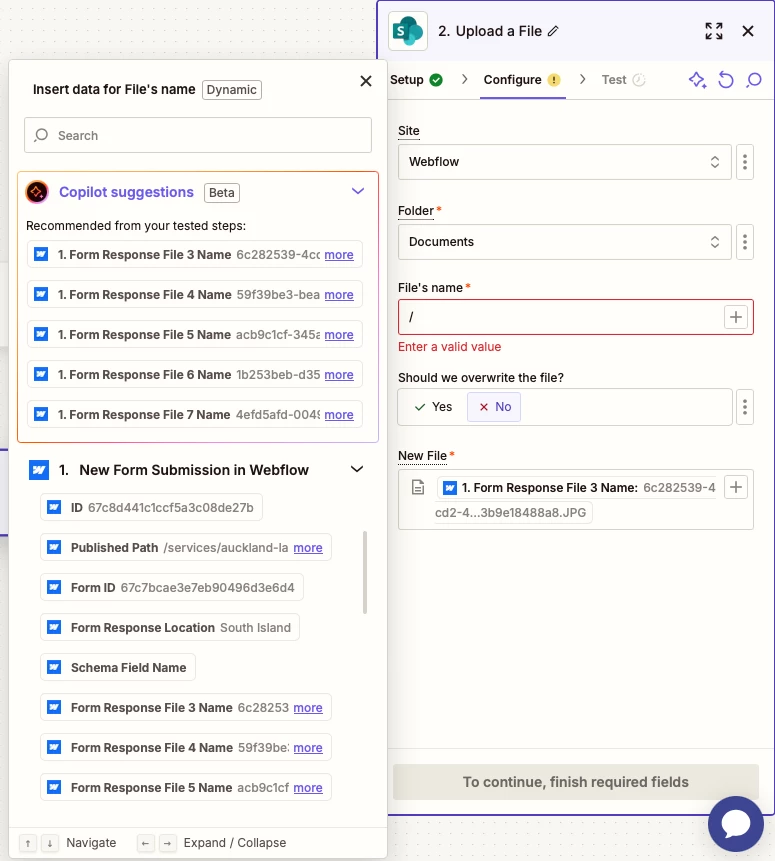
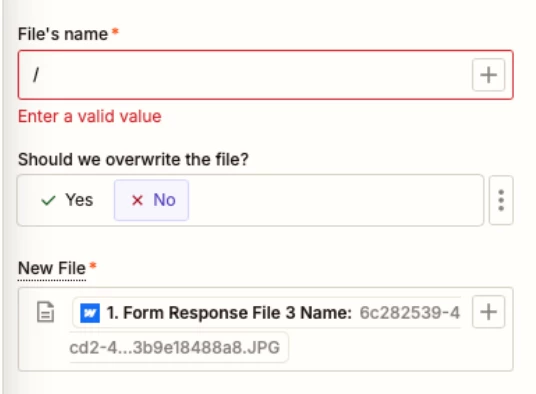
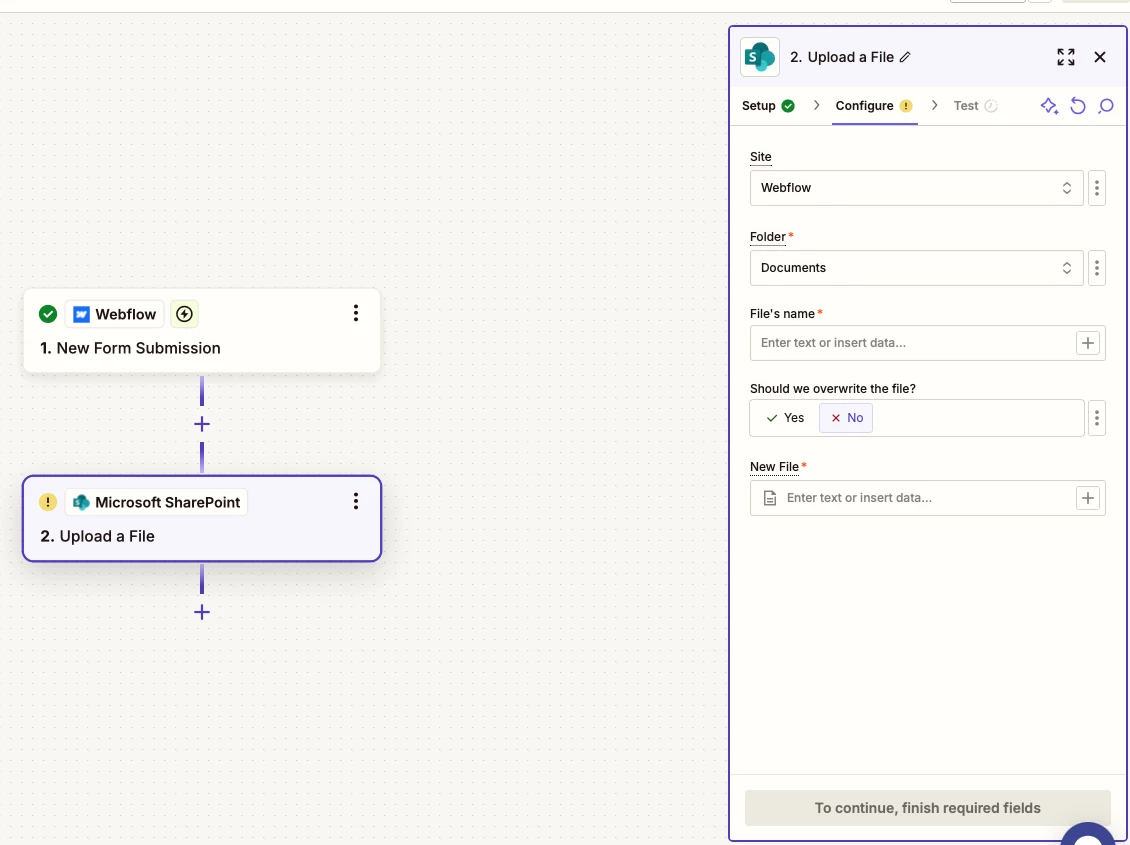
Each submission will need its own folder and I want the file name to be the name of the uploaded file but can’t figure out what to put in the “File’s Name” and  “New File” fields?

Any help would be greatly appreciated.


Thanks


This post has been closed for comments. Please create a new post if you need help or have a question about this topic.

6 replies

Troy Tessalone
Zapier Orchestrator & Solution Partner
Forum|alt.badge.img+14
  • Zapier Orchestrator & Solution Partner
  • March 6, 2025

Hi ​@fastsavage 

Help us have more info by posting screenshots that show how your Zap steps are outlined and configured in EDIT mode with the field mappings visible.


  • Author
  • Beginner
  • March 6, 2025

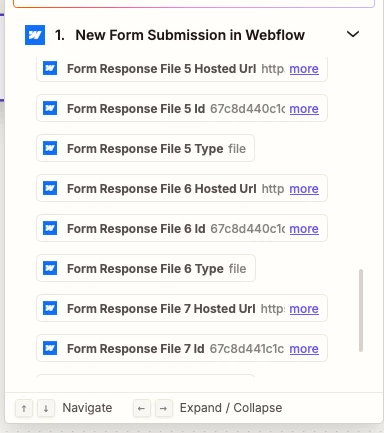
Here are the field mapping available


  • Author
  • Beginner
  • March 6, 2025

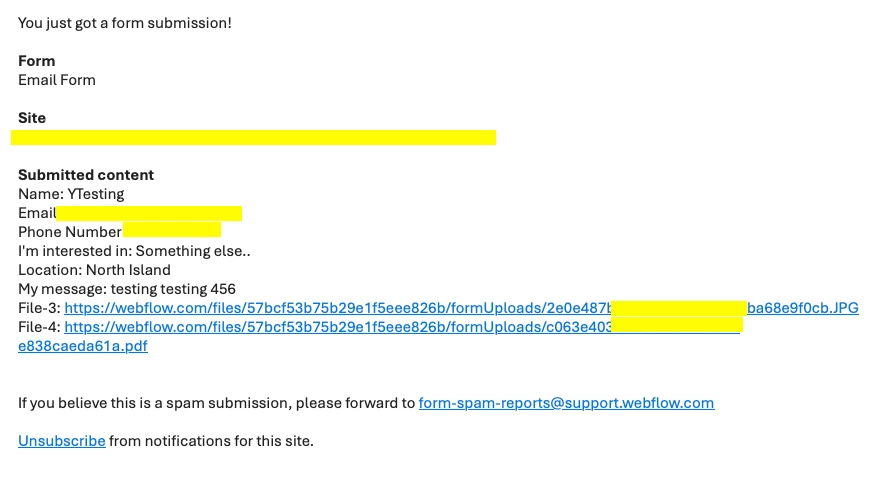
I can get Zapier to send an email (via Webflow) with the submission details and URL’s to the uploaded file, however I’m not sure where the file is stored (in Webflow I presume) 


Troy Tessalone
Zapier Orchestrator & Solution Partner
Forum|alt.badge.img+14
  • Zapier Orchestrator & Solution Partner
  • March 6, 2025

@fastsavage 

The screenshots shows the File 3 and File 4 links with the base domain of webflow.com.


For the SharePoint step…

  • For each file you want to upload you would need a separate SharePoint Upload File step.
  • For the File Name field, you can set a static value, map a variable from a previous step, or use a combo static and dynamic variables
  • For the New File field, the field expects a file url or a file object, rather than a file name


Help link for using files in Zaps: https://zapier.com/help/create/basics/send-files-in-zaps


  • Author
  • Beginner
  • March 6, 2025

Thanks Troy - I’ll have a play and see what happens 😀


SamB
Community Manager
Forum|alt.badge.img+11
  • Community Manager
  • March 10, 2025

Hey ​@fastsavage, just checking in! Did you have a chance to test things out?

Let us know if you ran into any issues, we’re happy to help! 🙂