Question

How do I update a spreadsheet row in Google Sheets when an order is made in Shopify?

  • Feb 14, 2023 10:12 PM UTC
  • 5 replies
  • 126 views

leofaria

How to updates the amount spent by a customer each time the customer makes a new order in Shopify to a Spreadsheet on Excel, with headers “customer's email”, “Amount 1”, “Amount 2” “Amount 3” “Amount 4”, and Total ordered?

“Amount 1” is the first order, got that, but “Amount 2” “Amount 3” “Amount 4” would be the future orders and “Total Ordered” is the Sum of Amount 1 to 4.




This post has been closed for comments. Please create a new post if you need help or have a question about this topic.

5 replies

Troy Tessalone
Zapier Orchestrator & Solution Partner
Forum|alt.badge.img+14
  • Zapier Orchestrator & Solution Partner
  • Feb 14, 2023 10:24 PM UTC

Hi @leofaria 

Good question.

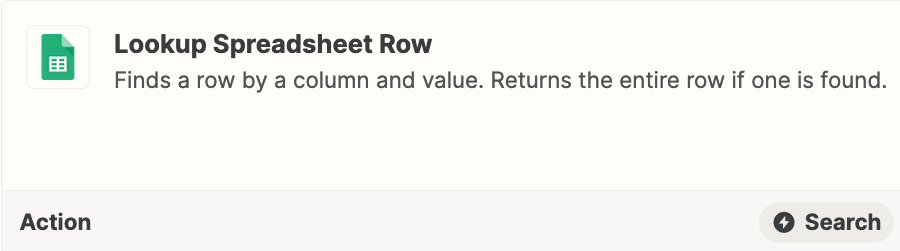
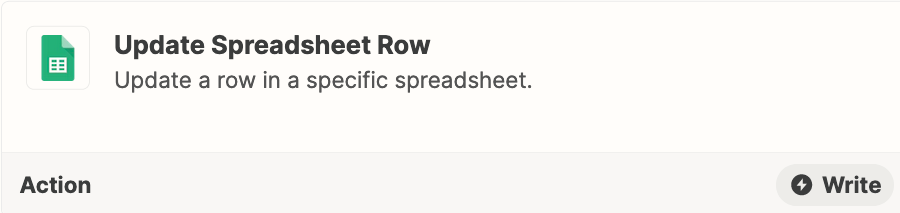
Try these Zap steps.

Map the Row / ID from the Lookup Row step to the Update Row step.

You’ll have to add logic to determine which Amount column to use.


I’d actually suggest you use Airtable instead of GSheets.

Airtable is a relational database app.

You can have 2 Tables that are linked: Orders, Customers

On the Customers Table, you can use a Rollup field to see the Total.


leofaria
  • Author
  • New
  • Feb 15, 2023 1:44 PM UTC

Thanks but my Company only allows Excel. I don’t know why the forum tagged Google Sheet.

My intention is something like this


Troy Tessalone
Zapier Orchestrator & Solution Partner
Forum|alt.badge.img+14
  • Zapier Orchestrator & Solution Partner
  • Feb 15, 2023 3:18 PM UTC

@leofaria 

Same concept can be achieved with Excel: https://zapier.com/apps/excel/integrations#triggers-and-actions


Q: What happens if they have Order 5?


leofaria
  • Author
  • New
  • Feb 15, 2023 4:00 PM UTC

By a study made with the client, in the past 12 months, only two users ordered more than two times, both three orders. So, "Order 4" is imagining this possibility, but we can stretch it to "Order 10." 


It is for a marketing campaign to increase returning customers. We will send a Discount/gift when multiple numbers of the order reach a specific amount in a quarter.


SamB
Community Manager
Forum|alt.badge.img+11
  • Community Manager
  • Feb 16, 2023 12:00 PM UTC

Hi @leofaria! 👋

I’m wondering if an alternative might be to have a Zap that adds each new order into Excel as a new row. Then you’d group the data in Excel to get the orders for the customer order grouped together. Going by this Outline (group) data in a worksheet guide it seems like data grouping is possible in Excel. 

That said, I’m not sure if the grouping would interfere with the Zaps ability to add new rows so you may need to set up another worksheet that automatically pulls in all the data from the worksheet that the Zap sends the order information to. Then set up the data grouping on that other worksheet. 

Do you think that approach could work?