
Question

How do I transfer primary phone numbers from Salesforce to Mobile Phone field in BurstSMS?

  • December 20, 2023
  • 1 reply
  • 19 views

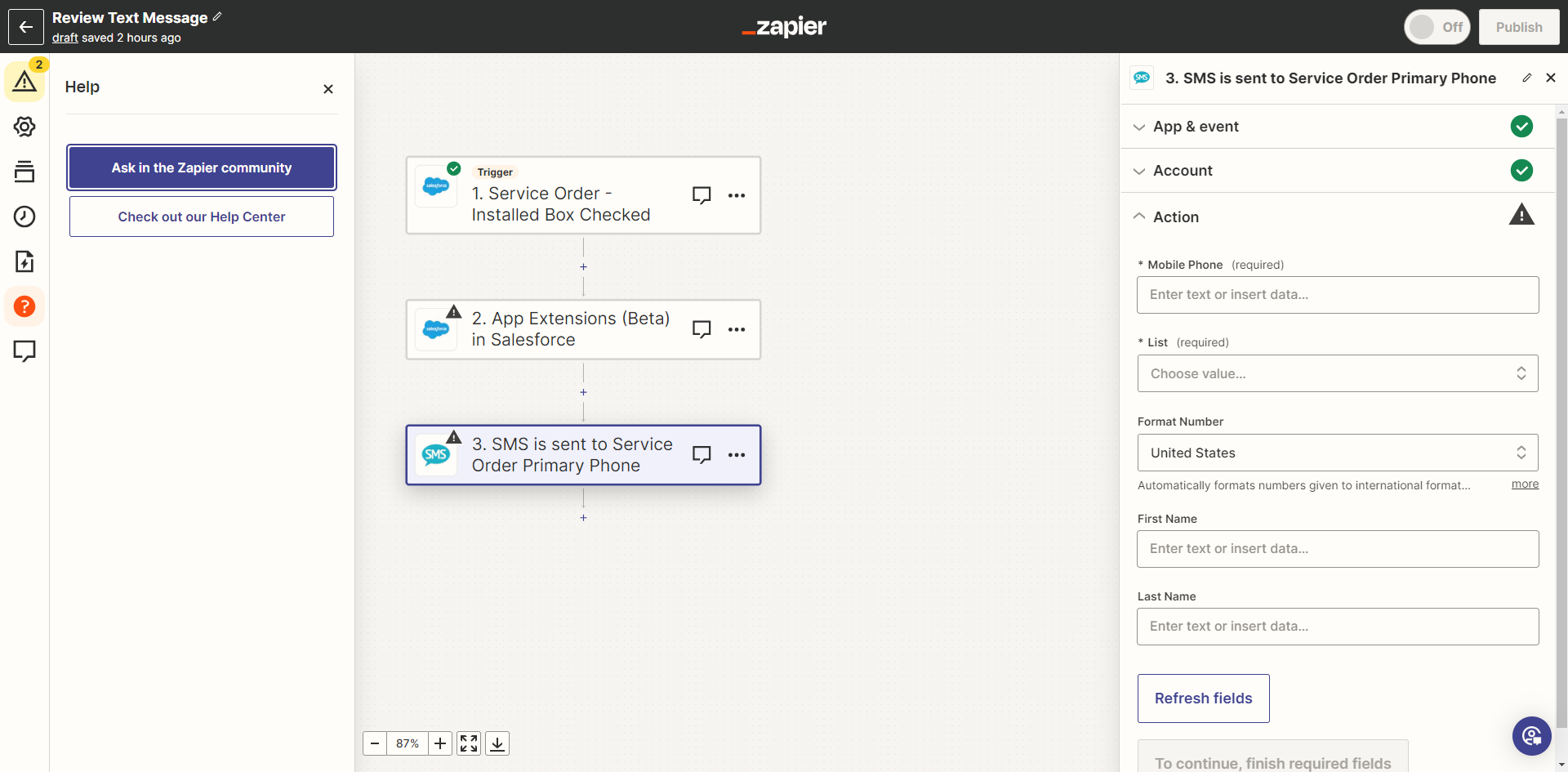
I need to bring the primary phone number from Salesforce into into the field that says Mobile Phone in the screenshot below. Does anyone know how to bring a field from an object in Salesforce into the mobile phone field in BurstSMS?  Is it even possible? (I was able to automate sending a text to obtain a customer review, but don’t understand how to get the number from the service order into BurstSMS) 
 

This post has been closed for comments. Please create a new post if you need help or have a question about this topic.

1 reply

Troy Tessalone
Zapier Orchestrator & Solution Partner
Forum|alt.badge.img+14
  • Zapier Orchestrator & Solution Partner
  • December 20, 2023

Hi @jamiefranklin 

You can use the ‘Custom’ tab to map variables between Zap steps.

Help: https://zapier.com/help/create/basics/set-up-your-zap-action




