Answer

How do I search or find specific events in Google Calendar?

  • May 7, 2024
  • 8 replies
  • 628 views

Hi,

First time poster here, so be gentle, please.

I’m unsure of the way you’re supposed to refer to or access Google Calendar events that are the Zap triggers. Can you refer to them in subsequent steps by their ID or do you have to use the (legacy) Find Event in Google Calendar zap action & then use that result in subsequent steps?

My actual problem is I want to delete a G-Cal event that’s been created with no title (I know, users, right?), but to do that, I have to refer or find that triggering event. I’m trying to use the Find Event (that I’ve used before), but now, there’s no title/summary field to search on. I’d *like* to use the ID of the triggering event, but I’m sure I’ve used that before and it hasn’t worked. Can anyone help me out please?
 

Thanks,
GAM
Best answer by Troy Tessalone

@gamcall 

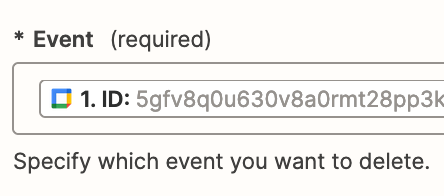
For your GCal Zap action step, the Event would look like this with the GCal Event ID mapped from Step 1.


This post has been closed for comments. Please create a new post if you need help or have a question about this topic.

8 replies

Troy Tessalone
Zapier Orchestrator & Solution Partner
Forum|alt.badge.img+14
  • Zapier Orchestrator & Solution Partner
  • May 7, 2024

Hi @gamcall 

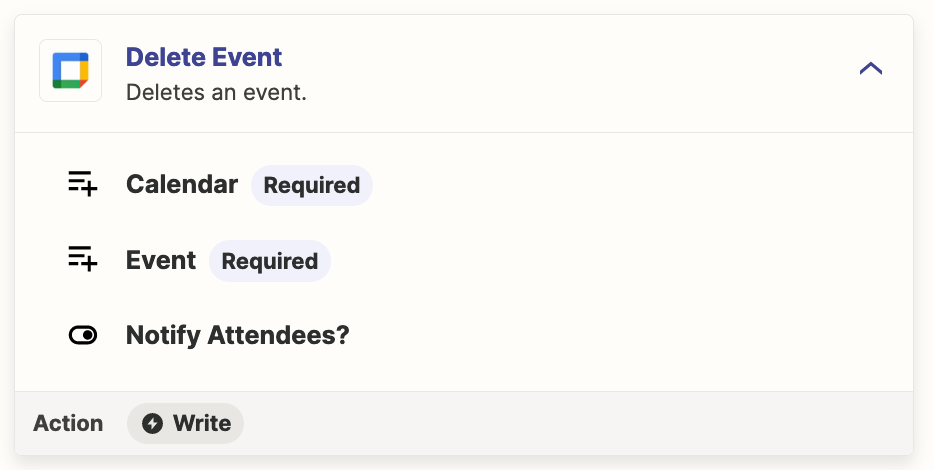
For the Zap action; GCal - Delete Event

The field “Event”, expects the GCal Event ID.

Help articles about using dropdown fields in Zaps: https://help.zapier.com/hc/en-us/articles/8496241696141-Add-custom-values-to-dropdown-menu-fields-in-Zaps


  • Author
  • New
  • May 7, 2024

Hi @Troy Tessalone,

Thanks for your reply. According to that link you sent I have to try and use a custom value in the trigger step, as below, viz:

Use custom values in trigger steps

For trigger steps, there are no options to select from in the Custom tab. To enter a custom value instead:

  1. Log into your trigger app.
  2. Search for and copy the ID for the field you want to use in your Zap.

The trouble is, I cannot see any type of ID value for the event in Google Calendar; i.e. the trigger app. Do you have an idea as to where I could find it?

Thanks,
GAM


Troy Tessalone
Zapier Orchestrator & Solution Partner
Forum|alt.badge.img+14
  • Zapier Orchestrator & Solution Partner
  • May 7, 2024

@gamcall 

For us to have context, post screenshots with the Zap trigger step (app/event) you are using.


  • Author
  • New
  • May 7, 2024

Hi @Troy Tessalone,


Sorry - what screenshots explicitly are you after? It’s just that I don’t understand how any that I think you mean could be helpful. Here is the whole zap:


The crux of the matter is that the last step does not have an ID to use. I can bring it in as the Calendar Event ID when I set the zap up, but it is not the correct one when the zap subsequently runs. As I said, in Google Calendar, there is nothing in the event details that looks like an event ID.

Thanks,
GAM


Troy Tessalone
Zapier Orchestrator & Solution Partner
Forum|alt.badge.img+14
  • Zapier Orchestrator & Solution Partner
  • May 7, 2024

@gamcall 

We would need to see screenshots with how your Zap step 4 is configured in EDIT mode.


Troy Tessalone
Zapier Orchestrator & Solution Partner
Forum|alt.badge.img+14
  • Zapier Orchestrator & Solution Partner
  • Answer
  • May 7, 2024

@gamcall 

For your GCal Zap action step, the Event would look like this with the GCal Event ID mapped from Step 1.


  • Author
  • New
  • May 7, 2024

Hi @Troy Tessalone,


Yes - that is how it looks. And I just realised that the zap is working. It’s deleting the event from the room’s calendar, but not mine (which made me think it wasn’t working). 

Thanks for your help.

Regards,
GAM


ken.a
Forum|alt.badge.img+6
  • Zapier Staff
  • May 8, 2024

That’s awesome @gamcall! A huge thanks to Troy for lending a hand here!

If you have any other questions, please don’t hesitate to reach out to the Community. We’re always happy to help! 🤗