


Best answer

How do I post the link to a newly created Google Doc in a specific row of a Notion database?

  • June 22, 2023
  • 3 replies
  • 64 views

oliisdancing

Hey Community,

I’m trying to create an integration where I update a database in Notion, which then creates a google doc from a template. Those two steps already work and I get a new google doc created. Now I want the link to this google doc posted in the same row (see screenshot attached). But I can’t figure out how to make the connection to this new row. As you can see I already managed to do it to an existing row. 

Maybe someone can help me with that.
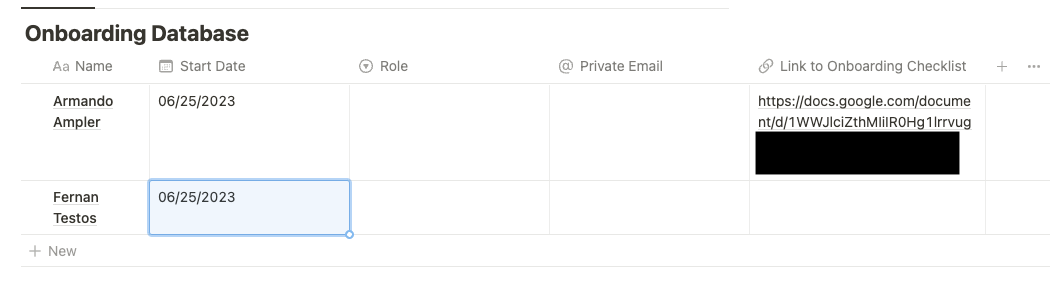
So how the process should look like:

  1. I create a new row and enter the details like Name, Start Date, Role & private Email
  2. Zapier creates a google doc from a template
  3. The link to this google doc is posted in Link to Onboarding Checklist
Best answer by Troy Tessalone

Hi @oliisdancing 

Good question.

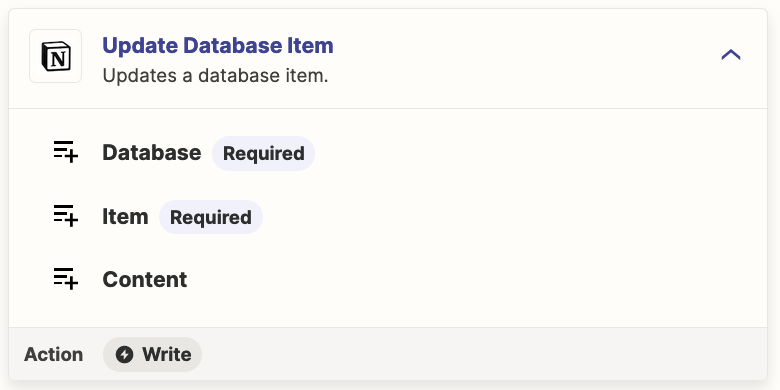
Use this Zap action: Notion - Update Database Item

Map the Item ID from Step 1 in the Zap.


This post has been closed for comments. Please create a new post if you need help or have a question about this topic.

3 replies

Troy Tessalone
Zapier Orchestrator & Solution Partner
Forum|alt.badge.img+14
  • Zapier Orchestrator & Solution Partner
  • Answer
  • June 22, 2023

Hi @oliisdancing 

Good question.

Use this Zap action: Notion - Update Database Item

Map the Item ID from Step 1 in the Zap.


oliisdancing
  • Author
  • Beginner
  • June 23, 2023

Thanks Troy! As easy as it sounds, but yea totally makes sense. Works now.


SamB
Community Manager
Forum|alt.badge.img+11
  • Community Manager
  • June 23, 2023

Thanks for following up here @oliisdancing! I’m so pleased Troy was able to help get this solved. 🎉

Seems like you’re all set for now but please do reach back out in Community if you need help with anything else. We’re always happy to assist! 🙂





