Best answer

How do I move a file between Google Drive folders using Zapier?

  • August 21, 2024
  • 8 replies
  • 72 views

Hello. I have not found an answer to my issue in topics that I have researched. If there is one, I would greatly appreciate being directed to it.


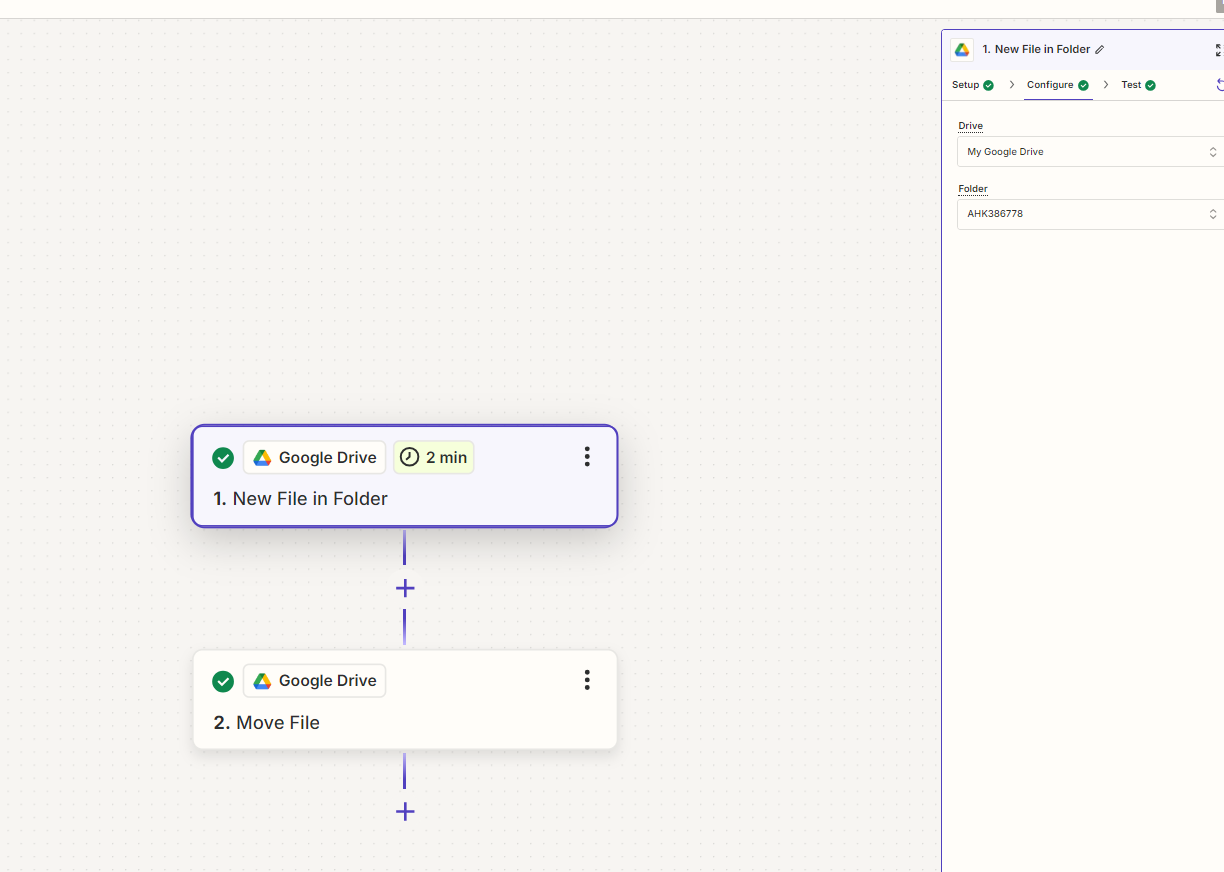
I am trying to move a file between Google Drive folders. I have it set up in 2 steps:

  • Step 1 is the New File in Folder. I select the folder where the file appears …. simple. When I run a test, it pulls up a file from that folder.
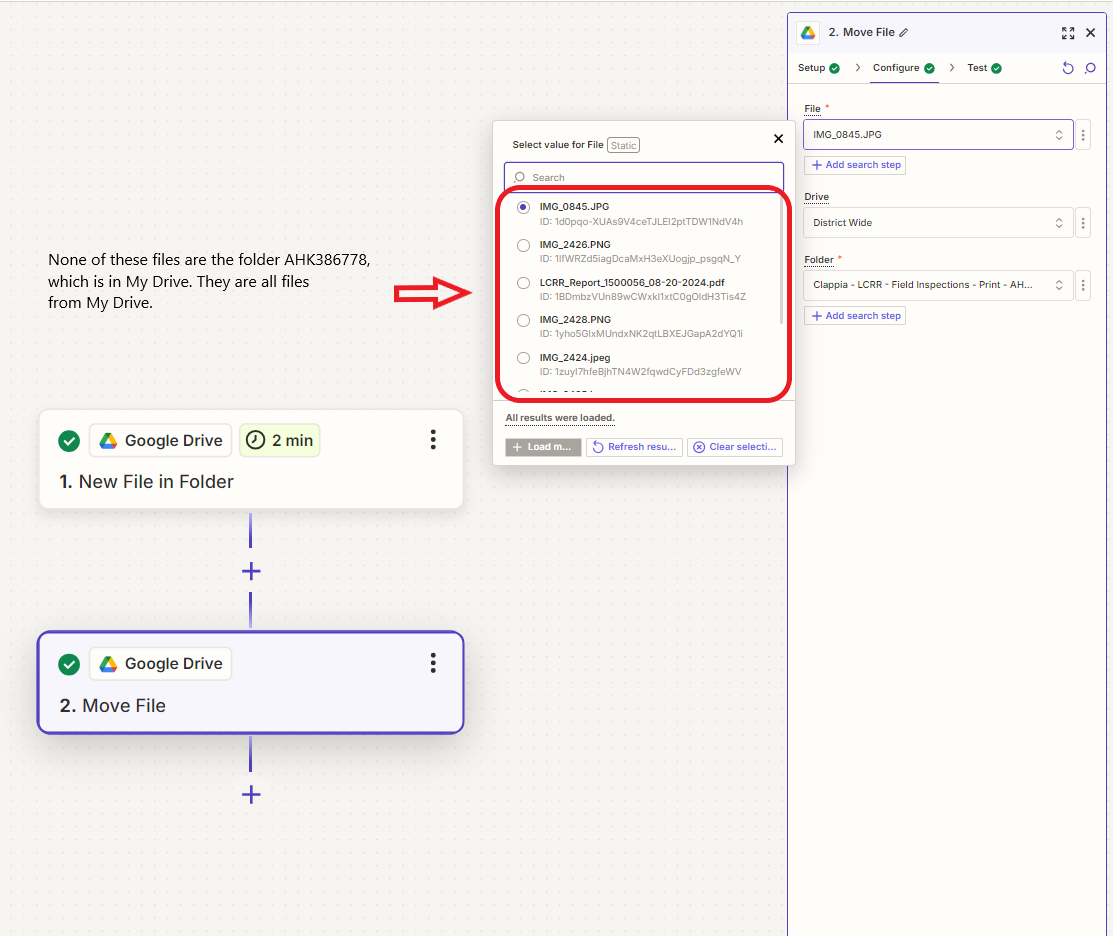
  • Step 2 is Move File. I select the Drive and folder where I would like the file to be moved …. simple. The problem I have is that when I go to select a file, the files that I can choose from are from My Drive and not the folder listed in Step 1. I changed the folder name to the folder in Step 1. I selected a file from it and then changed the folder back to the intended destination folder. The test worked but when I ran the zap, it didn’t work.

I don’t know why it is so complicated. It seems like an easy setup but I am sure I am setting it up incorrectly or missing a step.

Best answer by Troy Tessalone

@gromey 

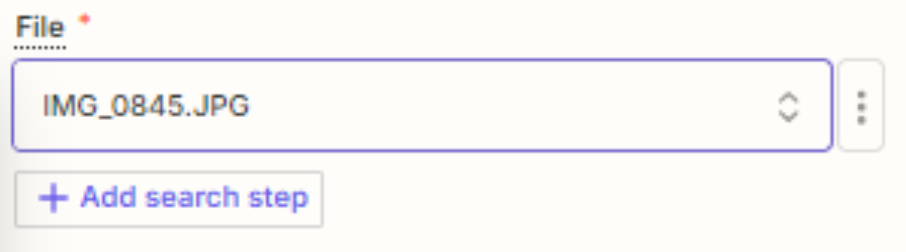
Click the [...] more button and change it to Custom.

Then map the ID from Step 1.


This post has been closed for comments. Please create a new post if you need help or have a question about this topic.

8 replies

Troy Tessalone
Zapier Orchestrator & Solution Partner
Forum|alt.badge.img+14
  • Zapier Orchestrator & Solution Partner
  • August 21, 2024

Hi @gromey 

For the File field in Step 2, map the ID variable from Step 1.


  • Author
  • Beginner
  • August 22, 2024

Hello Troy,


Thank you for respoinding.

I do not have the option for mapping the ID - I just have the file titles, titles of which do not come from the folder referenced in Step 1.


Troy Tessalone
Zapier Orchestrator & Solution Partner
Forum|alt.badge.img+14
  • Zapier Orchestrator & Solution Partner
  • Answer
  • August 22, 2024

@gromey 

Click the [...] more button and change it to Custom.

Then map the ID from Step 1.


  • Author
  • Beginner
  • August 23, 2024

Thank you Troy. That seems to have worked!


ken.a
Forum|alt.badge.img+6
  • Zapier Staff
  • August 26, 2024

That’s awesome news @gromey! A huge thanks to Troy for pointing you in the right direction!

If you have any other questions, please don’t hesitate to reach out to the Community. We’re always happy to help! 🤗


  • New
  • August 26, 2024

hi - this is my first post :) I’m getting the same issue - how does this work if its a new file getting loaded into the source folder each time. doesn’t the file ID change?


thanks


  • New
  • August 26, 2024

hi again - please ignore my last post  - I’ve got it working now  following the instructions properly :)  I’m very green lol. 


ken.a
Forum|alt.badge.img+6
  • Zapier Staff
  • August 27, 2024

That’s great @Martunz! Thanks for looping back for the update.

If you have any other questions, please don’t hesitate to reach out to the Community. We’re always happy to help! 🤗