Question

How do I link Redtail contact to opportunity when created from an activity?

  • May 7, 2026
  • 5 replies
  • 44 views

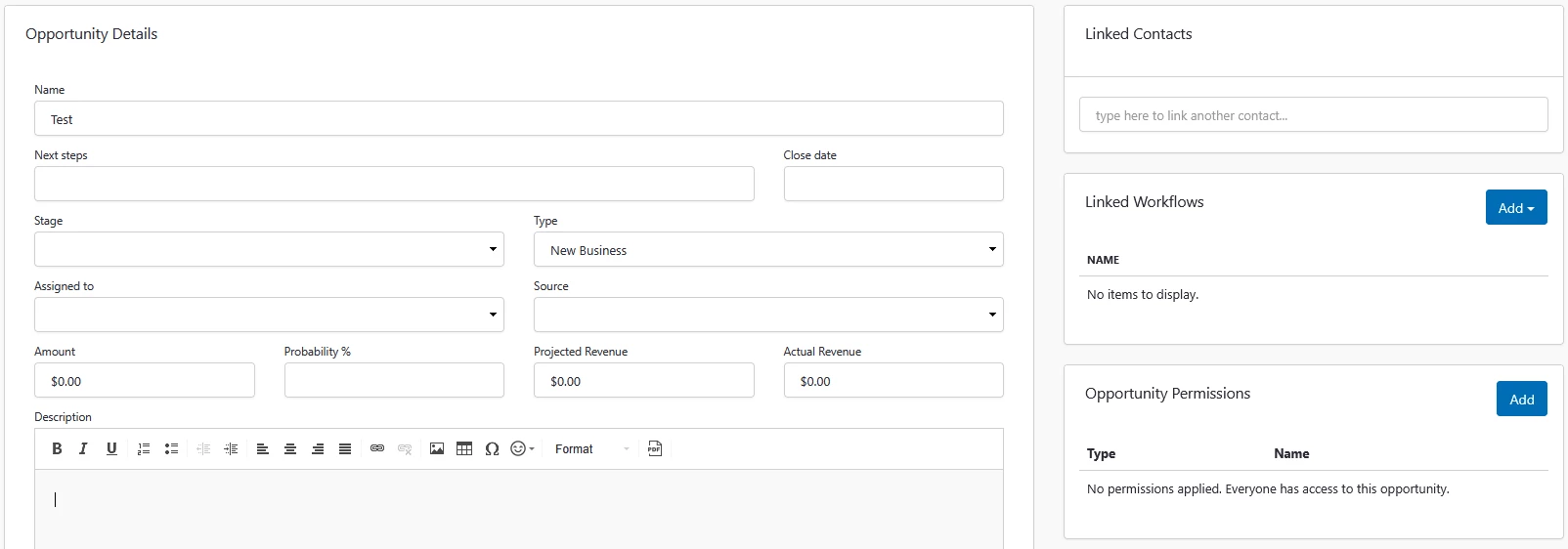
I created a Zap to automatically create an opportunity when a prospect is added to our calendar. I can’t figure out how to automatically link the same contact from the calendar to the newly created opportunity. When speaking to the Zap AI, they can only detect the fields in the Opportunity Details and they’re unable to detect the “Linked Contacts” field. Is there a way to link contacts?

 

5 replies

Troy Tessalone
Zapier Orchestrator & Solution Partner
Forum|alt.badge.img+14
  • Zapier Orchestrator & Solution Partner
  • May 7, 2026

Hi ​@Jeff A. 

Generally you need to map the internal record ID as that is what fields expect to link records.


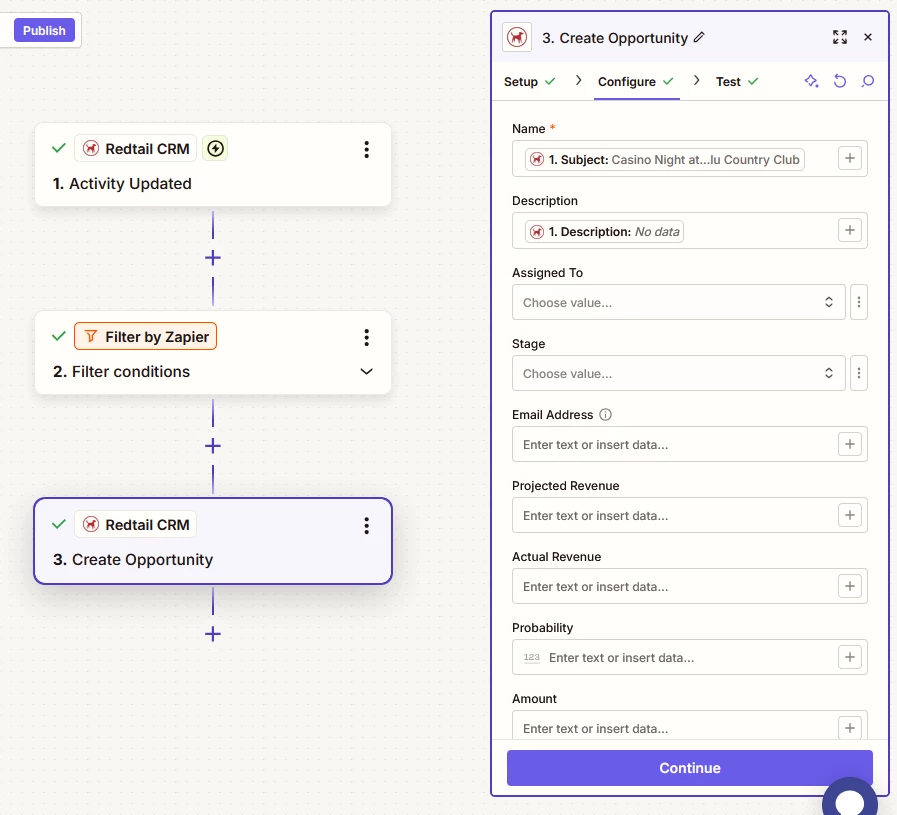
For us to have more info about what you are referring to, post screenshots showing how your Zap steps are outlined and configured in the CONFIGURE table while in EDIT mode with the fields and field mappings visible.


  • Author
  • Beginner
  • May 7, 2026


Troy Tessalone
Zapier Orchestrator & Solution Partner
Forum|alt.badge.img+14
  • Zapier Orchestrator & Solution Partner
  • May 8, 2026

Hi ​@Jeff A. 

Try mapping an email address into the Email Address field of the Opportunity.

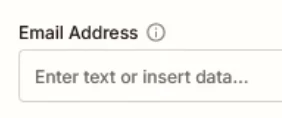
NOTE: Check the tooltip for more info about the field.

See screenshot below.


Forum|alt.badge.img

hi ​@Jeff A. 

In Redtail:

  • Contacts and Opportunities are separate objects
  • The “Linked Contacts” relationship is not exposed in Zapier’s Redtail actions

    I took a closer look at the Create Opportunity action in Redtail(above screenshot), and at the moment, the Zapier integration doesn’t include a field to link or associate a contact (the “Linked Contacts” section you see in Redtail). Because of that, it’s not currently possible to automatically attach a contact to an opportunity within the same step.
     

    Here are a couple of workarounds that can help , try giving this a try and check how it goes.

    Option 1: Use Activities.
    Activities in Redtail can be directly tied to contacts in Zapier.

    A typical setup would look like:

  • Trigger: event updated
  • Action: Find or Create Contact in Redtail
  • Action: Create Activity → map the Contact Record ID
  • This ensures the record is properly linked to the contact.

    Option 2: Keep Opportunities, link manually
    You can continue creating opportunities via Zapier, but the contact would need to be linked manually inside Redtail afterward.

    Option 3: Advanced (Webhooks/API)
    If your team has access to Redtail’s API, you may be able to link contacts to opportunities using a custom webhook step. This would require using Redtail’s API endpoints directly, as this relationship isn’t exposed in the Zapier app.

    I recommend giving this a try and let us know how it goes.
    Feel free to share the possible screenshots incase of any further questions!


Forum|alt.badge.img+3
  • Zapier Solution Partner
  • May 21, 2026

Hi ​@Jeff A. just checking — did any of these fixes do the trick for you?