

Best answer

How do I get Zapier to check Salesforce opportunities based on Close Date and Stage, then notify on Slack?

  • December 1, 2023
  • 3 replies
  • 166 views

Hey all!


I feel as though this ask should be relatively simple, though I’m having trouble getting it to work just right.


Every morning...
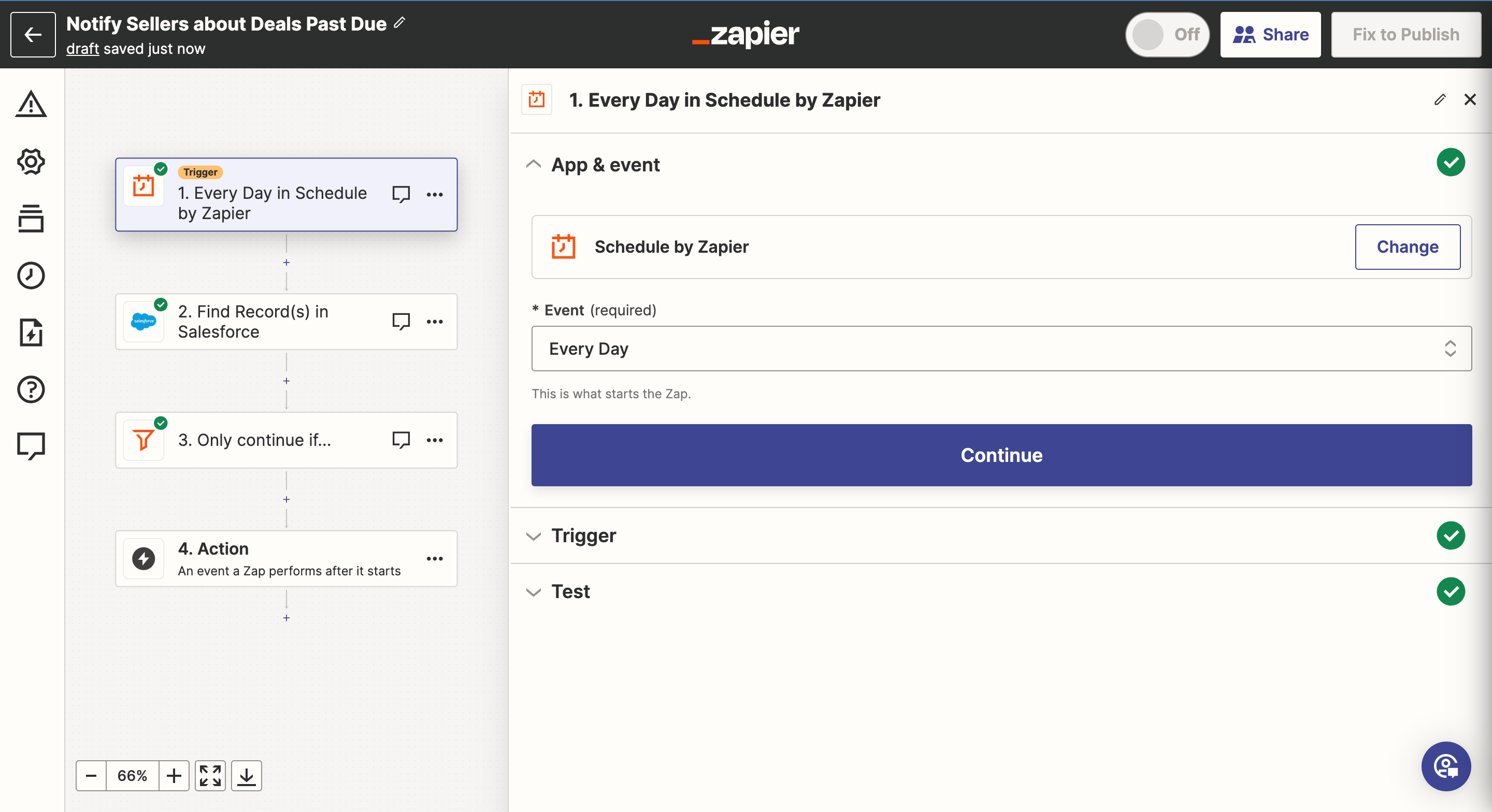
I would like Zapier to scan all of my opportunities in SalesforceContinue if the Close Date is earlier than the current date AND the Opportunity Stage is NOT Closed Won/Closed Lost
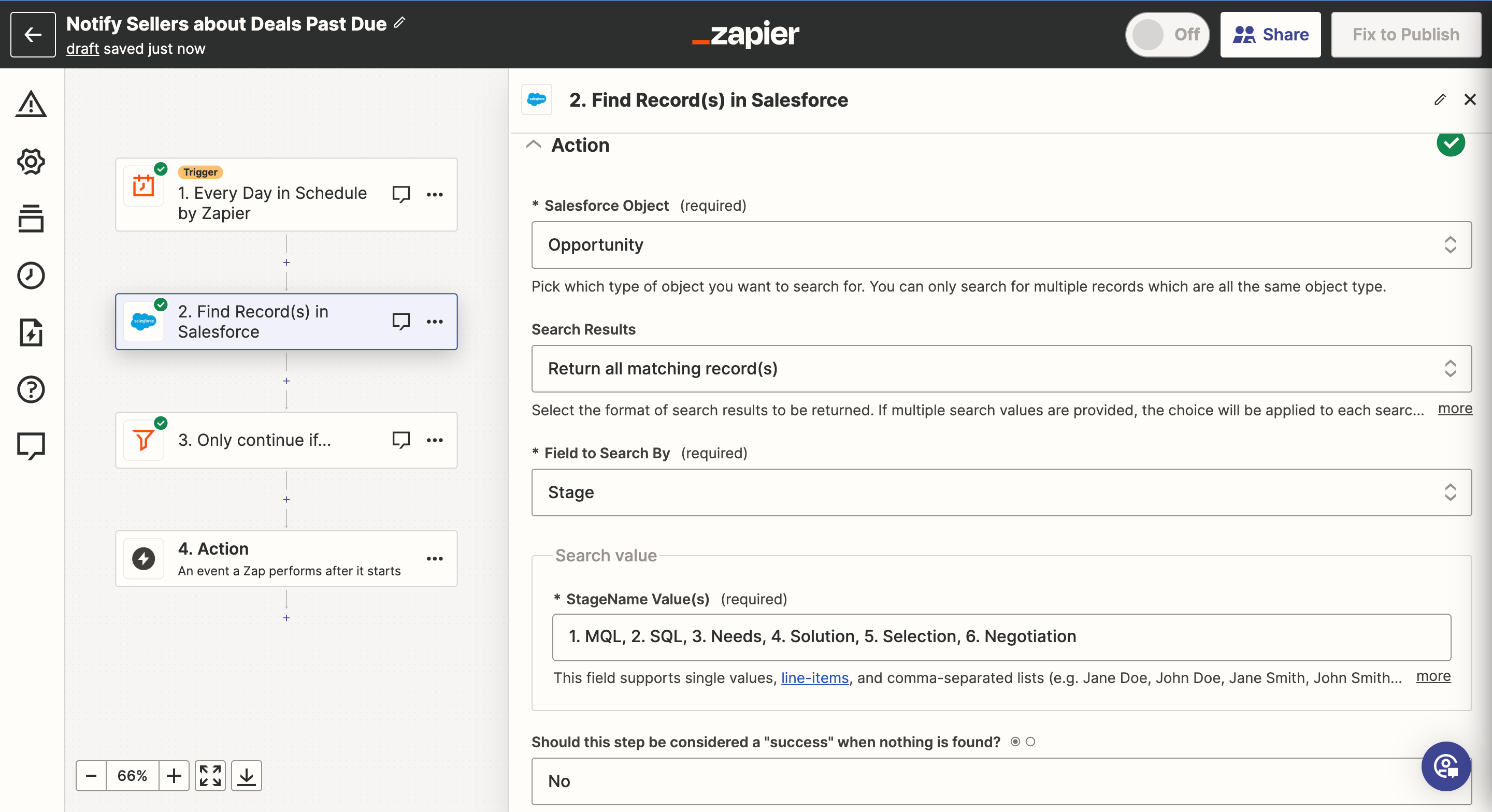
Send Slack Message any Opportunity Owner who has a deal that meets this criteria…

(This part I’m confident I know how to do once I have the other steps sorted)

As you can see below it is returning many records that do NOT fit this criteria
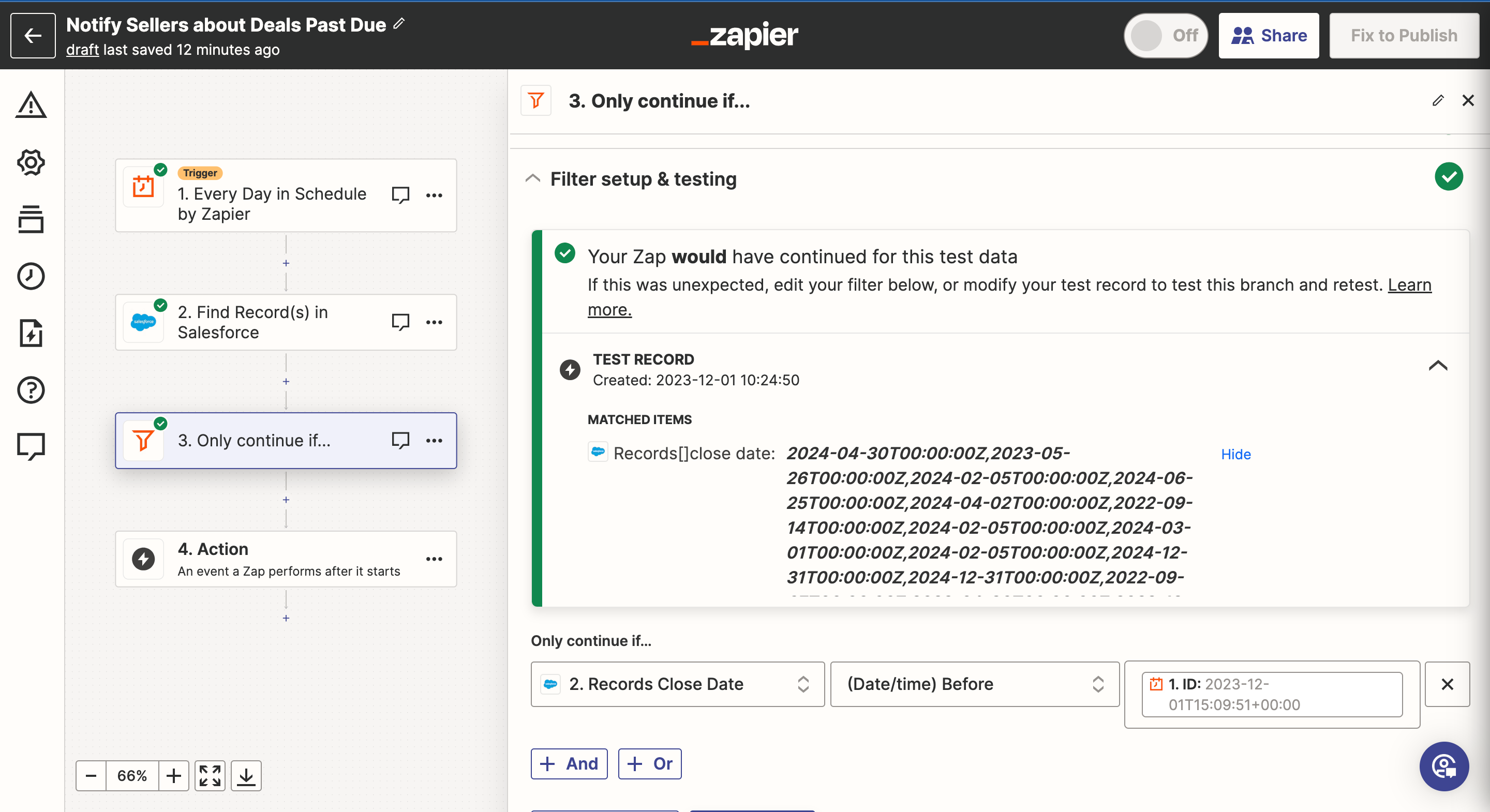
 

Best answer by Troy Tessalone

Hi @egardner 

Try adding a Looping step to iterate thru each returned Salesforce record: https://zapier.com/apps/looping/help

This post has been closed for comments. Please create a new post if you need help or have a question about this topic.

3 replies

Troy Tessalone
Zapier Orchestrator & Solution Partner
Forum|alt.badge.img+14
  • Zapier Orchestrator & Solution Partner
  • Answer
  • December 1, 2023

Hi @egardner 

Try adding a Looping step to iterate thru each returned Salesforce record: https://zapier.com/apps/looping/help


  • Author
  • Beginner
  • December 1, 2023

@Troy Tessalone Thanks! Between which of my steps would I put the loop?


Troy Tessalone
Zapier Orchestrator & Solution Partner
Forum|alt.badge.img+14
  • Zapier Orchestrator & Solution Partner
  • December 1, 2023

@egardner

After the Salesforce step and before the Filter step.


Also, make sure to review the Filter help articles for using date/time conditions: https://zapier.com/apps/filter/help





