Question

How do I generate a Xero invoice and merchant fee transaction for a paid Calendly booking?

  • January 12, 2025
  • 9 replies
  • 57 views

TRIGGER: Paid booking made via Calendly.


ACTION: Generate a sales invoice in Xero and the accompanying merchant fee (spend money transaction)


BACKGROUND:

  • We use Stripe as a payment gateway for invoices that are issued through Xero, hence the specific trigger of a paid booking
  • Current workaround: text description filter with Calendly > draft invoice (no figures) > spend money transaction is created (tested and approved)
  • Unable to find an identifier to link a specific booking in Calendly to Xero

Appreciate any help.

 

This post has been closed for comments. Please create a new post if you need help or have a question about this topic.

9 replies

Troy Tessalone
Zapier Orchestrator & Solution Partner
Forum|alt.badge.img+14
  • Zapier Orchestrator & Solution Partner
  • January 13, 2025

Hi ​@cleaj 

Check if there is a ID from Calendly on the Stripe Transactions OR if there is a Stripe ID on the Calendly transaction.

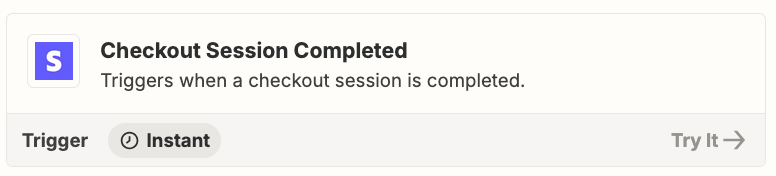
You may need to use this Zap trigger: Stripe - Checkout Session Completed


  • Author
  • Beginner
  • January 13, 2025

Hi ​@Troy Tessalone 

Thanks for taking the time to reply. I’ve looked at various fields and can’t identify one that specifically relates to paid bookings. Particularly, when someone makes a booking via my Calendly and it takes payment there and charges their credit card via Stripe.

By the way, I’ve tried your suggestion and it didn’t work our workflow doesn’t involve the checkout process.

Appreciate you trying to help.


Troy Tessalone
Zapier Orchestrator & Solution Partner
Forum|alt.badge.img+14
  • Zapier Orchestrator & Solution Partner
  • January 13, 2025

@cleaj 

You can filter by the specific Calendly Event. (name/id/url)

Zap step 2: Filter

Filter help: https://zapier.com/apps/filter/help


Troy Tessalone
Zapier Orchestrator & Solution Partner
Forum|alt.badge.img+14
  • Zapier Orchestrator & Solution Partner
  • January 13, 2025

@cleaj 

There are other Stripe triggers to explore using: https://zapier.com/apps/stripe/integrations#triggers-and-actions


  • Author
  • Beginner
  • January 13, 2025

@Troy Tessalone Understood. I was looking for more specific guidance. I’ve got the trigger sorted, it’s the filter conditions I’m struggling with as I can’t ID a field that differentiates between regular payments of our invoices made via Stripe or if Stripe have charged their CC (credit card) as a result of a paid booking from Calendly.

EDIT: I just saw your other comment. I believe I’ve tried name and ID. Not sure about URL. Will try.


Troy Tessalone
Zapier Orchestrator & Solution Partner
Forum|alt.badge.img+14
  • Zapier Orchestrator & Solution Partner
  • January 13, 2025

@cleaj 

Calendly Field: Event Type URI.

The Calendly URL includes the Calendly Event ID.


  • Author
  • Beginner
  • January 13, 2025

@cleaj 

Calendly Field: Event Type URI.

The Calendly URL includes the Calendly Event ID.


That field makes sense, but the workflow isn’t quite working. I’ve tried using Calendly as the trigger and Stripe as the trigger and it’s still not coming out right. Appreciate your help, but I think this is beyond me.


Troy Tessalone
Zapier Orchestrator & Solution Partner
Forum|alt.badge.img+14
  • Zapier Orchestrator & Solution Partner
  • January 13, 2025

@cleaj 

If you still need help, for us to have more info, post screenshots with how your Zap steps are outlined and configured in EDIT mode with the field mappings visible.


To hire help, there is a directory of Certified Zapier Experts: https://zapier.com/experts


JammerS
Forum|alt.badge.img+6
  • Zapier Staff
  • January 21, 2025

Hi ​@cleaj,
 
We just wanted to see how everything is going with your Zap. Feel free to reach out if you need further assistance with your Zap. We're glad to address any concerns and assist you.
 
We're looking forward to your response.