Answer

How do I configure Zapier to send specific PDF attachments from labeled Gmail emails to DATEV in their original format?

  • December 10, 2024
  • 3 replies
  • 64 views

Hello,

my trigger event is a new labeled email in gmail. I need the new label, because I first have to label the Email with the invoice and than zapier send the attachments to DATEV (German Acounting Tool, which is standart but shity ;-) per email. But it always sends as a zp. How can I change the settings that the right file is uploaded in its original pdf format. Sometimes there are more pdf´s because of terms of service pdf´s, so i would be great to upload only the pdf with specific words like invoice in it. 

Can you help me do it? That would be great. Thanks for help

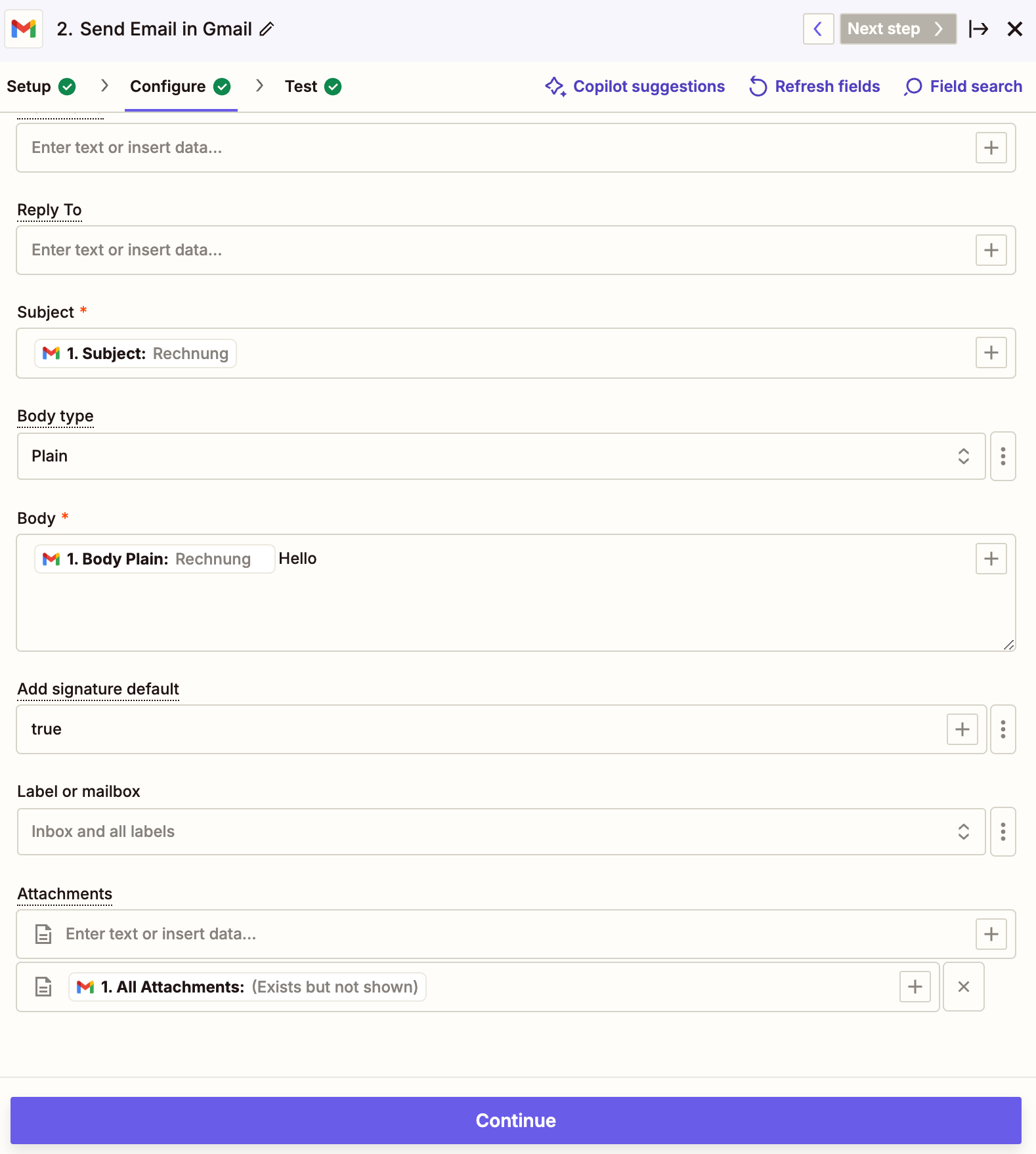
This are my settings on the second step, after the first step is “new labled email”
 

Best answer by Badger

@Sigerius 

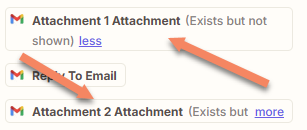
Using All Attachments will give you a zip file. You would need to select the link for the right single attachment. 


If the name is consistent you can check it’s there with a Filter, but then you need to workout which attachment it is. It’s a tricky problem. 


This post has been closed for comments. Please create a new post if you need help or have a question about this topic.

3 replies

Badger
Forum|alt.badge.img+5
  • New
  • Answer
  • December 10, 2024

@Sigerius 

Using All Attachments will give you a zip file. You would need to select the link for the right single attachment. 


If the name is consistent you can check it’s there with a Filter, but then you need to workout which attachment it is. It’s a tricky problem. 


  • Author
  • Beginner
  • December 13, 2024

Thanks it worked :-)


JammerS
Forum|alt.badge.img+6
  • Zapier Staff
  • December 17, 2024

Hi ​@Sigerius,
 
Wow! Thank you for confirming that Badger’s resolution got the Zap running. This will significantly help our Community members to have as a reference for the same issue.