Question

How do I auto-transfer photos/videos from JobTread Daily Logs to Google Drive by job name?

  • March 25, 2024
  • 3 replies
  • 73 views

I am trying to figure out how we can automatically transfer photos/videos to Google Drive, from our Project Managers uploading to Daily Logs in JobTread. Ideally, we would be able to organize these photos in folders based on Job Name. 


I do not see an event that has anything to do with Daily Logs. Any help would be great!


Thanks

This post has been closed for comments. Please create a new post if you need help or have a question about this topic.

3 replies

Troy Tessalone
Zapier Orchestrator & Solution Partner
Forum|alt.badge.img+14
  • Zapier Orchestrator & Solution Partner
  • March 25, 2024

Hi @SamM1997 

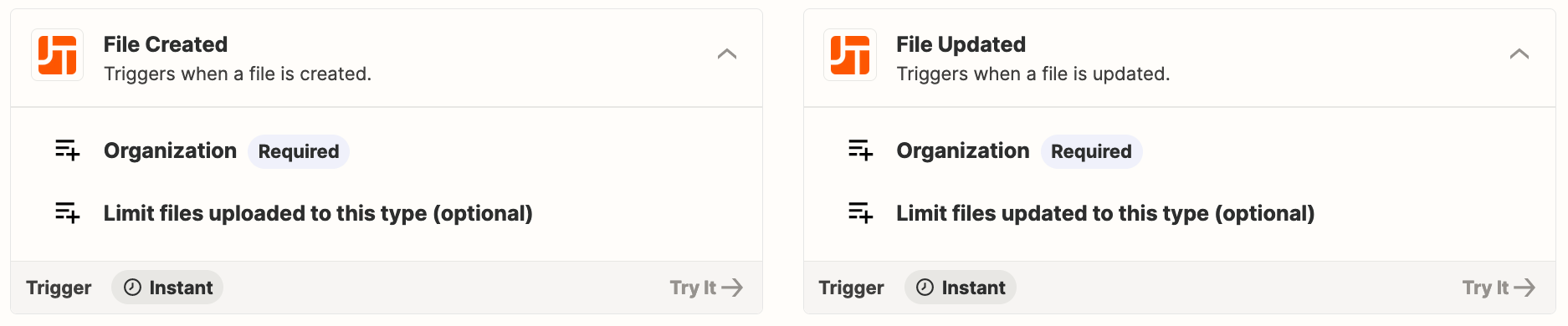
Perhaps 1 of these Zap triggers would work for files from JobTread?


  • Author
  • Beginner
  • March 25, 2024

Yep I think you are correct, Thanks!

Got myself into a more complex situation than I thought, creating folders based on new jobs to then add files.


I am currently trying to “Find a Folder” in Google drive. I am trying to find the “2024” Folder based on the year. Is there a code I can enter into the “Folder Name” box to indicate {current year}?


Troy Tessalone
Zapier Orchestrator & Solution Partner
Forum|alt.badge.img+14
  • Zapier Orchestrator & Solution Partner
  • March 25, 2024

@SamM1997 

Add this Zap step: Formatter > Date & Time > Format