Question

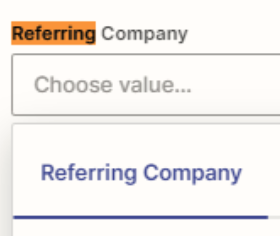
How do I add an account to a party lookup field for Salesforce Create Record

  • September 8, 2023
  • 7 replies
  • 42 views

hrodriguez

Hi there,


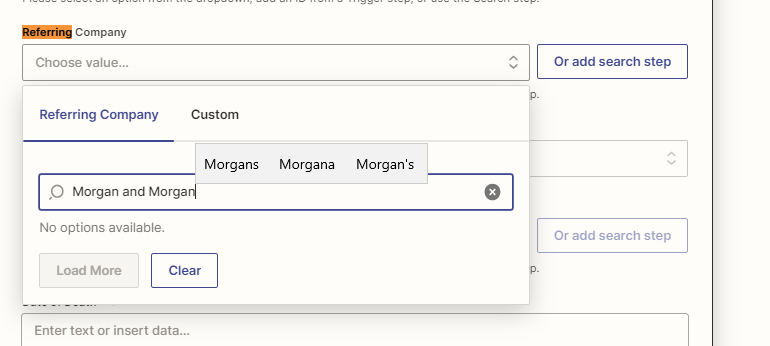
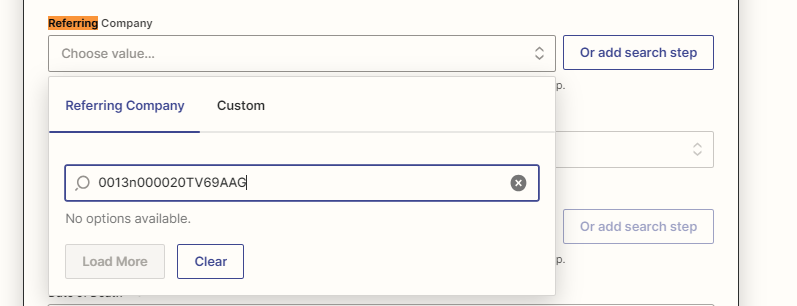
I am trying to add an account record to a zap. For some reason when I search for the account, it does not appear as an option. I’ve even copied/paste the record ID.


This post has been closed for comments. Please create a new post if you need help or have a question about this topic.

7 replies

Troy Tessalone
Zapier Orchestrator & Solution Partner
Forum|alt.badge.img+14
  • Zapier Orchestrator & Solution Partner
  • September 8, 2023

Hi @hrodriguez 

Good question.

Perhaps the Company record is different from an Account record.


hrodriguez
  • Author
  • Beginner
  • September 8, 2023

Hi Troy! Unfortunately it’s not. Referring Company is just the label for the field on the object, the field is an account lookup field.


In fact, other accounts show up for selection so I’m not sure why the particular one I need, does not =(


Troy Tessalone
Zapier Orchestrator & Solution Partner
Forum|alt.badge.img+14
  • Zapier Orchestrator & Solution Partner
  • September 8, 2023

@hrodriguez 

What error do you get when trying to use the Account Record ID via the ‘Custom’ option? (screenshot)

There may be some settings configured in Salesforce which limit which Accounts can be set as a Referring Company.


hrodriguez
  • Author
  • Beginner
  • September 11, 2023

Zapier returns “no options available”. There are not settings configured that would limit which accounts are set as the referring company =/ 


Troy Tessalone
Zapier Orchestrator & Solution Partner
Forum|alt.badge.img+14
  • Zapier Orchestrator & Solution Partner
  • September 11, 2023

@hrodriguez 

What error do you get when trying to use the Account Record ID via the ‘Custom’ option? (screenshot)


hrodriguez
  • Author
  • Beginner
  • September 11, 2023

There is no error


Troy Tessalone
Zapier Orchestrator & Solution Partner
Forum|alt.badge.img+14
  • Zapier Orchestrator & Solution Partner
  • September 11, 2023

@hrodriguez 

So it’s successful using the Account ID via the ‘Custom’ option?

If you can provide screenshots of the DATA OUT from testing that step it will be helpful for us to have context.