I’m facing a limitation with Zapier and Notion rollup fields. As far as I understand, Zapier doesn’t properly support rollup properties.
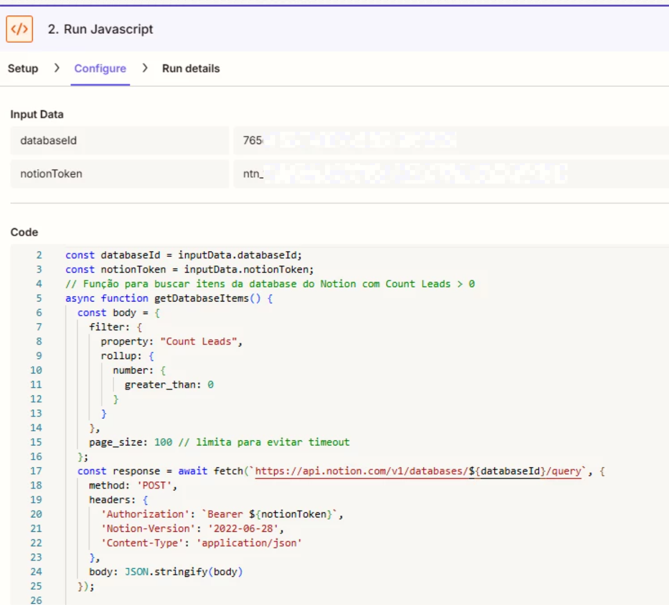
My current approach is to use a Code by Zapier (JavaScript) step to force reading all database items via the Notion API. However, I’m not sure if I can reliably retrieve and use all rollup values, especially since my rollup is a total/count field (e.g., total number of related items).
What I’m trying to achieve is:
Read the rollup value (total count) from Notion
Compare it against a threshold (e.g., > 5)
Trigger an email notification when that threshold is reached
My concerns are:
Can I reliably access rollup values (rollup.number) via the API in Zapier?
What’s the best way to handle cases where the database is large (pagination / limits)?
Is there a better workaround than using a Code step for this use case?
Any suggestions or best practices would be really helpful 🙌
It is a limitation of Notion Zapier integration that you can’t access the rollup properties.
But as you said yourself, you can access it through Notion API. Please find the answers to your questions below-
Yes it’s possible but you use Retrieve Page Property.
Yeah you can handle pagination using a code step. The exact code will really depend on the data and your usecase. Another alternative to handle pagination will be to use Looping by Zapier.
You can also probably achieve this using a combination of Notion automations and Zapier if you don’t want to use a code step.
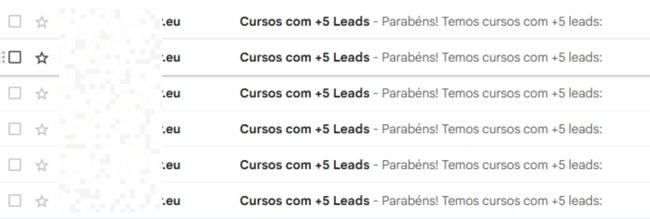
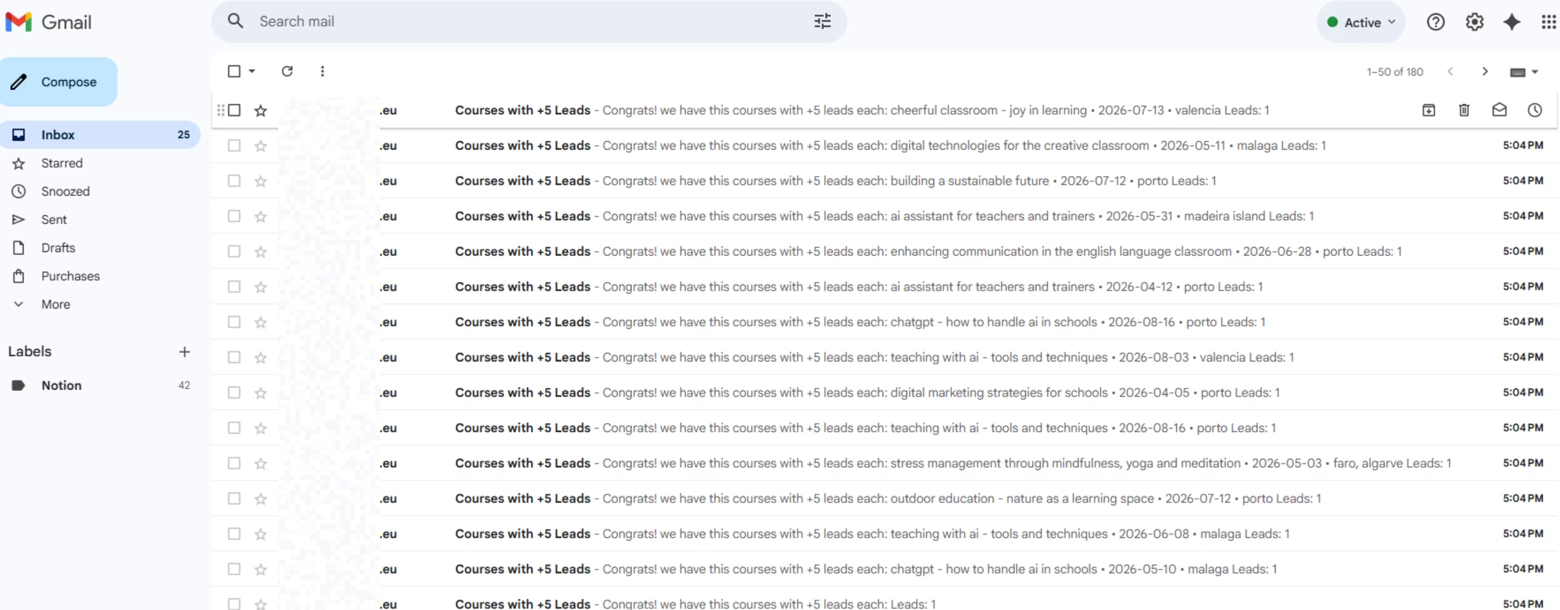
Thanks a lot! I’ve already implemented it using a Code Step in Zapier, and it successfully reads the rollup values from Notion. However, it currently sends each item as a separate email. I’d like to group all the items into a single email instead.
I understand that only one email step exists in the Zap, but the Code step is returning multiple items (one per course). Because of that, Zapier processes each item individually, which results in multiple emails being sent — one per item that passes the filter.
What I’m trying to achieve is to aggregate all those items into a single output, so that only one email is sent per Zap run, containing all the courses together.
This post has been edited by a moderator to remove personally identifiable information (PII). Please remember that this is a public forum and avoid sharing personal or potentially sensitive details.
Screenshot of the emails does not show timestamps for true context.
The Zap as shown in the screenshot is only configured to send 1 email each time the Zap runs, as there is no looping configured.
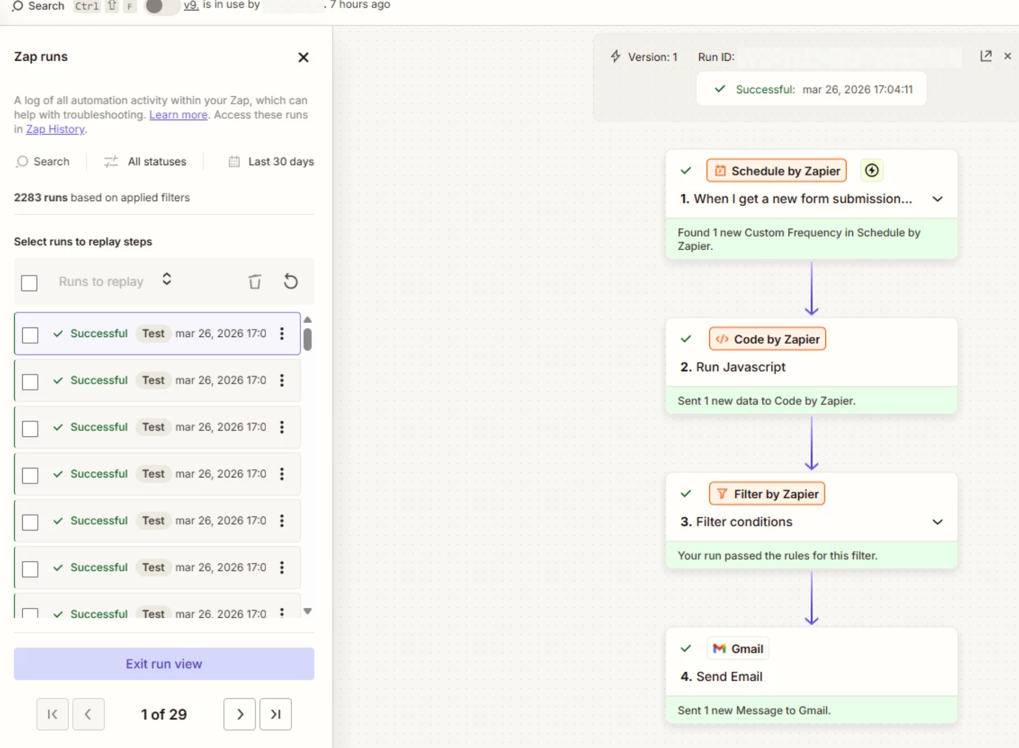
Each time the Zap Runs and sends an email, it will use 2 Tasks, which you can see in the Zap Run history.
Check your Zap Run history details to see activity, timestamps, and the DATA IN/OUT for each step to help you trace the data flow: https://zapier.com/app/history/
Post screenshots showing:
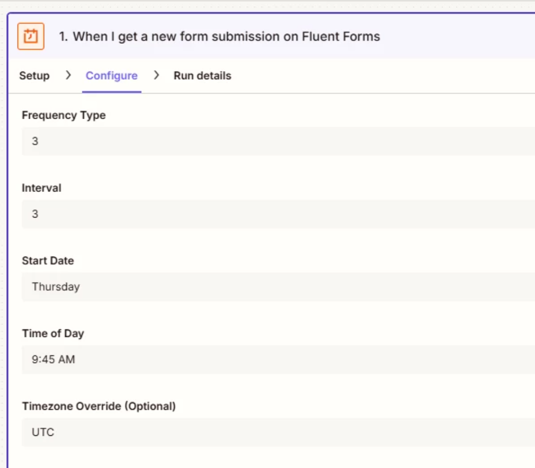
how your Zap trigger step Schedule is configured
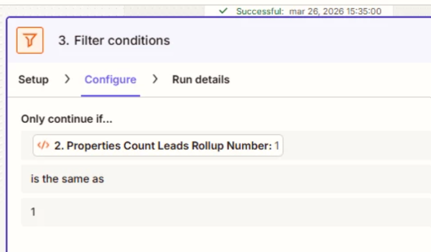
how your Filter step is configured
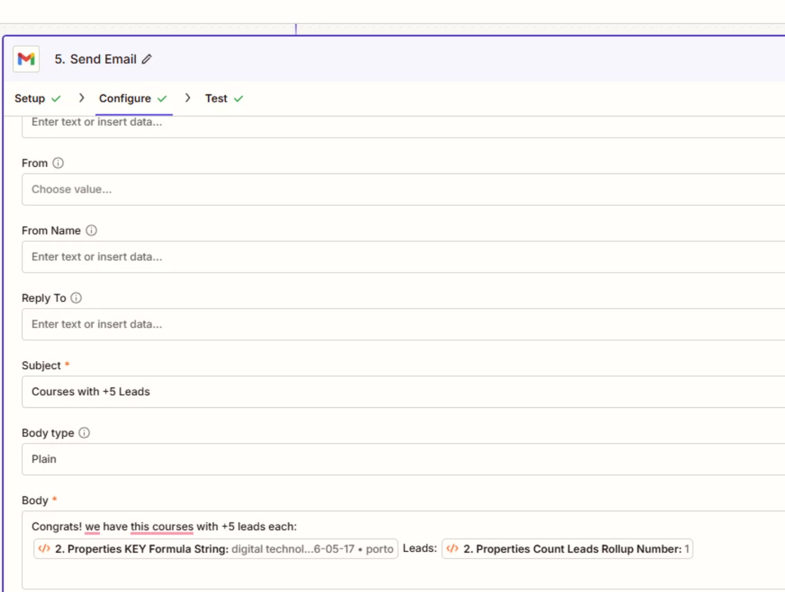
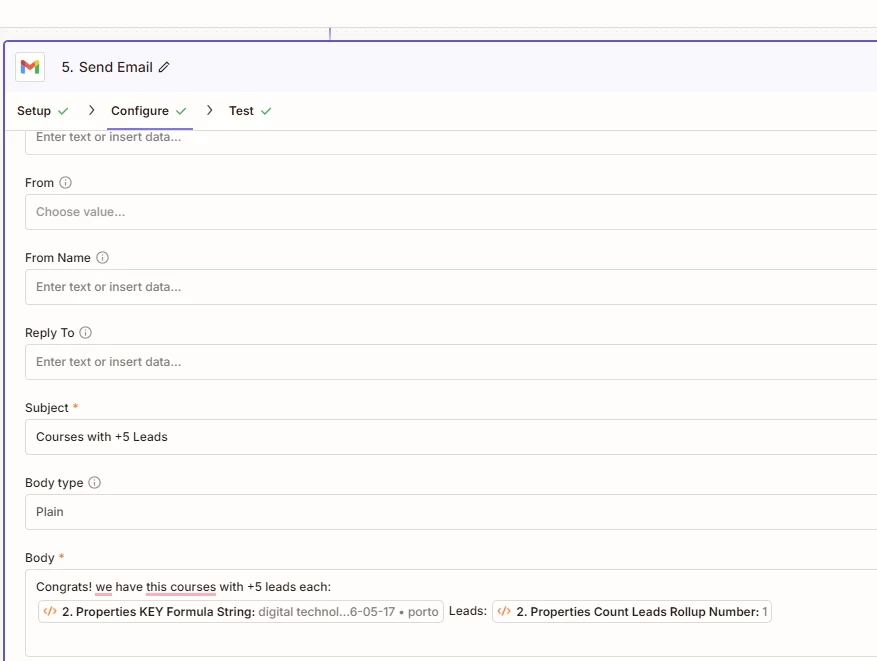
how your Gmail Zap step is configured in the CONFIGURE tab while in EDIT mode with the field mappings visible
I understand that there is no explicit looping step in the Zap. However, the behavior I’m experiencing comes from the Code step returning multiple items.
Even without a Looping step, when a Code step outputs multiple items (an array), Zapier automatically processes each item individually. This effectively creates an implicit loop within the Zap.
Because of that: - The Code step returns multiple items (one per course) - Each item is processed separately by the Filter and Gmail steps - As a result, multiple emails are sent (one per item)
So although there is no visible looping step, the loop is happening due to the structure of the Code step output.
What I would like to achieve instead is to aggregate all items into a single output, so that the Gmail step runs only once and sends a single email with all the results.
This post has been edited by a moderator to remove sensitive information. Please remember that this is a public forum and avoid sharing credentials, tokens, or other private details that could compromise your account security.
To clarify, the Zap structure has changed slightly during testing, which is why the screenshots showed different step counts. The current structure is:
Trigger: Schedule Action: Code (fetch data from Notion) Action: Filter Action: Gmail (send email)
Regarding the multiple emails:
Even though there is no explicit looping step, the Code step returns multiple items (one per course). Because of that, Zapier processes each item individually, which results in multiple emails being sent within a single Zap run.
So the behavior is: - One Zap run is triggered - The Code step outputs multiple items - Each item passes through Filter and Gmail → multiple emails
This post has been edited by a moderator to remove personally identifiable information (PII). Please remember that this is a public forum and avoid sharing personal or potentially sensitive details.
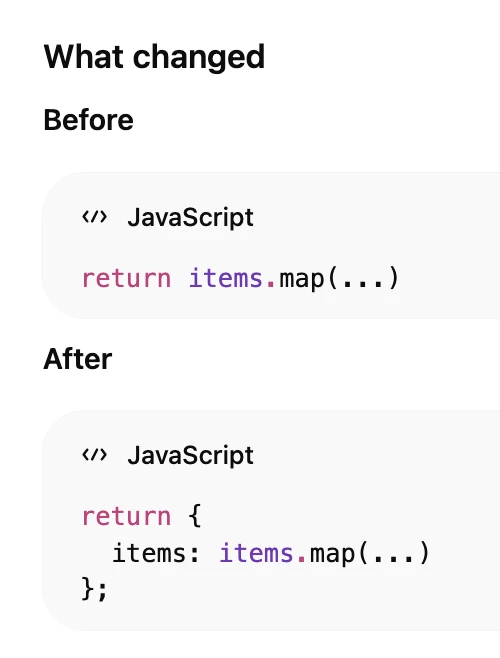
However, I previously had a Filter step in Zapier that compared the number of leads coming from the Code step. Now, since I’m returning an object containing an array, I can no longer compare the number of leads in the Filter step to continue the Zap and still send everything in a single email.
Early access
Next Gen Zaps
Build and deploy automations from AI tools you already use. With Agentic Management, if anything breaks, the agent diagnoses the issue and proposes a fix.