Answer

How can I trigger the Zap only on "status" column in Notion?

  • June 24, 2024
  • 3 replies
  • 58 views

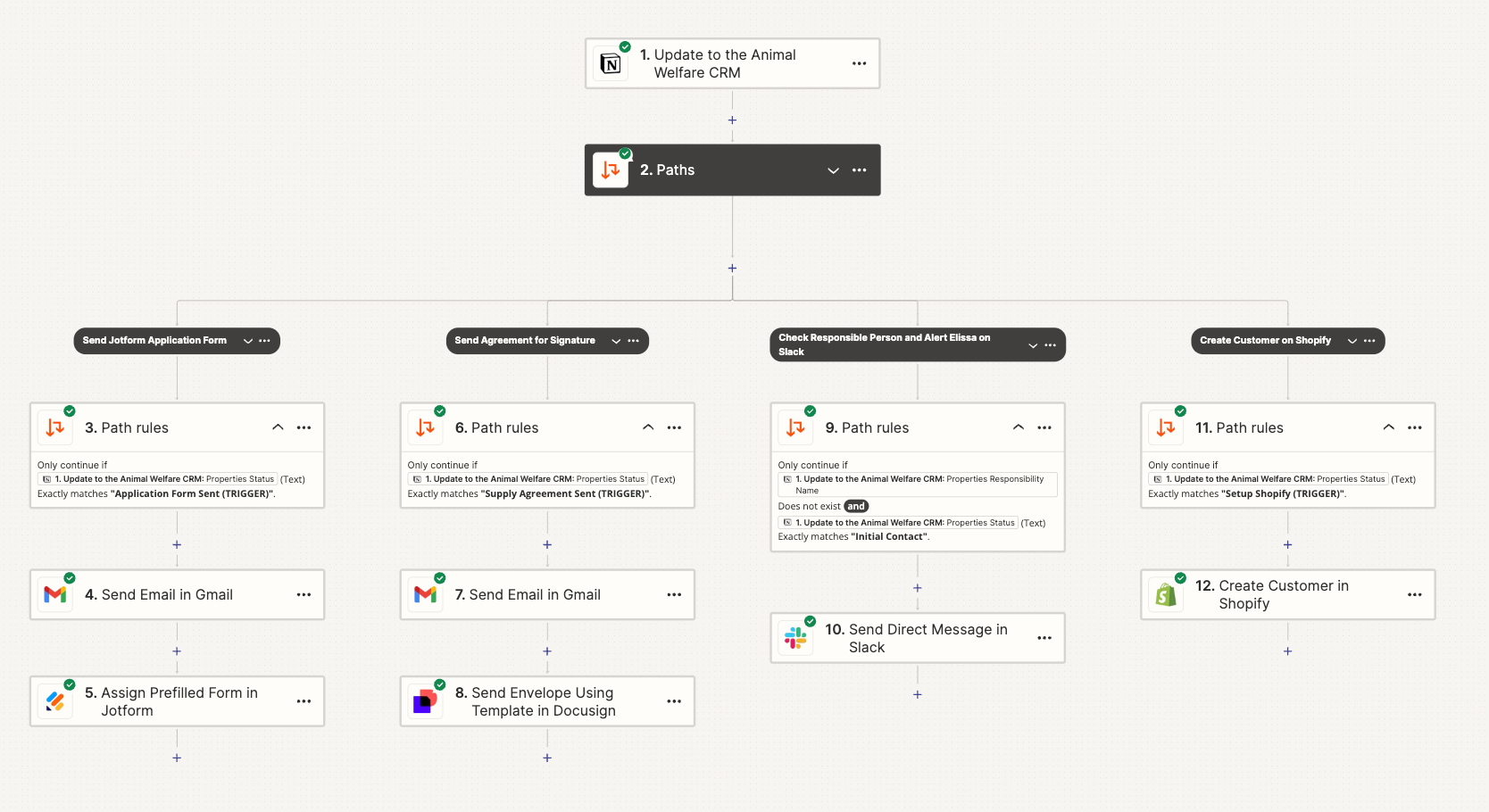
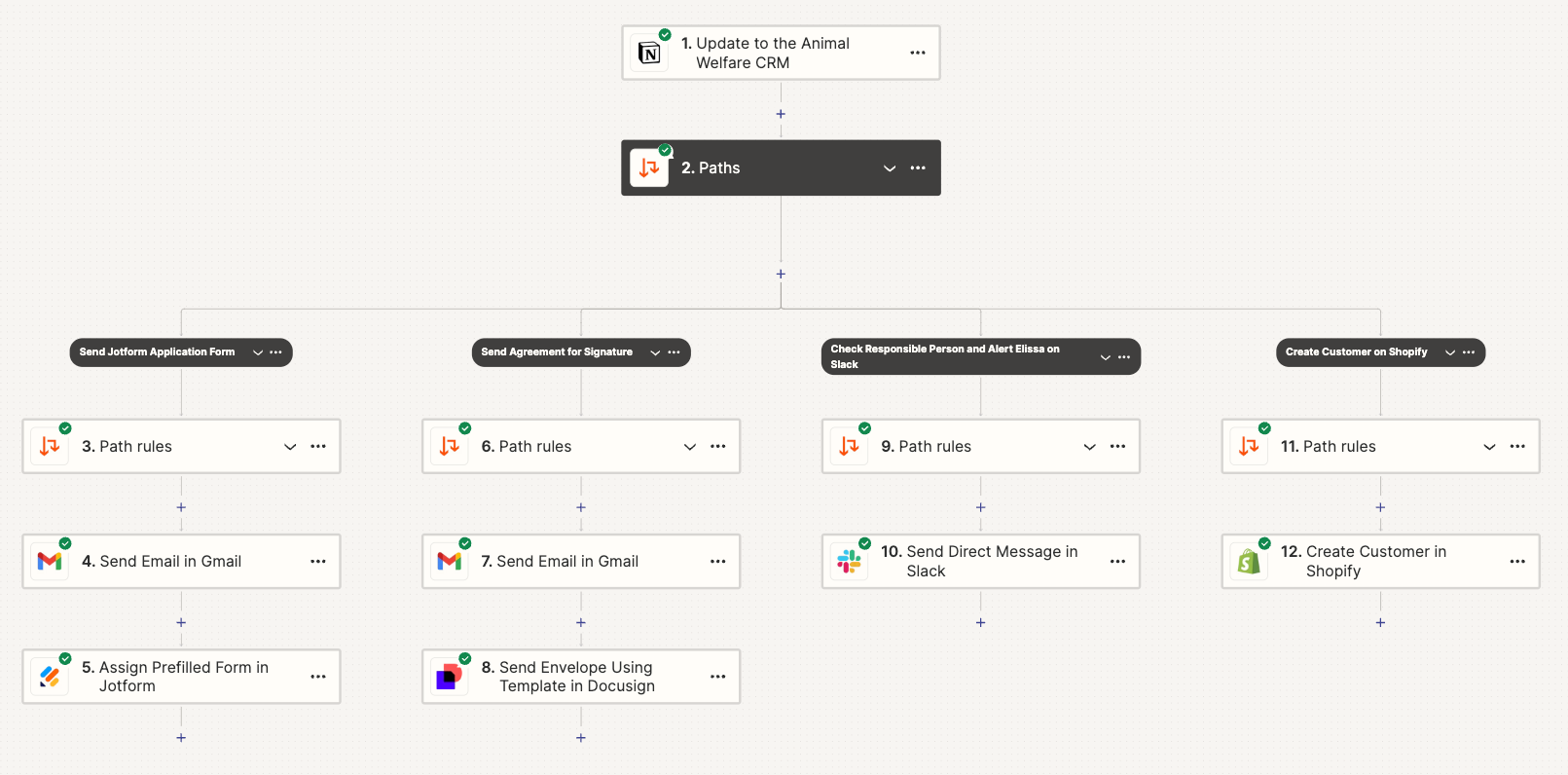
I have setup a trigger for when Notion Database CRM is updated with path rules.


Path Rules are Status - Exactly Matches - start workflows


It works but works too well. When ever any of the databases are updated, it results in the path workflow.


How do I limit the Trigger to only 1 column - Status, and ignore all the other changes?


Best answer by Troy Tessalone

@medicalpantry 

If you only want each path to run once, the you may need to log a timestamp on the Notion item for when a Path ran to check against that as a filter condition. (e.g. Property X does not exist)

This post has been closed for comments. Please create a new post if you need help or have a question about this topic.

3 replies

Troy Tessalone
Zapier Orchestrator & Solution Partner
Forum|alt.badge.img+14
  • Zapier Orchestrator & Solution Partner
  • June 25, 2024

Hi @medicalpantry 

For us to have more context, post screenshots with how your Zap trigger step and Path Filters are configured in EDIT mode.


Troy Tessalone
Zapier Orchestrator & Solution Partner
Forum|alt.badge.img+14
  • Zapier Orchestrator & Solution Partner
  • Answer
  • June 25, 2024

@medicalpantry 

If you only want each path to run once, the you may need to log a timestamp on the Notion item for when a Path ran to check against that as a filter condition. (e.g. Property X does not exist)