Best answer

How can I set up a Zap that sends a Slack message and automatically adds a reply in the thread?

  • March 12, 2025
  • 2 replies
  • 66 views

Forum|alt.badge.img

I need to create a Zap that:

  1. Triggers when a new Google contact form submission is received
  2. Sends a message to my #network Slack channel saying "We received a new contact form response from [name]"
  3. Adds the complete form submission details as a threaded reply to that message

I've managed to set up the trigger and main message, but I'm having trouble with the threaded reply part. Can someone provide step-by-step instructions for this specific workflow? Thanks!


Best answer by Sofia Zaps

I ended up finding the answer here: 


This post has been closed for comments. Please create a new post if you need help or have a question about this topic.

2 replies

Forum|alt.badge.img
  • Author
  • Beginner
  • Answer
  • March 12, 2025

I ended up finding the answer here: 


Troy Tessalone
Zapier Orchestrator & Solution Partner
Forum|alt.badge.img+14
  • Zapier Orchestrator & Solution Partner
  • March 12, 2025

Hi ​@Sofia Zaps 

Help links for using Slack in Zaps: https://zapier.com/apps/slack/integrations#help


Try these Zap action steps:

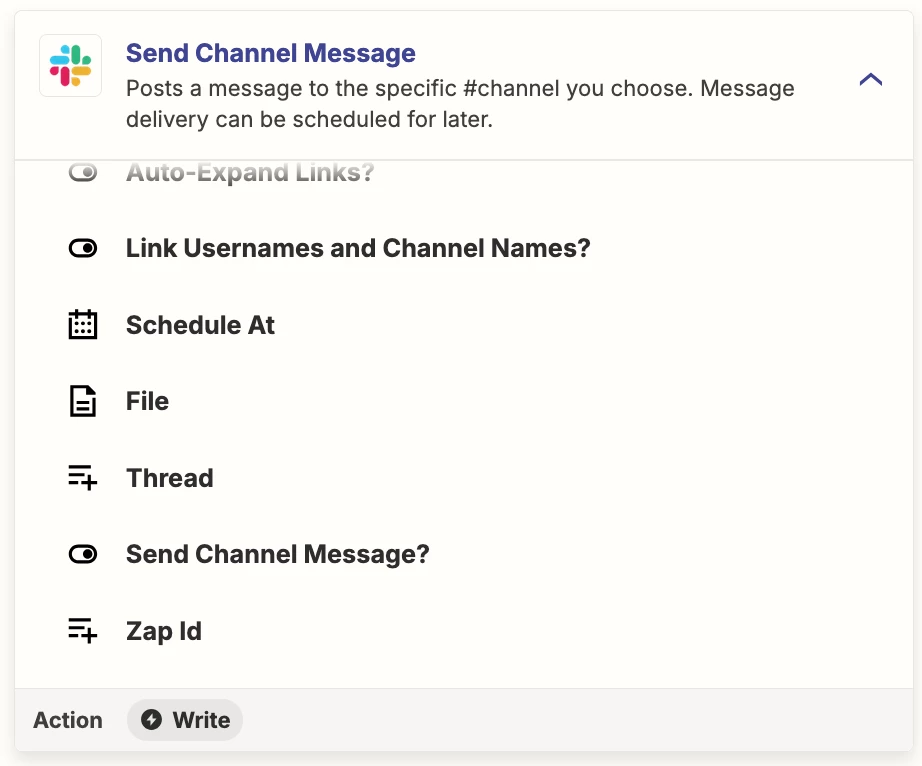
  • Action: Slack - Send Channel Message
  • Action: Slack - Send Channel Message
    • Field: Thread
      • Use the timestamp from the previous Zap step of the Channel Message