


Best answer

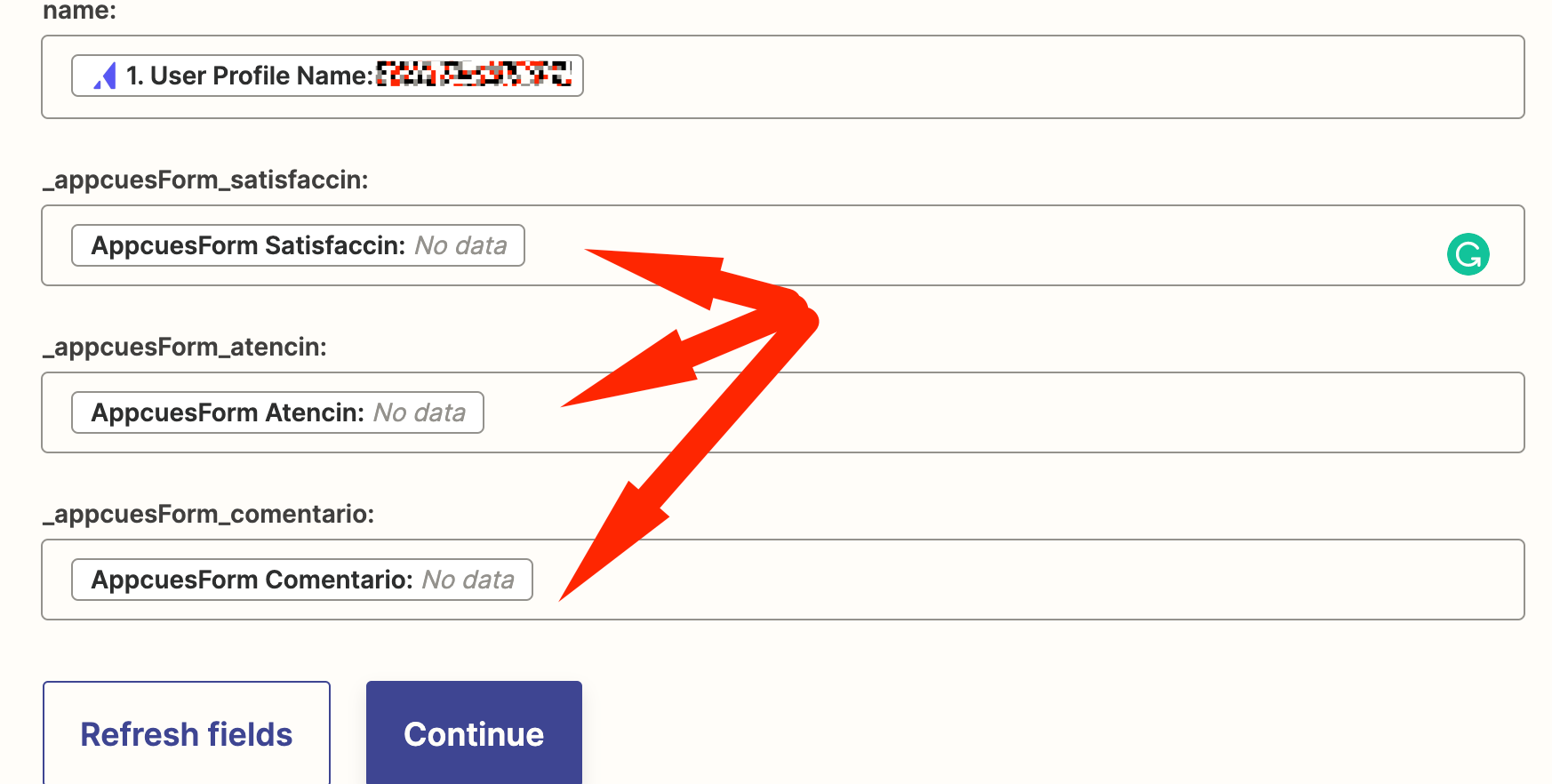
How can I call attributes that don't appear in the test data?

  • July 22, 2022
  • 4 replies
  • 288 views

Forum|alt.badge.img

This post has been edited by a moderator to remove personal information. Please remember that this is a public forum and to remove any sensitive information prior to posting.

Hi,

I’m building a zap that connect Appcues with Gsheets, in order to obtain data when a flow is completed.


When I run the trigger it shows me some flows, but not exactly the flow that I need, so when I set up the Gsheets action I don’t have all the attributes that I need from appcues. Is there some way to add these attributes knowing that it will appear once I publish and use the zap?

 

Best answer by Juanca

Hi @christina.d and @Troy Tessalone I finally found the answer here 


Thanks :)

This post has been closed for comments. Please create a new post if you need help or have a question about this topic.

4 replies

Troy Tessalone
Zapier Orchestrator & Solution Partner
Forum|alt.badge.img+14
  • Zapier Orchestrator & Solution Partner
  • July 22, 2022

Hi @Juanca 

Good question.

Try testing the desired Appcues flow and then pulling in the sample on the Zap trigger step to use to configure/test your Zap steps.

Help article about how to change your trigger test data: https://zapier.com/help/create/basics/change-the-test-data-in-your-zap-trigger


christina.d
Forum|alt.badge.img+9
  • Zapier Staff
  • July 27, 2022

Hey there, @Juanca! I wanted to swing by and see if Troy’s recommendations helped get ya back on track? Keep us posted! We’d love to know. 🙂


Forum|alt.badge.img
  • Author
  • Beginner
  • August 9, 2022

Hi @christina.d and @Troy Tessalone I tried testing the appcues flow but when I pull the examples it did not bring the examples, instead of that it brings other flows examples


Forum|alt.badge.img
  • Author
  • Beginner
  • Answer
  • August 9, 2022

Hi @christina.d and @Troy Tessalone I finally found the answer here 


Thanks :)



