
Best answer

How do I combine Storage list values into a comma-separated list across Paths?

  • June 10, 2026
  • 5 replies
  • 27 views

AI_hello

I’m using Paths to add users to various email groups, one group per path. At the end of the paths, i have an Always Run path where i want to combine all the groups they were added to in one list, along with any groups they started with, as a list separated by commas.

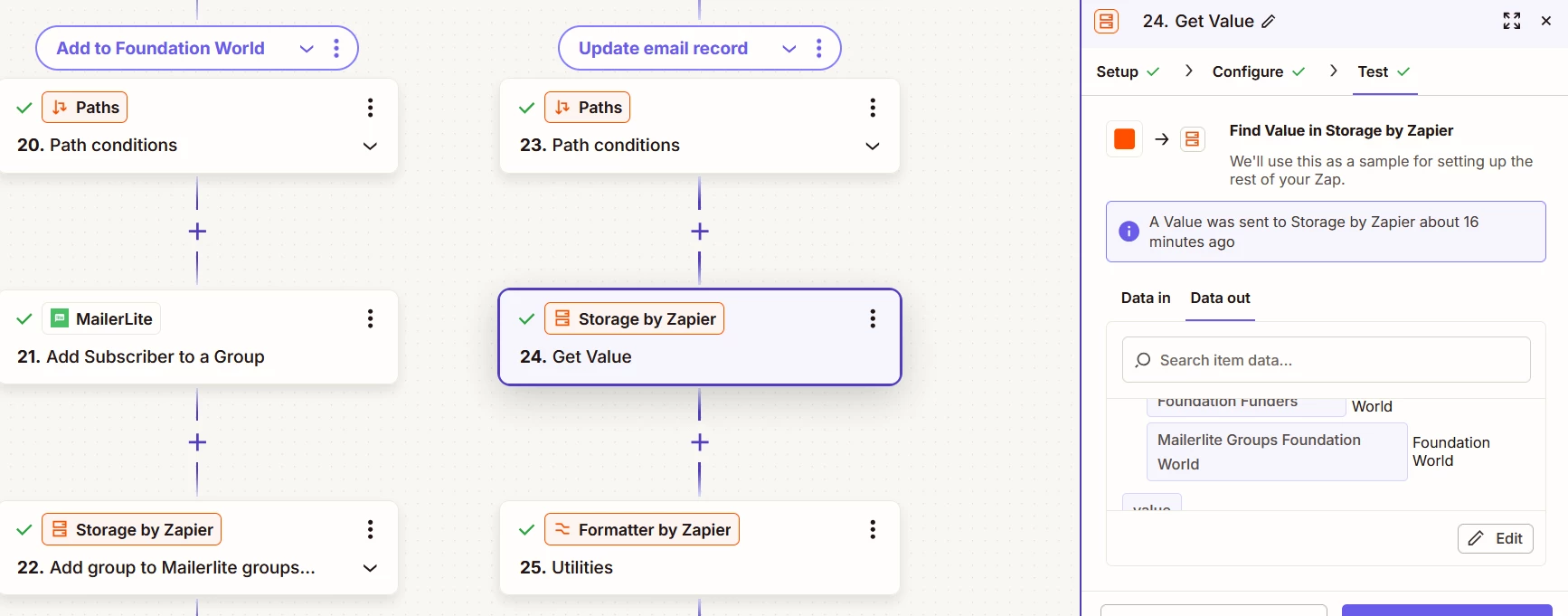
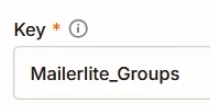
I’m trying to use Zapier Storage to do this. So in each path, i currently have a step that adds a Child Value for the key “Groups”. And in the final Always Run path, i have a Get Values step that gets the groups that they were added to in previous steps. 
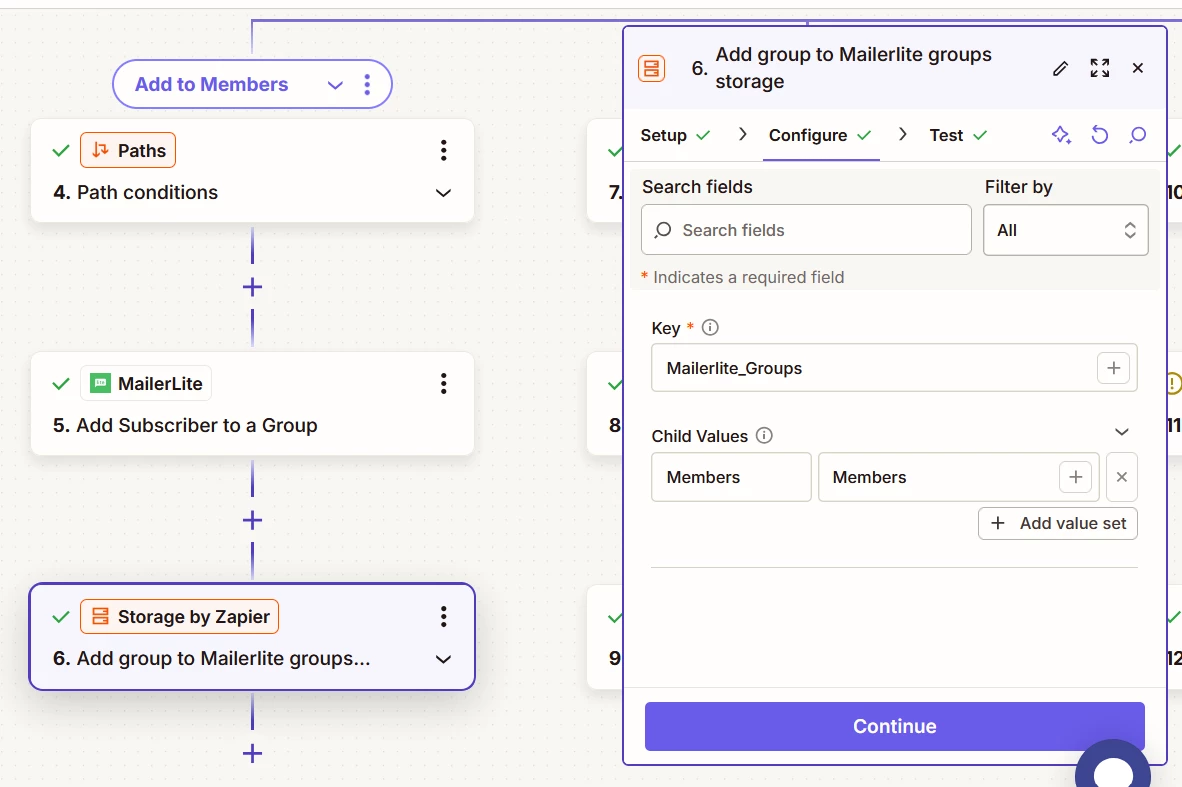
An example path where i’m putting the child value in storage
The final path where i ask it for all the groups

The issue is that i can’t get any tool to format the results as a list separated by commas! This must be such a simple fix, please tell me it’s just end of day brain that’s making me not be able to figure it out.

I tried Formatter to use a Spreadsheet Style Formula or the list-to-text utility, but still can’t get the output format i need.

Thank you for your help!!

Best answer by Troy Tessalone

@AI_hello 

Each Run ID is unique, thus each Storage Key is unique, so no need to remove Storage keys after Zap Runs (unless you want to).


Plus, this works if Zap Runs are processed in parallel.


Help links for using Storage in Zaps: https://zapier.com/apps/storage/integrations#help

Storage will delete keys after 2 months of inactivity.

5 replies

Troy Tessalone
Zapier Orchestrator & Solution Partner
Forum|alt.badge.img+14
  • Zapier Orchestrator & Solution Partner
  • June 10, 2026

Hi ​@AI_hello 

FYI: An alternative to Storage is Zapier Tableshttps://zapier.com/apps/zapier-tables/integrations#triggers-and-actions


For Storage...

You’ll want to use the Zap Run ID as the unique Storage Key value.

Info about System Variables:https://help.zapier.com/hc/en-us/articles/36855498205453-Introducing-system-variables 

You’ll need to add Formatter step to remove the - in the Run ID (UUID).


You’ll want to use these Storage Zap actions:

  • Push Value Onto List
  • Get List Values


Help links for using Storage: https://zapier.com/apps/storage/integrations#help


AI_hello
  • Author
  • June 11, 2026

do i need a step that removes the values from storage at the end of the Zap? or is that not needed since the key is now connected to the Run_ID & that will be unique?


Troy Tessalone
Zapier Orchestrator & Solution Partner
Forum|alt.badge.img+14
  • Zapier Orchestrator & Solution Partner
  • Answer
  • June 11, 2026

@AI_hello 

Each Run ID is unique, thus each Storage Key is unique, so no need to remove Storage keys after Zap Runs (unless you want to).


Plus, this works if Zap Runs are processed in parallel.


Help links for using Storage in Zaps: https://zapier.com/apps/storage/integrations#help

Storage will delete keys after 2 months of inactivity.


AI_hello
  • Author
  • June 12, 2026

Another question in this thread! 

i am now working on the Zap to remove people from certain groups in Mailerlite, and then i want to update their record in Airtable to reflect the groups that they are currently part of.

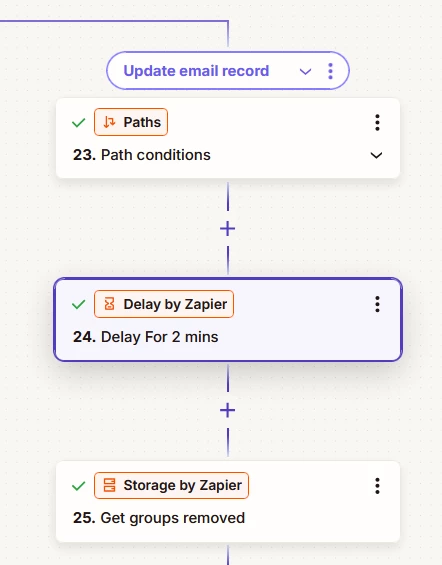
i did a similiar paths zap where i’m removing subscribers from the groups and then using Zapier Storage to keep track of which groups were removed.

i need a step at the end that comes up with the list of groups that they are still a part of & puts that back into Airtable (or clears the groups field in Airtable if they’ve been removed from all groups). i tried a bunch of things & can’t get it to work. is there a straight-forward solution here that i might not be aware of?

if not, here’s what i tried & what’s happening:

i’m not sure if i need the delay, but wanted to make sure i had the full list of groups removed before i used Get Value.

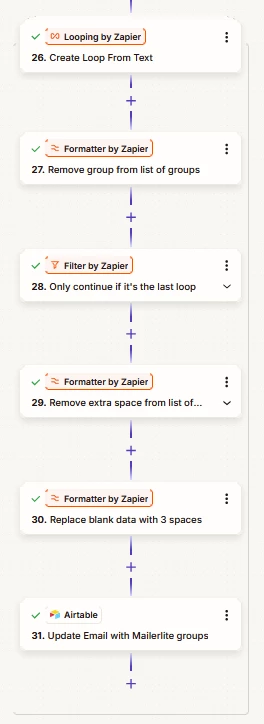
i put in the step to remove extra spaces from the list of groups because if i have “Members,Individual Donors” and i Replace “Members” with “”, then the list becomes “,Individual Donors” and Airtable puts a blank multi-select value in my field. and i put in the step to replace blank data with 3 spaces so that if they end up in no groups, the field will be cleared.

but the final step doesn’t actually update the record. i moved it up in the path & put in 3 spaces by hand, and it works, but not at the end of the loop like that. perhaps there’s something i don’t understand about Looping.

i also tried putting a field in Airtable for groups removed & then using an Airtable automation to remove the values, but it seems pretty clear i’d need scripting for that & i don’t know how to script.

thanks!


Troy Tessalone
Zapier Orchestrator & Solution Partner
Forum|alt.badge.img+14
  • Zapier Orchestrator & Solution Partner
  • June 12, 2026

@AI_hello 

There is a more elegant and efficient way to design the Zap, albeit a bit more advanced, that uses these:

The concept is to use Code or AI to do the logic to determine which to add/remove/keep, instead of paths.

Then once you have the list to add/remove, you loop thru those.


Help links for using Airtable in Zaps: https://zapier.com/apps/airtable/integrations#help