Best answer

Getting a “Cannot read property ‘0’ of undefined” error for Zoho Books invoices

  • February 1, 2021
  • 4 replies
  • 510 views

i get the following error..can anybody help. 
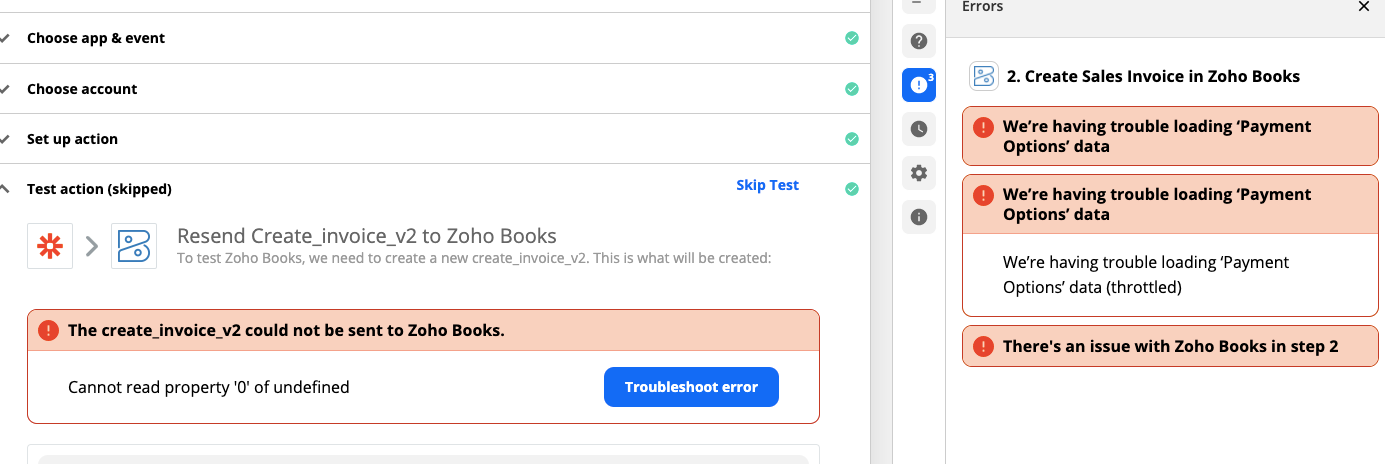
error screen


Best answer by Danvers

Hi @jyosat! It looks like @Troy Tessalone has a good option to try with this one. 


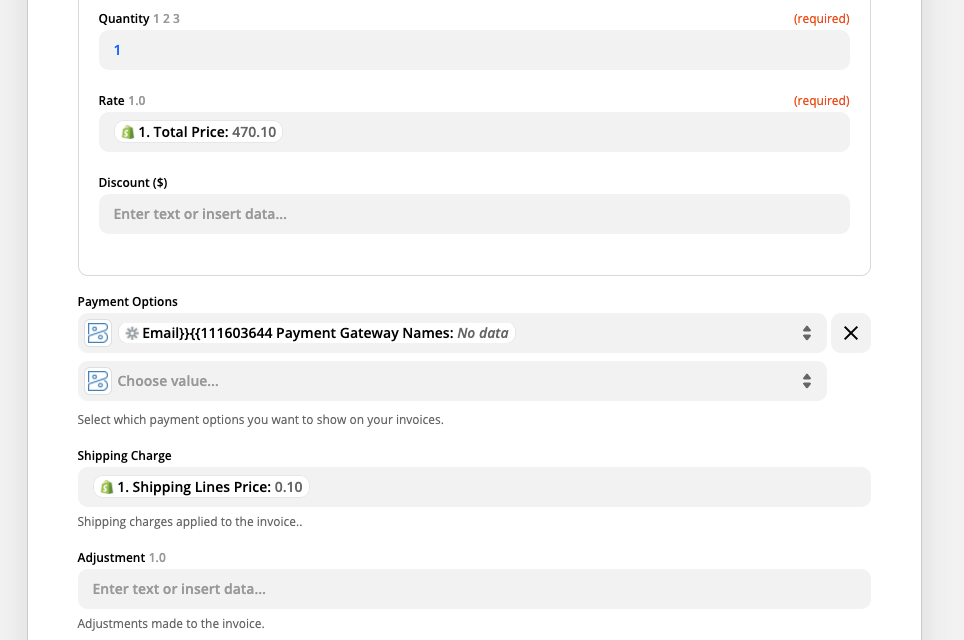
If you see the grayed out Zapier logo in a field, that means that the information there is from a step in your Zap, or some informaiton from a step in your Zap that no longer exists

Delete that value from the payment options box and re-add it with the informaiton that you should be there. 


If that doesn’t solve the problem then you’ll need to get in touch with the Zapier Support team so that they can take a closer look at your Zap with you. The best way to do that is with the Get Help form: https://zapier.com/app/get-help

This post has been closed for comments. Please create a new post if you need help or have a question about this topic.

4 replies

Troy Tessalone
Zapier Orchestrator & Solution Partner
Forum|alt.badge.img+14
  • Zapier Orchestrator & Solution Partner
  • February 1, 2021

Hi @jyosat 

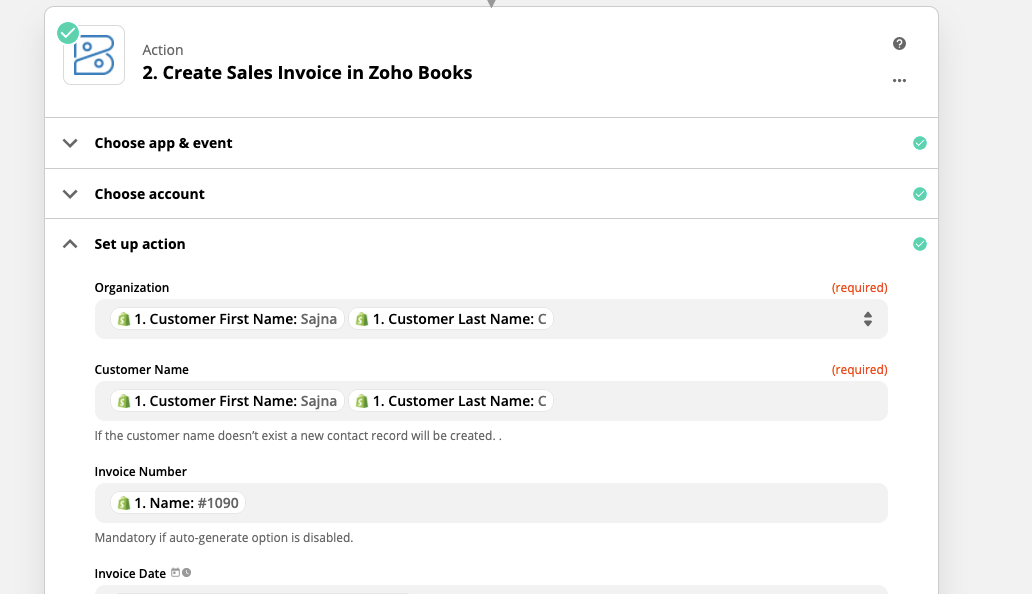
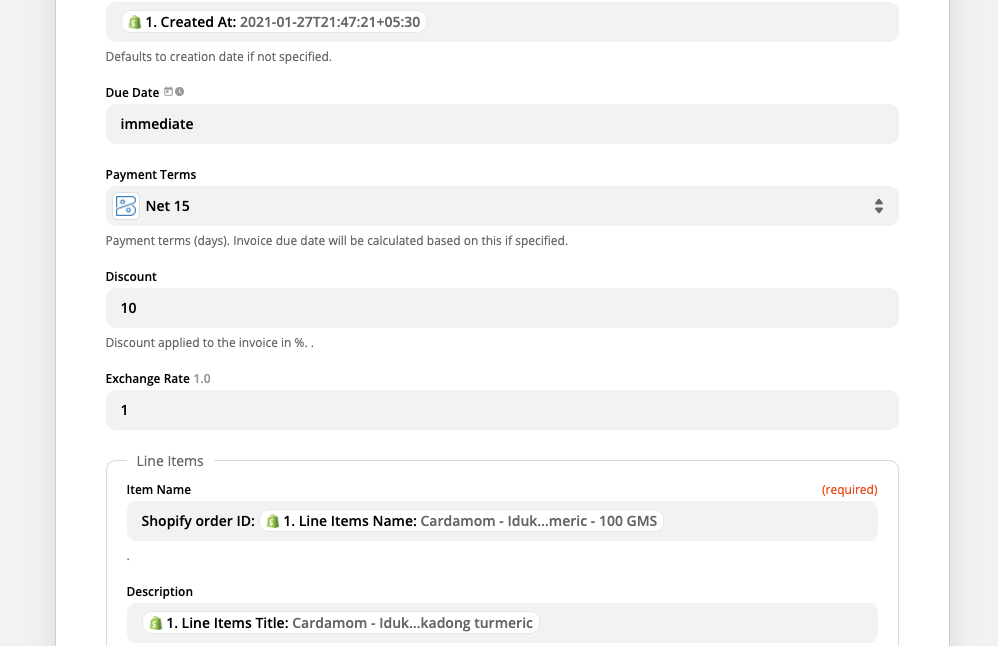
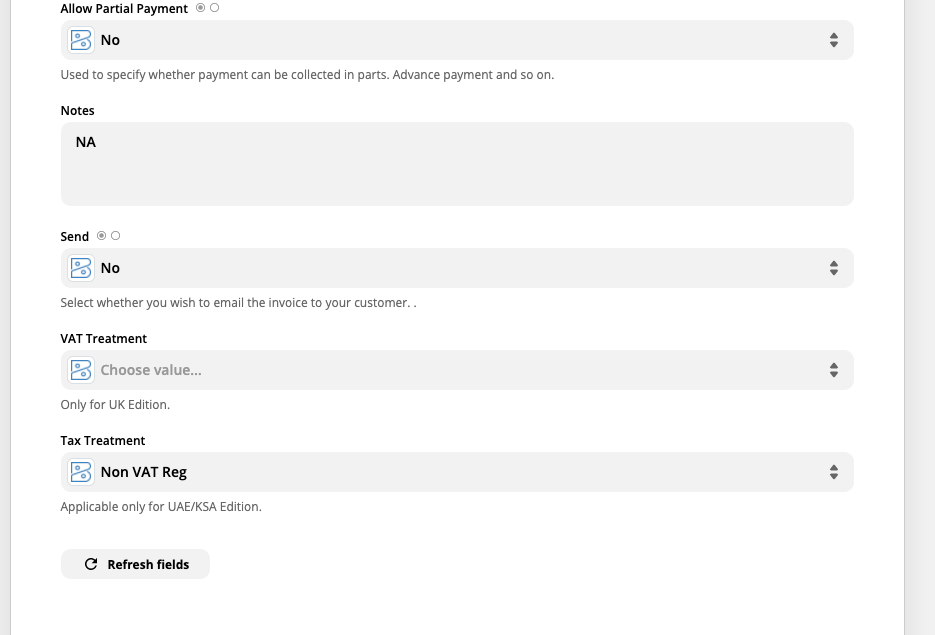
Please provide screenshots of how your Zoho Books Zap step is configured, thanks.


  • Author
  • Beginner
  • February 1, 2021


Troy Tessalone
Zapier Orchestrator & Solution Partner
Forum|alt.badge.img+14
  • Zapier Orchestrator & Solution Partner
  • February 1, 2021

@jyosat 

Check this field, looks like it might need to be remapped.


Danvers
Forum|alt.badge.img+12
  • Zapier Staff
  • Answer
  • February 3, 2021

Hi @jyosat! It looks like @Troy Tessalone has a good option to try with this one. 


If you see the grayed out Zapier logo in a field, that means that the information there is from a step in your Zap, or some informaiton from a step in your Zap that no longer exists

Delete that value from the payment options box and re-add it with the informaiton that you should be there. 


If that doesn’t solve the problem then you’ll need to get in touch with the Zapier Support team so that they can take a closer look at your Zap with you. The best way to do that is with the Get Help form: https://zapier.com/app/get-help