Best answer

Formatter not recognizing date from Google Form

  • February 25, 2022
  • 4 replies
  • 127 views

I am trying to set up a form to quickly add things to a database in Notion. The problem I am having is that Notion requires an ISO 8601 formatted date but Google forms doesn’t have that as an option. When using formatter, everything works and is connect, and it is able to read the date coming in but it always outputs 2022-01-01, regardless of what the date from the form actually is. 


Any recommendations on how to solve this?

Best answer by Troy Tessalone

@michaelmontella 

Make sure you set the From Format


This post has been closed for comments. Please create a new post if you need help or have a question about this topic.

4 replies

Troy Tessalone
Zapier Orchestrator & Solution Partner
Forum|alt.badge.img+14
  • Zapier Orchestrator & Solution Partner
  • February 25, 2022

Hi @michaelmontella 

Please post screenshots with how your Zap steps are configured for us to have context, thanks.


Here are some screenshots


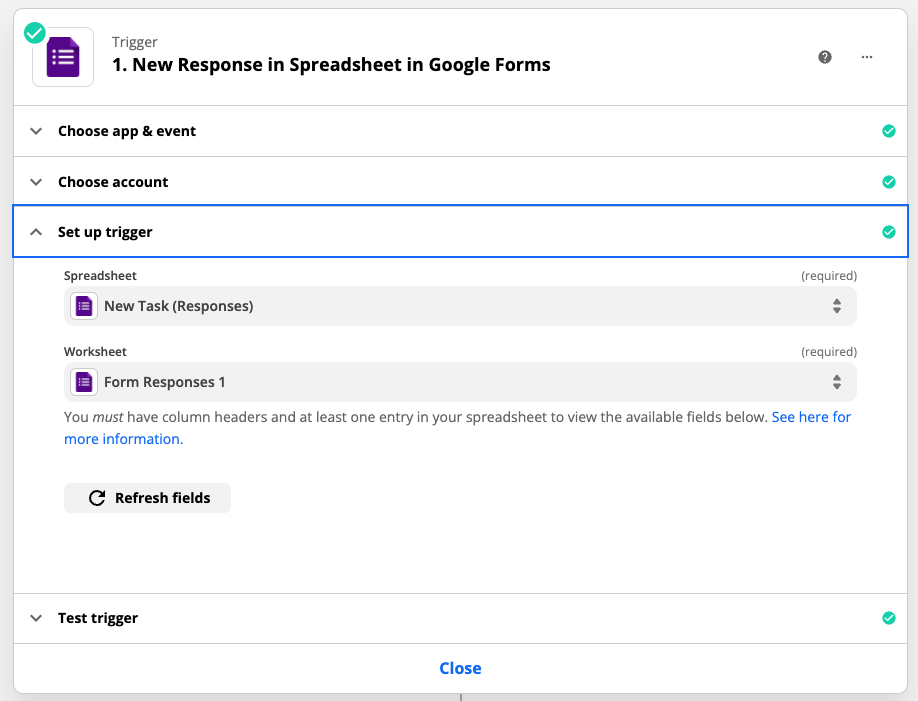
  1. Pulling data from form responses


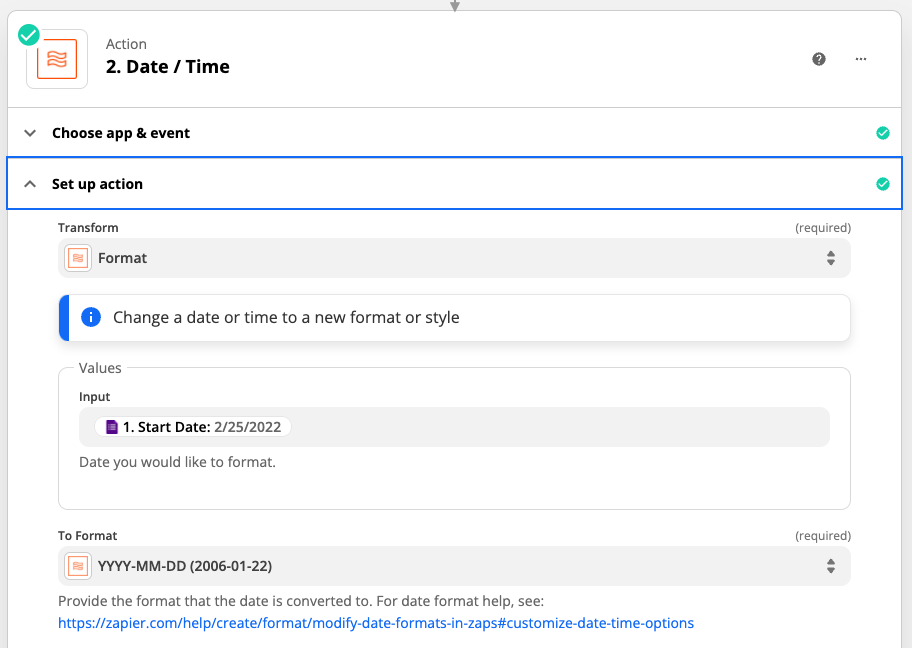
  1. Test works and date shows 2/25/2022


  1. Using Formatter to format date to YYYY-MM-DD


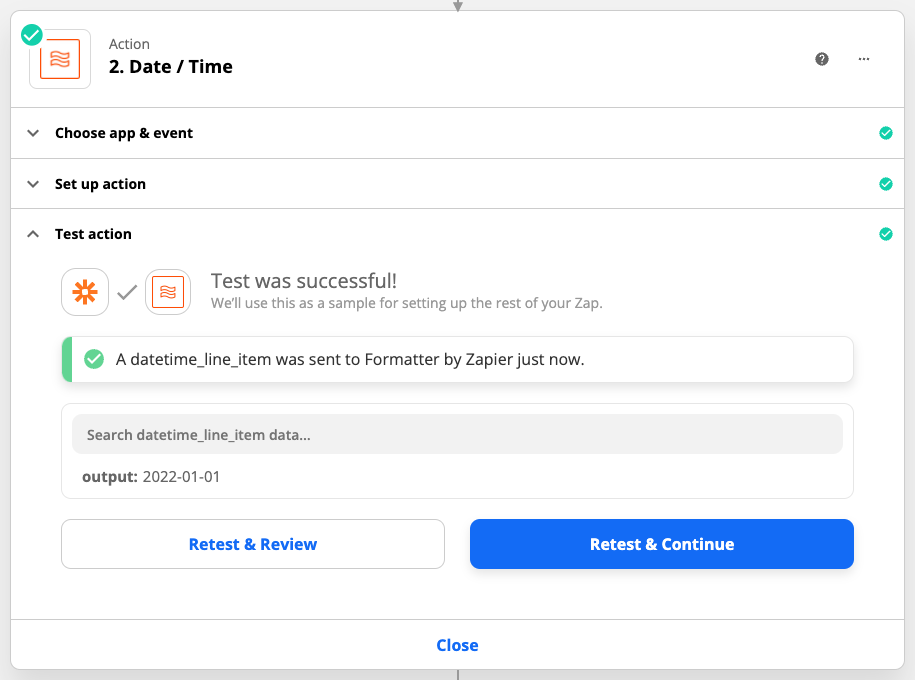
  1. It says test was successful but in the output it has 2022-01-01 rather than 2022-02-25

This post has been edited by a moderator to remove sensitive information. Please remember to obfuscate any personally identifiable information prior to posting as this is a public forum. 


Troy Tessalone
Zapier Orchestrator & Solution Partner
Forum|alt.badge.img+14
  • Zapier Orchestrator & Solution Partner
  • Answer
  • February 25, 2022

@michaelmontella 

Make sure you set the From Format


That fixed it. Thank you!