Question

Dynamic positioning of Sticky notes in Mural

  • April 15, 2024
  • 6 replies
  • 70 views

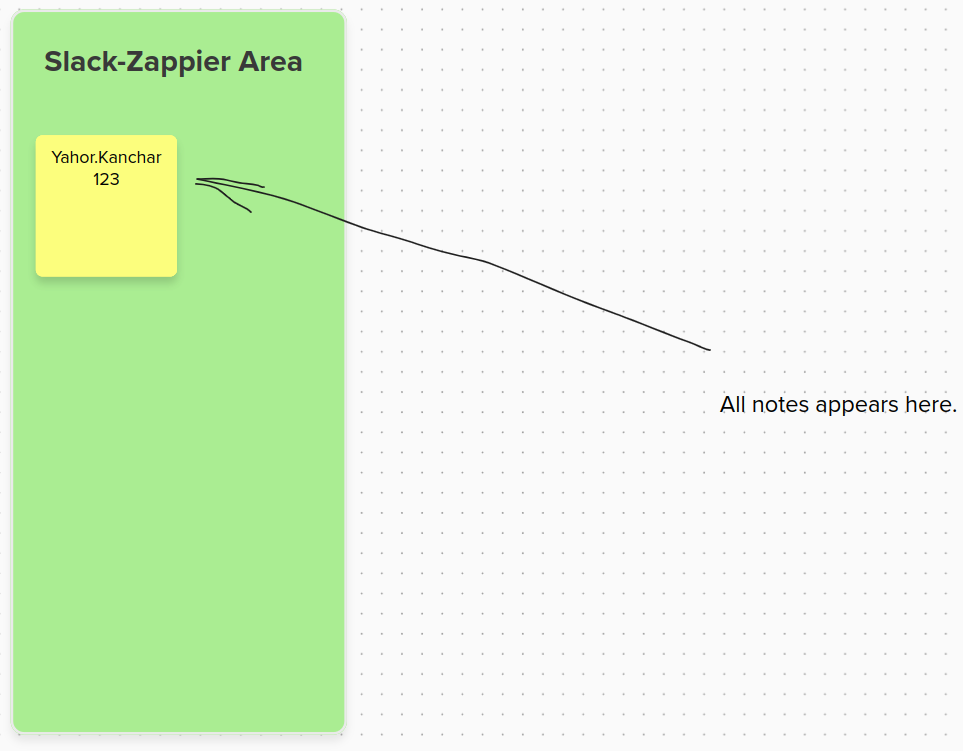
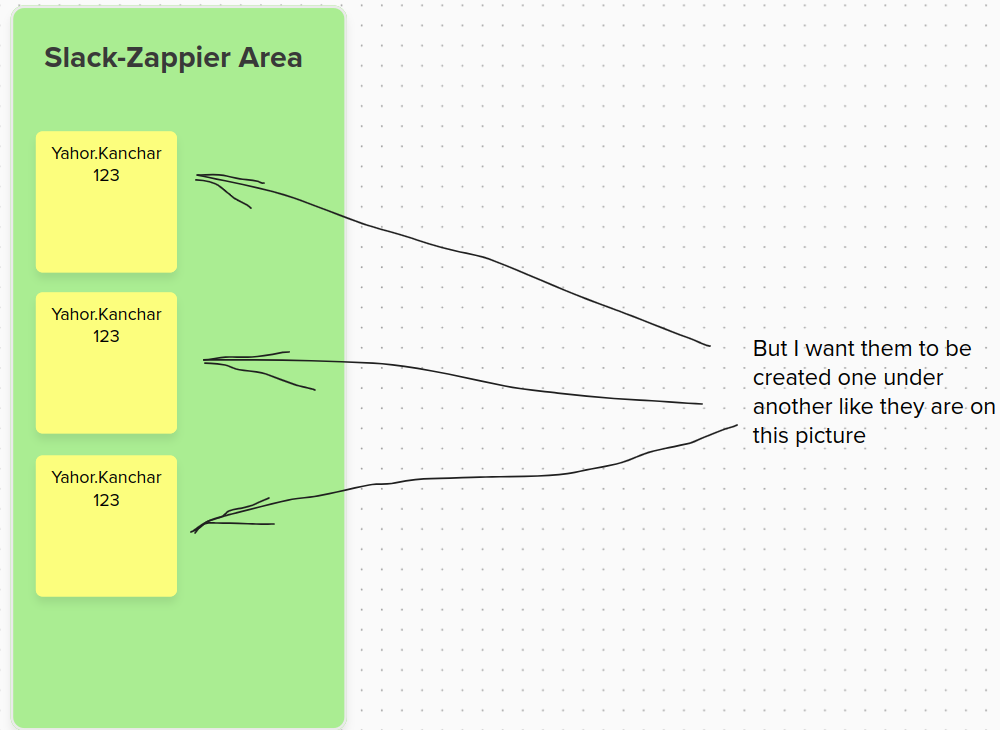
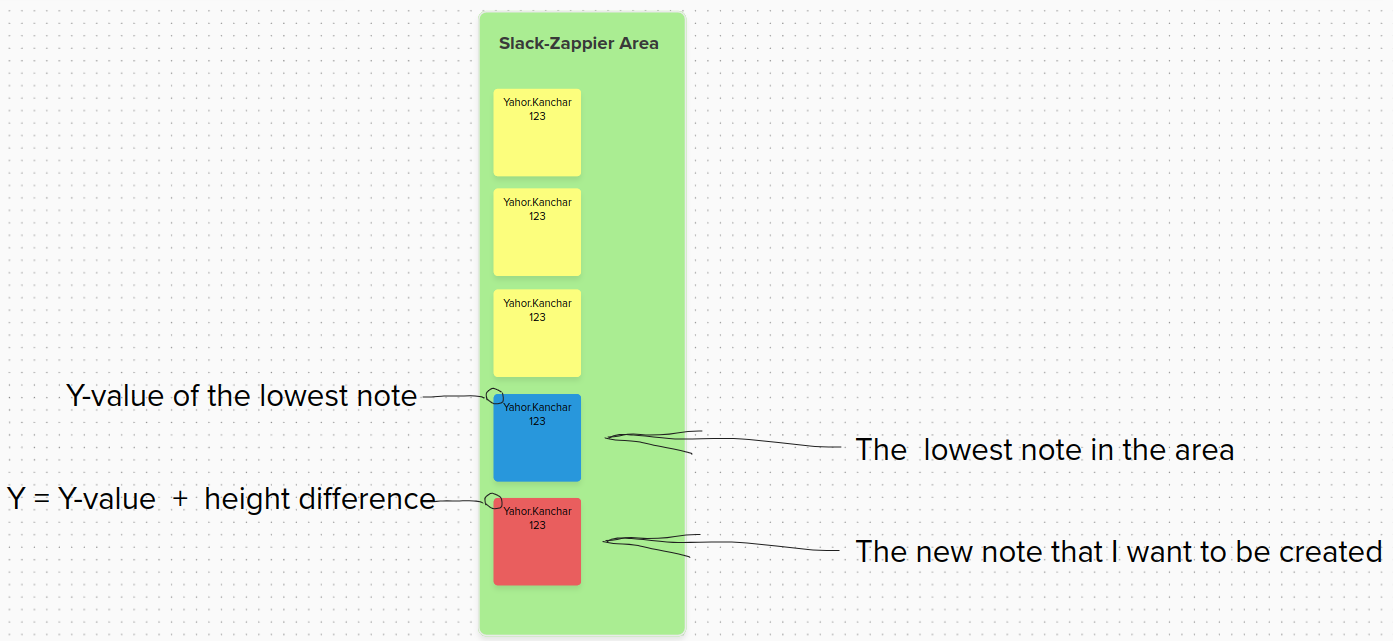
I want to export my saved notes from Slack to Mural in the special area one under another. I found the way how to export them and place in the area, but all of them were created in the same position in the Mural. I don’t understand how get the position of the lowest note in the area and use it for a new sticky note’s position

This post has been closed for comments. Please create a new post if you need help or have a question about this topic.


6 replies

ken.a
Forum|alt.badge.img+6
  • Zapier Staff
  • April 16, 2024

Hi there @Yahor Kanchar,

Welcome to the Community! 🎉

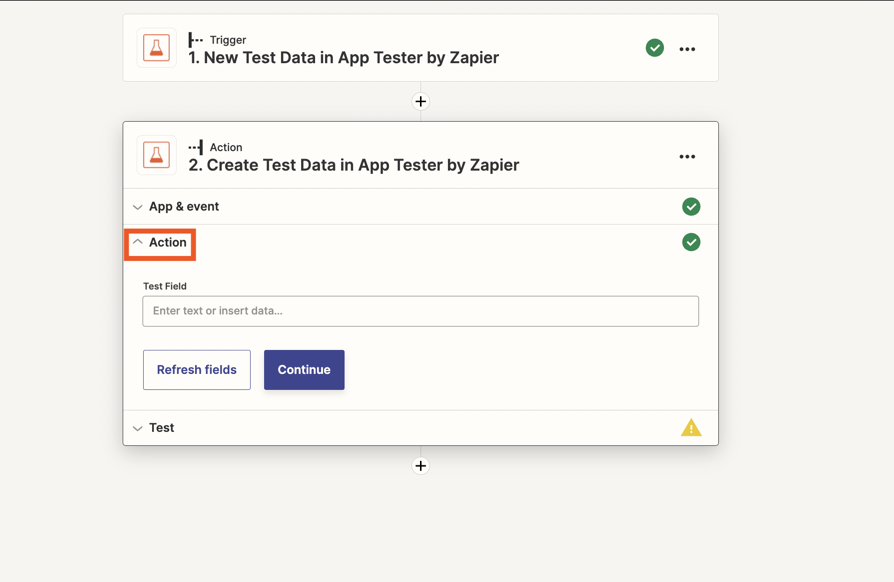
Before we dig deeper into this, could you please send a screenshot of the issue you’re seeing? Also, please share a screenshot of the “Action” section of your action steps that shows all of its fields. Like so:

46dd6c0979e3d815d621b8da43084ef1.png
(view larger)

Please don't include personal information in the screenshot, or be sure blur out any personal information.

Thanks!


  • Author
  • Beginner
  • April 16, 2024

Hi

There are screenshots with my explanations


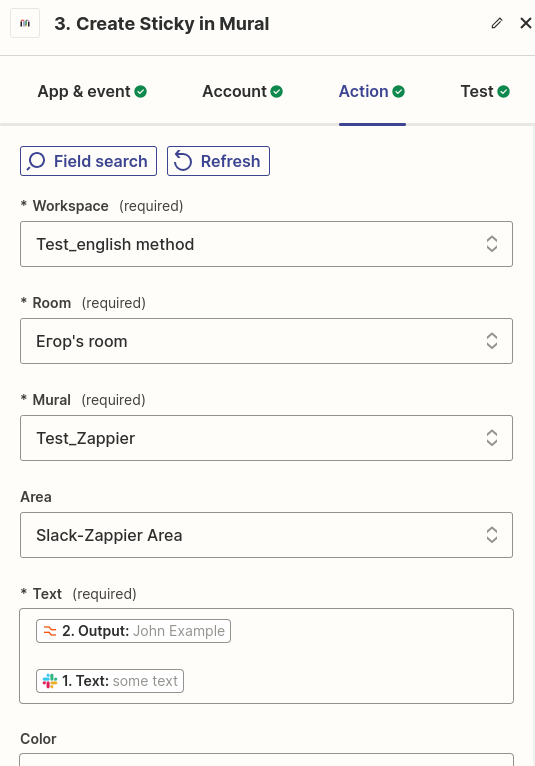
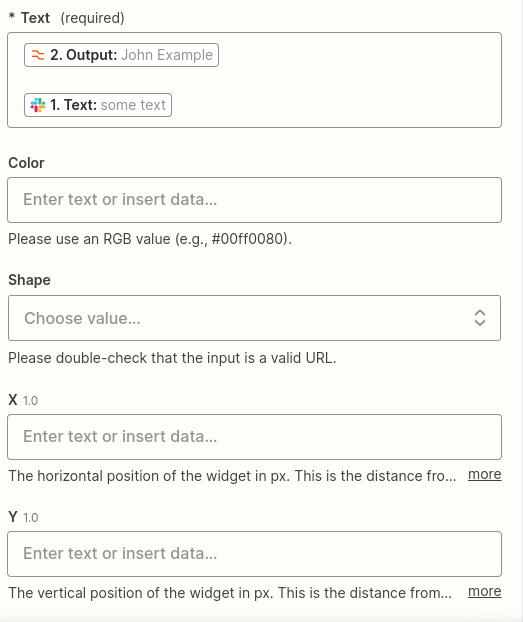
This is the action panel. Text for notes was extracted from Slack 


  • Author
  • Beginner
  • April 16, 2024

Hi @ken.a 

My answer is above


ken.a
Forum|alt.badge.img+6
  • Zapier Staff
  • April 17, 2024

Hi @Yahor Kanchar,

Thanks for the screenshots.

I did some testing on my end and it seems like the “X” and “Y” field is used to position the created notes in Mural. I’d recommend testing out some values in the “X” and “Y” field to position your notes.

Hopefully, this helps!


  • Author
  • Beginner
  • April 17, 2024

@ken.a Thank you!

One more point. Using “X” and “Y” I can define position for all notes at once, but I want to create a new note under the lowest note in the area. I suppose I need use a variable for “Y” that will depend on the Y-value of the lowest note in the Mural’s area plus some value of height difference that will define myself. So, for this I need to extract Y-value of the lowest note from Mural, but I don’t know how to do it.


ken.a
Forum|alt.badge.img+6
  • Zapier Staff
  • April 18, 2024

Hi @Yahor Kanchar,

Unfortunately, I have exhausted all my resources to help you create a note in Mural without overlapping with an existing one. I suggest that you contact Mural support for further assistance as they are responsible for maintaining and updating their app with Zapier.

You can reach out to Mural support by visiting this URL: https://www.mural.co/contact-us/support

I appreciate your patience and understanding.