Question

Dynamic Date in Table Filter

  • April 2, 2026
  • 7 replies
  • 47 views

Forum|alt.badge.img+2

can you dynamically set the date in the filter?

7 replies

Forum|alt.badge.img+3
  • Zapier Solution Partner
  • April 2, 2026

Hi ​@Jazzy3 

Yes, you can dynamically set dates in filters, but not by typing {{today}} directly.

Two ways to do it:

1. In Zapier Tables:
Use the "is within" rule → select dynamic ranges like "Last 7 days" or "This calendar week".
 Documentation Link

2. In Filter by Zapier:
Add a Formatter by Zapier step → Date/Time → Format → set Input to "Current time" → then compare that output to your date field.
 Documentation Link

For time:  Create reusable variables to use in Zaps 

If you're still running into issues after trying these steps, drop a screenshot of the error and a quick description of what your Zap is doing, happy to take a look!

And if you'd rather just get it sorted quickly, I offer a free 20-min Zapier troubleshooting call. Book it under Resources on my Zapier Directory profile: https://zapier.com/partnerdirectory/automatemybiz

!-->


Sparsh from Automation Jinn
Forum|alt.badge.img+6

Hey ​@Jazzy3,

What exactly do you mean by dynamically set the date? 

If yes, you can use {{zap_meta_human_now}} to dynamically get the current time and then format it using a Formatter → Date/Time → Format. 

The exact Zap really depends on your use case as workflows are usually personalized to user’s needs. Hope it helps!

PS: If you need more active help, I’m happy to connect through my Zapier Solution Partner page if you’d like to reach out here- https://zapier.com/partnerdirectory/automation-jinn


i_am_anmolg
Forum|alt.badge.img
  • Zapier Solution Partner
  • April 3, 2026

Yes, of course!

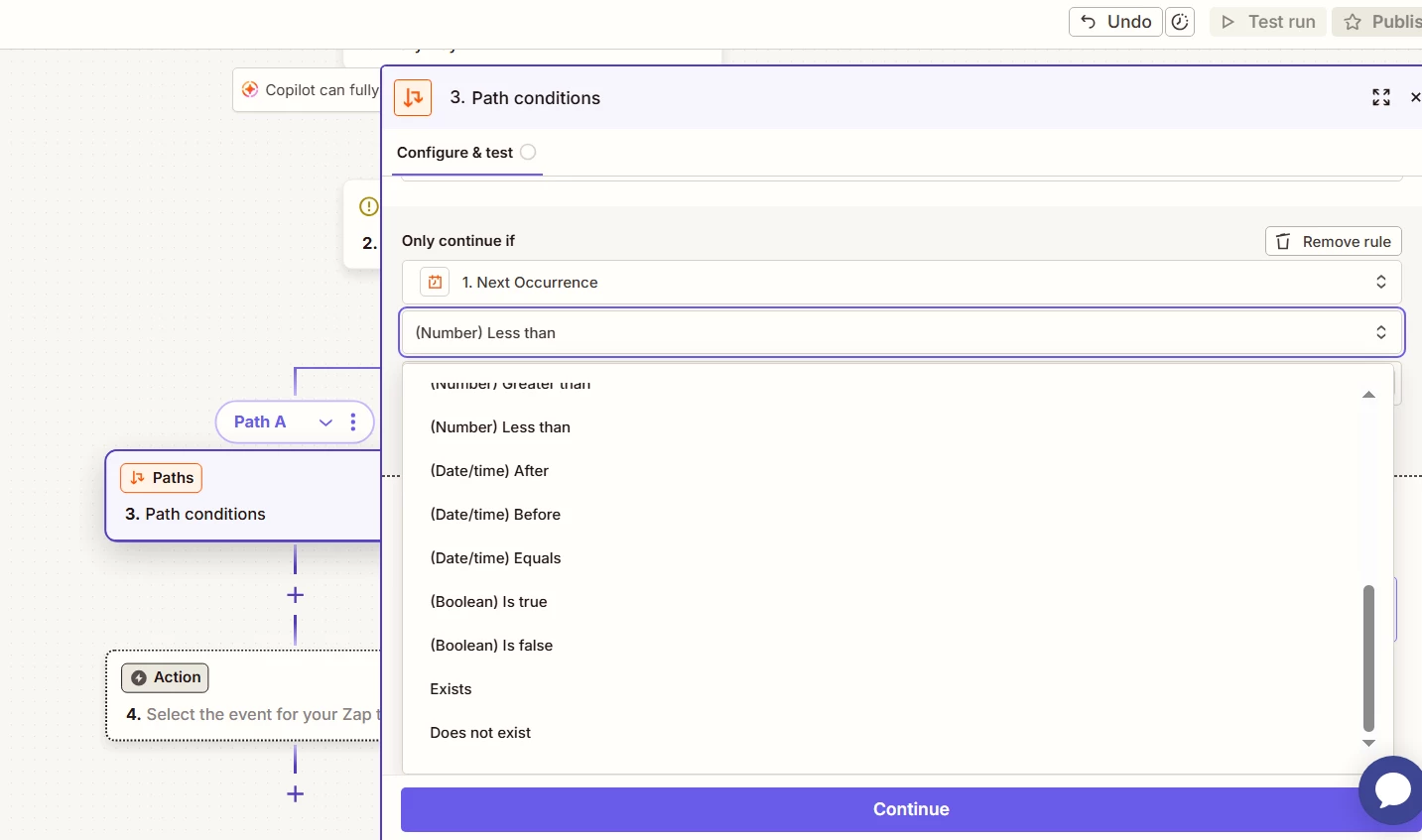
If the field that you are using for comparison is already date/time, Zapier will show you drop down options as shown in the below image: 


SamB
Community Manager
Forum|alt.badge.img+11
  • Community Manager
  • April 9, 2026

Hey there ​@Jazzy3 👋 Did any of the approaches suggested by Fahad S, Sparsh, and i_am_anmolg help you get the dynamic date filter working?

Let us know how you got on, want to make sure you're all set. 🙂


Forum|alt.badge.img+2
  • Author
  • Beginner
  • April 15, 2026

on my Kanban form, i am grouping by a field called stages (New, Email1, Email2, Scheduled, Written Review and Complete). if the stage is complete i would like to only show the last 30 days based on the created date (also another field). if it matters there is also a field called Status where they are all set to Closed. ideally looking to set an AND condition. if Stage=Complete and CreatedDate<{{zap_meta_human_now}} then dont show them on the Kanban Form. hopefully that explains it better


SamB
Community Manager
Forum|alt.badge.img+11
  • Community Manager
  • April 16, 2026

Thanks for the additional context here ​@Jazzy3!

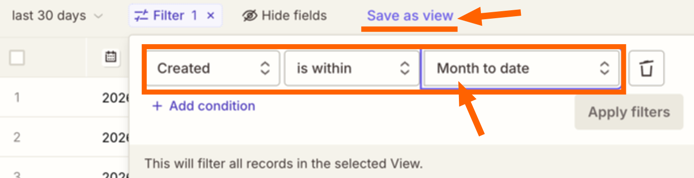
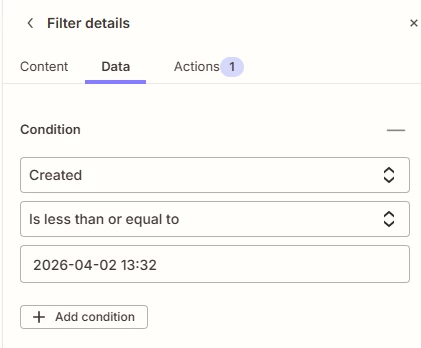
I did some testing and Date & Time type of fields don’t allow you to dynamically reference a date value, the filter will only allow you to select a specific date value. However, you can set up a view on the connected table that will show records with a Created date that is within a relative time frame.

For example, if you wanted to show records within the last 30 days you’d use the Month to date option for the filter on the table and then save that as a new view: 

b7fbbe59967895fea31c1e52dd2c728e.png
 

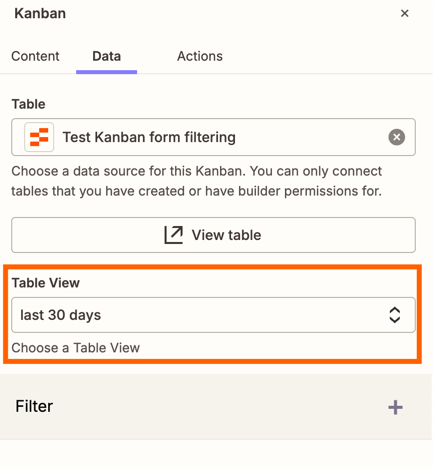
And you can also add an additional condition to the filter for a specific status as well. Then, on the Kanban component you’d select that specific table view:

bc467779c7148255d3143f9e694dea6c.png
Which should then filter the records shown on the Kanban to match what’s displaying in the table view.

Would that sort of approach work for your needs here?


Forum|alt.badge.img+3
  • Zapier Solution Partner
  • April 24, 2026

Hy ​@Jazzy3, just checking in – any luck with this?