Best answer

Creating a Stripe invoice in QuickBooks Online: Amount issue

  • February 10, 2022
  • 3 replies
  • 109 views

I have a zap from stripe when a payment is made that checks to see if the customer exists in quickbooks online, and adds the customer if needed. Then it adds the invoice, payment, and stripe fee into quickbooks. However, there are two issue I am running into is a multi-line invoice. 

The reason for this is stripe sends the amounts with out the decimal place. For Example Amount {100, 100, 120} when really the amounts were $1.00, $1.00, $1.20. So I need to adjust the amounts and the unit price to be divided by 100. For a single line invoice it is not difficult, but not sure how to be able to do that for multiple lines. 

Any thoughts on how to do this?
Best answer by Troy Tessalone

@Griffin 

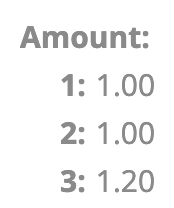
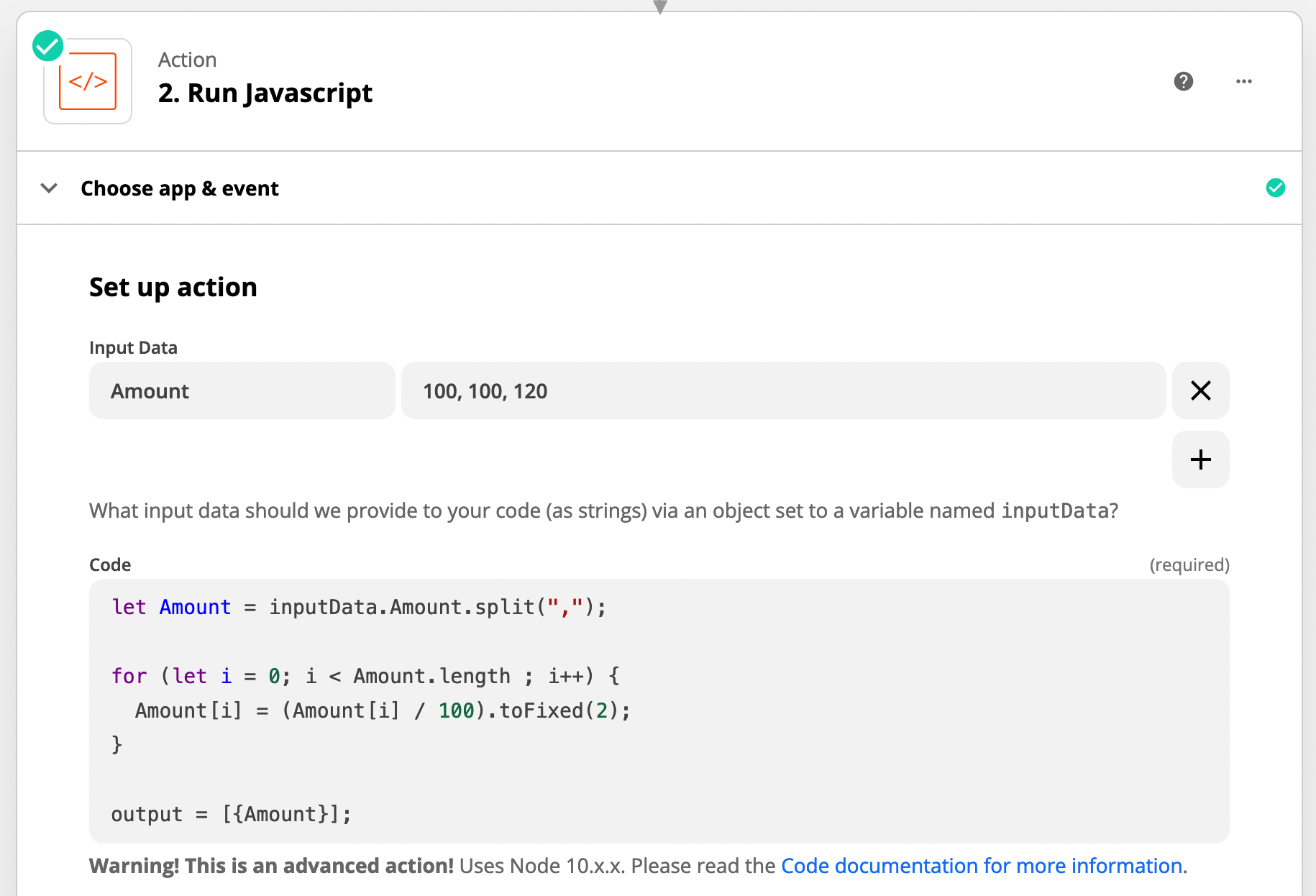
Try this Code:


CONFIG


OUTPUT


This post has been closed for comments. Please create a new post if you need help or have a question about this topic.

3 replies

Troy Tessalone
Zapier Orchestrator & Solution Partner
Forum|alt.badge.img+14
  • Zapier Orchestrator & Solution Partner
  • February 10, 2022

Hi @Griffin

This can be handled in a Zap Code step: https://zapier.com/apps/code/help


Troy Tessalone
Zapier Orchestrator & Solution Partner
Forum|alt.badge.img+14
  • Zapier Orchestrator & Solution Partner
  • Answer
  • February 10, 2022

@Griffin 

Try this Code:


CONFIG


OUTPUT


  • Author
  • New
  • February 10, 2022

That was exactly what I needed! Thank you!