Question

Copying documents from OneDrive subfolders to another folder


Hi there

I am really hoping someone can help me, I have a folder called Current Practice Clients and within this folder we have sub-folders with our individual clients, each individual client folder will have multiple sub-folders and possible another level of subfolders where we eventually save documents, we need the whole folder ‘Current Practice Clients’ monitored every fifteen minutes so that if any documents are added in any of the sub-folders those new or modified documents have a copy made and sent to another folder on the same OneDrive and pasted, just the documents, we don’t need any folders or sub-folders setup on the destination folder.


Can anyone help! 

3 replies

Troy Tessalone
Zapier Orchestrator & Solution Partner
Forum|alt.badge.img+14
  • Zapier Orchestrator & Solution Partner
  • October 1, 2026

Hi ​@Oval-Accountants 

For us to have more context, post screenshots showing how your Zap steps are outlined and configured.


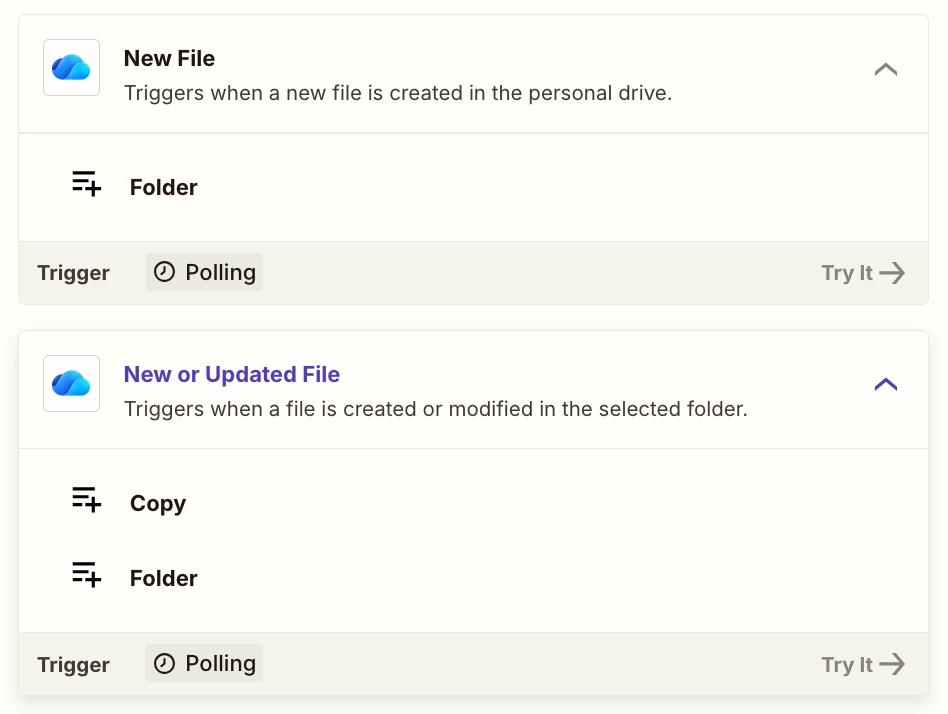
Try using these OneDrive Zap triggers: 

  • New File
  • New or Updated File


Hi! I run a similar copy setup, so hopefully this saves you some trial and error.

The trigger to use is OneDrive's "New File" pointed at your "Current Practice Clients" folder, as Troy mentioned. Two things from experience: first, test it with a file added a couple of levels deep in one of the client subfolders before trusting it. The trigger only watches the folder you select, and nested folder behavior is exactly the kind of thing worth verifying with a quick test run rather than assuming.

Second, I'd go with "New File" rather than "New or Updated File" unless you actually want re-copies. Since your destination folder is flat, a modified file would just land as another copy next to the original, which gets messy fast.

Then use the "Copy File" action into your destination folder. It copies just the file, so your flat destination stays flat. Just make sure the destination folder sits outside "Current Practice Clients", or the copy could trigger another run.

On timing, the every-15-minutes cadence lines up with Zapier's polling schedule on the lower plans, so that part should work as you expect.


SamB
Community Manager
Forum|alt.badge.img+11
  • Community Manager
  • October 13, 2026

Hi ​@Oval-Accountants 👋

Have you had a chance to try out the suggestions from Troy and dylanfletcher37 yet? 

Let us know how it goes when you do. Want to make sure this gets sorted! 🙂