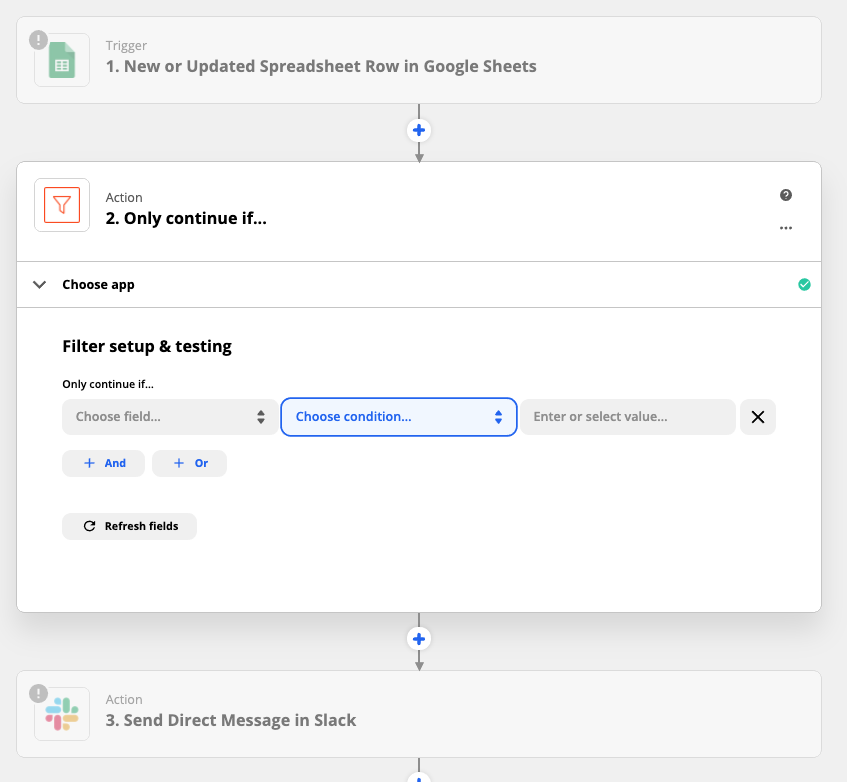
I’m trying to create a “Continue Only if” condition where a text I specify needs to be found in a specific Google Sheet column.
How do I make it look within a specific Google sheet column?
Thanks in advance for any help with this!

I’m trying to create a “Continue Only if” condition where a text I specify needs to be found in a specific Google Sheet column.
How do I make it look within a specific Google sheet column?
Thanks in advance for any help with this!
Best answer by Janine_Anderson
Hi
This will make it so that the Zap only continues on to the rest of the actions if the text you’ve specified is found in the column you selected.
Here’s an example of how the filter step fits in between a Google Sheets trigger step and an action step (in this case, it’s sending a message in Slack).
I hope that helps you get things moving!
— Janine

Build and deploy automations from AI tools you already use. With Agentic Management, if anything breaks, the agent diagnoses the issue and proposes a fix.
Enter your E-mail address. We'll send you an e-mail with instructions to reset your password.