
Hi All,
Anyone figured out how to make paid amounts shop up with decimals, so I dont have to go into the clickfunnel orders to double check the amount with decimals?
See attached how orders paid amounts are currently are zapped accross.

Hi All,
Anyone figured out how to make paid amounts shop up with decimals, so I dont have to go into the clickfunnel orders to double check the amount with decimals?
See attached how orders paid amounts are currently are zapped accross.
Best answer by AndrewJDavison
Click the + button between the two existing steps you have in the zap.
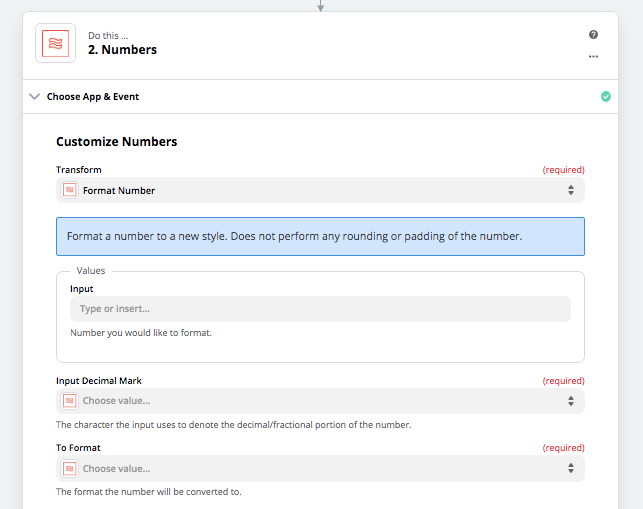
Then you’ll want to search for the “Formatter” app and set it to “Numbers->Format Number”
You then have two dropdowns where you can set up the decimals how you need them:

Build and deploy automations from AI tools you already use. With Agentic Management, if anything breaks, the agent diagnoses the issue and proposes a fix.
Enter your E-mail address. We'll send you an e-mail with instructions to reset your password.




