Question

Change a text post to an image-only post

  • April 2, 2026
  • 9 replies
  • 48 views

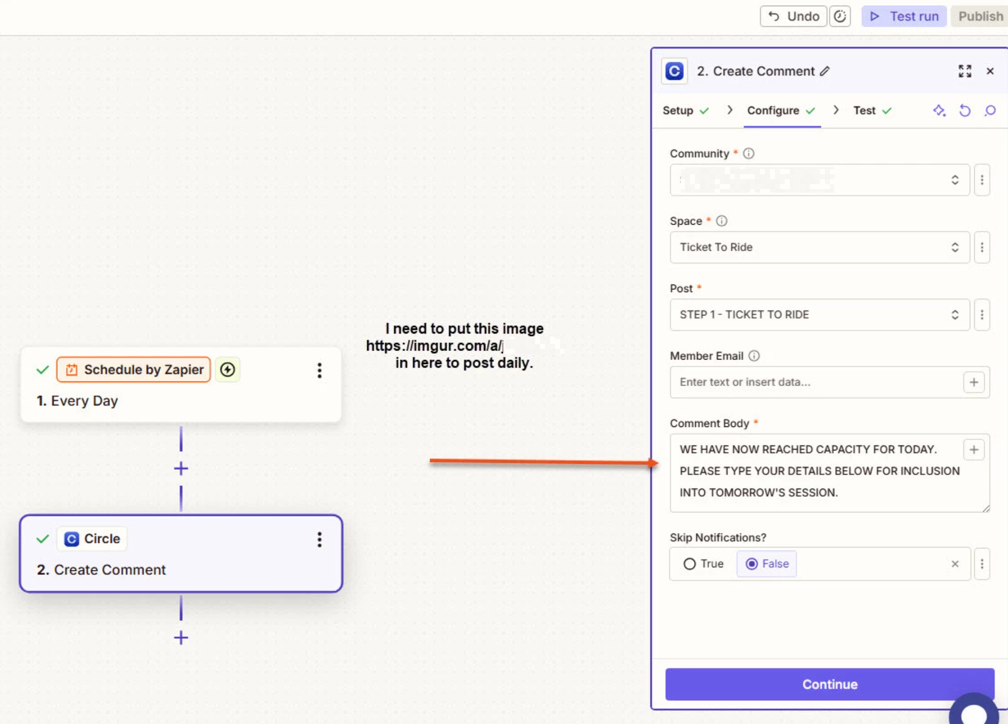
I actually wish to post and 'end of day' notice at midnight every day in the comments box in a post in our group in Circle.so. I am using Zapier to post a text comment at present but I wish to change it to an image-only post. Can you help me do that, please?

9 replies

Troy Tessalone
Zapier Orchestrator & Solution Partner
Forum|alt.badge.img+14
  • Zapier Orchestrator & Solution Partner
  • April 2, 2026

Hi ​@chrispottle 

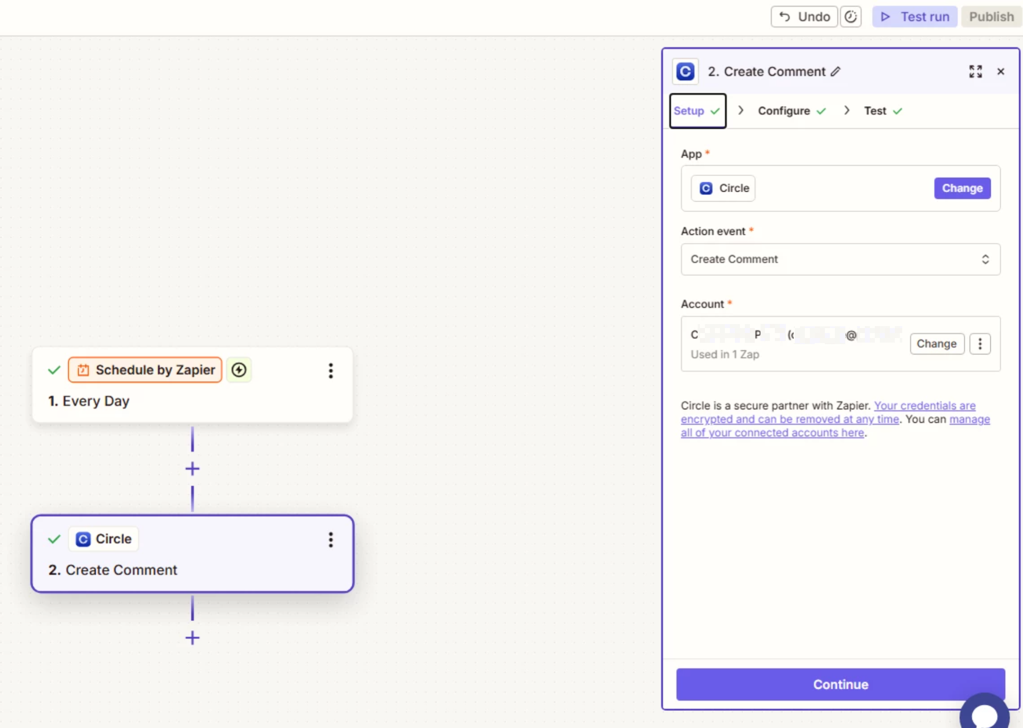
For us to have more context about what you are referring to, post screenshots showing the Circle.so Zap step you are trying to configure/use.


  • Author
  • Beginner
  • April 2, 2026


This post has been edited by a moderator to remove personally identifiable information (PII). Please remember that this is a public forum and avoid sharing personal or potentially sensitive details.


  • Author
  • Beginner
  • April 2, 2026

So, the post is one where people put their names to join a group. That group closes each day and a new group is made from midnight onwards. This text post is OK but doesn’t really get noticed by the community. I want to put the image in to make a bigger impact to inform folks that they missed the previous day’s group and have to be added to the next group. This is a daily event.

Thanks so much for your help

Chris


Troy Tessalone
Zapier Orchestrator & Solution Partner
Forum|alt.badge.img+14
  • Zapier Orchestrator & Solution Partner
  • April 2, 2026

@chrispottle 

Depends if Circle.so API supports file links.


You can try formatting as an image using HTML

<img src="https://example.com/image.jpg">


Or maybe try markdown format.

![Description](https://example.com/image.jpg)


Forum|alt.badge.img+3
  • Zapier Solution Partner
  • April 2, 2026

Hi ​@chrispottle 

Here's the Clircle.so API doc that might help: link

If you're still running into issues getting your Circle.so comment to show as an image-only post, drop a screenshot of the error and a quick description of what your Zap is doing, happy to take a look!

And if you'd rather just get it sorted quickly, I offer a free 20-min Zapier troubleshooting call. Book it under Resources on my Zapier Directory profile: https://zapier.com/partnerdirectory/automatemybiz

!-->


Sparsh from Automation Jinn
Forum|alt.badge.img+6

Hey ​@chrispottle,

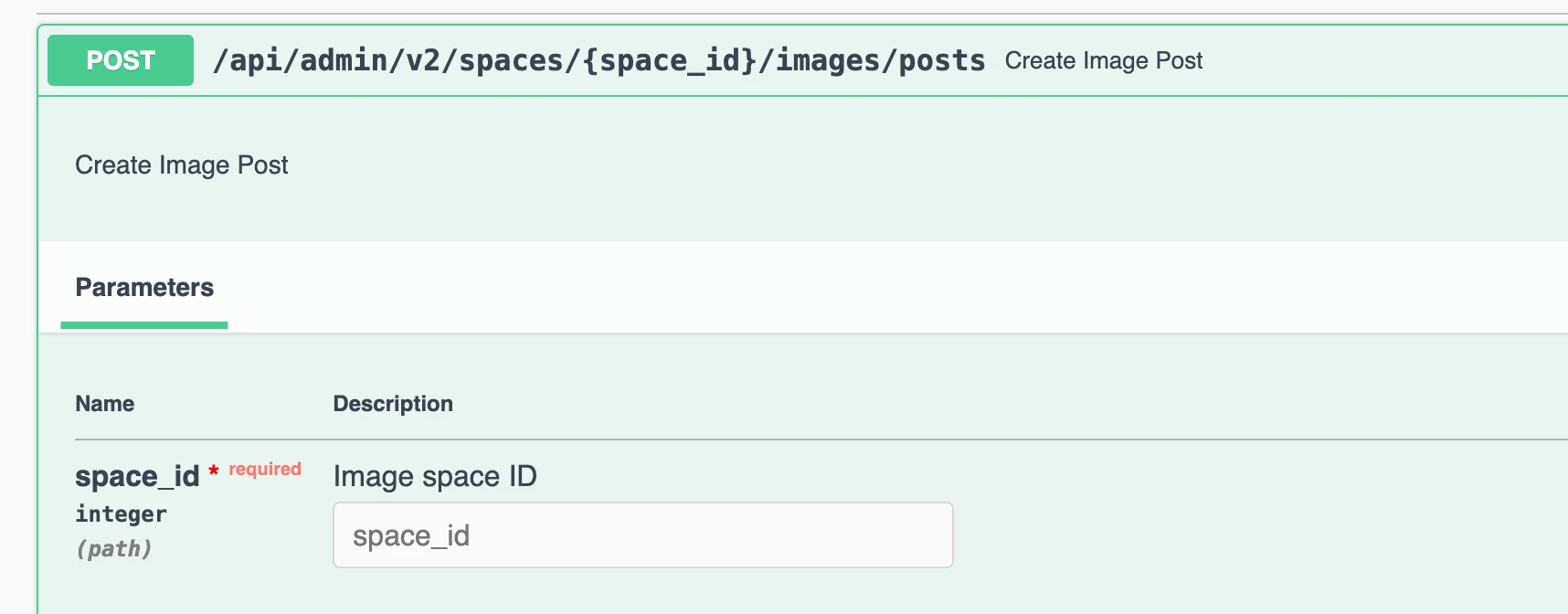
Circle API supports images but I don’t think it’s supported through the Create comment Zapier action. I don’t know if you can create a comment with image through the API but you can create an image post by directly querying the API using Webhooks in Zapier. Here is the API documentation for Create image post endpoint- https://api-headless.circle.so/?urls.primaryName=Admin%20API%20V2#/Posts/post_api_admin_v2_spaces__space_id__images_posts. Here is a helpful article about Webhooks in Zapier- https://help.zapier.com/hc/en-us/articles/8496326446989-Send-webhooks-in-Zaps.


I know it can get a bit more technical and complex but if it’s important for you, you can give this approach a try. Hope it helps!

PS: If you need more active help, I’m happy to connect through my Zapier Solution Partner page if you’d like to reach out here- https://zapier.com/partnerdirectory/automation-jinn


SamB
Community Manager
Forum|alt.badge.img+11
  • Community Manager
  • April 10, 2026

Hi there ​@chrispottle! Did you get a chance to try any of the suggestions shared here yet?

Let us know what worked, or if you could do with some more help on this. 🙂


  • Author
  • Beginner
  • April 11, 2026

Unfortunately,  try as I might, I just couldn't get it to work. Is it worth pursuing?  

Chris 


SamB
Community Manager
Forum|alt.badge.img+11
  • Community Manager
  • April 15, 2026

Sorry to hear that ​@chrispottle. I can’t test in Circle directly to confirm if it’s definitely possible, but looking at Circle’s API I couldn’t see any endpoint for posting an image-only comment. It seems it only allows image posts to be created and not image comments.

However, there is this Rich Text Body Format Documentation guide in their API so you could potentially attach an image file to a comment, assuming comments would support that type of body. I’m not sure how image attachments are rendered on comments in Circle, would an attachment display the image like you want?

If they would, then I’d suggest using their Create Comment endpoint and trying to set an image attachment within the body field as per their guide. Since attachments are referenced by their ID, you’d need another Webhooks action to first upload the image file so you can get it’s ID and use that in the second Webhooks action that creates the comment. 

If you give it a try, let me know how you get on!