

Question

Best approach to parse an HTML table in email

  • December 6, 2024
  • 3 replies
  • 73 views

tslyons
Forum|alt.badge.img

This post has been edited by a moderator to remove personal information. Please remember that this is a public forum and to remove any sensitive information prior to posting.

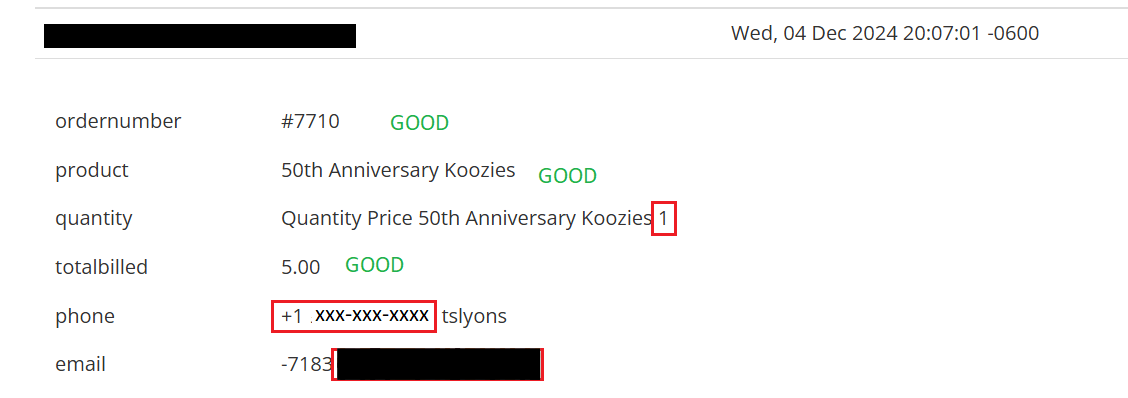
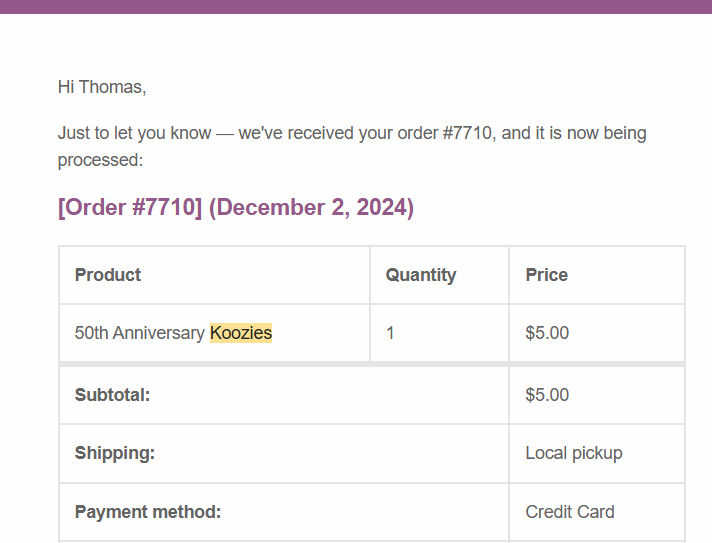
I need to parse certain fields from an HTML formatted purchase confirmation.  A cropped screen shot is below.  The second shot shows the hash that the parser is making on some, but not all, of the fields from the text-based Body of the email.  Any techniques for pre-formatting the text resultant from the HTML extract?

Thanks very much for any guidance.


This post has been closed for comments. Please create a new post if you need help or have a question about this topic.

3 replies

Troy Tessalone
Zapier Orchestrator & Solution Partner
Forum|alt.badge.img+14
  • Zapier Orchestrator & Solution Partner
  • December 6, 2024

Hi ​@tslyons 

Please clarify what app you are trying to use to do email parsing. (name)

Link with resources for email parsing:


tslyons
Forum|alt.badge.img
  • Author
  • Beginner
  • December 9, 2024

Thanks, and pardon my omission, Troy.  I’m using Email Parser by Zapier.


JammerS
Forum|alt.badge.img+6
  • Zapier Staff
  • December 9, 2024

Hi ​@tslyons,


Welcome to the Community. 


To parse specific fields from an HTML email, use Zapier's Email Parser to extract data. Set up a parsing template to match your email format and consider converting HTML to plain text if it causes issues. This can be done using online tools or a custom JavaScript code step in Zapier.


I hope this helps! If you need more specific guidance, feel free to provide more details about your workflow, and I'd be happy to assist further.