Question

TikTok Video Automation

  • July 7, 2025
  • 4 replies
  • 94 views

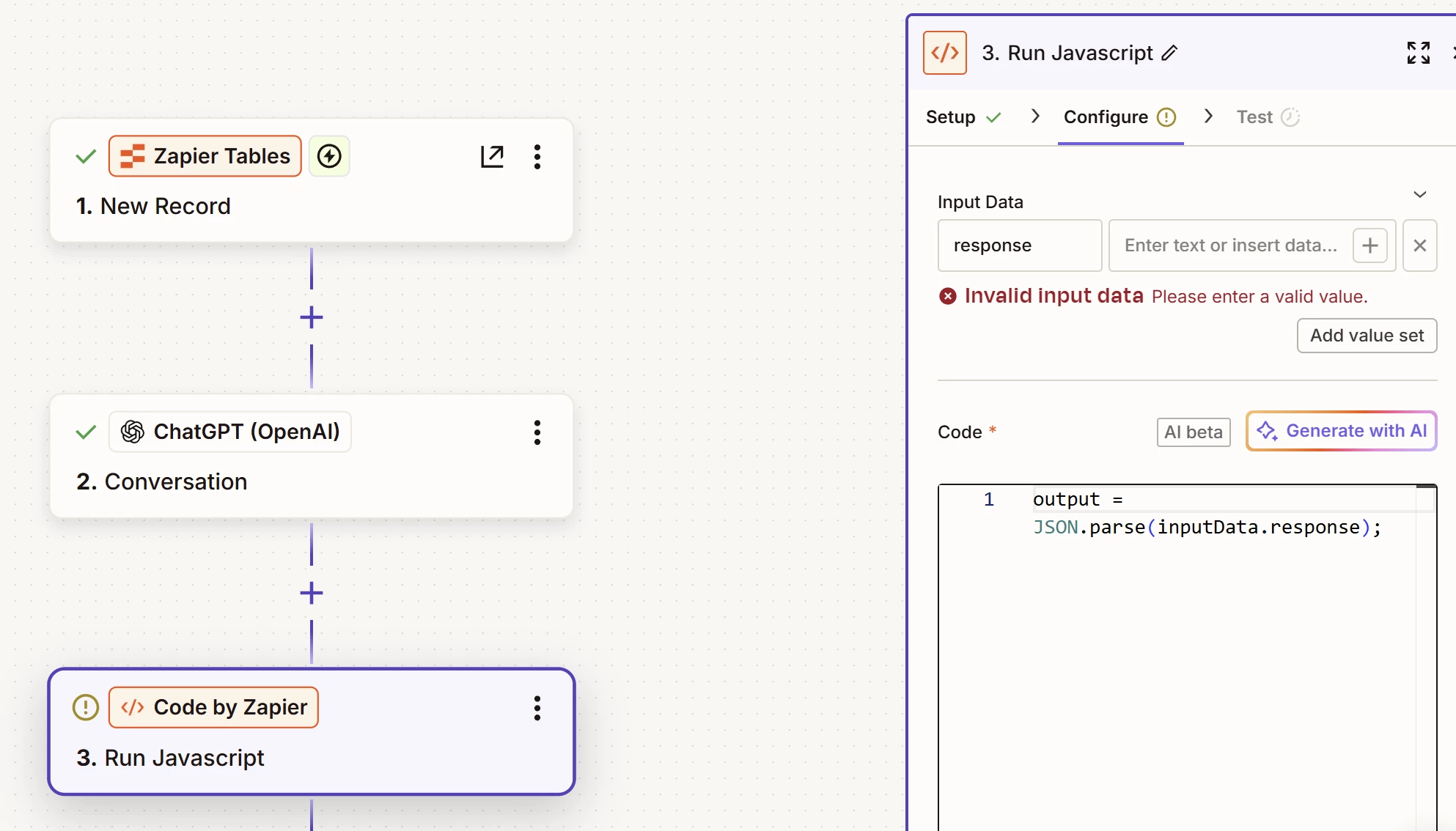
I am trying to automate the video creation process of tiktok videos through Zapier and API keys. I am on step 7 of the website here (TikTok Automation: How to Create TikTok Videos using AI - Creatomate) and wondering why my Input Data keeps giving me an error “Invalid Data Input” when trying to create a response through JavaScript. 
 

This post has been closed for comments. Please create a new post if you need help or have a question about this topic.

4 replies

MohSwellam
Zapier Orchestrator & Solution Partner
Forum|alt.badge.img+8
  • Zapier Orchestrator & Solution Partner
  • July 7, 2025

Hi ​@echonella ,


In the “Input Data” you have the “response” on the left, you need to map the actual response to the box on the right. 


SamB
Community Manager
Forum|alt.badge.img+11
  • Community Manager
  • July 10, 2025

Hi there, ​@echonella 👋

How did you get on with Mo’s suggestion here? Did mapping the response field from the ChatGPT action into the Input Data field on the right do the trick?

Keep us posted on how it went, want to make sure you’re all set! 🙂


  • Author
  • Beginner
  • July 16, 2025


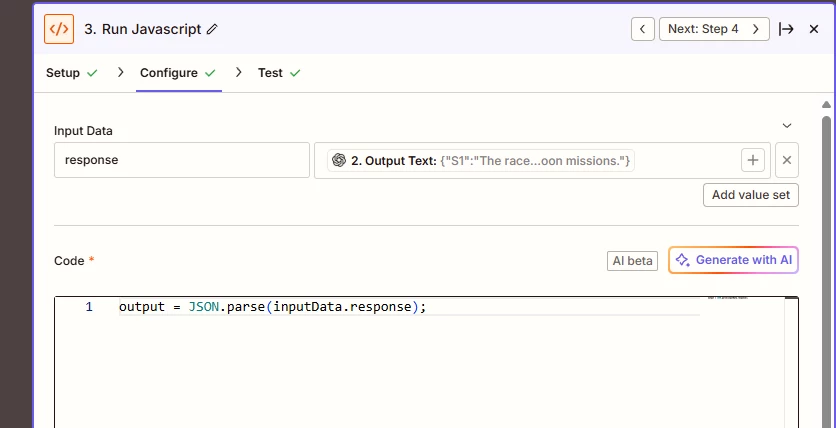
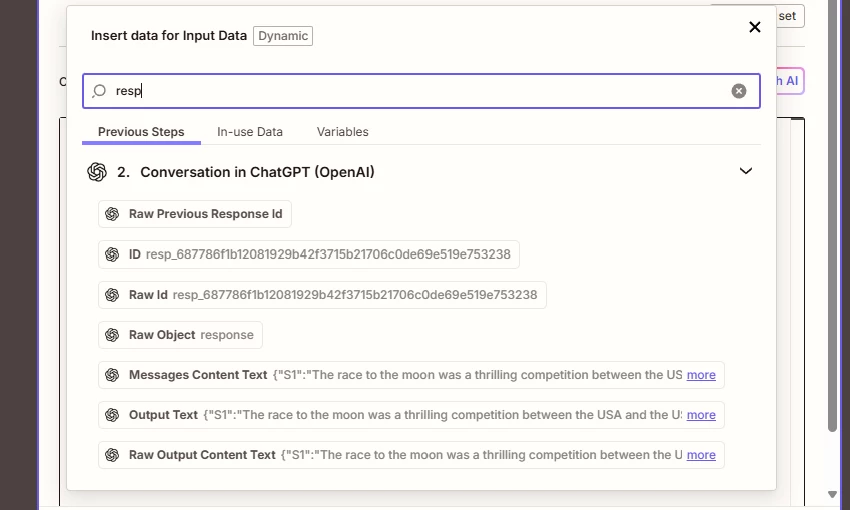
I was not able to map directly a “Response” from ChatGPT but rather mapped the Output Text. I could not see an option for Response in the mapping options. See below: 


The “Raw Object Response results in an error for the test run.

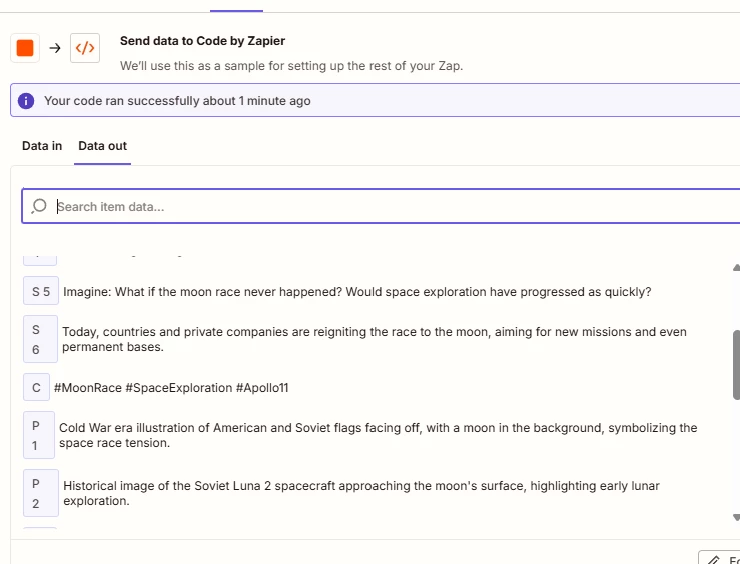
However, I was able to get my scripts, scenes, and captions auto generated by mapping the Output Text. 


MohSwellam
Zapier Orchestrator & Solution Partner
Forum|alt.badge.img+8
  • Zapier Orchestrator & Solution Partner
  • July 16, 2025

Glad it worked ​@echonella 


By response I mean whatever the previous step is sending back, you are right to map the Output Text field