Question

The number of applicants in workable is not matching in HubSpot.

  • December 12, 2022
  • 24 replies
  • 149 views

Forum|alt.badge.img

We are having some issue with Zapier to HubSpot. The number of applicants in Workable is not matching the number of candidates in HubSpot. Zapier is the middle tool that we are using so that we can receive applicants from Workable. Can someone please help me to fix this so that all applicants from Workable will go through in HubSpot? 

This post has been closed for comments. Please create a new post if you need help or have a question about this topic.

24 replies

Forum|alt.badge.img
  • Author
  • Beginner
  • December 12, 2022

@Troy Tessalone  This is my concern. Thanks! Please help. 


Troy Tessalone
Zapier Orchestrator & Solution Partner
Forum|alt.badge.img+14
  • Zapier Orchestrator & Solution Partner
  • December 12, 2022

Hi @TylerS 

Good question.

FYI: Zaps only work while turned ON for new data going forward.

Also, check your Zap Runs for possible errors: https://zapier.com/app/history/


Forum|alt.badge.img
  • Author
  • Beginner
  • December 12, 2022

All Zap is ON but we are not still receiving all applicants in HubSpot. 


Forum|alt.badge.img
  • Author
  • Beginner
  • December 12, 2022

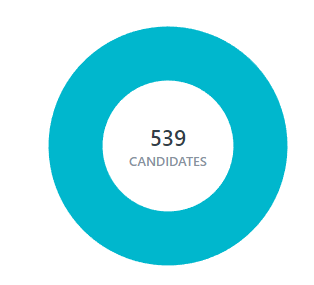
Workable


HubSpot. 

It doesn't match the number of candidates. We are not sure if the problem is Zap or workable. Are the codes in Zap should match the codes in Workable? 


Troy Tessalone
Zapier Orchestrator & Solution Partner
Forum|alt.badge.img+14
  • Zapier Orchestrator & Solution Partner
  • December 12, 2022

@TylerS 

We’d need to see screenshots with how your Zap steps are configured in order to have more context.


Make sure to check your Zap Runs for possible errors: https://zapier.com/app/history/


Zaps only work while turned ON for new data going forward, so if you had data in Workable before the Zap was turned ON, then that data won’t trigger the Zap.


Forum|alt.badge.img
  • Author
  • Beginner
  • December 12, 2022

@Troy Tessalone all our zap runs are showing success. Can you tell me what screenshot do you need for me to post it here. We really need to fix this. 


Troy Tessalone
Zapier Orchestrator & Solution Partner
Forum|alt.badge.img+14
  • Zapier Orchestrator & Solution Partner
  • December 12, 2022

@TylerS 

We need to see screenshots about your Zap steps.

We need to know what your Zap trigger step is and what Zap actions are being used.


Forum|alt.badge.img
  • Author
  • Beginner
  • December 12, 2022


This post has been edited by a moderator to remove personal information. Please remember that this is a public forum and to remove any sensitive information prior to posting.

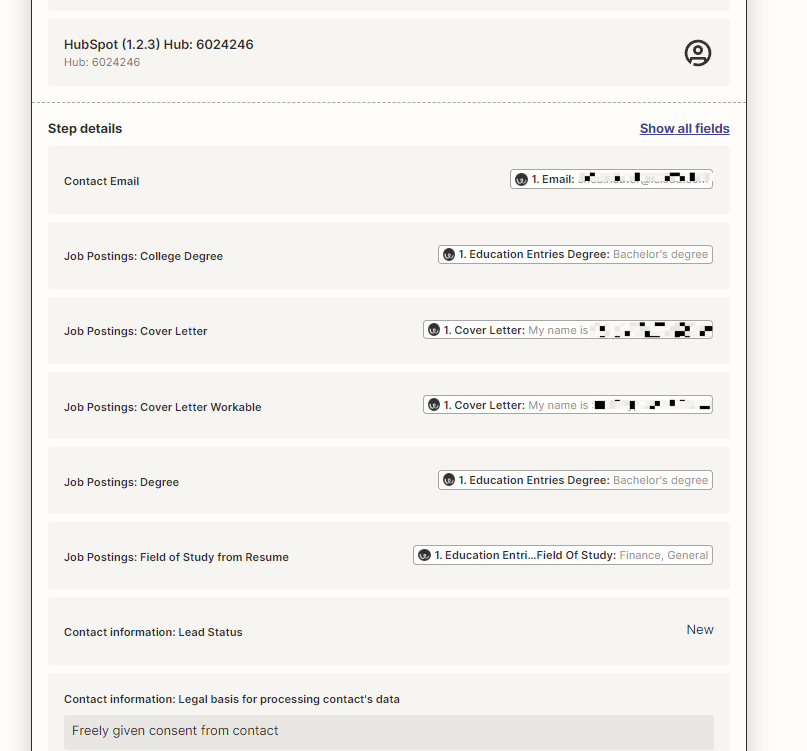
These a sample zap that we have. 


Troy Tessalone
Zapier Orchestrator & Solution Partner
Forum|alt.badge.img+14
  • Zapier Orchestrator & Solution Partner
  • December 12, 2022

@TylerS 

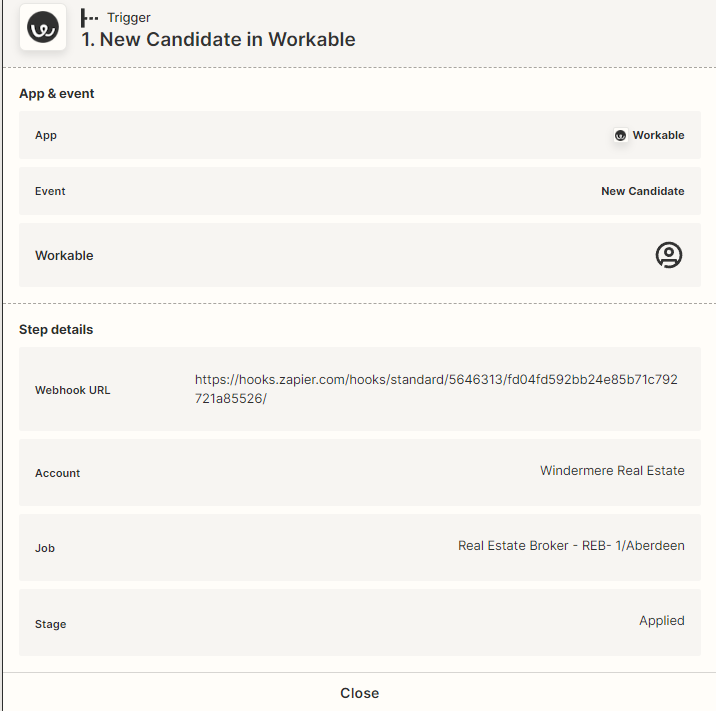
The Zap trigger has these configuration settings.

It’s only for 1 account, 1 job, and 1 Stage.

So if candidates don’t match those conditions the Zap won’t trigger.


Forum|alt.badge.img
  • Author
  • Beginner
  • December 13, 2022

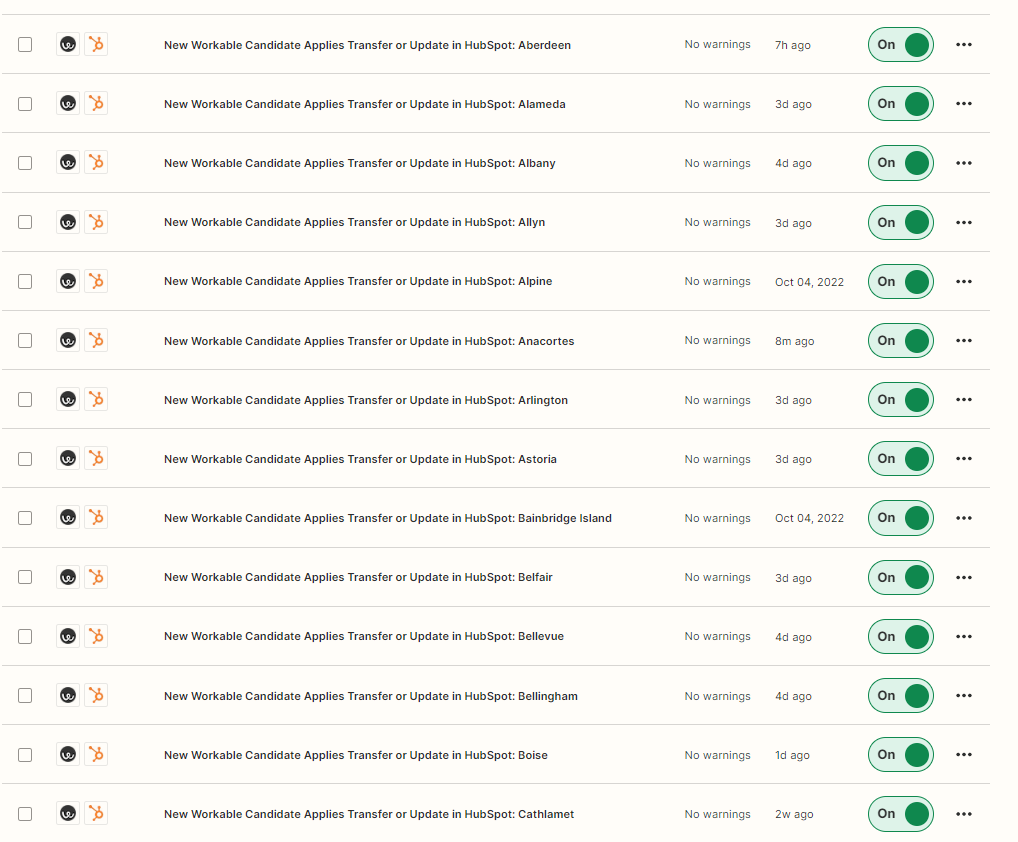
Yes we did 1 account, 1 job, and 1 Stage. We created 2 zap for each ad the one is OFF and the other one is ON.  Every 3 weeks we update workable. For zap since we created  two, we just need to turn OFF and turn ON. Is that the reason why some leads is not going thru our pipeline? Should we create new zap every time we update Workable? @Troy Tessalone 


Troy Tessalone
Zapier Orchestrator & Solution Partner
Forum|alt.badge.img+14
  • Zapier Orchestrator & Solution Partner
  • December 13, 2022

@TylerS

The Zap needs to be configured and ON before there is a new Candidate in Workable that matches the Zap trigger conditions.


Not really clear what you mean by the 2 Zaps per ad with 1 OFF and 1 ON.

Would need a specific example to better understand.


Forum|alt.badge.img
  • Author
  • Beginner
  • December 13, 2022

@Troy Tessalone  Is there a way that we can have a call or zoom call so that I can explain it to you further? 


Troy Tessalone
Zapier Orchestrator & Solution Partner
Forum|alt.badge.img+14
  • Zapier Orchestrator & Solution Partner
  • December 13, 2022

@TylerS 

Many people use Loom.com to record a video and share a link to the video.


Forum|alt.badge.img
  • Author
  • Beginner
  • December 13, 2022

Will do.. I will work on it. Thanks @Troy Tessalone


christina.d
Forum|alt.badge.img+9
  • Zapier Staff
  • December 15, 2022

Hey there, @TylerS! Thanks for reaching out!

I can see you were able to reach my teammate in support - which is perfect since I’d actually recommend continuing the troubleshooting process there. 

They’ll have more access to your logs and zaps and hopefully be able to get to the bottom of this with you. 🙂

Thanks again for raising this in community!


Troy Tessalone
Zapier Orchestrator & Solution Partner
Forum|alt.badge.img+14
  • Zapier Orchestrator & Solution Partner
  • December 16, 2022

@TylerS 

There likely isn’t going to be a simple or easy answer for this, as you’ll likely have to do manual investigation to try to determine which Contacts didn’t make it from one app to another and why that may be.


You can need to export the data from both apps in order to do analysis in a GSheet to help you isolate which Contacts were impacted.


Questions to ask…

  1. Was the discrepancy during a certain period of time?
  2. Was the discrepancy related to certain Zap(s)?
  3. Was the discrepancy due to recent changes in either of the apps involved?


It’s a good idea to check the Zapier Status page for current/recent incidents that may have impacted your Zaps: https://status.zapier.com/#incidents-list


Forum|alt.badge.img
  • Author
  • Beginner
  • December 17, 2022

@Troy Tessalone This is then loom video you are requesting from us. https://www.loom.com/share/61e65873287e4174ab08ecfc73884cbc.
Hope this explain everything. Thank you. 


MohSwellam
Zapier Orchestrator & Solution Partner
Forum|alt.badge.img+8
  • Zapier Orchestrator & Solution Partner
  • December 17, 2022

Hi @TylerS 


So the problem seems to be that you are creating a separate zap for each ad. Yes, you need to update Zapier every time you update Workable. 


Instead of having a different zap for every location, you might wanna consider having one zap and not specifying the Job or the Stage in the Workable trigger. I understand you are doing this currently because you want to pass the Location into Hubspot (which I see you are hardcoding into the zap instead of passing the info from the Workable trigger). 

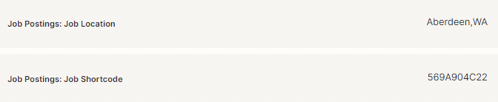
From what I see in Workable API Documentation, in the New Candidate response you do not get the Job Posting Location, you only get the Shortcode, which is probably why you had to do it this way. However, the better way would be to add a Step after the Trigger which would be Workable > Find Job (which will use the Shortcode, its part of the response in the Candidate Trigger). This step will receive the Job Location as part of the answer, which you can then map into Hubspot. 


Hope this was helpful.   


chanelle
Forum|alt.badge.img+8
  • Zapier Staff
  • December 19, 2022

Hey @TylerS, I see you gave Moh’s response a thumbs up! Does that mean you were able to get this Zap working? If you’re interested, you can work a bit more closely with one of our experts!


Forum|alt.badge.img
  • Author
  • Beginner
  • December 19, 2022

We are still working on it. @chanelle I would love to work or speak to one of your experts via zoom call so that he or she can walk me through on how to fix this issue. 


Forum|alt.badge.img
  • Author
  • Beginner
  • December 21, 2022

@MohSwellam Hi, I would love to speak via zoom so that you can walk me through on how to troubleshoot Zap issue that we are encountering now. Is there anyway we can do that? 


MohSwellam
Zapier Orchestrator & Solution Partner
Forum|alt.badge.img+8
  • Zapier Orchestrator & Solution Partner
  • December 21, 2022

Hi @TylerS 


You can contact me on Zapier Expert Directory here and we can set something up. 


Forum|alt.badge.img
  • Author
  • Beginner
  • January 4, 2023

@MohSwellam We already submitted the form but haven’t heard back. 


MohSwellam
Zapier Orchestrator & Solution Partner
Forum|alt.badge.img+8
  • Zapier Orchestrator & Solution Partner
  • January 4, 2023

Hi @TylerS 


I have emailed you back on the email provided. Please check your messages here as well.