

Best answer

Retrieve Poll in Webhook returns "We couldn't find an entry"

  • April 20, 2023
  • 3 replies
  • 186 views

asg3
Forum|alt.badge.img

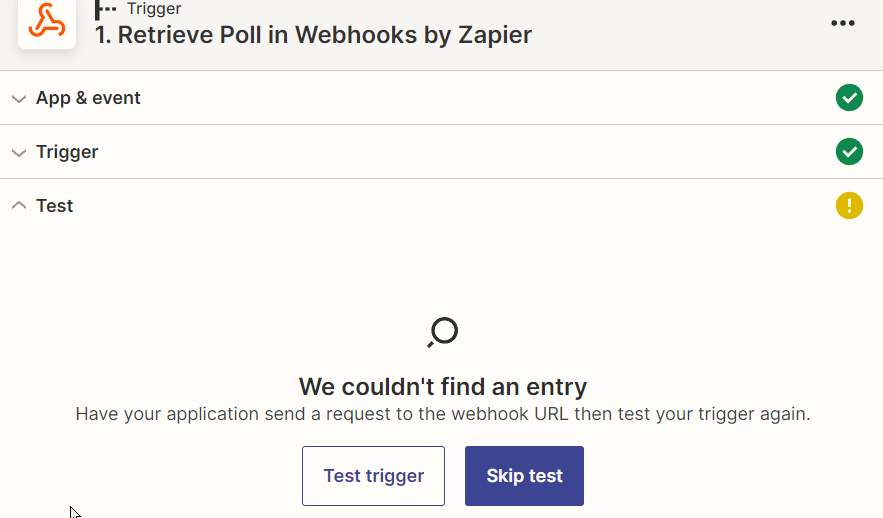
I’ve created a retrieve poll and when I try to test it I get the message  “We couldn't find an entry”

I’ve tried changing the URL, and when I test the URL outside of Zapier it returns data.

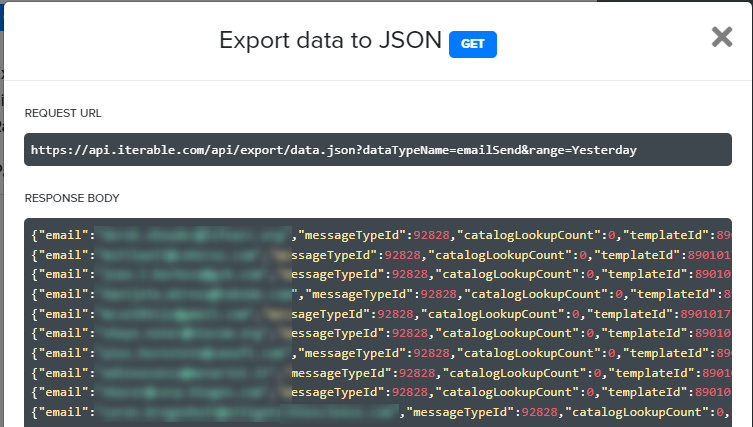
Below is the configuration in Zapier, the test result I get and a sample of the data returned outside of Zapier.

I read about the other post about not producing results due to deduplication, and changed the query to get fresh data, but still get the same result.

Any help with this is greatly appreciated! This is all new to me and lots of fun, but I’m stumped.
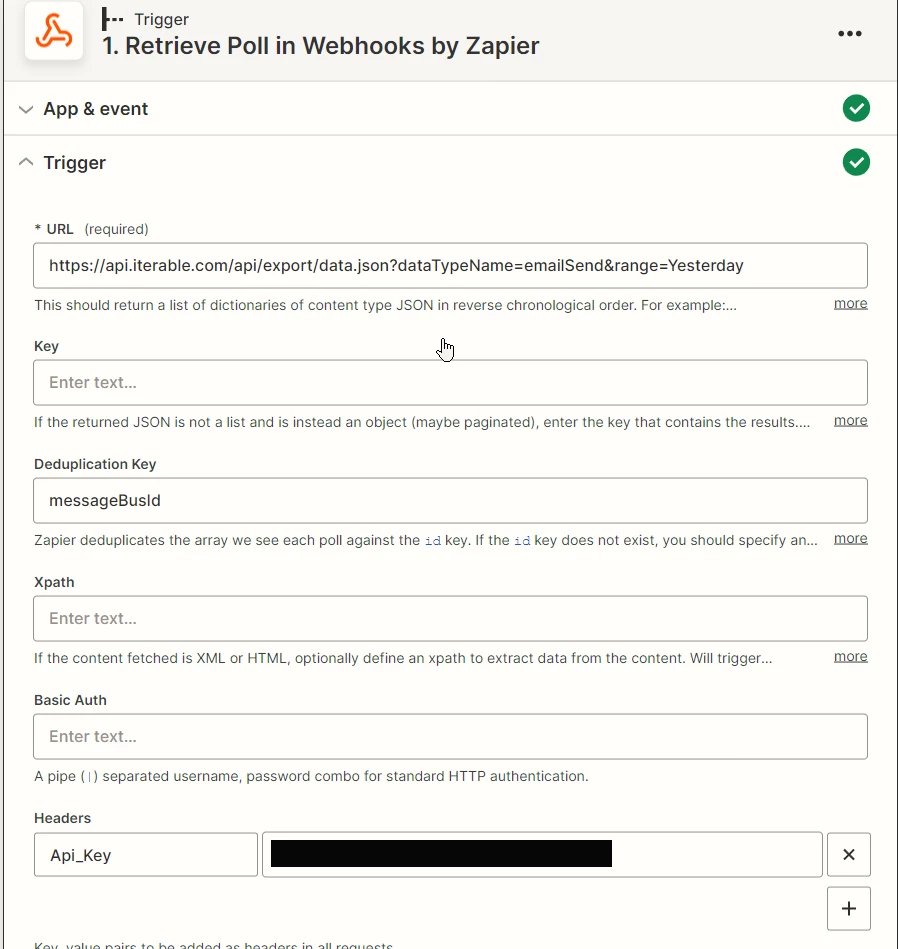
Configuration of webhook


Message when I try to test the webhook
JSON result external to Zapier


Best answer by asg3

I figured out how to pull and transform the data. Using a Code by Zapier Zap with the following JS:

let url = 'https://api.iterable.com/api/export/data.json?dataTypeName=emailOpen&range=Today&onlyFields=email&onlyFields=createdAt&onlyFields=templateId&onlyFields=messageId&onlyFields=campaigniD&onlyFields=contentID'

let iterableData = 'undefined'

let response = await fetch(url, {
method: "GET",
headers: {
'Api-Key': '----------REDACTED----------',
},
});

iterableData = await response.text()

iterableData = iterableData.replace(/\}/g, "},") //Add a "," to the end of each line
iterableData = "[" + iterableData.slice(0, -2) + "]" //Remove the last comma and add bracket
let iterableJSON = JSON.parse(iterableData) //Convert to JSON

output = {iterableJSON}


This post has been closed for comments. Please create a new post if you need help or have a question about this topic.

3 replies

christina.d
Forum|alt.badge.img+9
  • Zapier Staff
  • April 21, 2023

Hey there, @asg3! Appreciate you reaching out in community - I hear ya on the “new but fun”! 🔥🧠🔥

I’m moving your question to our webhooks forum to hopefully get some more technical eyes on your question. 🤞🏽


asg3
Forum|alt.badge.img
  • Author
  • Beginner
  • April 28, 2023

I think the problem is that output I’m retrieving isn’t in the correct format for Zapier.

The data is output like this:

{"city":"Warren Township","country":"United States"}
{"city":"New York","country":"United States"}

{“city”:”Stamford”,”country”:”United States"}

And Zapier is expecting it to start and end with and brackets, like this:

[{"city":"Warren Township","country":"United States"}
{"city":"New York","country":"United States"}

{“city”:”Stamford”,”country”:”United States"}]


So I tried using a Code by Zapier Zap to pull in the data and convert it into a string, but without success. This is what I tried but it doesn’t work (Error while retrieving: You must return a single object or array of objects.)


return fetch("https://api.iterable.com/api/export/data.json?dataTypeName=emailSend&range=Yesterday", {

mode: 'cors',

headers: { 'x-api-key': 'xxxxxxxxxxxxxxxxxxxxxxx',

'User-Agent' : 'My-App',

'Accept': '*/*', }, }) 

.then(response => response.text())

.catch(error => console.log('Error while fetching:', error))

callback(error, "output")

let xStr = response.text();

let obj = JSON.parse(xStr);

output = {obj};


asg3
Forum|alt.badge.img
  • Author
  • Beginner
  • Answer
  • April 30, 2023

I figured out how to pull and transform the data. Using a Code by Zapier Zap with the following JS:

let url = 'https://api.iterable.com/api/export/data.json?dataTypeName=emailOpen&range=Today&onlyFields=email&onlyFields=createdAt&onlyFields=templateId&onlyFields=messageId&onlyFields=campaigniD&onlyFields=contentID'

let iterableData = 'undefined'

let response = await fetch(url, {
method: "GET",
headers: {
'Api-Key': '----------REDACTED----------',
},
});

iterableData = await response.text()

iterableData = iterableData.replace(/\}/g, "},") //Add a "," to the end of each line
iterableData = "[" + iterableData.slice(0, -2) + "]" //Remove the last comma and add bracket
let iterableJSON = JSON.parse(iterableData) //Convert to JSON

output = {iterableJSON}