Best answer

Line Item to Text in Python

  • June 8, 2026
  • 5 replies
  • 32 views

Forum|alt.badge.img

I have a bunch of Line Items Fields. Currently using Line Item to Text in Formatter for few to convert to Text.

I would like to consolidate them into my Python code so I dont have a bunch of extra formatter steps if I can put them into my code.


What is the exact Python code for just separating line items into text with a separator, so it works exactly like the formatter step? 
Best answer by SamB

Hi there ​@gwinig 👋

We have a guide that explains how to work with line items in Code steps:

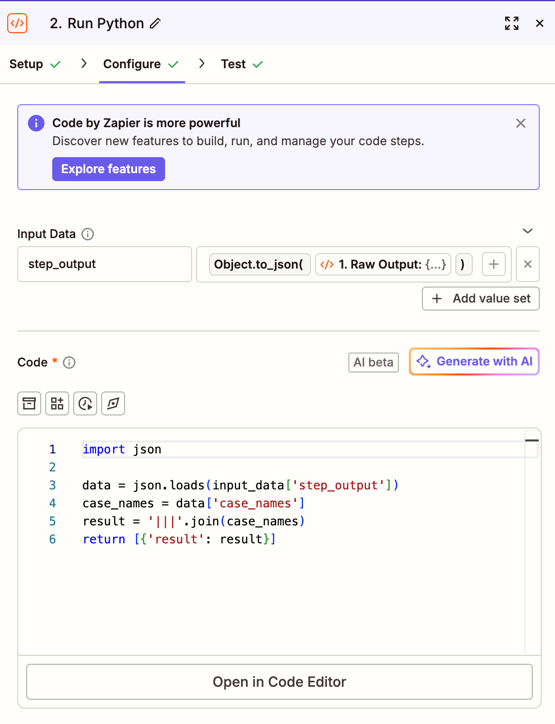
That said, there’s now a Step Output field available that gives the raw JSON output so you could have the Code step work with the JSON instead. I just tried using it with the following code:

import json

data = json.loads(input_data['step_output'])
case_names = data['case_names']
result = '|||'.join(case_names)
return [{'result': result}]

5e23cd322f7b20dc651e01e7edd30fd8.png
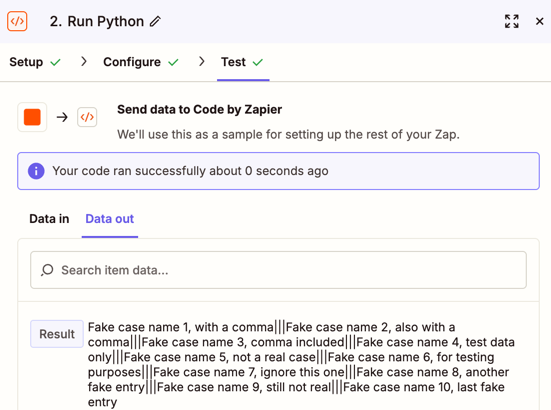
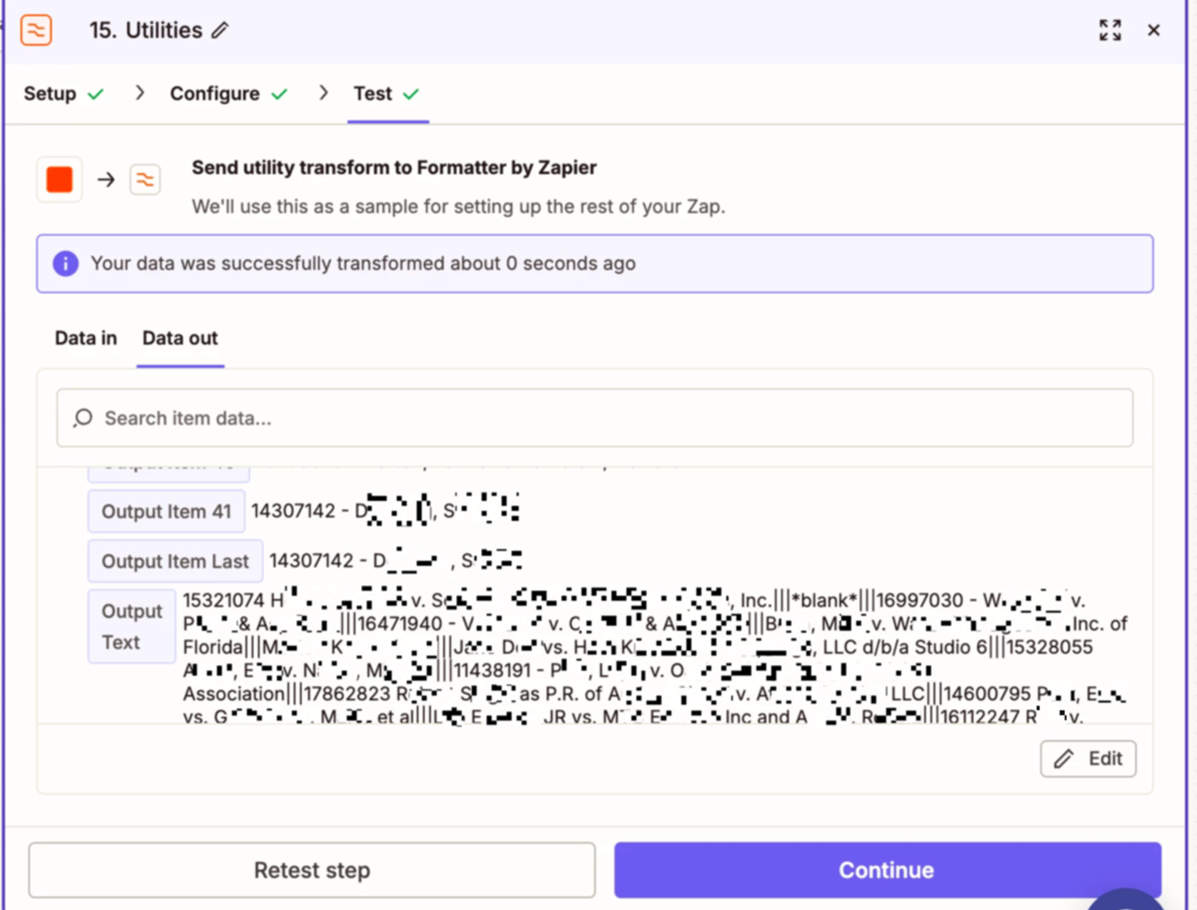
Which output the line items as text and separated them with the three pipes:

c2e5ab78dc6e332f4fcdcf89f5965f5b.png

Note: the case_names reference in the code above would need to be replaced with the field name as it appears in the Step Output field. Based on your field name it would likely be results_case_name_blank_c but it's worth double checking.

Hope that helps!

5 replies

Troy Tessalone
Zapier Orchestrator & Solution Partner
Forum|alt.badge.img+14
  • Zapier Orchestrator & Solution Partner
  • June 8, 2026

Hi ​@gwinig 

Code steps have a native AI feature you can try: https://help.zapier.com/hc/en-us/articles/15666688064013-Generate-a-Code-step-using-AI-Beta

OR try asking any of the available AI for help creating/commenting/optimizing/troubleshooting the Python code.

  • ChatGPT
  • Claude
  • Gemini

Forum|alt.badge.img
  • Author
  • Beginner
  • June 8, 2026

I don’t want to use AI for this as its not necessary. I tried using AI to help, they are unsure how to do this which is why I am requesting help here ​@Troy Tessalone

It looks like the data comes in as Comma Separated, so you can’t split on comma cause it messes up if theres a comma in the data.

Line item to text preserves it correctly but wondering if theres a way to do this in python. 

This is what Claude says want to confirm if this is accurate:
 

Unfortunately yes — once Zapier has already serialized the line items into a single comma-separated string, the original boundaries are lost and commas in names make it ambiguous.


Troy Tessalone
Zapier Orchestrator & Solution Partner
Forum|alt.badge.img+14
  • Zapier Orchestrator & Solution Partner
  • June 8, 2026

@gwinig 

For us to have more context, post screenshots showing how your Zap steps are outlined and configured in the CONFIGURE tab while in EDIT mode along with the DATA IN/OUT for each step.


Forum|alt.badge.img
  • Author
  • Beginner
  • June 8, 2026

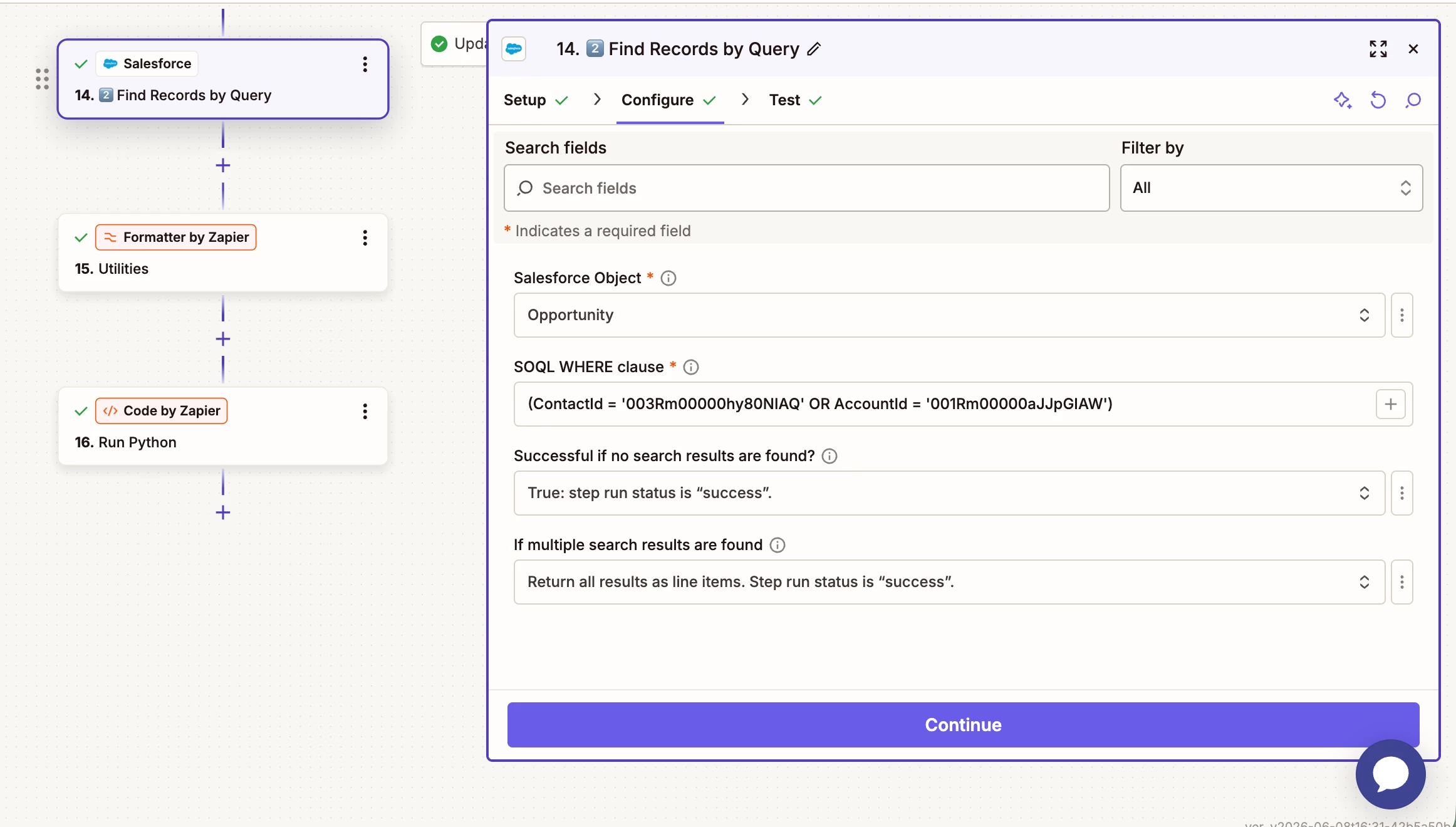
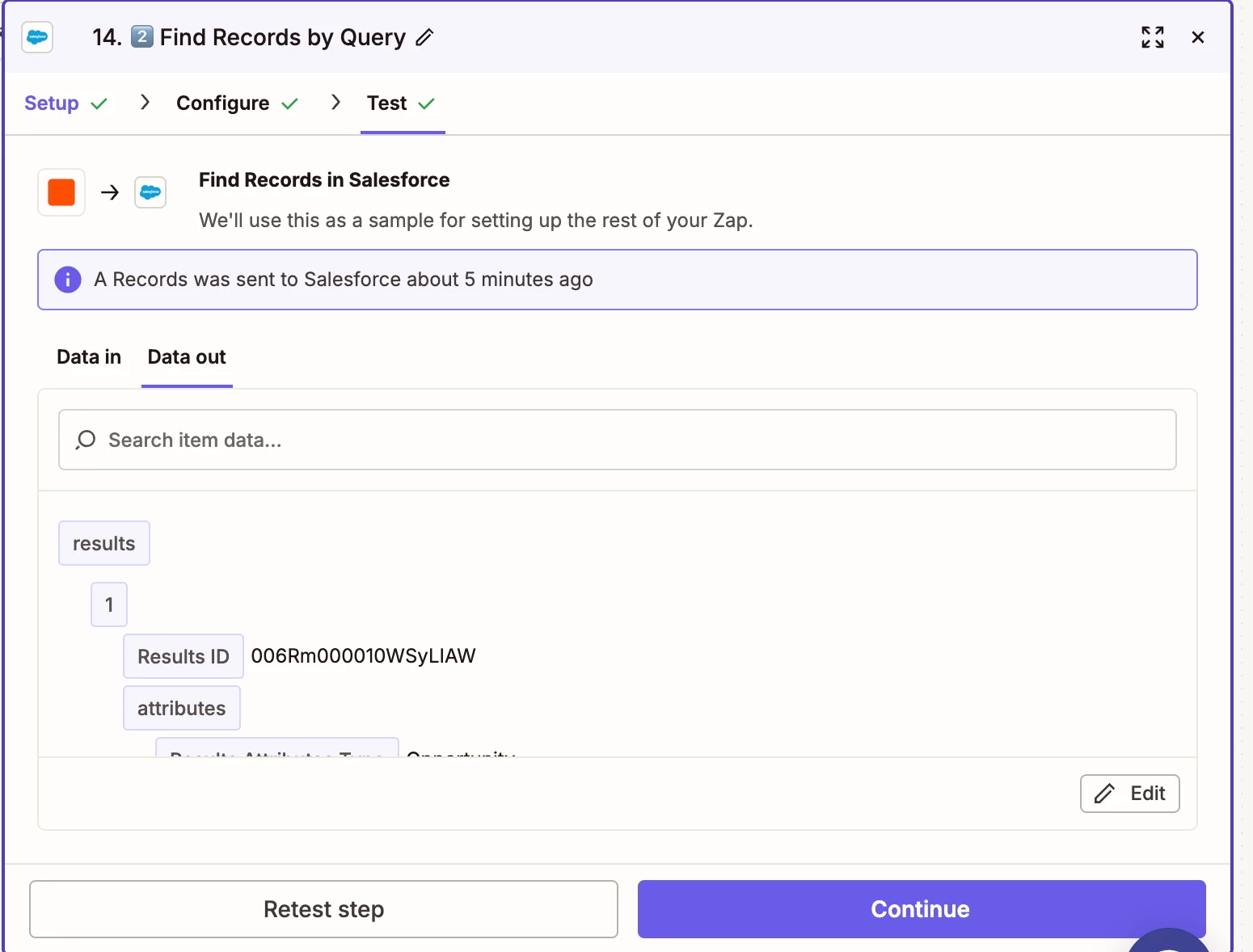
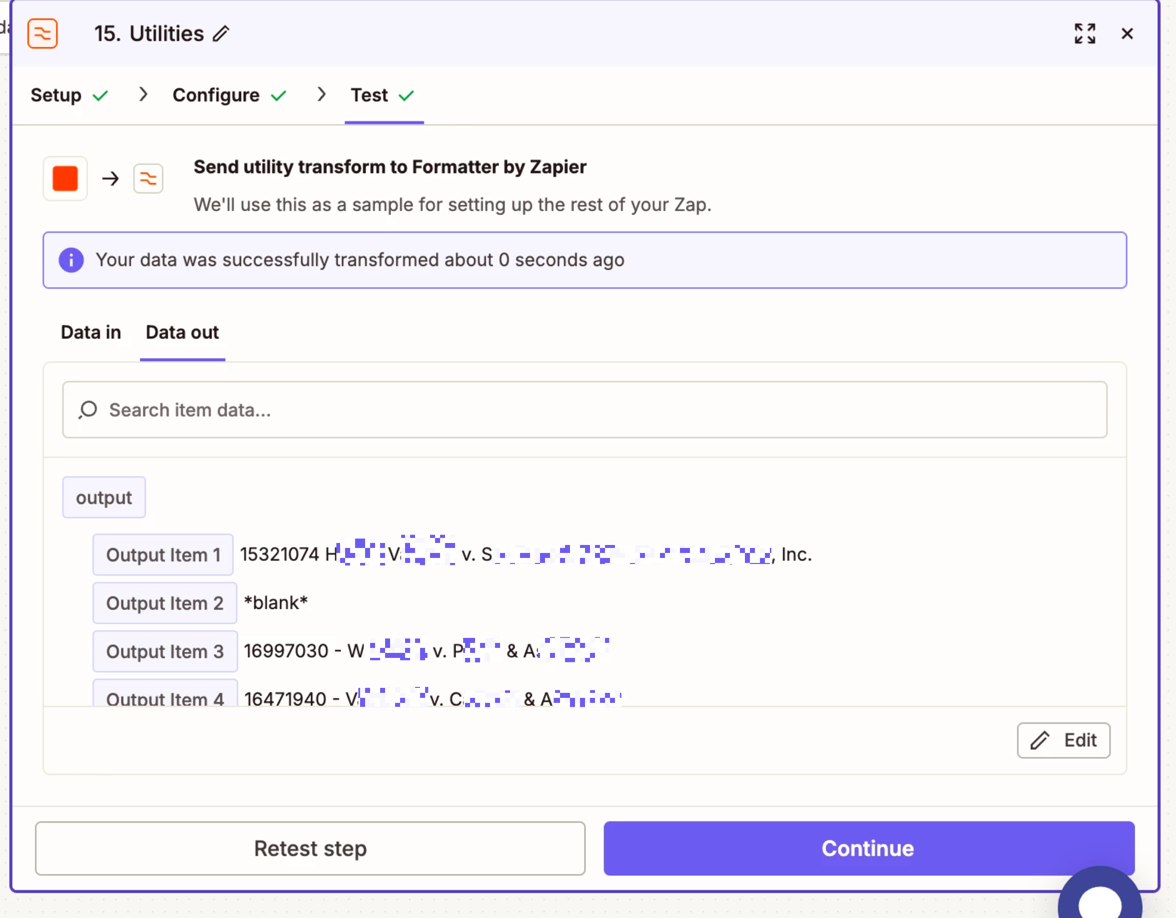
I am starting by getting multiple records from Salesforce which return as Line Items.

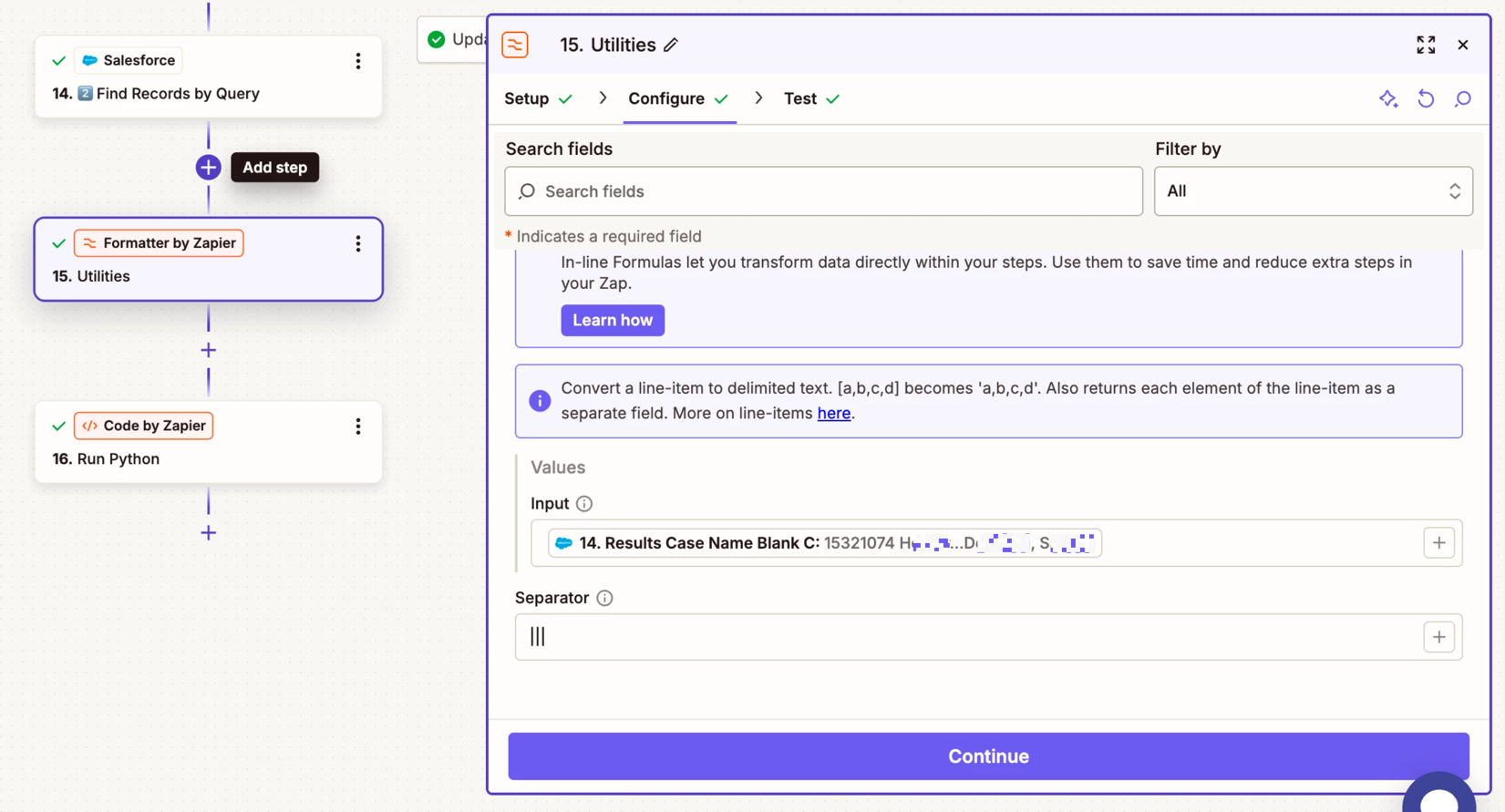
Then I use the formatter Line Item to Text to convert to Text with ||| delimiter to preserve order if the data contains commas. 
I would like to replicate this with Python in a Code step if possible.


This post has been edited by a moderator to remove personally identifiable information (PII). Please remember that this is a public forum and avoid sharing personal or potentially sensitive details.


SamB
Community Manager
Forum|alt.badge.img+11
  • Community Manager
  • Answer
  • June 10, 2026

Hi there ​@gwinig 👋

We have a guide that explains how to work with line items in Code steps:

That said, there’s now a Step Output field available that gives the raw JSON output so you could have the Code step work with the JSON instead. I just tried using it with the following code:

import json

data = json.loads(input_data['step_output'])
case_names = data['case_names']
result = '|||'.join(case_names)
return [{'result': result}]

5e23cd322f7b20dc651e01e7edd30fd8.png
Which output the line items as text and separated them with the three pipes:

c2e5ab78dc6e332f4fcdcf89f5965f5b.png

Note: the case_names reference in the code above would need to be replaced with the field name as it appears in the Step Output field. Based on your field name it would likely be results_case_name_blank_c but it's worth double checking.

Hope that helps!