Best answer

Finding Classes with Quickbooks Online

  • August 10, 2023
  • 4 replies
  • 365 views

Mustapha A

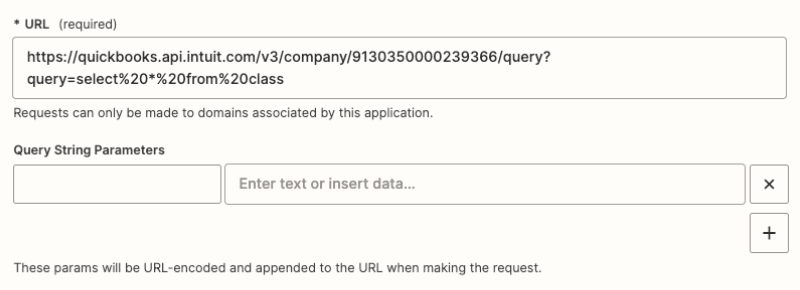
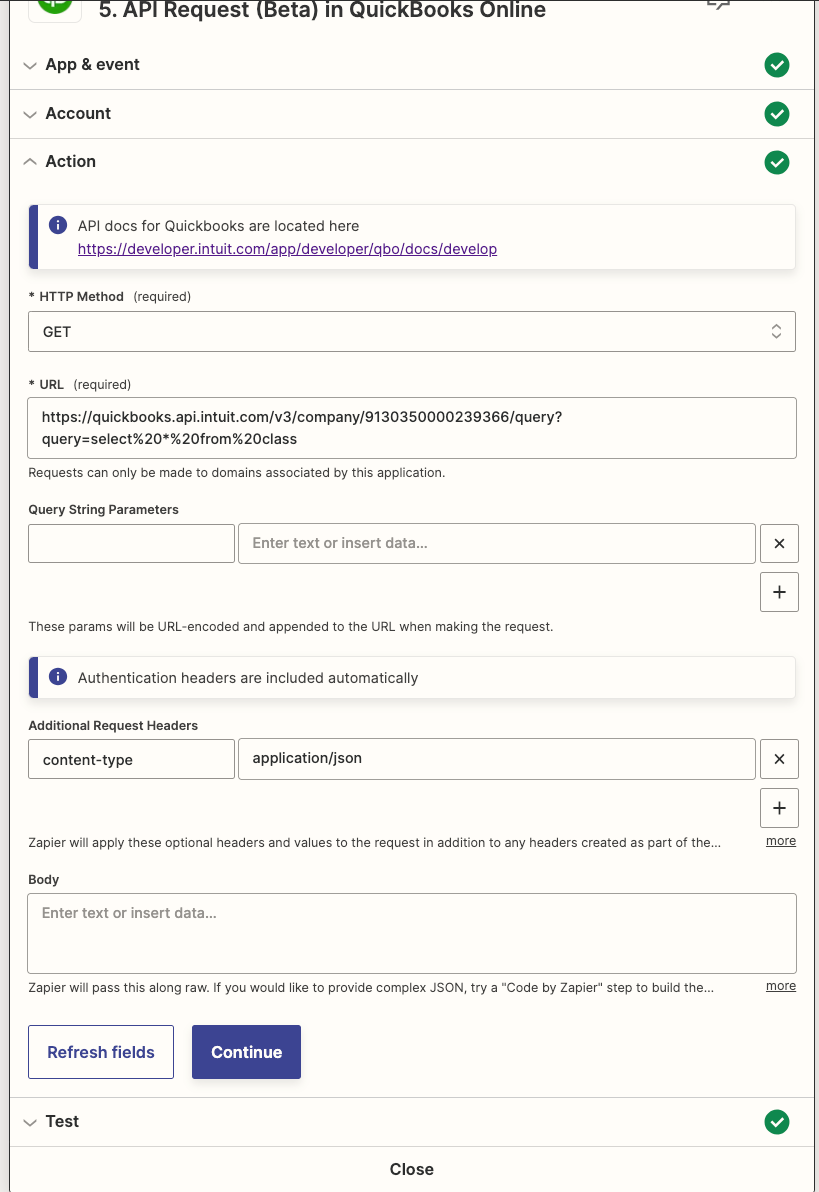
Hey folks, I’m using the API Request (Beta) in QuickBooks Online action step to query class information in Quickbooks. I seem to keep getting an error and I’m not sure what I’m missing. 

I’m trying to query by name but I keep getting an authorization error but the action step should take care of all the authorizations. At least, so I thought. 🤔


Best answer by Troy Tessalone

@Mustapha A 

URL: https://quickbooks.api.intuit.com/v3/company/9130350000239366/query

left side: query

right side: select * from class

This post has been closed for comments. Please create a new post if you need help or have a question about this topic.

4 replies

Troy Tessalone
Zapier Orchestrator & Solution Partner
Forum|alt.badge.img+14
  • Zapier Orchestrator & Solution Partner
  • August 10, 2023

Hi @Mustapha A 

Good question.

Try moving the URL query string parameters (after the ?) to the Query String Parameters section.

And don’t encode the right side of the query (after the =).


Mustapha A
  • Author
  • New
  • August 10, 2023

What should I put under the query string parameters section? @Troy Tessalone 


Troy Tessalone
Zapier Orchestrator & Solution Partner
Forum|alt.badge.img+14
  • Zapier Orchestrator & Solution Partner
  • Answer
  • August 10, 2023

@Mustapha A 

URL: https://quickbooks.api.intuit.com/v3/company/9130350000239366/query

left side: query

right side: select * from class


Mustapha A
  • Author
  • New
  • August 10, 2023

Worked like a charm! Thanks Troy!