Best answer

Error Using Stripe Custom Fields with Webhooks by Zapier POST (Checkout Session Creation)

  • February 2, 2026
  • 7 replies
  • 28 views

I am using Webhooks by Zapier to make a POST request to the Stripe API to create a new checkout session. I want the checkout session to have a required checkbox on it, so I’m attempting to implement that using “custom fields,” which I include as key value pairs in the POST request, just like this:
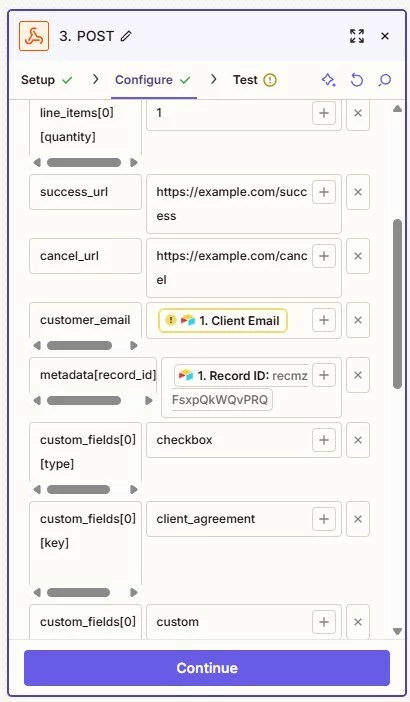
See custom_fields[0] entries


The payload type is set to “form”. 


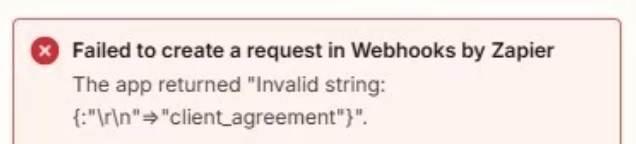
Stripe is giving me the following error message:
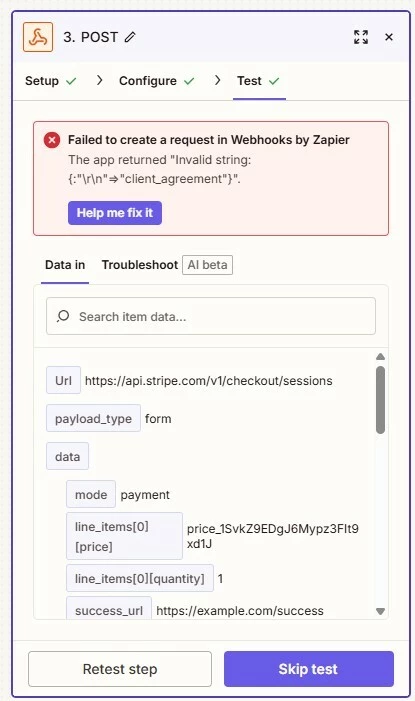


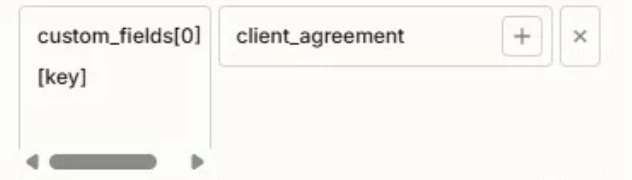
I have no idea why this is happening to the “custom_fields[0][key]” field. Here’s how it looks on Stripe’s end. If anyone has any possible solutions / ideas, I would love to hear. I’ve tried sending the Payload as JSON, but it looked like Stripe didn’t receive any of that. It didn’t show the Request post body at all on the Stripe side. 


Response body


{


"error": {

"message": "Invalid string: {:"\r\n"=>"client_agreement"}","param": "custom_fields[0][key]","request_log_url": "https://dashboard.stripe.com/acct_XXXXXXXXXXXXXXXX/test/workbench/logs?object=req_fljnOfYZZIOUtl","type": "invalid_request_error",

},}


Request POST body


{"cancel_url": "https://example.com/cancel",


"custom_fields": {


"0": {


"key": {

" ": "client_agreement",

},


"label": {


"custom": {

" ": "I have read and agree to the CXXXX Law Client Agreement (https://XXXXXXXXXX.com/client-agreement). I understand this is a flat legal fee earned upon receipt. ",

},


"type": {

" ": "custom",

},},


"optional": {

" ": "false",

},


"type": {

" ": "checkbox",

},},},


"line_items": {


"0": {

"price": “price_1SvkZ9EDgJ6Mypz3FIt9xd1J”,"quantity": "1",

},},


"metadata": {

"record_id": "recmzFsxpQkWQvPRQ",

},"mode": "payment","success_url": "https://example.com/success",}
 

This post has been edited by a moderator to remove sensitive information. Please remember that this is a public forum and avoid sharing personal or potentially sensitive details.


Best answer by Troy Tessalone

@christopherclark 

Ok, then try using the Webooks by Zapier approach so you can use your Stripe TEST key, and make sure there are no leading/trailing whitespace (spaces or line breaks) in the parameter keys (left side).

7 replies

Troy Tessalone
Zapier Orchestrator & Solution Partner
Forum|alt.badge.img+14
  • Zapier Orchestrator & Solution Partner
  • February 2, 2026

Hi ​@christopherclark 

What is the Stripe API endpoint link you referenced to configure the API request in the Zap step? (url)


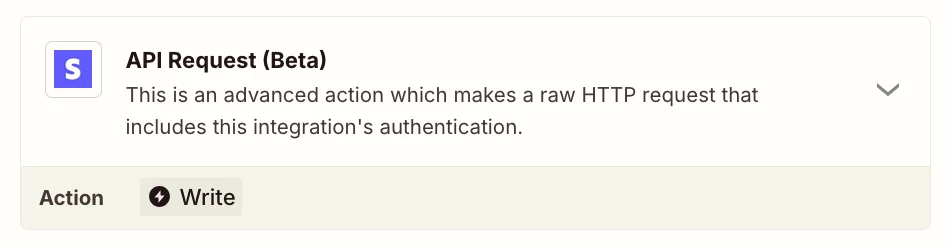
Try using this Zap action: Stripe - API Request


Ooooh, I haven’t tried that Zap action yet. I’ll give it a go. To answer your question, the POST request is currently directed to:

https://api.stripe.com/v1/checkout/sessions


Troy Tessalone
Zapier Orchestrator & Solution Partner
Forum|alt.badge.img+14
  • Zapier Orchestrator & Solution Partner
  • February 2, 2026

@christopherclark 

That is the POST API request URL, but that is not the Stripe API endpoint documentation link.


Troy Tessalone
Zapier Orchestrator & Solution Partner
Forum|alt.badge.img+14
  • Zapier Orchestrator & Solution Partner
  • February 2, 2026

@christopherclark 

You need to remove the extra line breaks in the left side parameter key/value pair.


This is the likely issue as indicated by the error.

\r = return

\n = new line


I’ll try that next. I am using the Stripe API Request (Beta) zap you mentioned…. this ALMOST worked, but I’m running into a problem that I had earlier with the built-in zap option……. no matter what I do, it keeps ignoring my test key, and thinks I’m running in prod.


Failed to create a http request in Stripe (2.23.0)

The app returned "No such price: 'price_1SvkZ9EDgJ6Mypz3FIt9xd1J'; a similar object exists in test mode, but a live mode key was used to make this request.".


I would pay serious money to see this error go away.


Troy Tessalone
Zapier Orchestrator & Solution Partner
Forum|alt.badge.img+14
  • Zapier Orchestrator & Solution Partner
  • Answer
  • February 2, 2026

@christopherclark 

Ok, then try using the Webooks by Zapier approach so you can use your Stripe TEST key, and make sure there are no leading/trailing whitespace (spaces or line breaks) in the parameter keys (left side).


@christopherclark 

Ok, then try using the Webooks by Zapier approach so you can use your Stripe TEST key, and make sure there are no leading/trailing whitespace (spaces or line breaks) in the parameter keys (left side).

I finally got this where I need to be, I think. I ended up using Webhooks by Zapier with a Custom Request… also, apparently checkbox’s aren’t a thing with Stripe custom fields, BUT, there is a “terms of service” thing (thanks to Zapier AI for pointing that out). I feel exhausted now. :)