Best answer

Kantata Budget field disabled after project creation via Claude

  • December 2, 2025
  • 6 replies
  • 36 views

I set up an MCP server on Zapier to connect to Kantata. I am using Claude to connect with that Zapier MCP Server to create a Kantata project from a series of prompts. It is successfully creating the project, however there are still several issues with field values and I am looking for some guidance:

  • Start date - I am passing a date but it is being left blank. It does, however, successfully set the Due Date with the value I am passing
  • Budget - I am passing a value and that value is being set in the project, however the Budget field is disabled. When I create a new project from the Kantata UI, the field remains enabled, so it confirms I do have the appropriate permissions in Kantata. My project permissions are also set correctly to Project Admin.
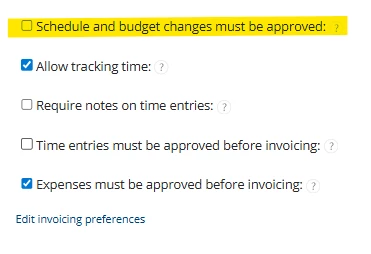
  • Schedule and budget changes must be approved - even though I am telling it to not have this  option checked, it still creates the project with this option checked
  • Target margin - I am sending in a value but it is being set as blank in the project

I have tried to look through the Kantata OX API documentation but have not found a resolution. Any help would be appreciated.


Best answer by Troy Tessalone

@ggray 

If a Zap app action does not expose a field, then usually the next step is to explore using the app API to see if that field is supported.


Resources for using app APIs in Zaps: 


If you are looking to hire help, there is a directory of Zapier Partners: https://zapier.com/partnerdirectory

6 replies

Troy Tessalone
Zapier Orchestrator & Solution Partner
Forum|alt.badge.img+14
  • Zapier Orchestrator & Solution Partner
  • December 2, 2025

Hi ​@ggray 

Help us have more info by posting screenshots showing:

  • how your Zap steps are outlined
  • how your Zap steps are configured in the CONFIGURE tab while in EDIT mode


Kantata API: https://developer.kantata.com/


Resources for using app APIs in Zaps: 


If you are looking to hire help, there is a directory of Zapier Partners: https://zapier.com/partnerdirectory


  • Author
  • New
  • December 3, 2025

I am using Kantata (used to be called Mavenlink), not Katana (what your URL is for).

I am not using a zap for this workflow, I am using an MCP server set up on Zapier MCP, and sending prompts through Claude.


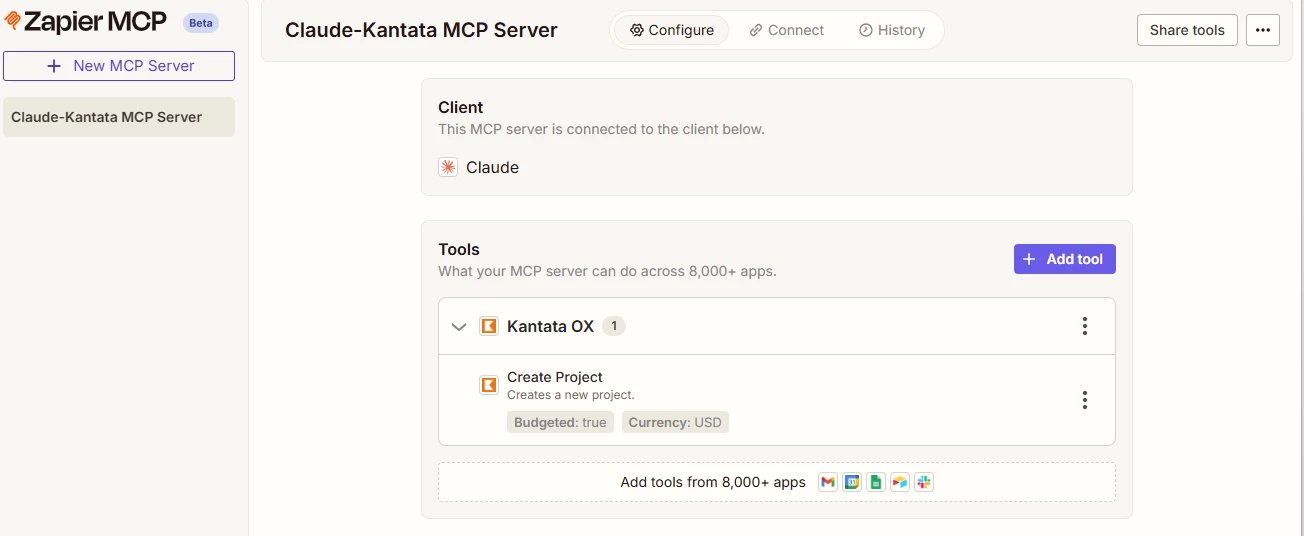
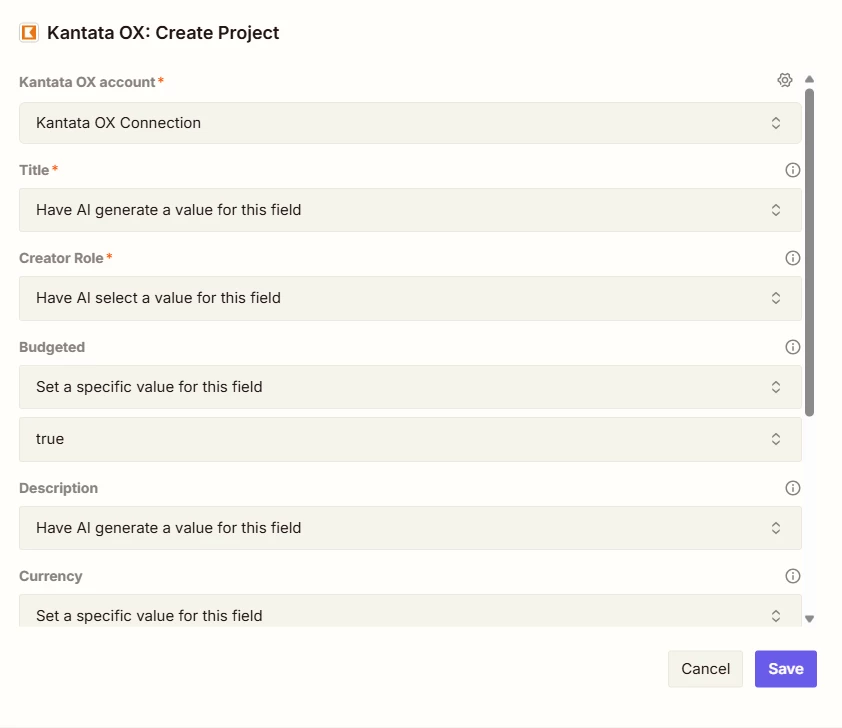
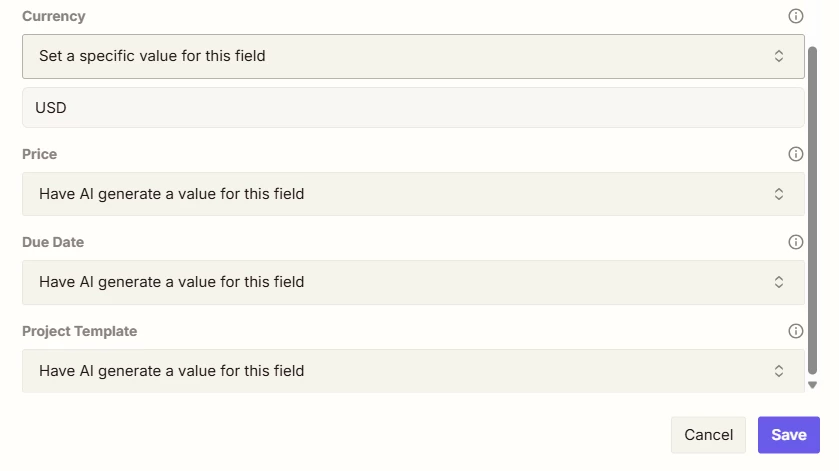
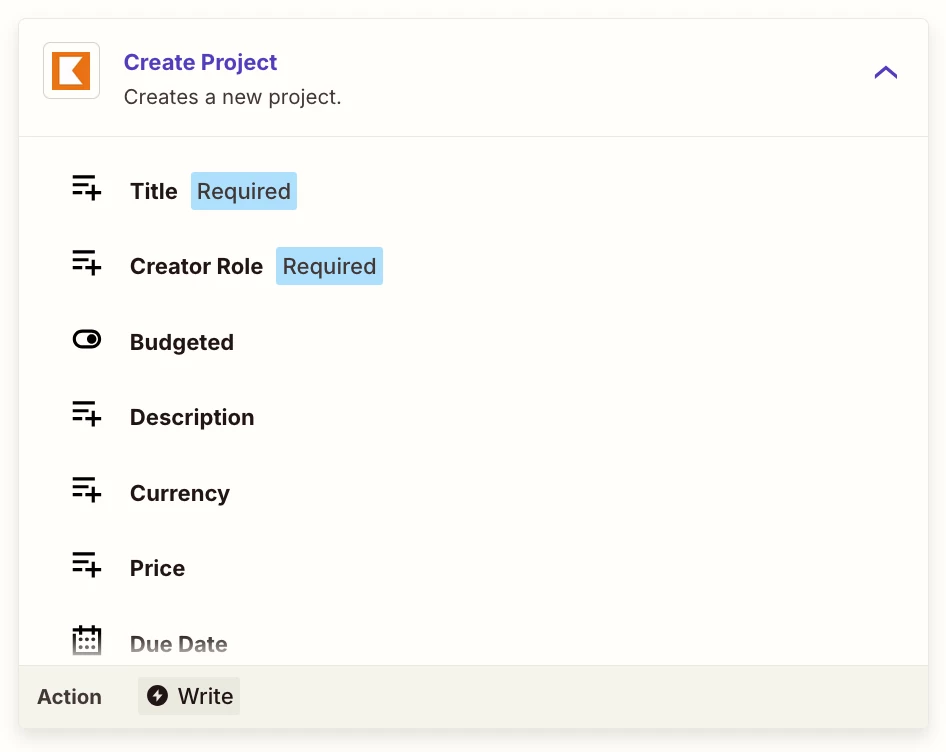
Here is the MCP setup:


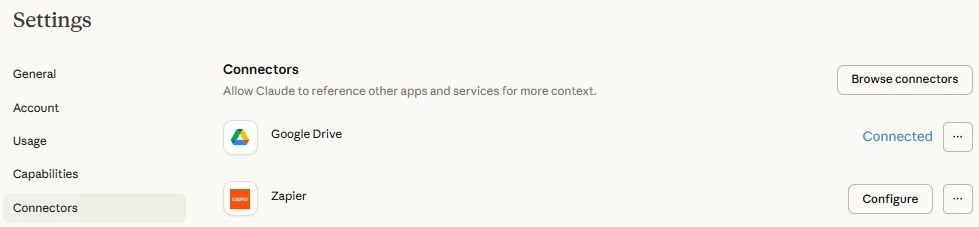
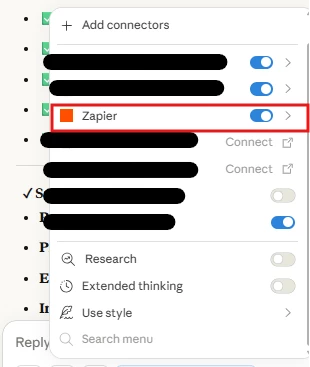
I am using the Zapier connector in Claude:

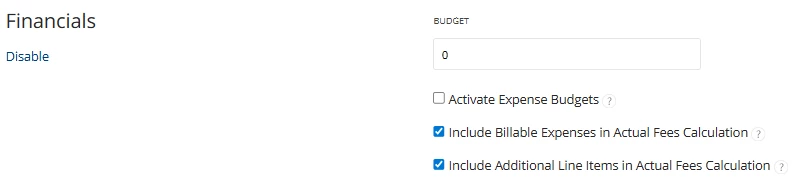
When I create a project from the UI, the Budget field is enabled.


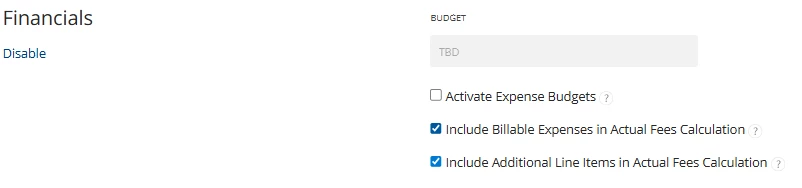
When I create a project using Claude, the Budget field is disabled. Using TBD vs 0 doesn’t matter here, I’ve tried all sorts of versions.


Troy Tessalone
Zapier Orchestrator & Solution Partner
Forum|alt.badge.img+14
  • Zapier Orchestrator & Solution Partner
  • December 3, 2025

@ggray 

Kantata OX Zap app triggers/actions: https://zapier.com/apps/kantataox/integrations#triggers-and-actions


Zap action: Kantata OX - Create Project

The fields you see available via MCP are the same fields you see via a Zap step configuration.


  • There is no field: Budget
    • Only a field: Budgeted (boolean - true/false)
    • Unclear if Budgeted = true, if that will expose additional fields to set
  • There is no field: Start Date
  • There is no field: Target Margin
  • There is no field: Schedule and budget changes must be approved
  • Fields might be impacted by the field: Project Template


  • Author
  • New
  • December 3, 2025

I think I’m now understanding the limitations of using this Zapier MCP server to create a Kantata project. Do you know if I am limited to only being able to set those 7 fields and nothing else? In other words, if I use this MCP server, I have no way to set the Start Date of a project (or any other field)?


Troy Tessalone
Zapier Orchestrator & Solution Partner
Forum|alt.badge.img+14
  • Zapier Orchestrator & Solution Partner
  • Answer
  • December 3, 2025

@ggray 

If a Zap app action does not expose a field, then usually the next step is to explore using the app API to see if that field is supported.


Resources for using app APIs in Zaps: 


If you are looking to hire help, there is a directory of Zapier Partners: https://zapier.com/partnerdirectory


  • Author
  • New
  • December 3, 2025

Thanks for the links. After much research, I found that this option needs to be de-selected in order to modify the budget value.


Although that field (Schedule and budget changes must be approved) is not supported as a standard field to send using an MCP server or a Zap, I was able to create a custom action that can successfully set that field to the value I want, along with the other non-standard fields (Start Date and Target Margin).