Question

Zapier to Pipedrive Error: Expected 'number' as value

  • February 9, 2024
  • 9 replies
  • 168 views

TRYING TO ACCOMPLISH: Add a new Lead to Pipedrive when a new row is added to my google sheet.

WHAT IS HAPPENING?:
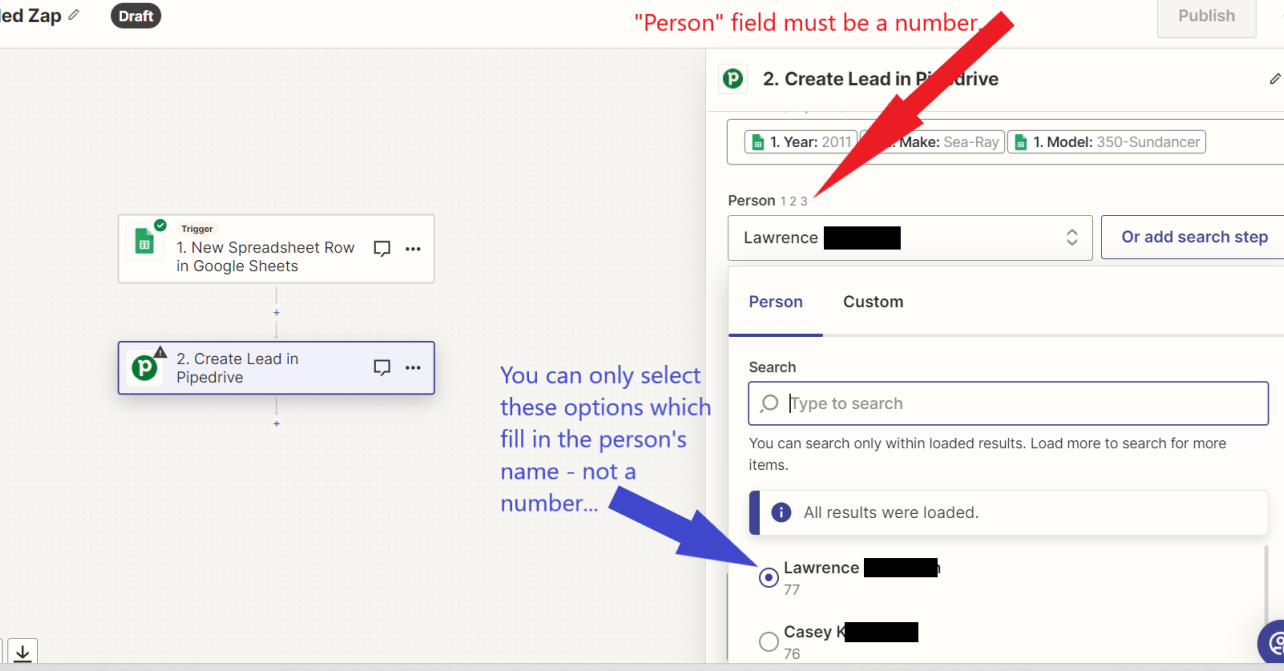
It seems that the person and organization mapped fields (to Pipedrive) require a numeric value but of course, a person’s name is an alpha value.

Error message reads: "Failed to create a lead in Pipedrive provided dataset is not valid Custom field validation failed. Error: Expected 'number' as value of singleOption field. ApiKey: f3b6d5128b3481383e98a9f07ed7d7c66a35172b"

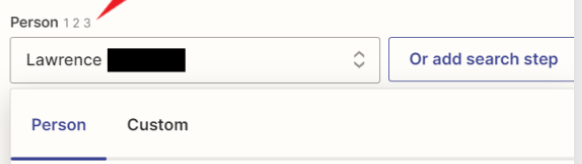
ADDITIONAL DETAIL: When I leave the "Person" field empty, Zapier tells me it's required. So I fill it in using the only options it accepts which are in the dropdown. These are all alpha values. For some reason, the Person field only accepts numeric values.

See attached image.
 

This post has been closed for comments. Please create a new post if you need help or have a question about this topic.

9 replies

Troy Tessalone
Zapier Orchestrator & Solution Partner
Forum|alt.badge.img+14
  • Zapier Orchestrator & Solution Partner
  • February 9, 2024

Hi @mkoptmzcrbn 

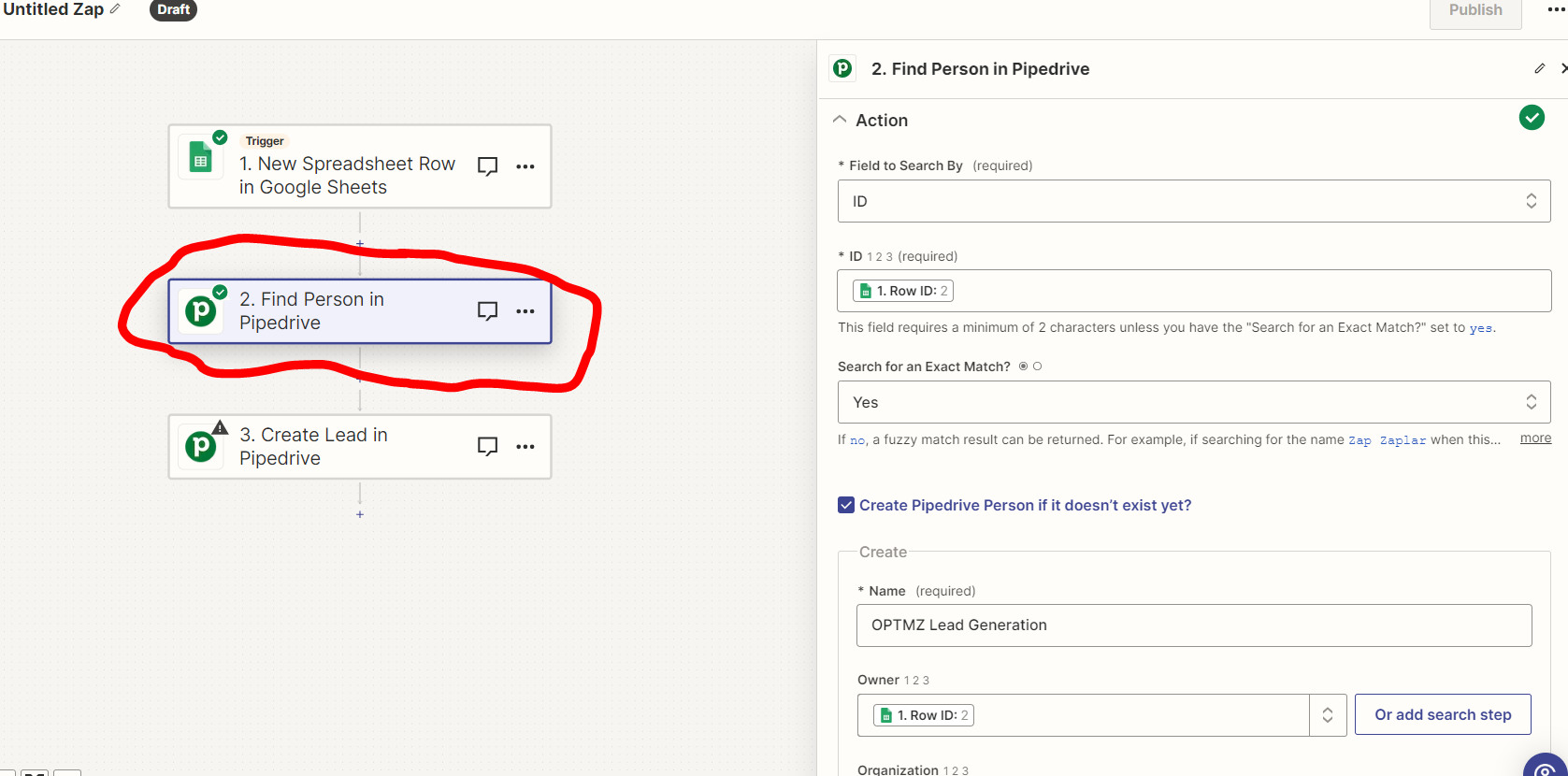
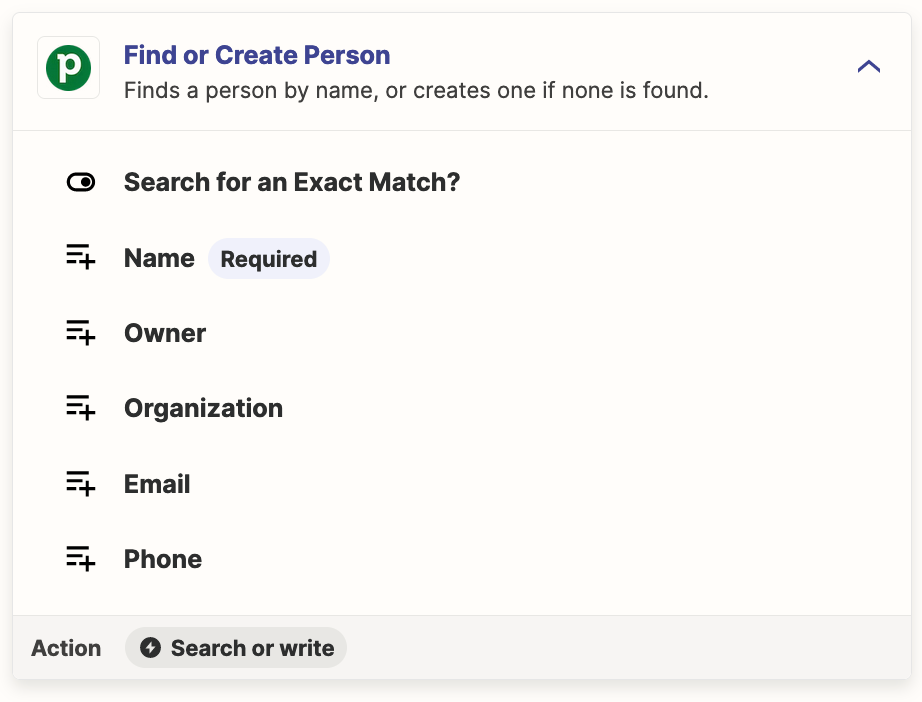
Try adding another Zap step to Find Person (enable checkbox to create if not found), then map the returned Person ID.


  • Author
  • New
  • February 9, 2024

Thx Troy!

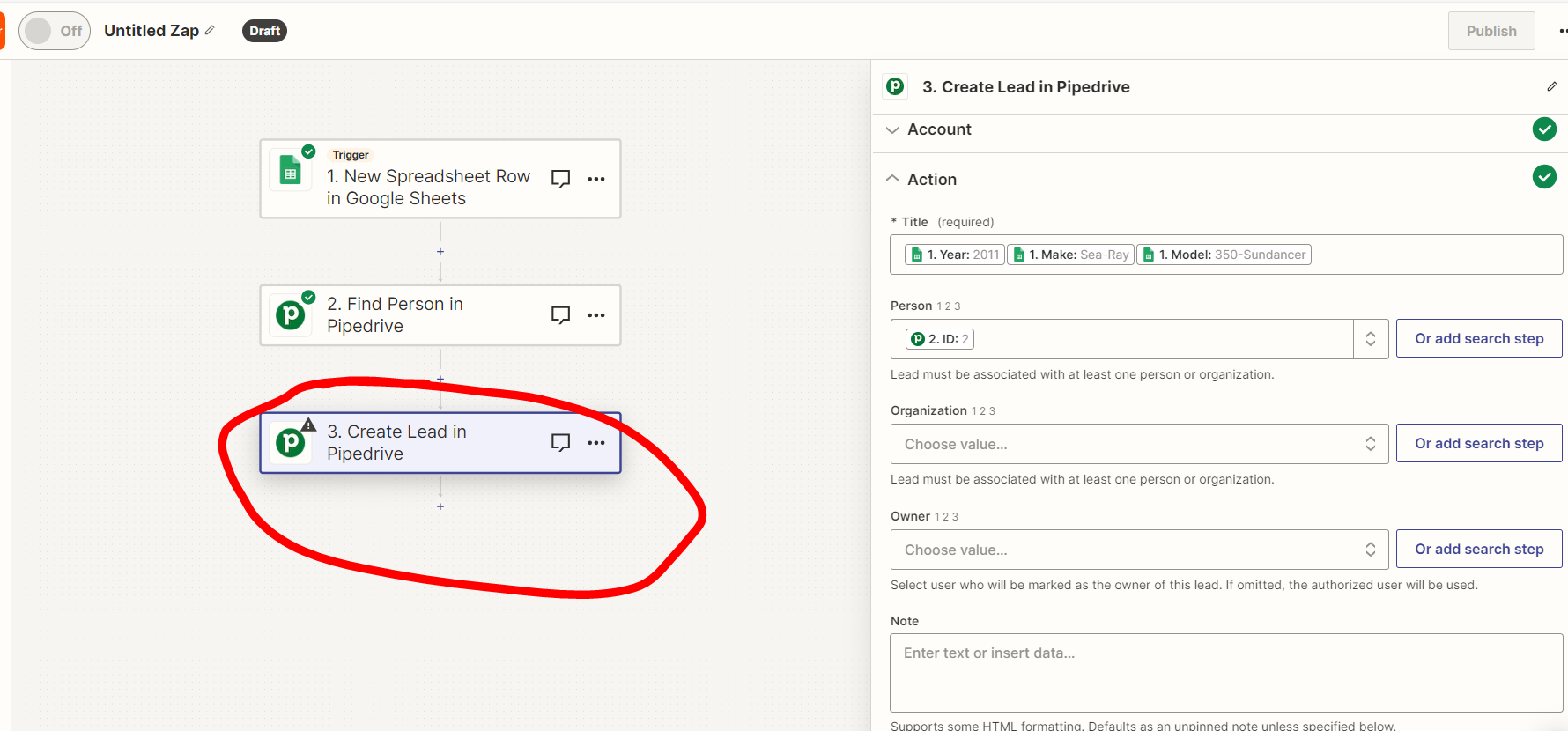
Not sure if I did this correctly.  The step to Find and/or Create a Person is testing successfully but I’m getting the same error on the step to add to pipedrive.


  • Author
  • New
  • February 9, 2024


  • Author
  • New
  • February 9, 2024

Troy Tessalone
Zapier Orchestrator & Solution Partner
Forum|alt.badge.img+14
  • Zapier Orchestrator & Solution Partner
  • February 9, 2024

@mkoptmzcrbn 

These fields expect IDs from Pipedrive, rather than a GSheet Row ID.


  • Author
  • New
  • February 9, 2024

Any idea how I might get a pipedrive ID into this field.

I know in your original comment you said, “then map the returned person’s ID” but I don’t know how to do that.


Troy Tessalone
Zapier Orchestrator & Solution Partner
Forum|alt.badge.img+14
  • Zapier Orchestrator & Solution Partner
  • February 10, 2024

@mkoptmzcrbn

In step 2 you would need to search by a column value from GSheets that a Pipedrive person has. (e.g. email)


  • Author
  • New
  • February 10, 2024

these are new leads so no pipedrive person exists…  or are you saying that the “person” represents like an existing employee?  
If so, I don’t understand since we checked the option to “create if not found”
Sorry, I’m confused...


Troy Tessalone
Zapier Orchestrator & Solution Partner
Forum|alt.badge.img+14
  • Zapier Orchestrator & Solution Partner
  • February 10, 2024

@mkoptmzcrbn 

Try adding another Zap step to Find Person (enable checkbox to create if not found), then map the returned Person ID.


You probably want to search by email address.


You probably want to select an option from the dropdown list.