Question

Zapier Storage stored value at end of zap is different from retrieved value from same key at the next run

  • March 31, 2026
  • 9 replies
  • 47 views

I am tracking Slack message timestamps in Zapier Storage to prevent zap from running until a duration has passed. I noticed that no matter what I do, the zap filter always evaluates to true. 

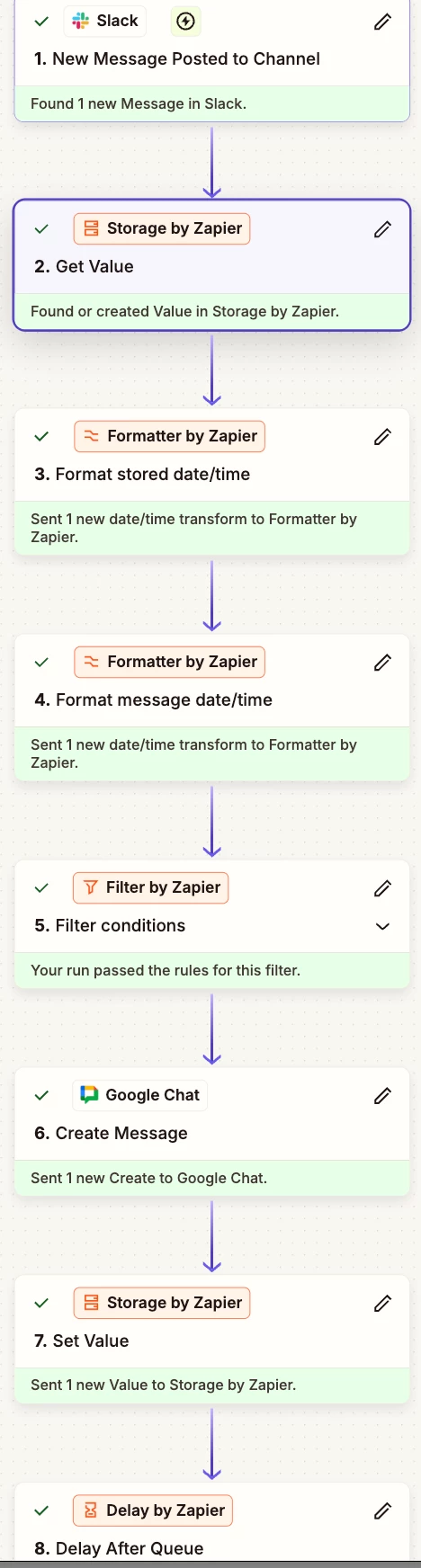
Here’s the overview of the workflow: 
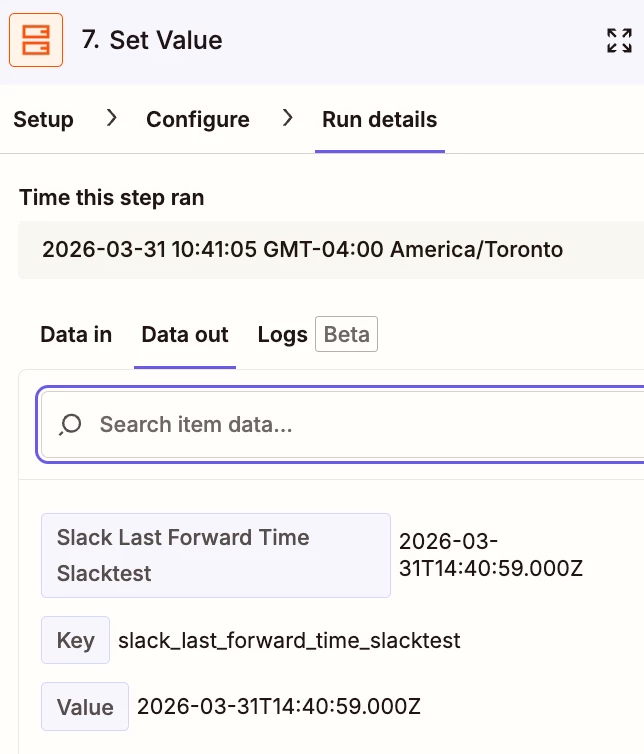
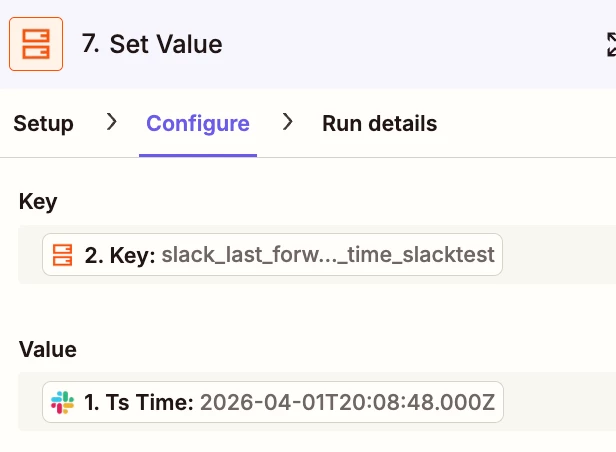
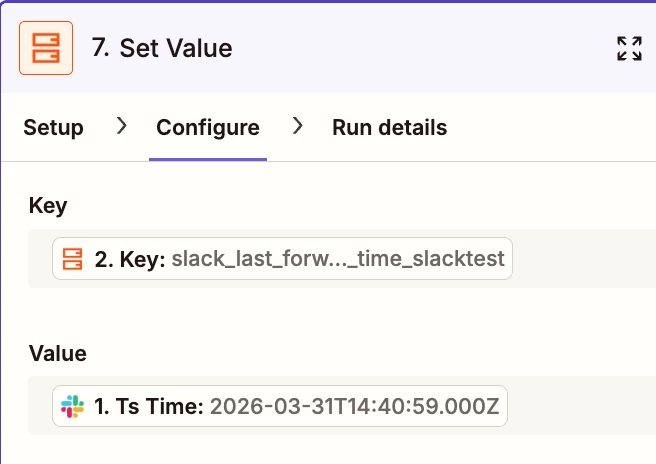
From one of the runs I noticed that for Step 7, the timestamp that is stored is:
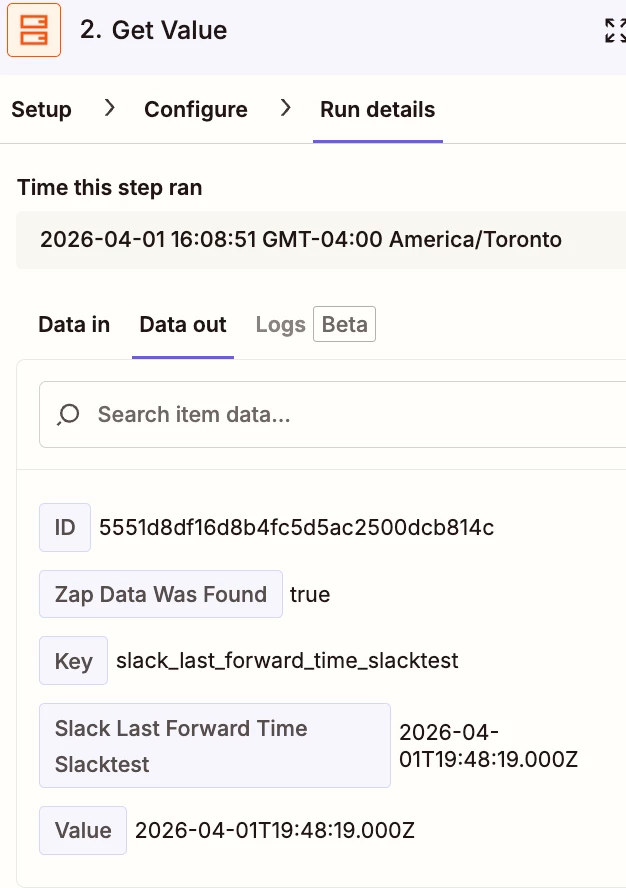
Then on the next run when that value is retrieved from the Storage:
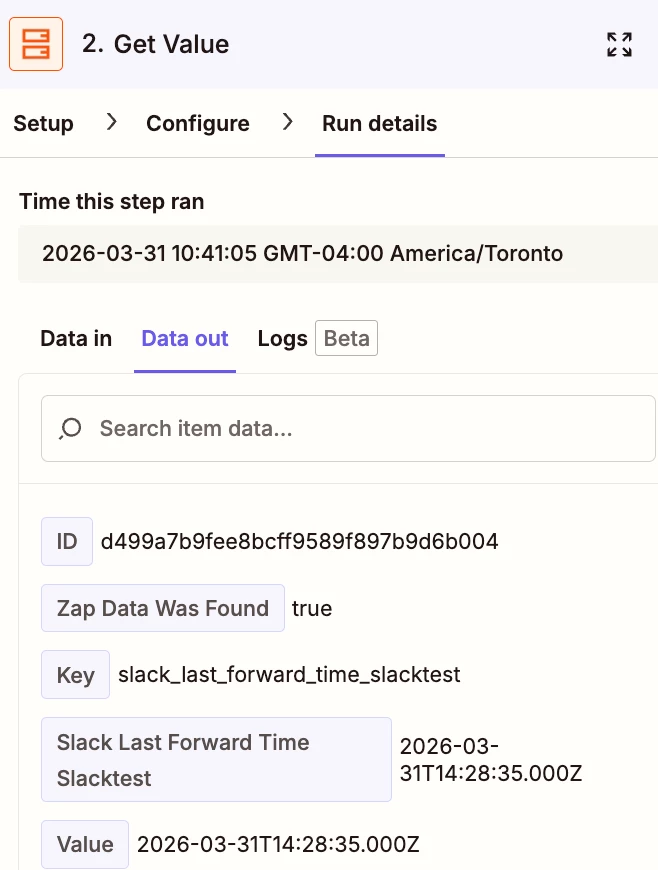
 

stored 14:40:59 VS. retrieved 14:28:35 Why is that the case?

9 replies

Troy Tessalone
Zapier Orchestrator & Solution Partner
Forum|alt.badge.img+14
  • Zapier Orchestrator & Solution Partner
  • March 31, 2026

Hi ​@9thCOdev 

TIP: Use Zapier Tables instead of Storage so you have a UI to see the values.

https://zapier.com/apps/zapier-tables/integrations#triggers-and-actions


Your screenshot of Zap step 7 shows the CONFIGURE tab.

Do not rely on the data shown in the CONFIGURE tab.

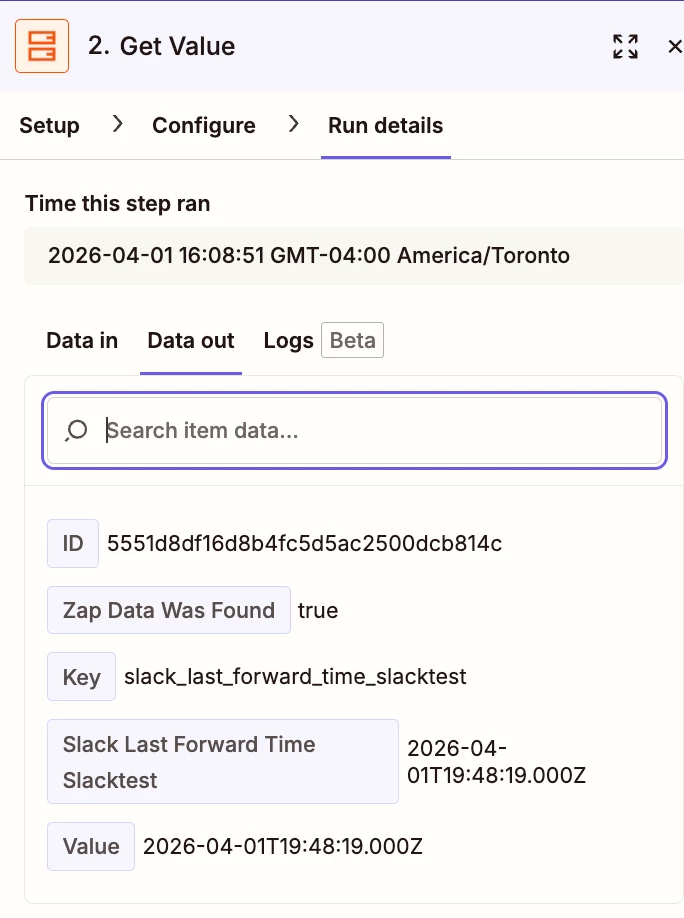
Your screenshot of Zap step 2 shows the RUN DETAILS tab.

Use the RUN DETAILS tab to see the actual DATA IN/OUT used for each step in a Zap Run.


  • Author
  • New
  • March 31, 2026

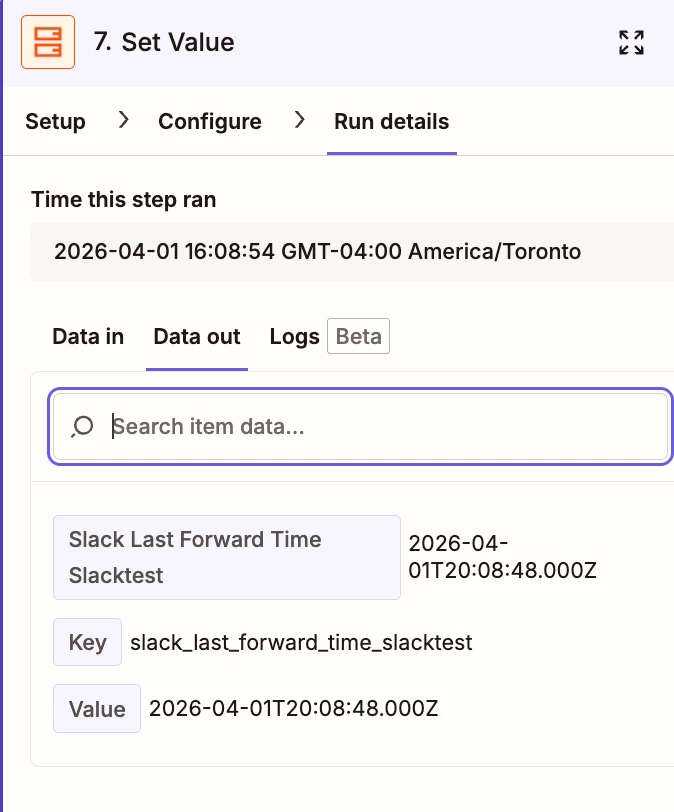
Thanks for the quick response. Here is the Run Details Tab for Step 7. Do you spot any issues with this? Shouldn’t given the same key should retrieve the last stored value? 


Troy Tessalone
Zapier Orchestrator & Solution Partner
Forum|alt.badge.img+14
  • Zapier Orchestrator & Solution Partner
  • March 31, 2026

@9thCOdev 

In the Storage steps, if you are using the same Key, then there is the chance that Key gets updated/overwritten across Zap Runs.

If you want to track values within a single Zap Run, then you would need to use a unique key id.

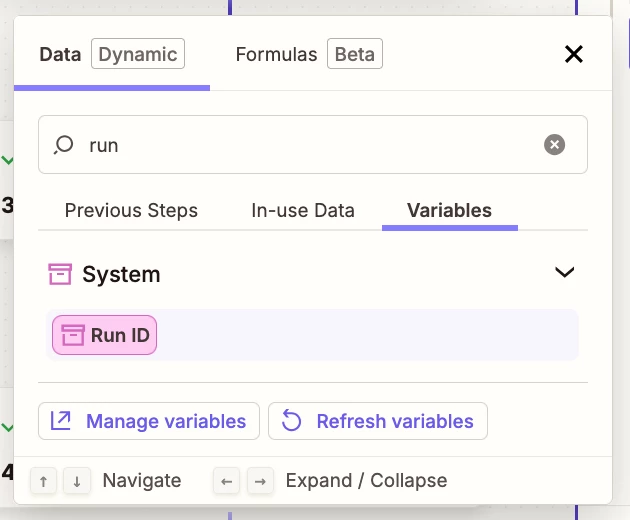
e.g. System Variables > [Run ID] which is a UUID


Forum|alt.badge.img+2
  • Zapier Solution Partner
  • March 31, 2026

Hi ​@9thCOdev 

You can try :

1. Delay After Queue — Adds runs to a queue and processes them one at a time

  • "Used mostly to prevent Race Conditions... when Zaps trigger many tasks in parallel and you want to force them to run in series."

  • Add after your trigger, set queue name, minimum delay is 1 minute

2. Unique key per run — Prevents overwrites across runs

  • Use: {{zap_meta_run_id}} in your Storage key

  • "If you are using the same Key, there is the chance that Key gets updated/overwritten across Zap Runs."

  • Note: Keys are limited to 32 characters — Run IDs are 36 chars, so use a Formatter step to shorten

Both will fix your filter issue.

If you're still running into issues, drop a screenshot of the error and a quick description of what your Zap is doing, happy to take a look!

And if you'd rather just get it sorted quickly, I offer a free 20-min Zapier troubleshooting call. Book it under Resources on my Zapier Directory profile: https://zapier.com/partnerdirectory/automatemybiz

!-->


  • Author
  • New
  • March 31, 2026

The thing is I need to reference that same key to check what was the timestamp value written to it in the previous run to see if it meets a condition (greater than previous timestamp +5 minutes) before running. Essentially I am trying to create a cooldown period and not running the Zap unless 5 minutes has passed from the last run. Am I using the wrong actions or approaching this in a wrong manner?


Troy Tessalone
Zapier Orchestrator & Solution Partner
Forum|alt.badge.img+14
  • Zapier Orchestrator & Solution Partner
  • April 1, 2026

@9thCOdev 

Post screenshots showing how your Zap Formatter steps and Filter step conditions are configured to give us more context.


Forum|alt.badge.img+2
  • Zapier Solution Partner
  • April 1, 2026

Hi ​@9thCOdev 

Please post RUN DETAILS screenshots of:

  1. Step 2 — Storage Get (retrieved value)

  2. Your Filter step — condition + evaluation result

  3. Step 7 — Storage Set (value being stored)

  4. Your trigger step — shows when each run actually started (helps confirm if runs are overlapping)

  5. Any Formatter step — if you're formatting timestamps before comparison

Also confirm:

  • Are you using a static key like last_timestamp or a dynamic key?

  • Is the Delay After Queue placed immediately after the trigger?


  • Author
  • New
  • April 1, 2026

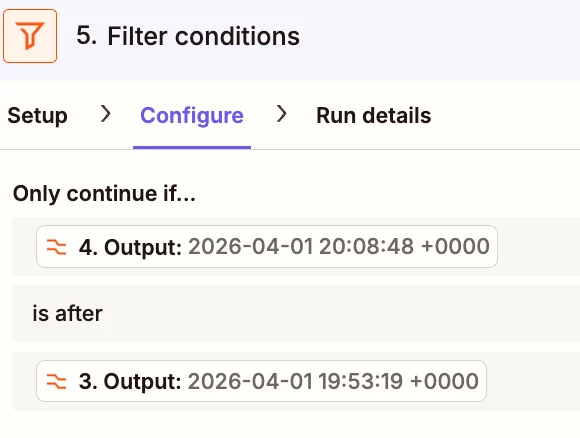
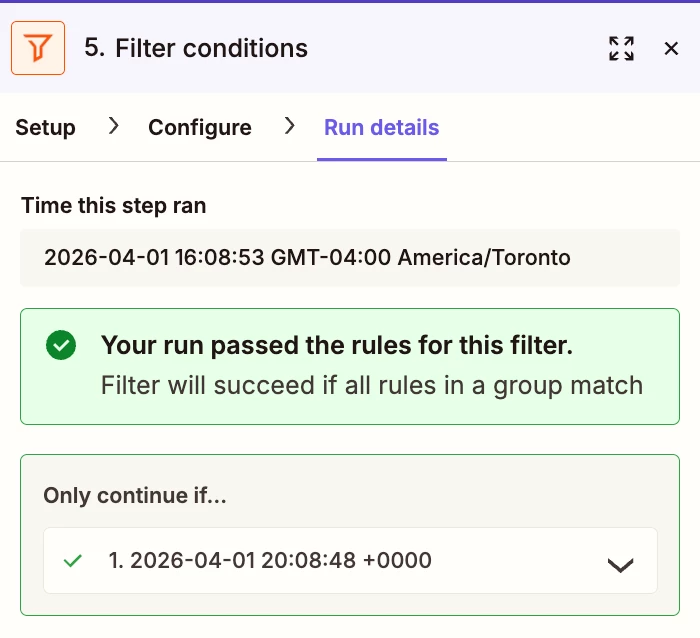
Here is how the filter on step 5 runs 


Ok this is first run where first Slack message was sent 

Step 2 get previously stored value 

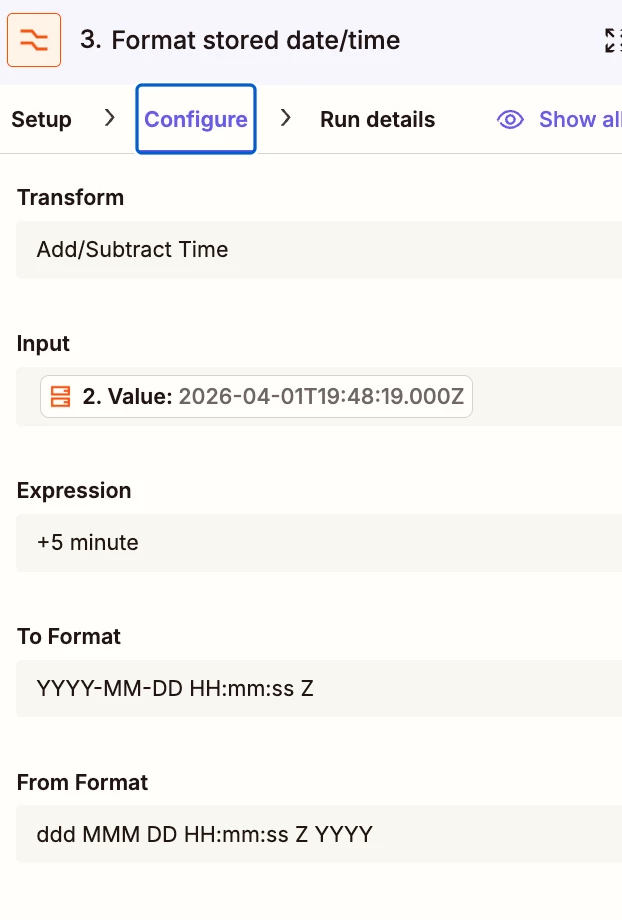
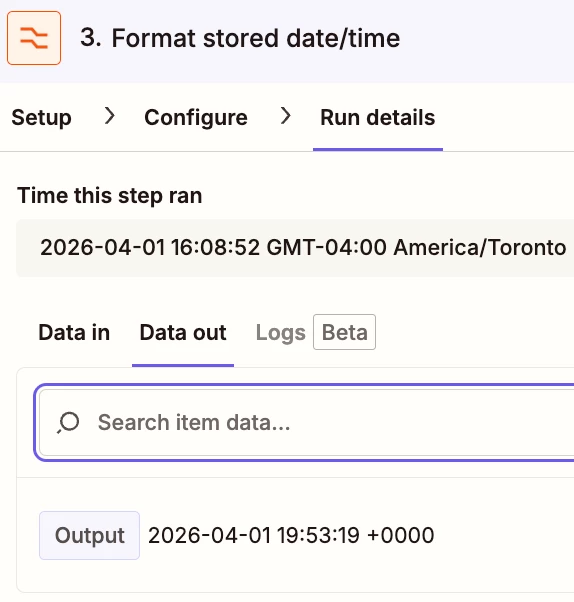
Step 3 formats stored date + 5 minutes

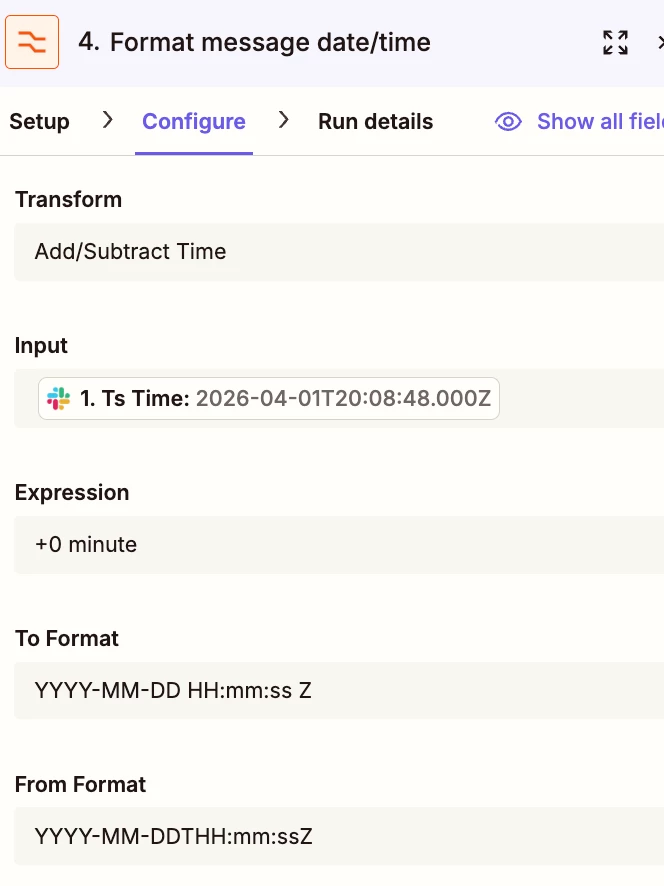
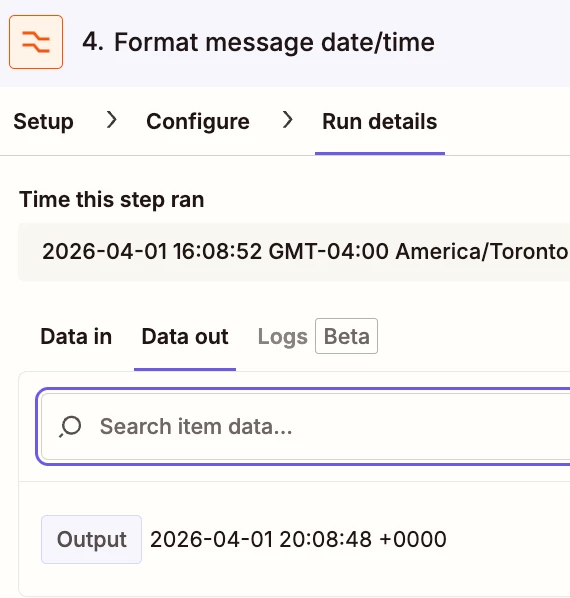
Step 4 formats slack message timestamp

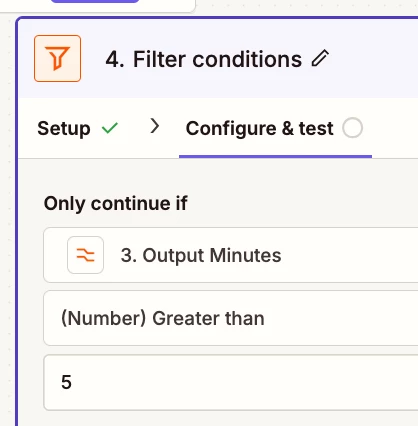
Step 5 Filtering

Step 6 create message in Google Chat

Step 7 store slack message timestamp

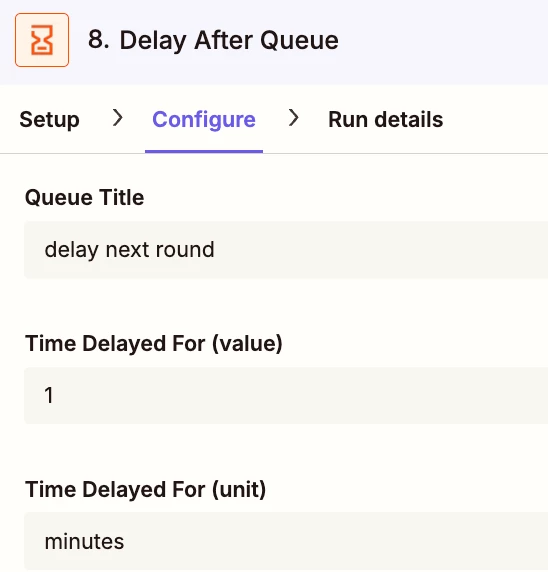
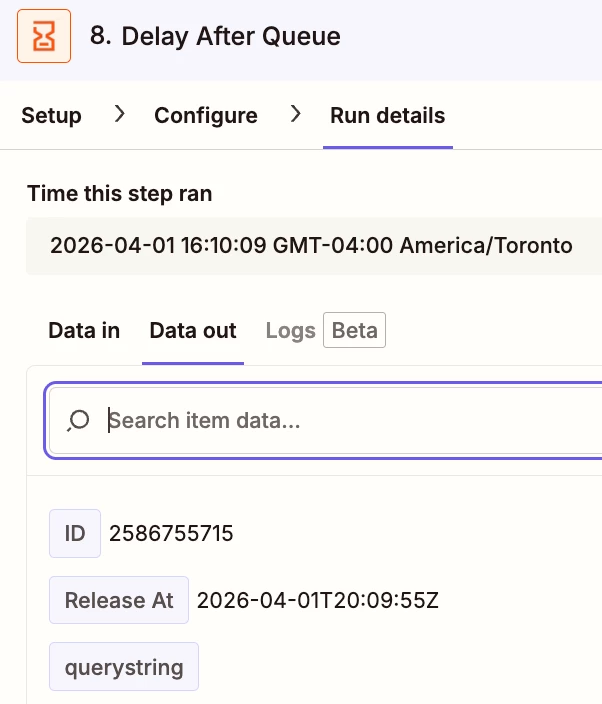
Step 8 Delay after Queue

I sent 4 messages and Step 2 of the next 3 runs were consistently the same value instead of what was stored in Step 7 of the previous run: 


Troy Tessalone
Zapier Orchestrator & Solution Partner
Forum|alt.badge.img+14
  • Zapier Orchestrator & Solution Partner
  • April 1, 2026

@9thCOdev 

(see screenshots below)


FEEDBACK

Help links for using Filter conditions: https://zapier.com/apps/filter/help


Still unclear how Zap step 2 is configured in the CONFIGURE tab.


Zap step 3 has the wrong To/From Format.

For both, pick from the list the option that has “T” for ISO format.


Zap step 4 is serving no purpose since you are adding +0 minutes.

Use the the default ISO timestamp format that has “T”.


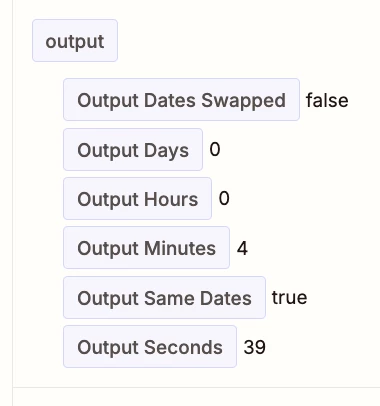
Instead use this Zap step 4 action: Formatter > Date & Time > Compare Dates

Compare the 2 timestamps.


Zap step 5 filter conditions are not working because the timestamp formats were incorrect.

Change the Filter condition to compare the output data “MINUTES” from the new Zap step 4 Formatter step.
e.g. Use this Filter operator:  (Number) Greater Than