Answer

Zapier search LookUp Field not showing

  • January 10, 2024
  • 4 replies
  • 131 views

Forum|alt.badge.img

This post has been edited by a moderator to remove personal information. Please remember that this is a public forum and to remove any sensitive information prior to posting.

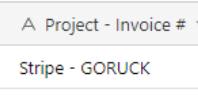
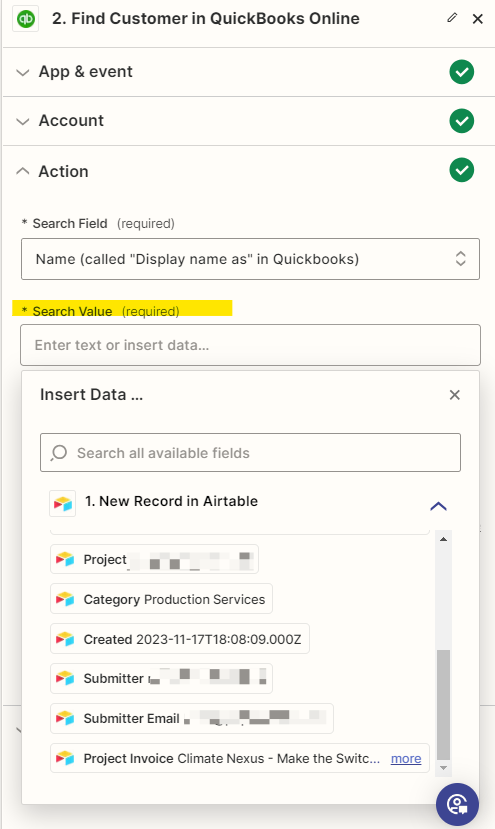
When setting up my zap to search by  Legal Entity (which is a lookup field) . It doesn’t show as an option in Zapier’s search value field. See below

 

Best answer by Troy Tessalone

@ccamm086 

The 2 screenshots may show different records.

You may need to refresh your Zap trigger examples.

Click the button for [Find new records].

Make sure to select an example that has the desired field populated.

You can search by “legal” to narrow down the field results.


This post has been closed for comments. Please create a new post if you need help or have a question about this topic.

4 replies

Troy Tessalone
Zapier Orchestrator & Solution Partner
Forum|alt.badge.img+14
  • Zapier Orchestrator & Solution Partner
  • January 11, 2024

Hi @ccamm086 

Good question.

Airtable only returns fields with values.

Make sure to select a Zap trigger example from Airtable that has the field value populated.


Forum|alt.badge.img
  • Author
  • Beginner
  • January 11, 2024

Thanks- you can see in my Airtable screenshot Legal Entity has text..


Troy Tessalone
Zapier Orchestrator & Solution Partner
Forum|alt.badge.img+14
  • Zapier Orchestrator & Solution Partner
  • Answer
  • January 11, 2024

@ccamm086 

The 2 screenshots may show different records.

You may need to refresh your Zap trigger examples.

Click the button for [Find new records].

Make sure to select an example that has the desired field populated.

You can search by “legal” to narrow down the field results.


Forum|alt.badge.img
  • Author
  • Beginner
  • January 11, 2024

Ah, I see. Thank you, this was the resolve