Answer

Zap scheduled to run everyday did not run on the time it was set to

  • September 16, 2024
  • 11 replies
  • 271 views

Forum|alt.badge.img

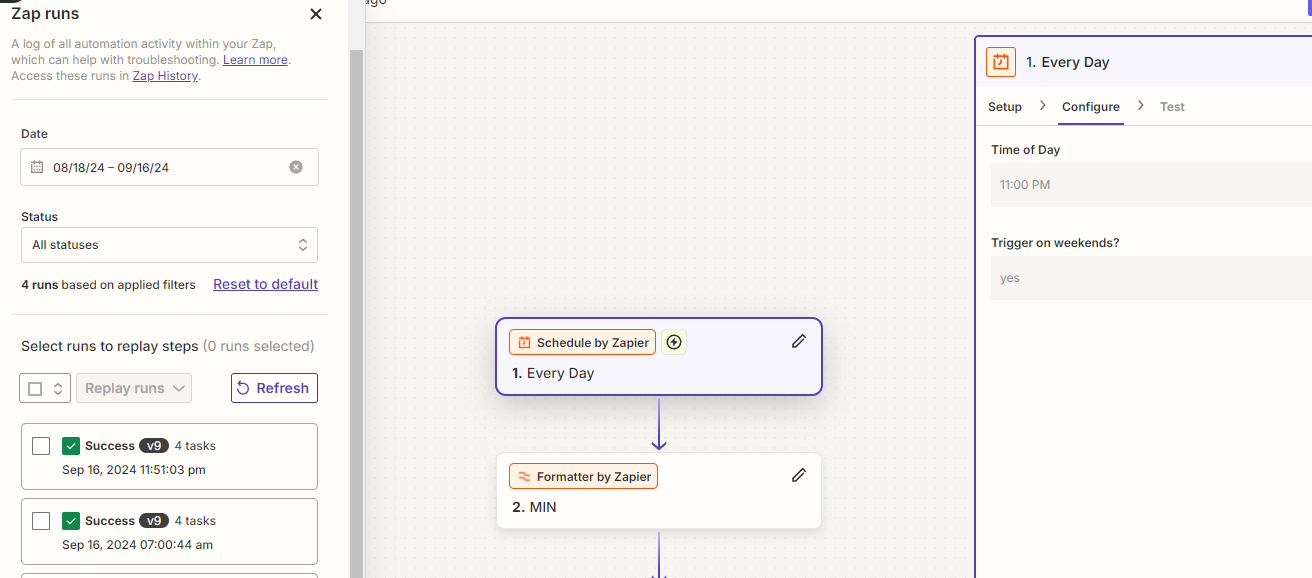
Zap run on 7 am

Zap run on 7 am

supposed to run on 11 am
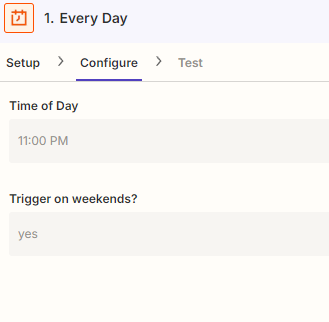
 

supposed to run on 11 am


Best answer by SamB

Hey folks, 

I’m happy to report that the bug has been fixed! 🎉

Now Schedule by Zapier triggers will use the timezone set for the Zap, or your account, rather than defaulting to UTC. There’s nothing you need to do on your end to take advantage of the fix that was pushed however, you may want to adjust the time selected in the Zap if you’d adjusted it to the UTC equivalent time.

If you continue to experience issues with it triggering at the incorrect time please do reach back out in the Community or get in touch with Support directly to let us know. 

In the meantime, happy Zapping! ⚡

This post has been closed for comments. Please create a new post if you need help or have a question about this topic.

11 replies

Troy Tessalone
Zapier Orchestrator & Solution Partner
Forum|alt.badge.img+14
  • Zapier Orchestrator & Solution Partner
  • September 16, 2024

Hi @aris 

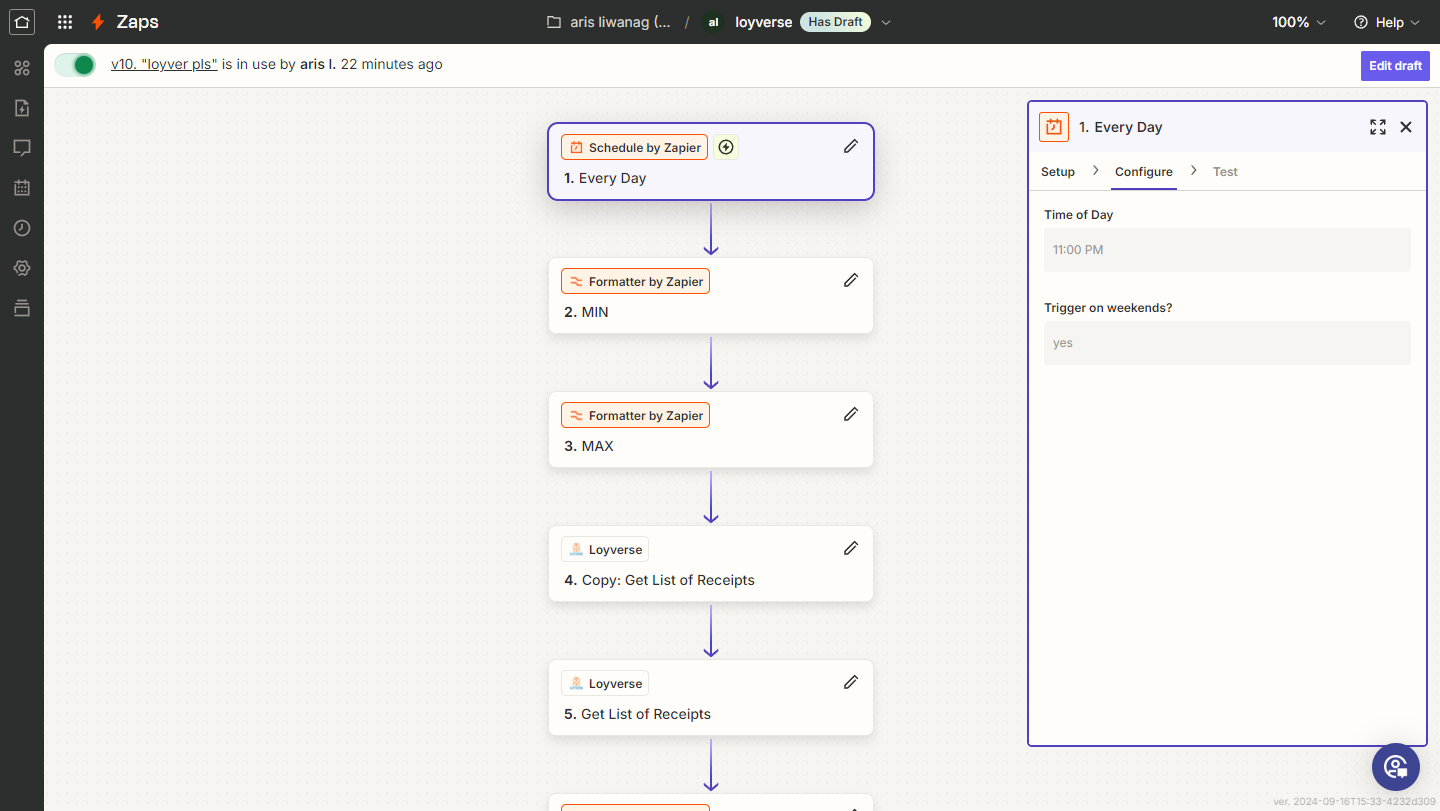
The screenshots don’t show enough info as proof that the screenshots are related to the same Zap.

Show screenshots from the Zap Editor with full context.


Forum|alt.badge.img
  • Author
  • Beginner
  • September 16, 2024

I manually made it run on 11 51


Troy Tessalone
Zapier Orchestrator & Solution Partner
Forum|alt.badge.img+14
  • Zapier Orchestrator & Solution Partner
  • September 16, 2024

@aris 

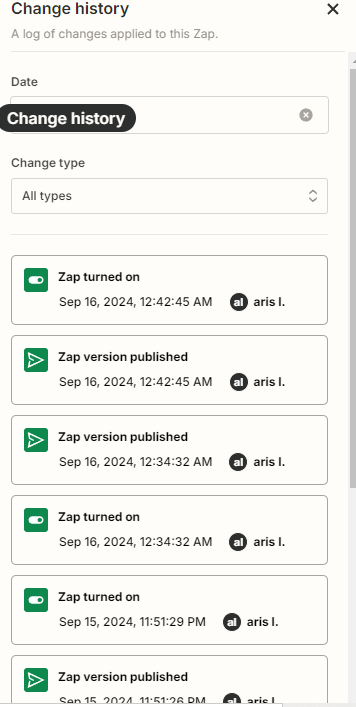
Post screenshots from the Zap Change History to provide more context.


Forum|alt.badge.img
  • Author
  • Beginner
  • September 16, 2024

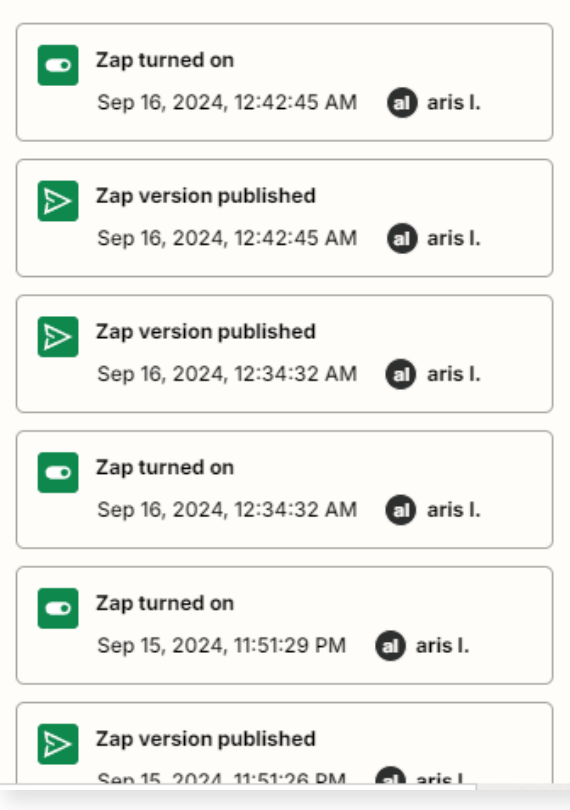
here:


Troy Tessalone
Zapier Orchestrator & Solution Partner
Forum|alt.badge.img+14
  • Zapier Orchestrator & Solution Partner
  • September 16, 2024

@aris 

Since we can’t see the details of the Zaps changes, it appears from the screenshot that new Zap versions were published recently, which may coincide with the results of the timestamps in the Zap Runs.


Forum|alt.badge.img
  • Author
  • Beginner
  • September 17, 2024

Thanks I Guess not really much of a help but still thank you for replying.
Hopefully someone who actually knows how to fix it  besides than you can reply🙏🏻


Troy Tessalone
Zapier Orchestrator & Solution Partner
Forum|alt.badge.img+14
  • Zapier Orchestrator & Solution Partner
  • September 17, 2024

@aris 

You can try opening a ticket with Zapier Support to see if they can see the change logs of the Zap and determine if the Zap Runs ran at the wrong time or not based on the configuration of the Zap trigger step at that point in time.


SamB
Community Manager
Forum|alt.badge.img+11
  • Community Manager
  • September 17, 2024

Hi there, @aris 👋

There’s a bug with Schedule by Zapier where it uses the UTC timezone, ignoring the Zap and account’s individual timezone settings. Which is likely what you’re running into here so I’ve added you to the list of folks being affected by this. I can’t make any promises as to when it will be fixed but we’ll send you an email notification once it is.

In the meantime, can you try changing the value in the Time of Day field to the UTC equivalent of the time you want it to run, to see if that gets the Zap triggering at the correct time? 

Keen to ensure you’re all set here so please keep us in the loop on how that goes! 🙂


  • New
  • November 15, 2024

Hi there, @aris 👋

There’s a bug with Schedule by Zapier where it uses the UTC timezone, ignoring the Zap and account’s individual timezone settings. Which is likely what you’re running into here so I’ve added you to the list of folks being affected by this. I can’t make any promises as to when it will be fixed but we’ll send you an email notification once it is.

In the meantime, can you try changing the value in the Time of Day field to the UTC equivalent of the time you want it to run, to see if that gets the Zap triggering at the correct time? 

Keen to ensure you’re all set here so please keep us in the loop on how that goes! 🙂

I am encountering this same issue, any idea when a fix will be implemented?


JammerS
Forum|alt.badge.img+6
  • Zapier Staff
  • November 20, 2024

Hi ​@andreww,


I’ve added you to the list of affected users, and we’ll notify you via email once an update is readily available. Thanks.


SamB
Community Manager
Forum|alt.badge.img+11
  • Community Manager
  • Answer
  • December 2, 2024

Hey folks, 

I’m happy to report that the bug has been fixed! 🎉

Now Schedule by Zapier triggers will use the timezone set for the Zap, or your account, rather than defaulting to UTC. There’s nothing you need to do on your end to take advantage of the fix that was pushed however, you may want to adjust the time selected in the Zap if you’d adjusted it to the UTC equivalent time.

If you continue to experience issues with it triggering at the incorrect time please do reach back out in the Community or get in touch with Support directly to let us know. 

In the meantime, happy Zapping! ⚡