Question

Zap adds subscriber to incorrect mailerlite group

  • March 18, 2026
  • 7 replies
  • 30 views

Hello - I am having an issue that seems to be adding a mailerlite subscriber to the wrong group in Mailerlite. I’m on the newer version of mailerlite. The “Find a Group” step seems to be the culprit, even if a group exists and matches, it is still giving an incorrect value in the data out. I have carefully checked for special characters and invisible spacing in the group name in mailerlite, all looks clean. 

Zap Steps: 

Step 1 -  Read parsed email for Subscriber Name, Email, Group - Works Fine

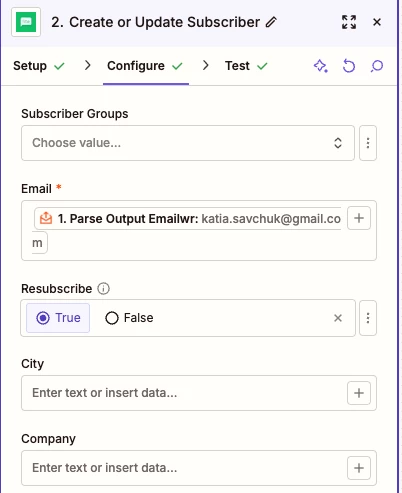
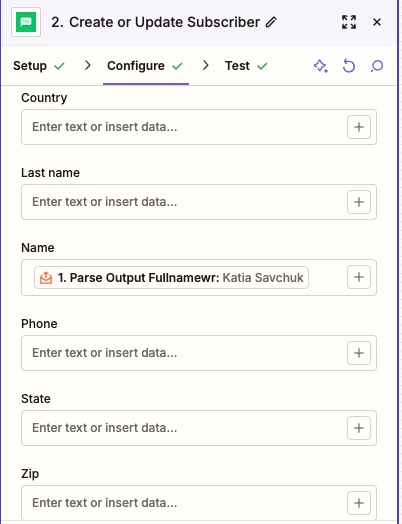
Step 2 - Create or Update Subscriber in Mailerlite (Mapped to Parsed output Name + Email) - Work Fine

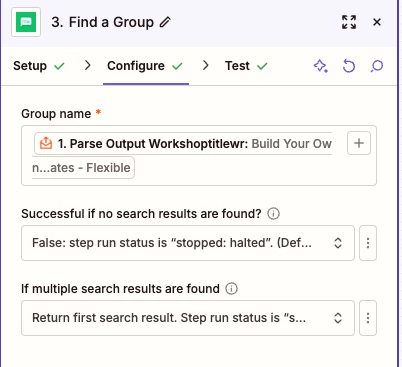
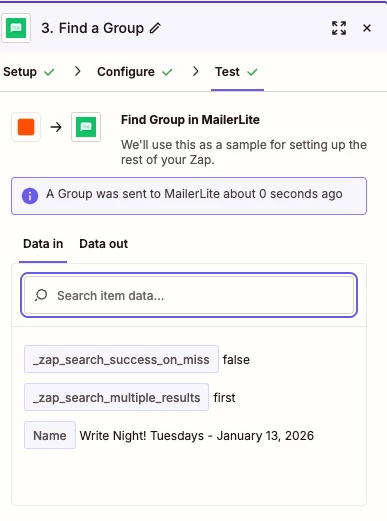
Step 3 - Find a Group (Group Name mapped to parse output Group) - Broken, Data in is correct, Data out pops the wrong group

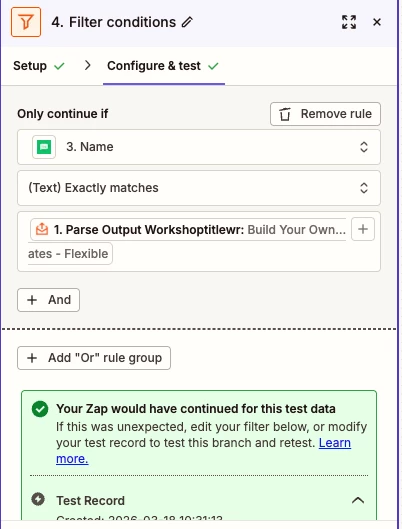
Step 4 - Zapier Filter (Only continue IF [Group Name from Step 3 exactly matched Parse Output Group] - Works Fine

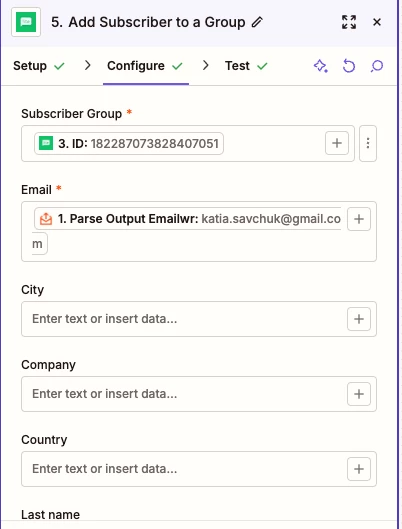
Step 5 - Add Subscriber to a Group (Subsriber Group = ID from Step 3, Parse email from step 1) - works fine. 



7 replies

Troy Tessalone
Zapier Orchestrator & Solution Partner
Forum|alt.badge.img+14
  • Zapier Orchestrator & Solution Partner
  • March 18, 2026

Hi ​@JMC2 

For us to have true context, post screenshots showing how your Zap steps are outlined and configured in the CONFIGURE tab while in EDIT mode with the field mappings visible.


  • Author
  • New
  • March 18, 2026

See below. I am starting to think that the “:” or other special charaters in the group name coming over from teh parser may be causing the issue but not fully confirmed with testing.  


Troy Tessalone
Zapier Orchestrator & Solution Partner
Forum|alt.badge.img+14
  • Zapier Orchestrator & Solution Partner
  • March 18, 2026

@JMC2 

Screenshots helped give some context, but don’t tell the full story since the DATA IN/OUT from TEST tab is not shown.

Outline a specific example for us.

e.g. In Step #, I expected X to happen, but Y happened.


For a live Zap Run, check the Zap Run history details to see the DATA IN/OUT for each step to help you trace the data flow and troubleshoot discrepancies with what you expected to happen vs what actually happened.

https://zapier.com/app/history/


  • Author
  • New
  • March 18, 2026

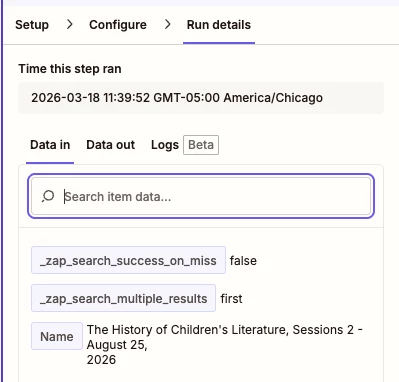
The expected behavior is that in step 3 it is searching to see if a group already exists in mailerlite that matches the group in the parsed email. first 2 screenshots are step 3 (data in, data out), they match. then in step 4, its saying it doesn’t match but that’s a different group. I’ve refreshed the zap thinking it was stale data but that hasn’t resolved it. Basically, I can’t figure out why the filter is not matching against the correct group in data out in step 3. One thing of note, the group is created manually by the user in mailerlite prior to executing this zap. 


Troy Tessalone
Zapier Orchestrator & Solution Partner
Forum|alt.badge.img+14
  • Zapier Orchestrator & Solution Partner
  • March 18, 2026

@JMC2 

Actual DATA IN/OUT used is shown in the TEST tab while in EDIT mode.


The latest screenshot with Run Details only shows the DATA IN, without the accompanying DATA OUT.


Essentially we need to see this info…

Step 3

Test/Run Details > DATA IN
+
Test/Run Details > DATA OUT

Step 4
Test/Run Details > DATA IN
+
Test/Run Details > DATA OUT

Along with an explanation of what you expected to happen (X) vs what happened (Y).


  • Author
  • New
  • March 18, 2026

my apologies, the screenshots must not have stayed in the message, trying again. all screenshots. I guess the main problem even before Step 3 data in Name is not matching correctly with the data out Name for the mailerlite group. This may be a bug in Find a Group. I’ve tried going the webhook route and same result. The behavior I would expect is IF group in parser matches a group in Mailerlite, Data in and Date out Name should be the same. The Group ‘Write Night! Tuesdays - January 13, 2026’ does exist in mailerlite.  

Step 3: 


Troy Tessalone
Zapier Orchestrator & Solution Partner
Forum|alt.badge.img+14
  • Zapier Orchestrator & Solution Partner
  • March 18, 2026

@JMC2 

Still appears screenshots are missing that give proper context about the purported issue.

Give this a try…

  1. Test via LIVE Zap Run
  2. Check the Zap Run history
  3. Provide 4 screenshots showing the DATA IN/OUT for steps 3 & 4