Best answer

Wix Automation to Zapier to Monday.com - Top data row gets overwritten

  • September 28, 2022
  • 6 replies
  • 50 views

Hi! I have created an integration between a WIX automation and a Monday.com board via Zapier. But... Each time the data comes into Monday, it replaces the top row of data that was there before instead of adding a new row.

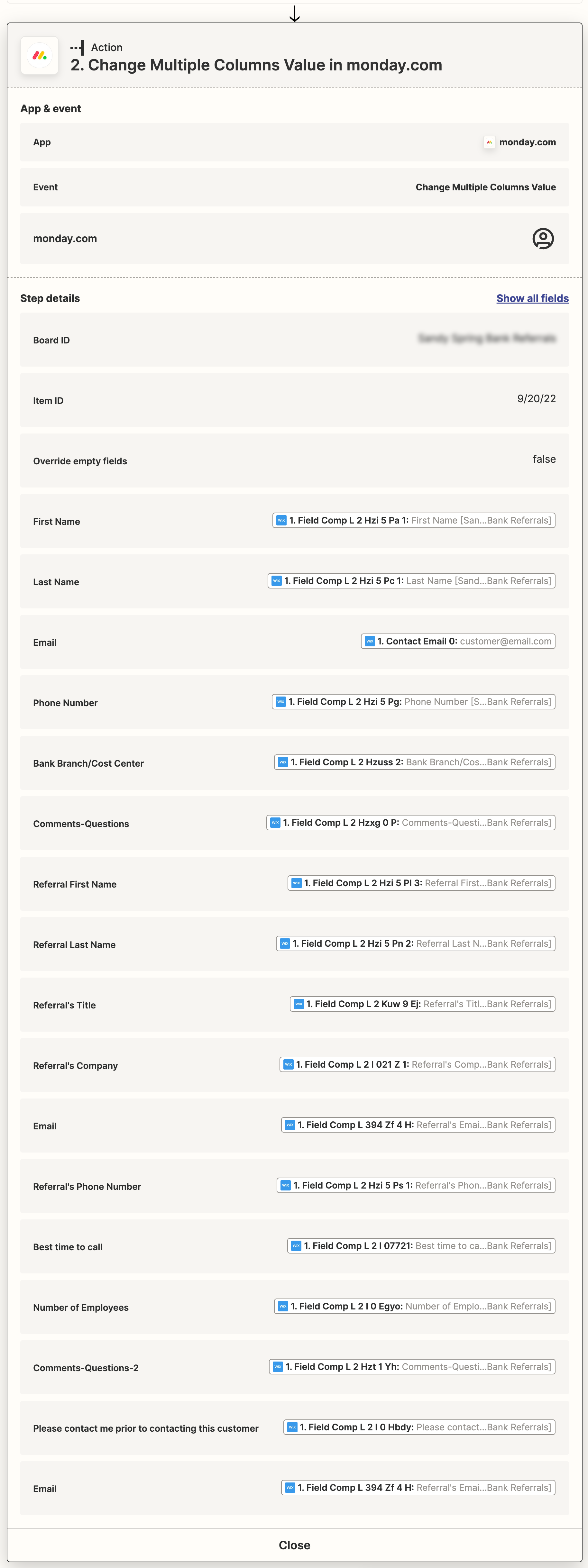
I’m thinking the culprit may be my “Event” setting in my Zap. I have it set to “Change Multiple Columns Value.” Should it be something else? I’m not really sure.

Could be something other than the Event setting? Could it be something in Monday.com?

Any ideas?

Thanks!!!

 

Best answer by Troy Tessalone

The reason the same Item is being updated in Monday is because you have a static value for the Item ID in Step 2.


@metadog

If you’re trying to create NEW Items then you should use this Zap action: Monday - Create Item


To create sequential numbering, use this Zap action: Storage - Increment Value


This post has been closed for comments. Please create a new post if you need help or have a question about this topic.

6 replies

Troy Tessalone
Zapier Orchestrator & Solution Partner
Forum|alt.badge.img+14
  • Zapier Orchestrator & Solution Partner
  • September 28, 2022

Hi @metadog 

Good question.

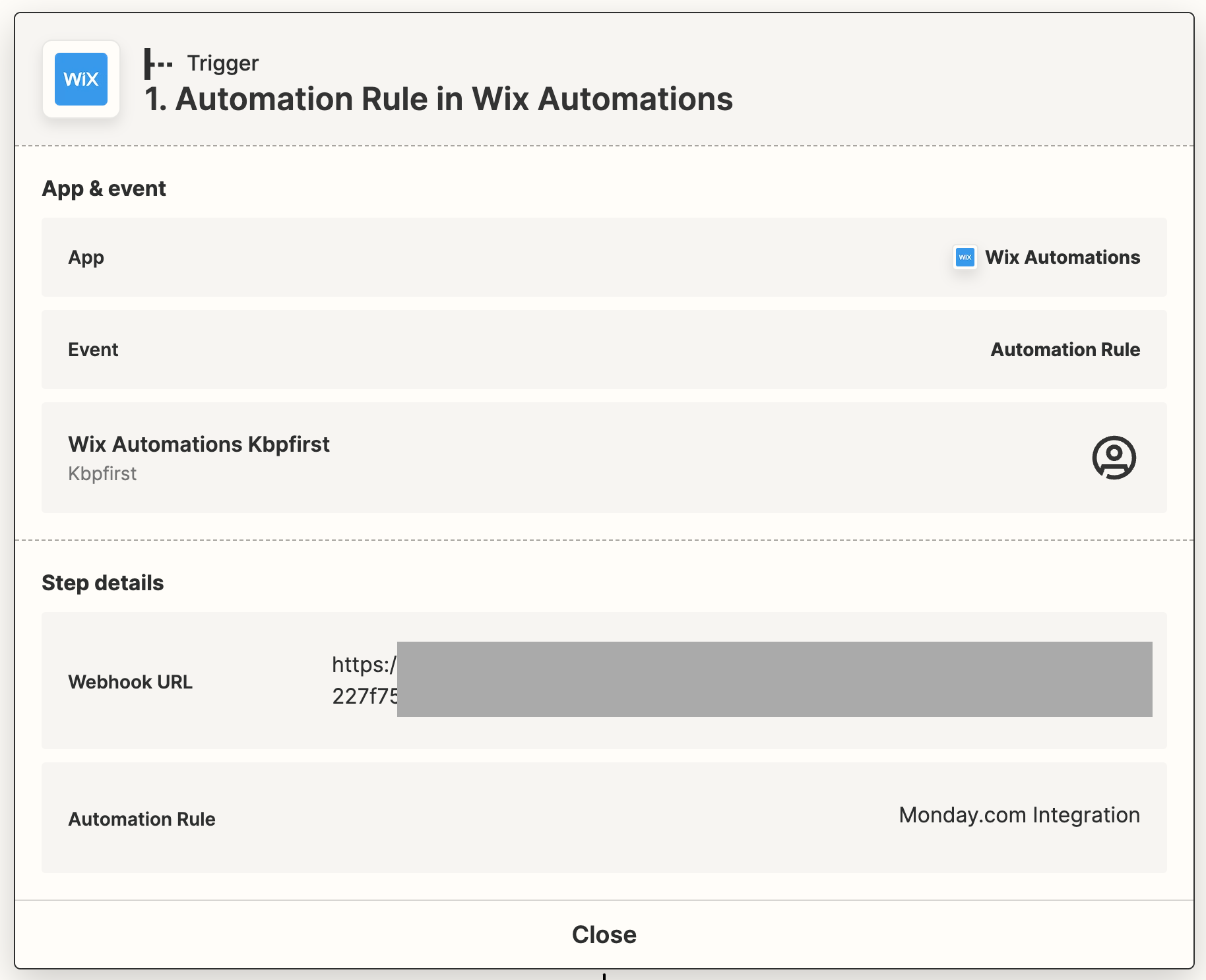
Please post detailed screenshot showing how each Zap step in configured in order for us to have proper context, thanks.


  • Author
  • New
  • September 28, 2022

Sure, here you go!


Troy Tessalone
Zapier Orchestrator & Solution Partner
Forum|alt.badge.img+14
  • Zapier Orchestrator & Solution Partner
  • September 28, 2022

@metadog 

The reason the same Item is being updated in Monday is because you have a static value for the Item ID in Step 2.


  • Author
  • New
  • September 28, 2022

Yeah, that was something else I have been looking at. What should I have in there? Could there be a way to generate sequential numbers?


Troy Tessalone
Zapier Orchestrator & Solution Partner
Forum|alt.badge.img+14
  • Zapier Orchestrator & Solution Partner
  • Answer
  • September 28, 2022

The reason the same Item is being updated in Monday is because you have a static value for the Item ID in Step 2.


@metadog

If you’re trying to create NEW Items then you should use this Zap action: Monday - Create Item


To create sequential numbering, use this Zap action: Storage - Increment Value


  • Author
  • New
  • September 28, 2022

Thanks for your help, Troy! I am rolling!