
Best answer

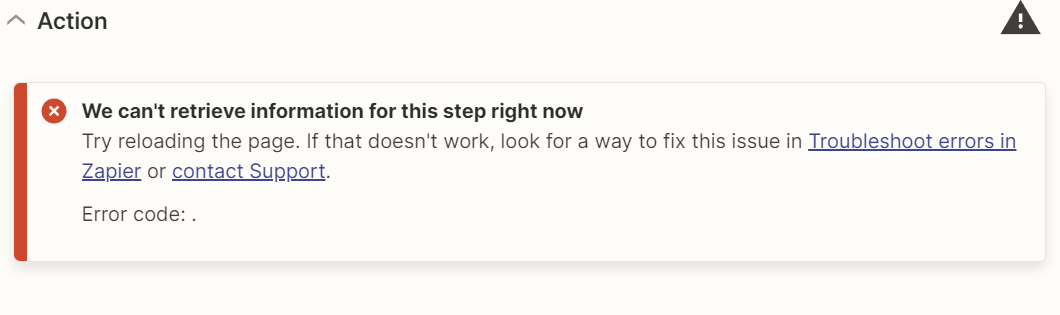
We can't retrieve information for this step right now. Help!

  • February 29, 2024
  • 8 replies
  • 144 views

Can anyone tell me what is the issue and how i can fix it. It is bothering me a lot and I can’t work. 

Best answer by SamB

Thanks for following up here @afamnwakuwa to share how you got rid of the errors, we really appreciate it! 🤗

@RooferAdmin - I checked on this end and spotted our Support team added you to an intermittent issue where these “We can’t retrieve information from this step right now” errors were occurring. That issue has since been closed and Support have confirmed that if these errors do appear again trying the following steps (like @afamnwakuwa mentioned) will resolve them:

  • Clear your web browser’s cache.
  • Then try logging into Zapier again or, from within another web browser. 

For anyone that continues to see these errors after attempting the above steps please do reach out in the Community or get in touch with Support to let us know and we’ll be happy to assist. 

In the meantime, happy Zapping! ⚡

This post has been closed for comments. Please create a new post if you need help or have a question about this topic.

8 replies

Troy Tessalone
Zapier Orchestrator & Solution Partner
Forum|alt.badge.img+14
  • Zapier Orchestrator & Solution Partner
  • 34039 replies
  • February 29, 2024

Hi @RooferAdmin 

We will need to see screenshots with how the steps are outlined and configured, in order to have context about which app and event you are using.


  • Author
  • Beginner
  • 6 replies
  • February 29, 2024

Troy Tessalone, the thing is that it can happen in any zap I open and seems like it happens randomly 

I can send example of any zap i use and all steps


Troy Tessalone
Zapier Orchestrator & Solution Partner
Forum|alt.badge.img+14
  • Zapier Orchestrator & Solution Partner
  • 34039 replies
  • February 29, 2024

@RooferAdmin 

Try opening a ticket with Zapier Support: https://zapier.com/app/get-help


  • Author
  • Beginner
  • 6 replies
  • February 29, 2024

@Troy Tessalone Done!


  • New
  • 2 replies
  • September 3, 2024

I am having the same issue, what may be the cause and is there a fix?


ken.a
Forum|alt.badge.img+6
  • Zapier Staff
  • 6780 replies
  • September 4, 2024

Hi @afamnwakuwa,

Before we dig deeper into this, could you please let me know the which app you’re using?

I'll be keeping an eye out for your response!


  • New
  • 2 replies
  • September 4, 2024

I was able to have a work around to this by checking

  • What browser are you currently using to access Zapier? If you are using Chrome, could you try logging into Zapier from an incognito browser and seeing if you have the same issue?
  • If you still do after that, could you try a different browser like Firefox or Safari?
  • If you aren't using Chrome, could you try on Chrome or a different browser than what you are currently using?

    It is recommended to also clear your cache

SamB
Community Manager
Forum|alt.badge.img+11
  • Community Manager
  • 9676 replies
  • Answer
  • September 5, 2024

Thanks for following up here @afamnwakuwa to share how you got rid of the errors, we really appreciate it! 🤗

@RooferAdmin - I checked on this end and spotted our Support team added you to an intermittent issue where these “We can’t retrieve information from this step right now” errors were occurring. That issue has since been closed and Support have confirmed that if these errors do appear again trying the following steps (like @afamnwakuwa mentioned) will resolve them:

  • Clear your web browser’s cache.
  • Then try logging into Zapier again or, from within another web browser. 

For anyone that continues to see these errors after attempting the above steps please do reach out in the Community or get in touch with Support to let us know and we’ll be happy to assist. 

In the meantime, happy Zapping! ⚡





