Answer

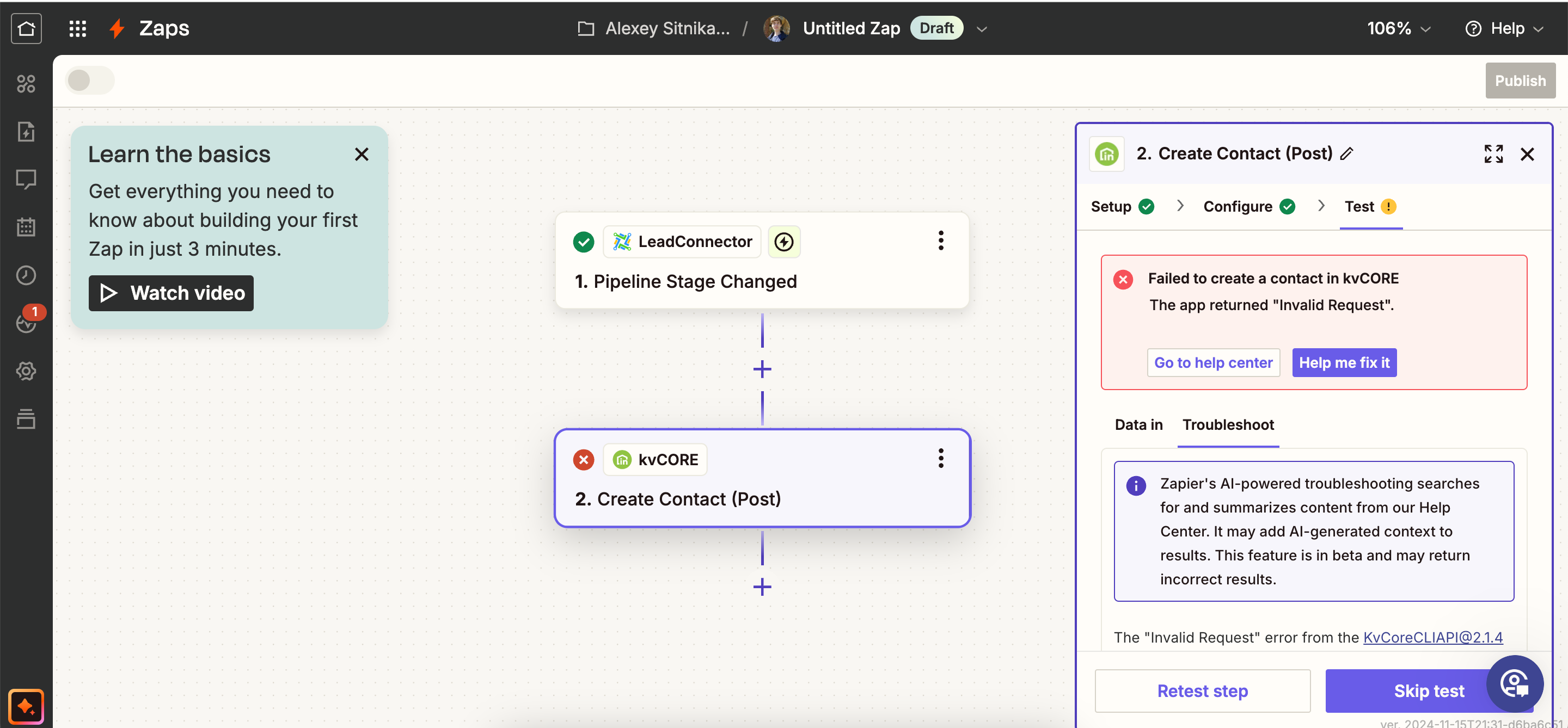
Unable to send new contacts from Lead Connector to kvCore

  • November 17, 2024
  • 8 replies
  • 67 views

Hey fam hope you will be able to help me out, it looks like I connected both GHL and kvCore to Zapier and it’s all good. But when creating this simple workflow I run into problems and Im not sure what it is, I tried mapping fields differently, nothing worked.


Best answer by Troy Tessalone

@sitlesha 

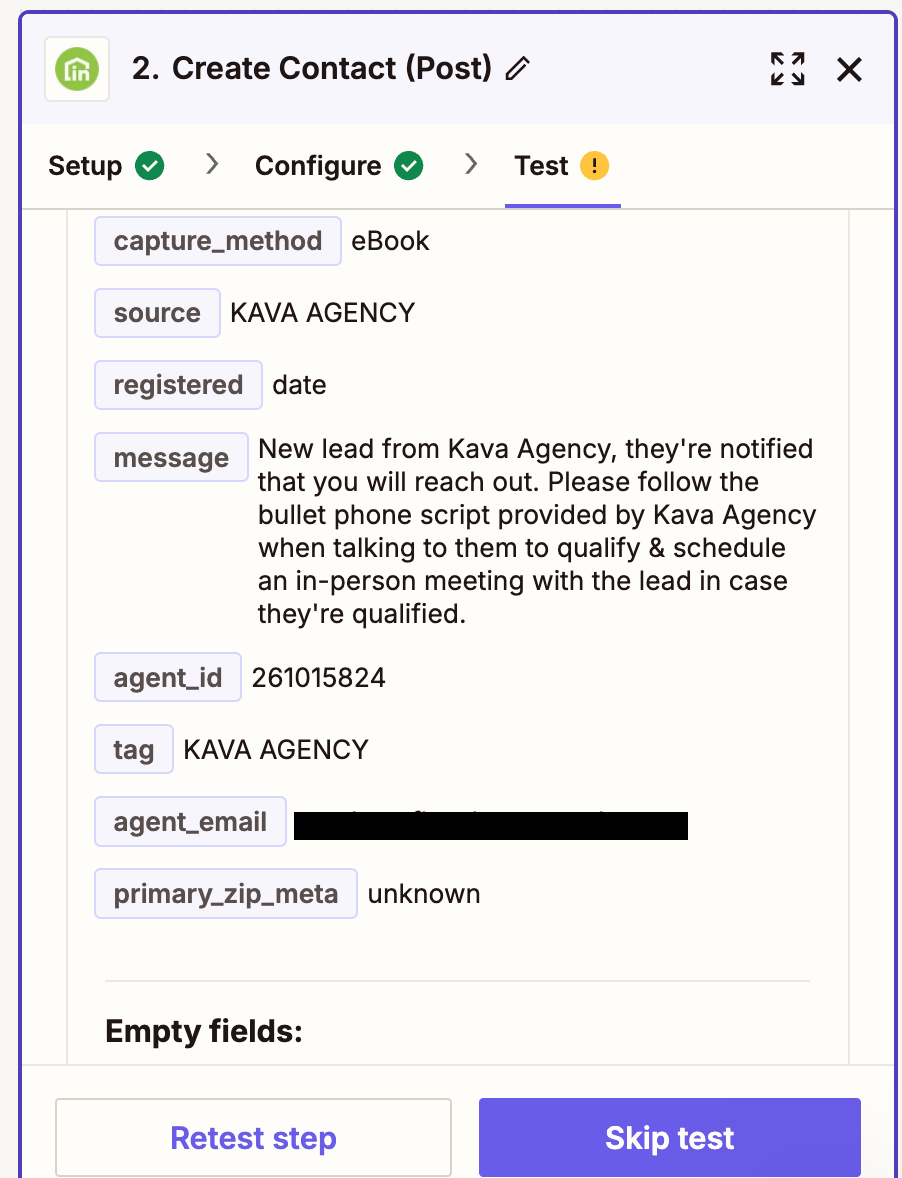
If you are testing in Zap EDIT mode, then make sure you are testing with valid values for fields.

You can click on field labels to see tooltips for more info that may indicate the expected values and formats.

You can change your Zap trigger step example record and data: https://help.zapier.com/hc/en-us/articles/8496310366093-Change-the-test-record-in-your-Zap-trigger


EXAMPLES

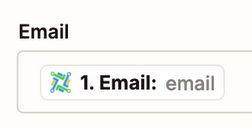
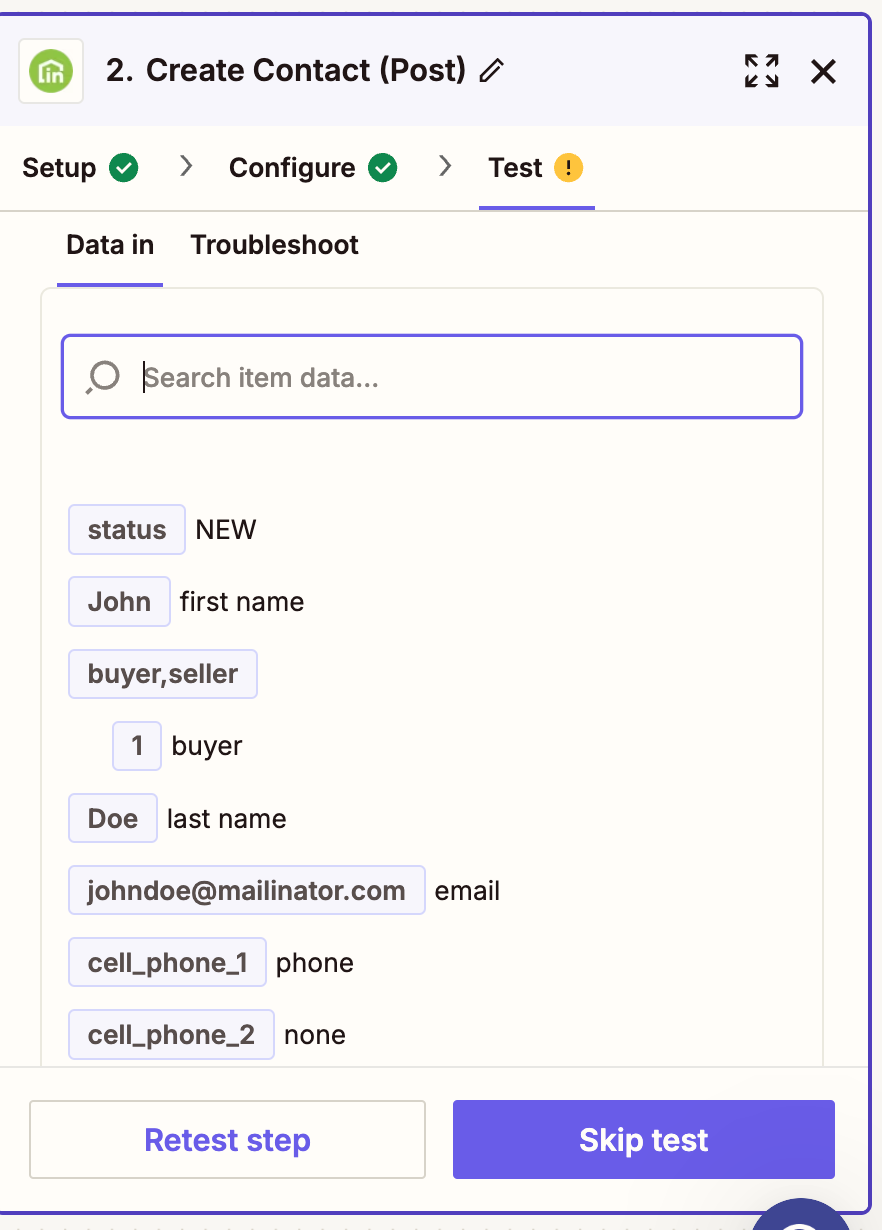
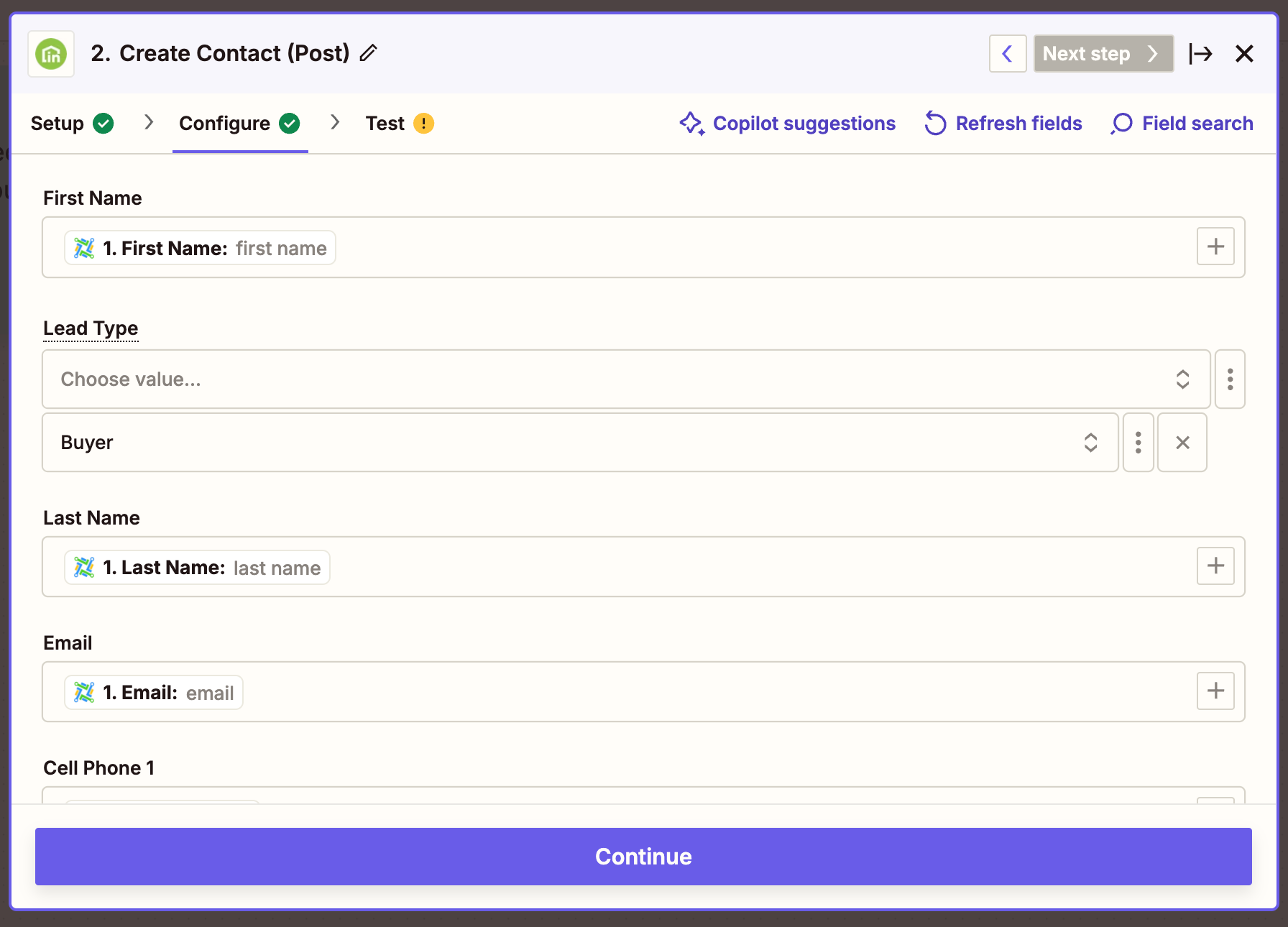
  • Email field likely expects a valid email address value
    • Rather than a value of: email
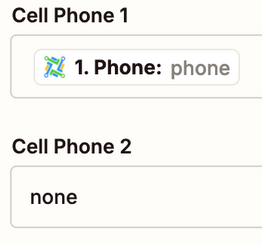
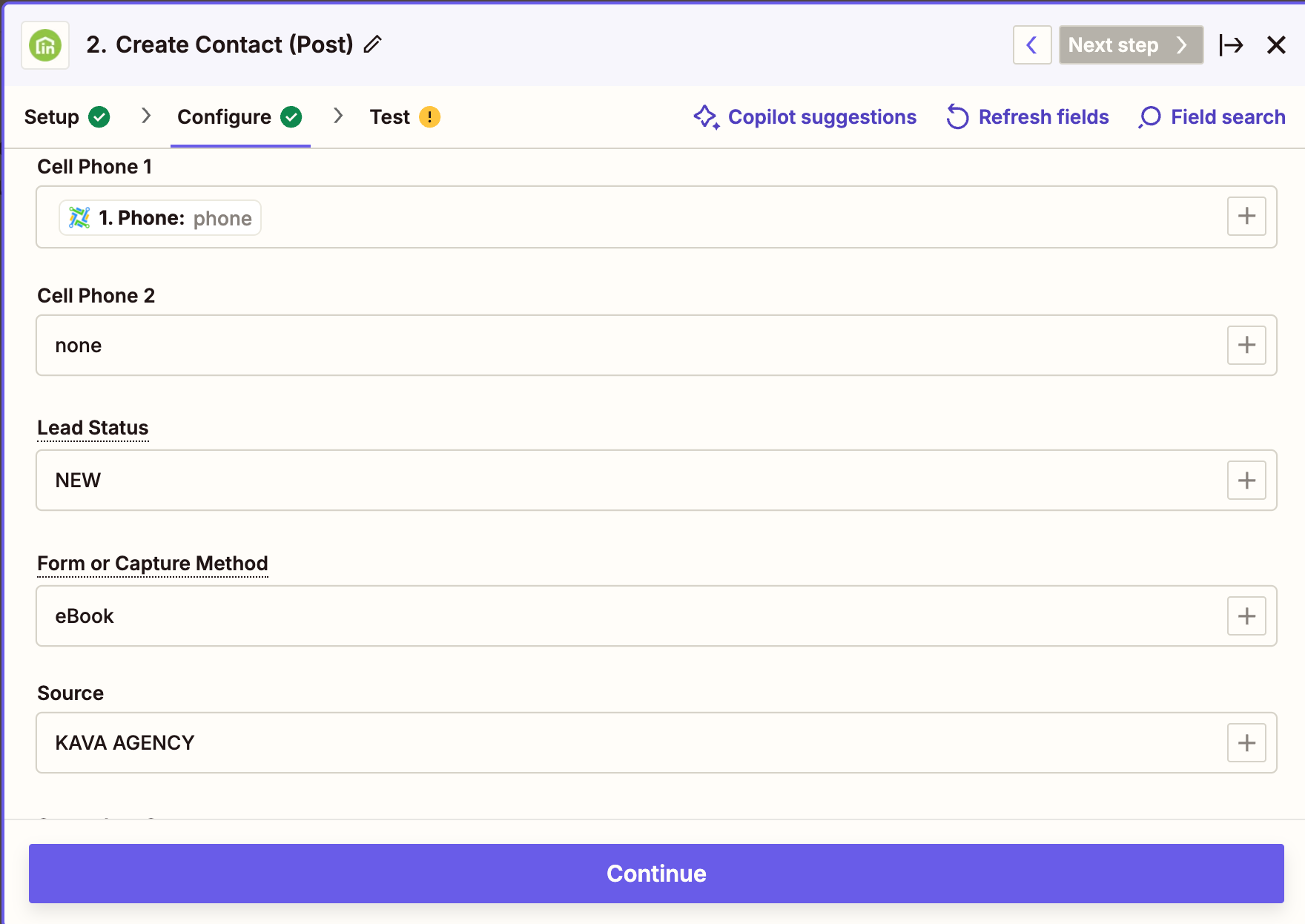
  • Cell Phone 1 field likely expects a valid phone value
    • Rather than a value of: phone
  • Cell Phone 2
    • Rather than a value of: none
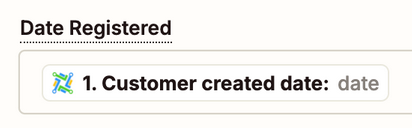
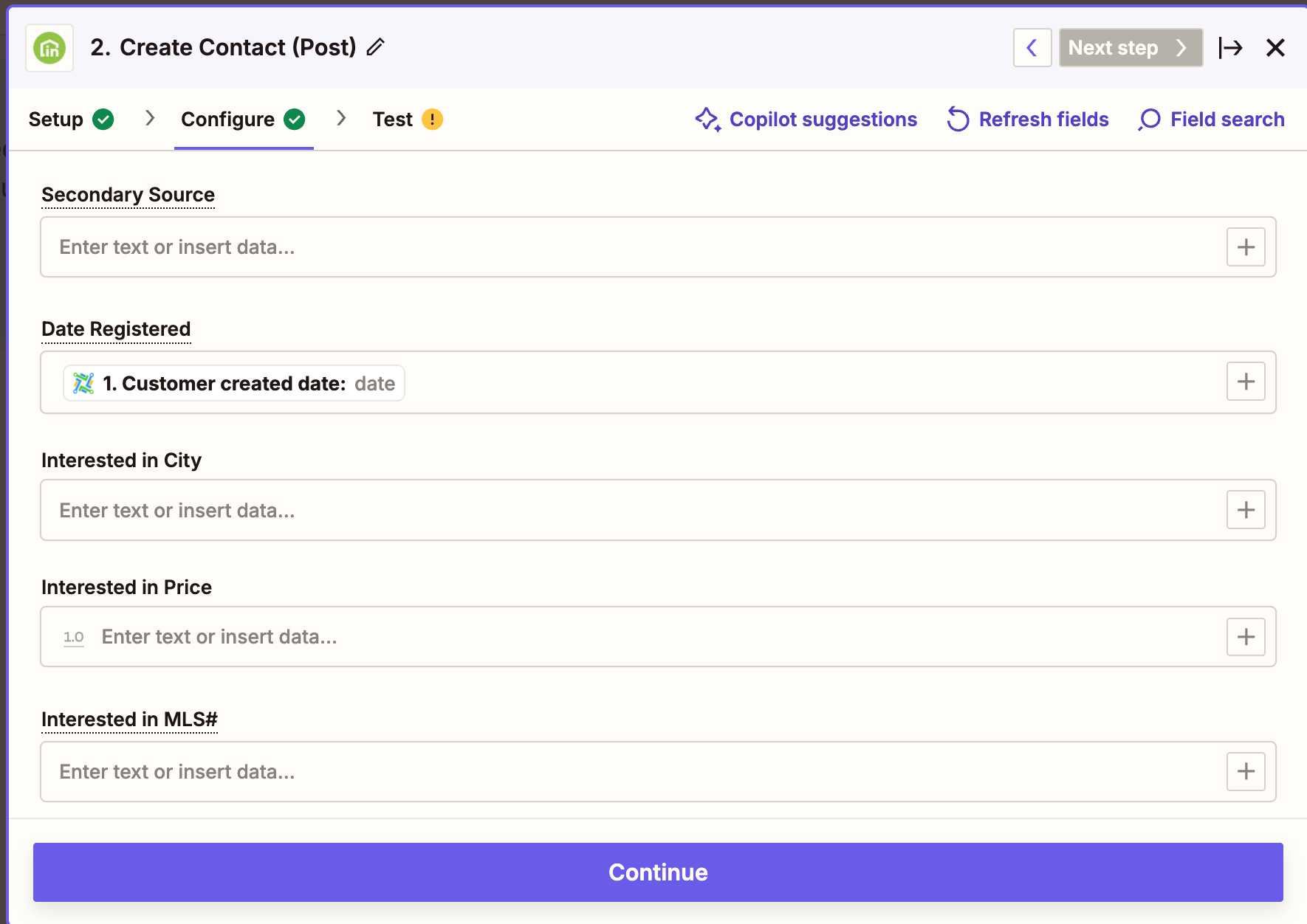
  • Date Registered field likely expects a valid date value
    • Rather than a value of: date
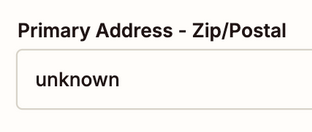
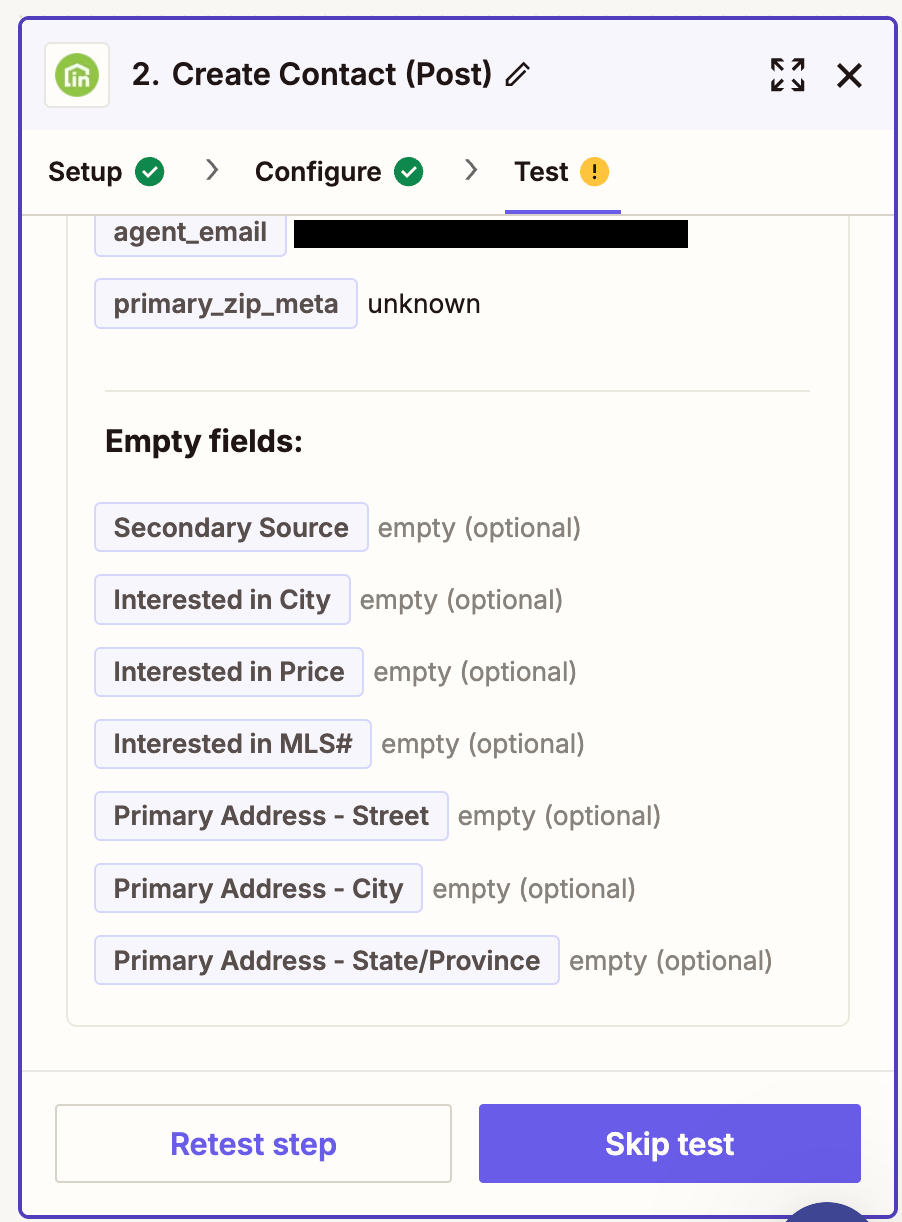
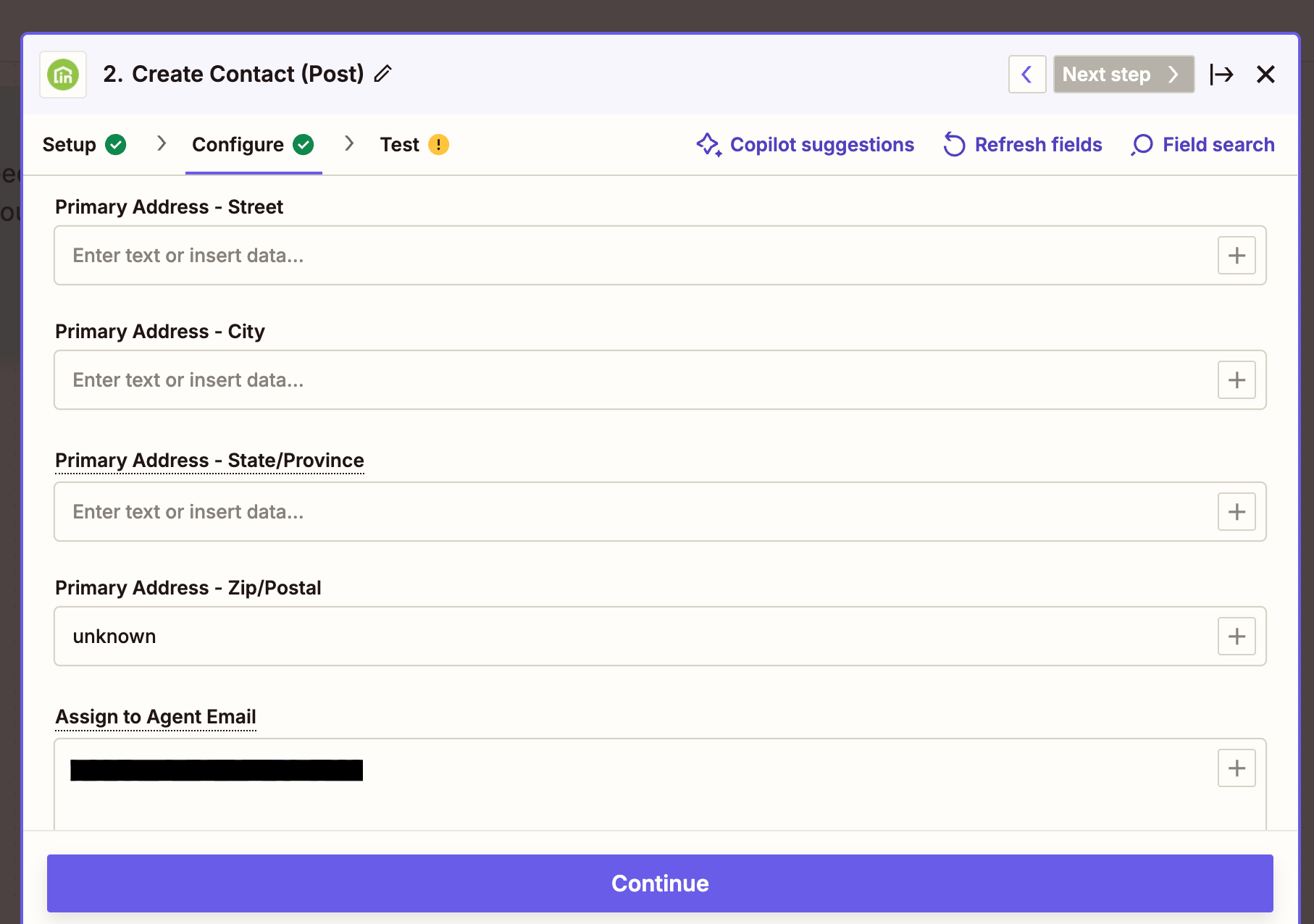
  • Primary Address - Zip/Postal may expect a valid zip/postal value
    • Rather than a value of: unknown
This post has been closed for comments. Please create a new post if you need help or have a question about this topic.

8 replies

jayeshkumarbhatia
Forum|alt.badge.img+7

Hi ​@sitlesha ,


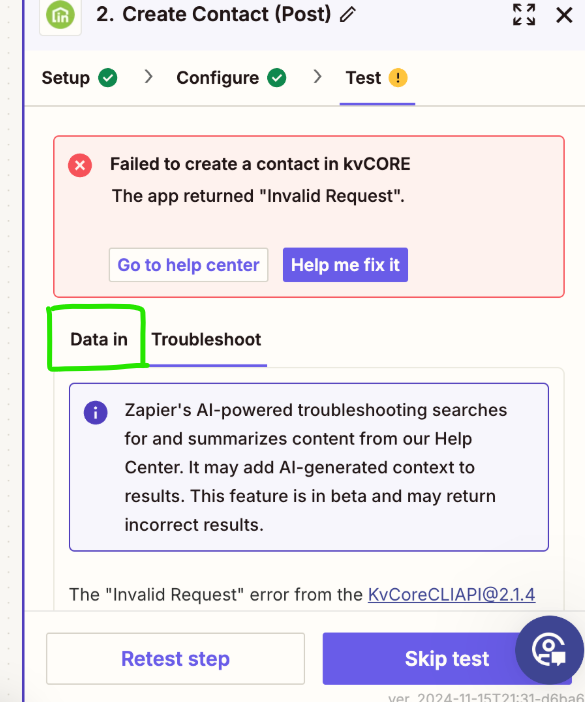
Can you share screenshot on how did you setup this action? Also can you cllick on Data In and show me what you are sending to kvCore? Make sure to hide sensitive information. 


Troy Tessalone
Zapier Orchestrator & Solution Partner
Forum|alt.badge.img+14
  • Zapier Orchestrator & Solution Partner
  • November 18, 2024

Hi ​@sitlesha 

For us to have more info, post screenshots showing how your Zap steps is configured in the CONFIGURE section with the field mappings.


  • Author
  • Beginner
  • November 18, 2024

This post has been edited by a moderator to remove personal information. Please remember that this is a public forum and to remove any sensitive information prior to posting.

Sure thing!


Troy Tessalone
Zapier Orchestrator & Solution Partner
Forum|alt.badge.img+14
  • Zapier Orchestrator & Solution Partner
  • November 18, 2024

@sitlesha 

Post screenshots from the CONFIGURE tab.


  • Author
  • Beginner
  • November 19, 2024

This post has been edited by a moderator to remove personal information. Please remember that this is a public forum and to remove any sensitive information prior to posting.

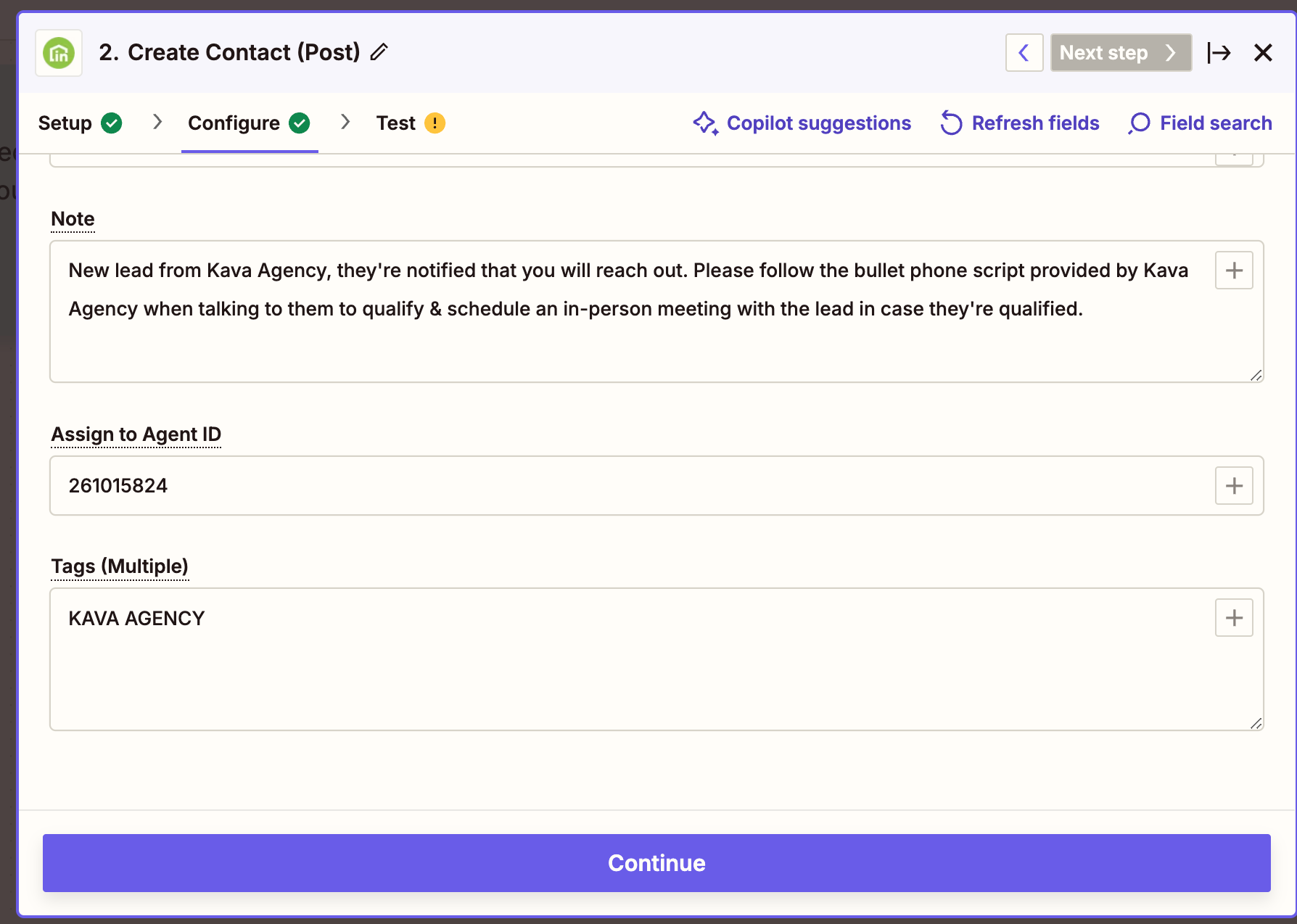
I know for a fact they don’t have the tag KAVA AGENCY, maybe there are other things conflicting?


Troy Tessalone
Zapier Orchestrator & Solution Partner
Forum|alt.badge.img+14
  • Zapier Orchestrator & Solution Partner
  • Answer
  • November 19, 2024

@sitlesha 

If you are testing in Zap EDIT mode, then make sure you are testing with valid values for fields.

You can click on field labels to see tooltips for more info that may indicate the expected values and formats.

You can change your Zap trigger step example record and data: https://help.zapier.com/hc/en-us/articles/8496310366093-Change-the-test-record-in-your-Zap-trigger


EXAMPLES

  • Email field likely expects a valid email address value
    • Rather than a value of: email
  • Cell Phone 1 field likely expects a valid phone value
    • Rather than a value of: phone
  • Cell Phone 2
    • Rather than a value of: none
  • Date Registered field likely expects a valid date value
    • Rather than a value of: date
  • Primary Address - Zip/Postal may expect a valid zip/postal value
    • Rather than a value of: unknown

  • Author
  • Beginner
  • November 22, 2024

I got it to work! Thank you so much, indeed the solution was in bringing some records in my gohighlevel so the values become relevant, not just saying “email”

Thank you so much!


ken.a
Forum|alt.badge.img+6
  • Zapier Staff
  • November 22, 2024

That’s an amazing news ​@sitlesha! A huge thanks to Troy for pointing you in the right direction!

If you have any other questions, please don’t hesitate to reach out to the Community. We’re always happy to help! 🤗