Question

Unable to retrieve monday.com ID from board with connected columns

  • October 2, 2023
  • 9 replies
  • 347 views

Dear zap community,


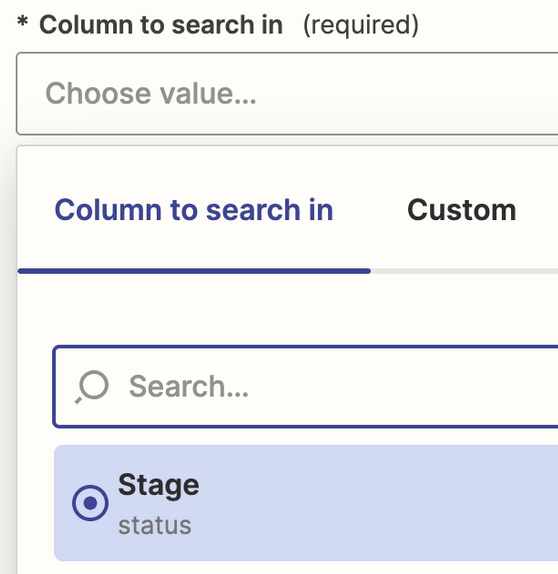
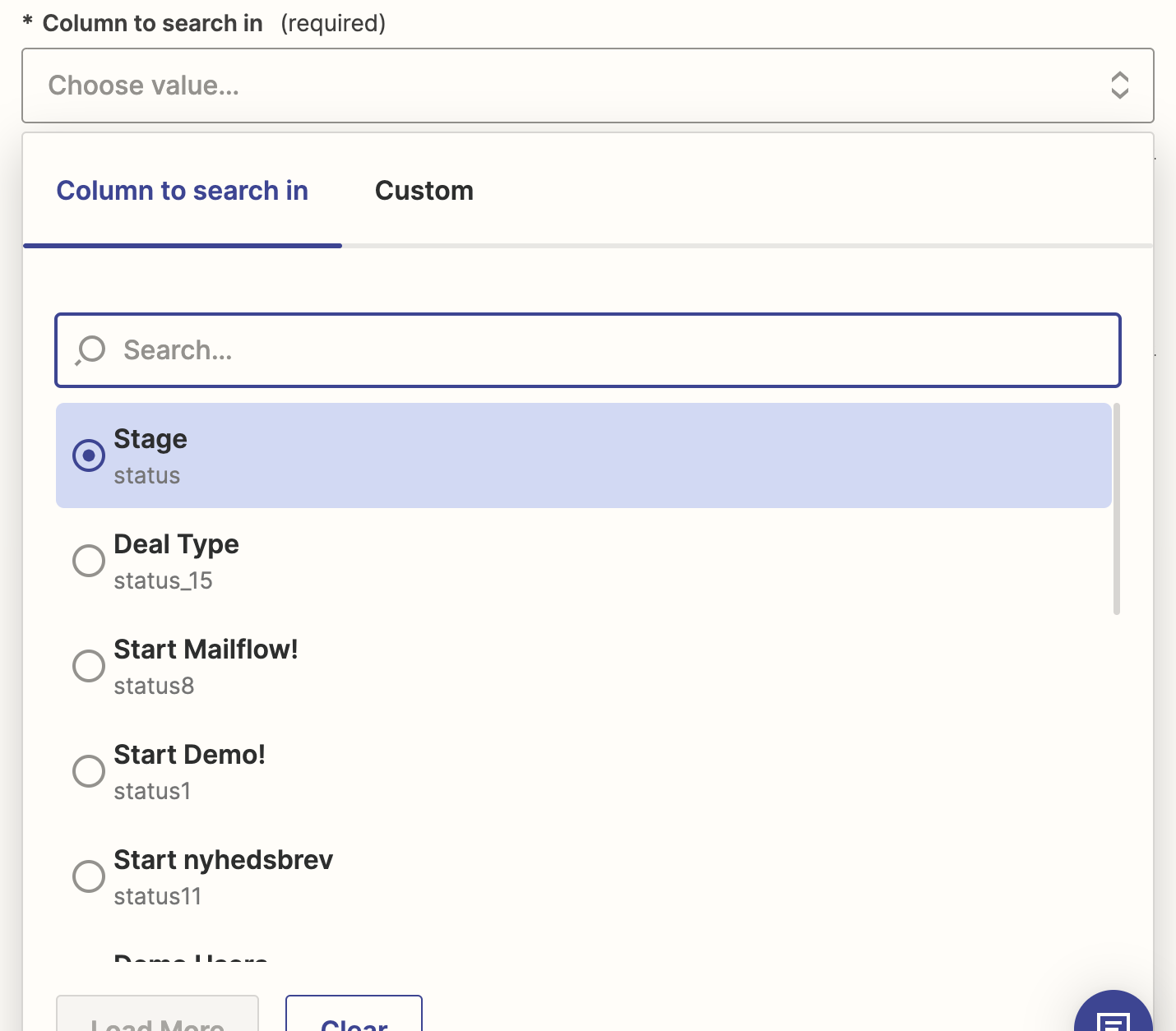
I want to update items (contacts) in a monday board when they click on a link in an activecampaign email. However the email column is connected to another board called contacts, i.e. I cannot catch the column from zapier using the “get item by column value”, as the column is not listed in zapier, as it is a connected column:
The monday board:

I am able to retrieve the item in the contacts board with the emal address, but I want to catch the item in the deals board. Any idea how to get this to work?


Thanks in advance

This post has been closed for comments. Please create a new post if you need help or have a question about this topic.

9 replies

Troy Tessalone
Zapier Orchestrator & Solution Partner
Forum|alt.badge.img+14
  • Zapier Orchestrator & Solution Partner
  • October 2, 2023

Hi @Benefix 

Good question.

Help articles for using Monday in Zaps: https://zapier.com/apps/monday/help


If you know the internal column ID (e.g. bottom value for each option), then you can try using the ‘Custom’ tab to map a static value.


  • Author
  • Beginner
  • October 5, 2023

Hey Troy,


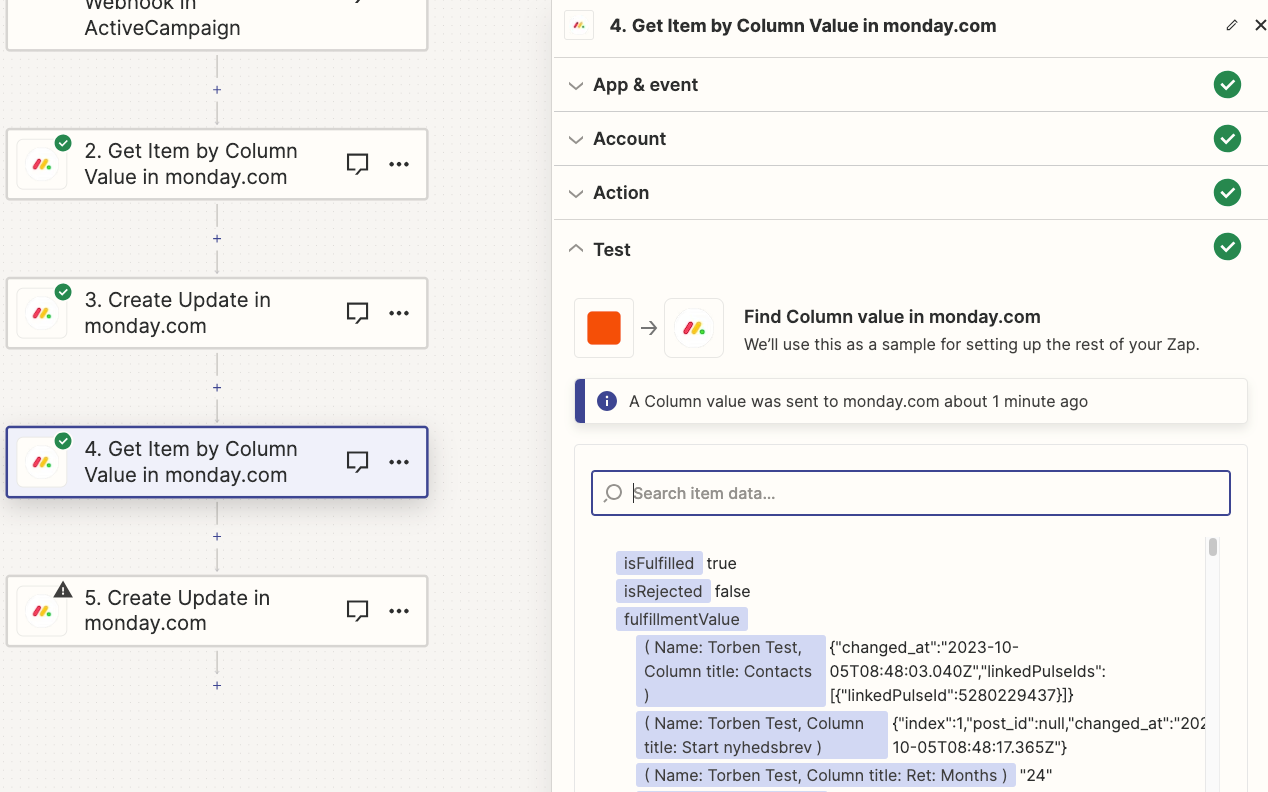
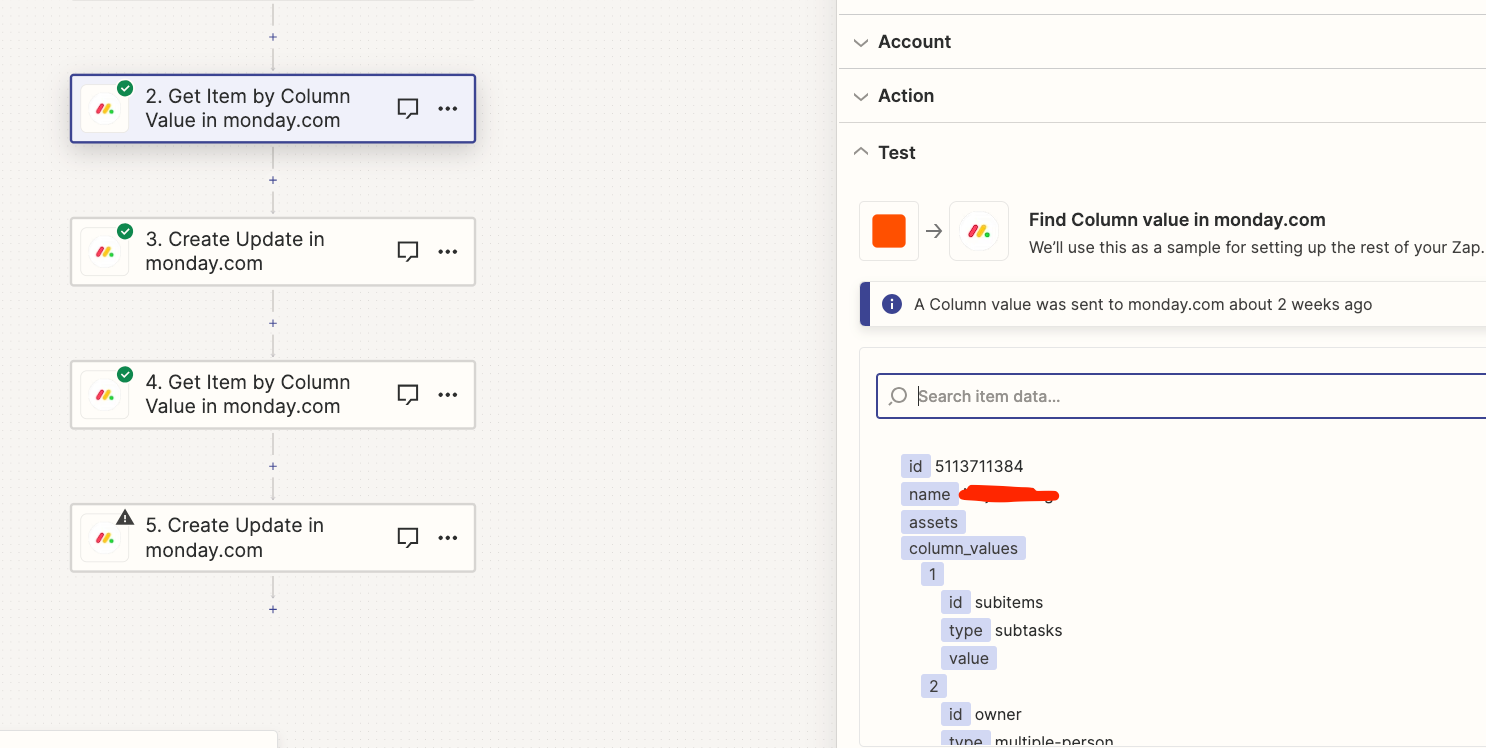
Thanks for the response. I tried your suggestion and the zap now actually finds something, but not the data needed like ID, name and so on. It only shows values from the entire board: 

Why does it not show the normal data?


Troy Tessalone
Zapier Orchestrator & Solution Partner
Forum|alt.badge.img+14
  • Zapier Orchestrator & Solution Partner
  • October 5, 2023

@Benefix 

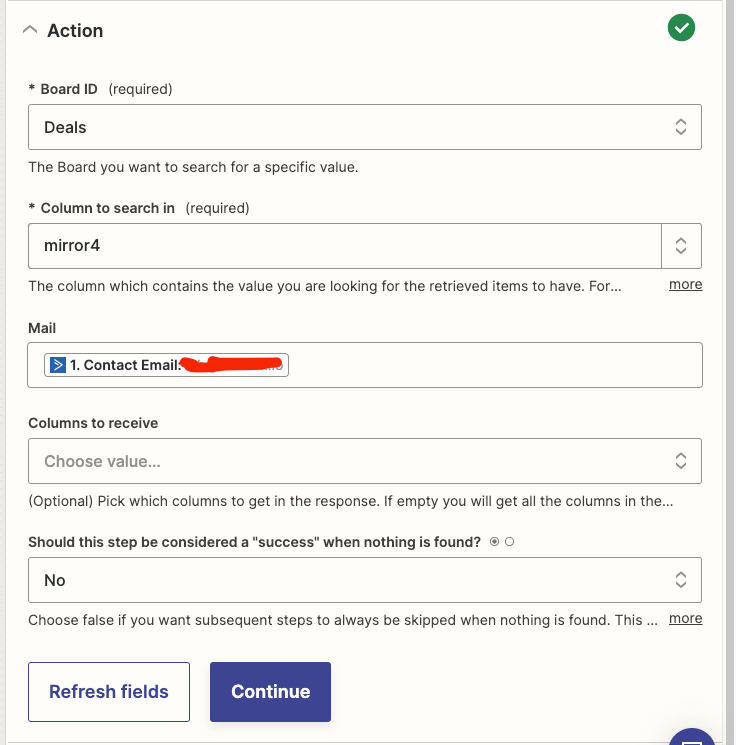
Can you post a screenshot with how your ‘Action’ section is configured?


  • Author
  • Beginner
  • October 9, 2023

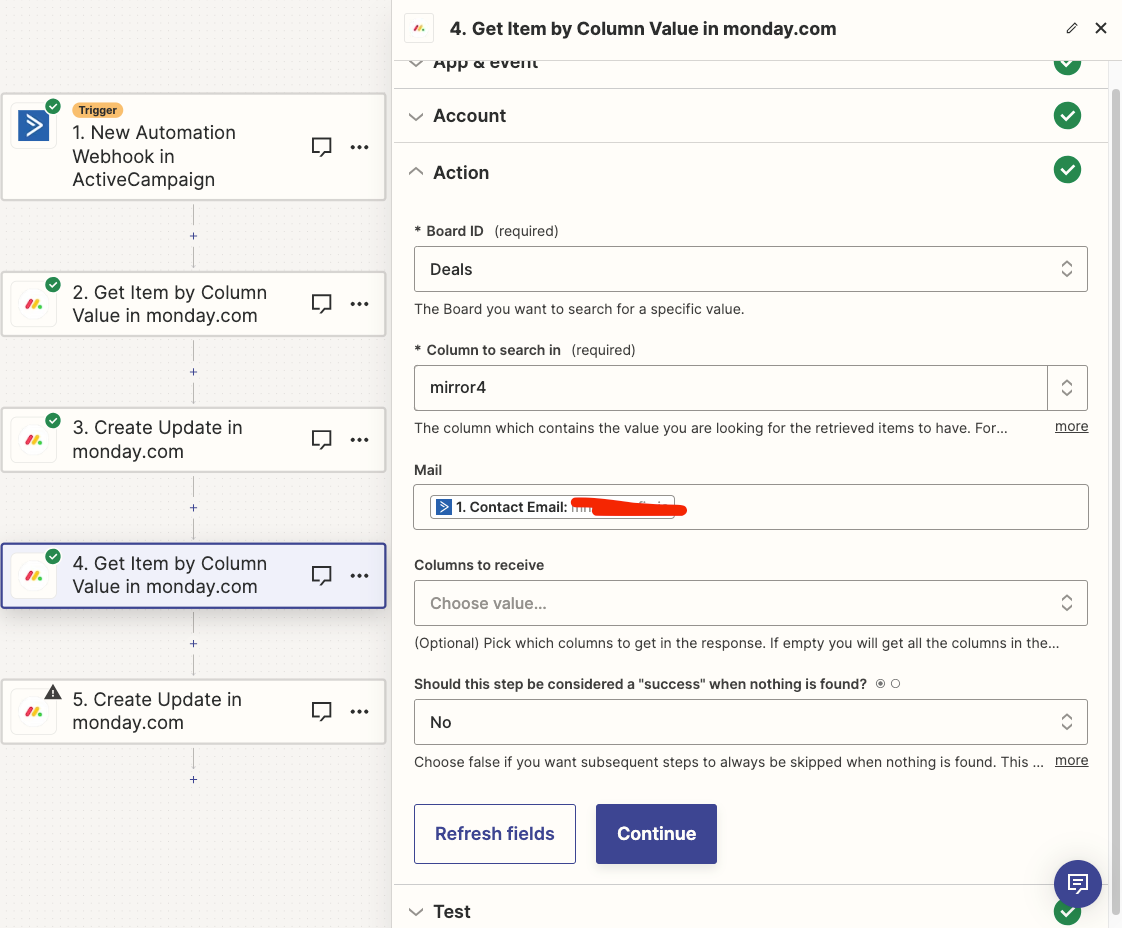
Here you go:


Troy Tessalone
Zapier Orchestrator & Solution Partner
Forum|alt.badge.img+14
  • Zapier Orchestrator & Solution Partner
  • October 9, 2023

@Benefix 

Some things to try:


If there are multiple matching Items for the search value, then that could contributing to the returned data issue.


Try selecting specific columns to receive.


Have you tried scrolling down to see all the returned data points?


  • Author
  • Beginner
  • October 11, 2023

Unfortunately, none of your suggestions worked. 

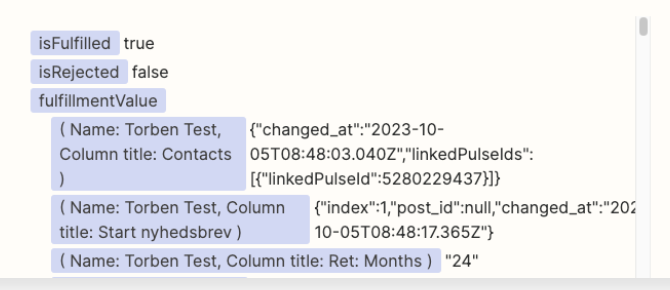
I just want the data returned to look like this:

Its so weird that in step 4 it works perfectly and in step 4 not


Troy Tessalone
Zapier Orchestrator & Solution Partner
Forum|alt.badge.img+14
  • Zapier Orchestrator & Solution Partner
  • October 11, 2023

@Benefix 

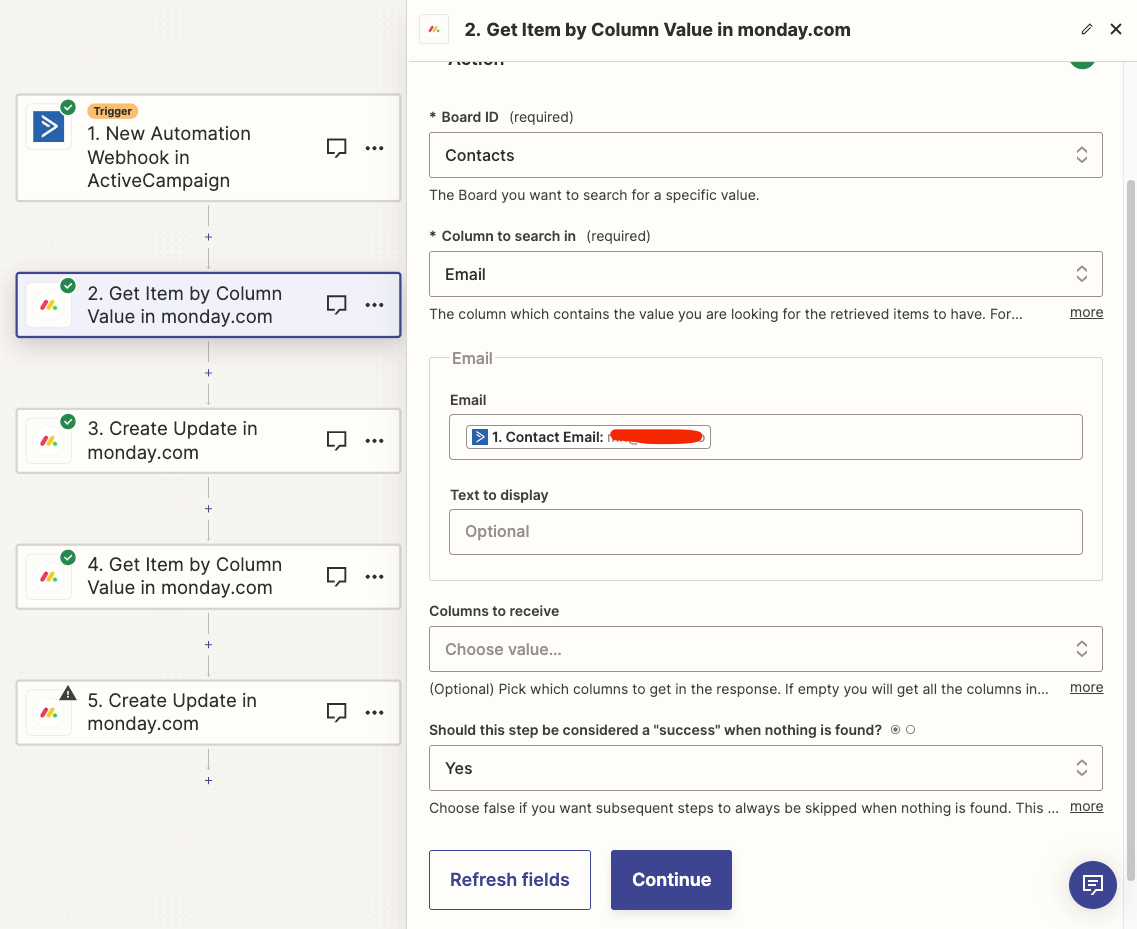
Can you post screenshots with how both of those Steps are configured? (2 & 4)


  • Author
  • Beginner
  • October 12, 2023

As mentioned before, the issue lies in the way our monday account is build. The Deals board has mirrored columns while the contacts board has standard columns. 

Here the two requested screenshots:


Troy Tessalone
Zapier Orchestrator & Solution Partner
Forum|alt.badge.img+14
  • Zapier Orchestrator & Solution Partner
  • October 12, 2023

@Benefix 

The issue may be the results of the mirrored columns in the Deals Board.

Monday can be a bit quirky to work with in Zaps in general.

Often the best solution is an advanced approach using the Monday API: https://developer.monday.com/apps/docs/mondayapi

App APIs can be used in Zaps via these apps: