While setting up the DocuSign automation, we’re not able to match the fields given, because we just see the field string.
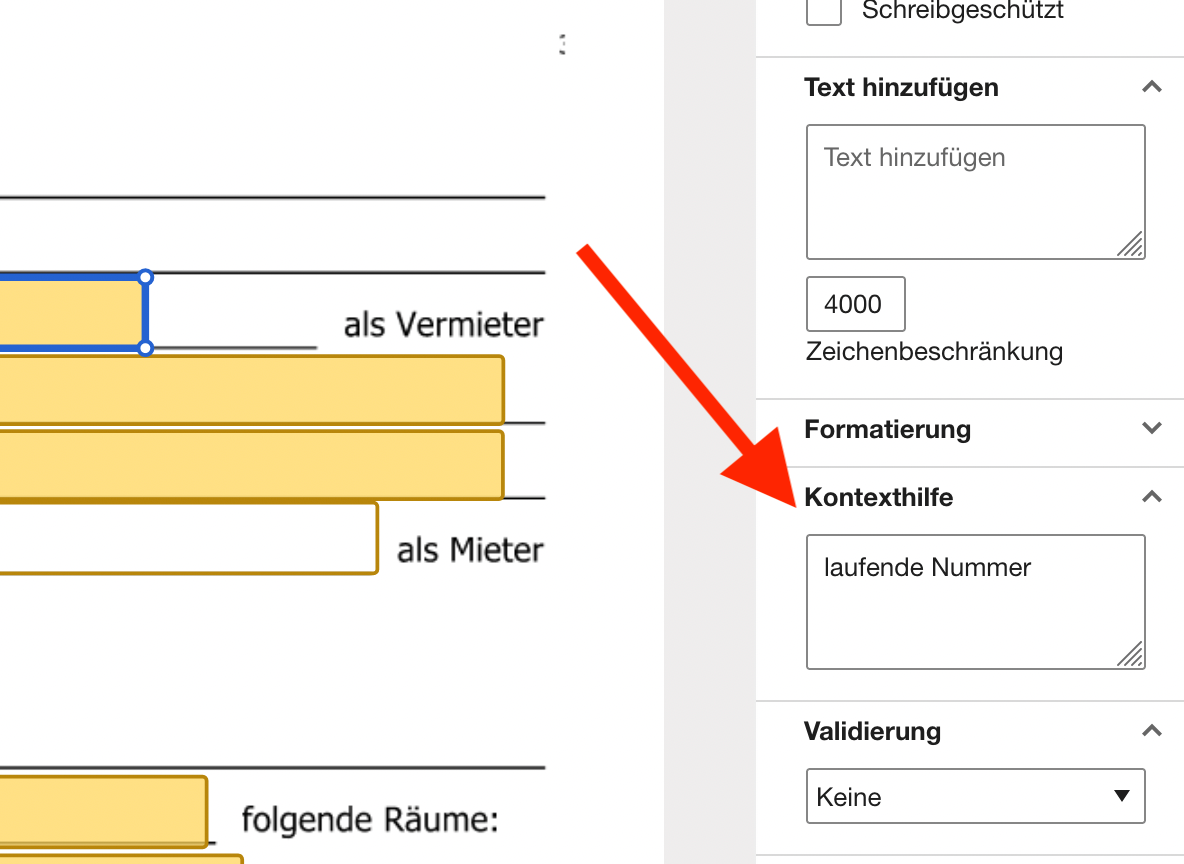
We tried to fill in “Data Label” but doesn’t work either.
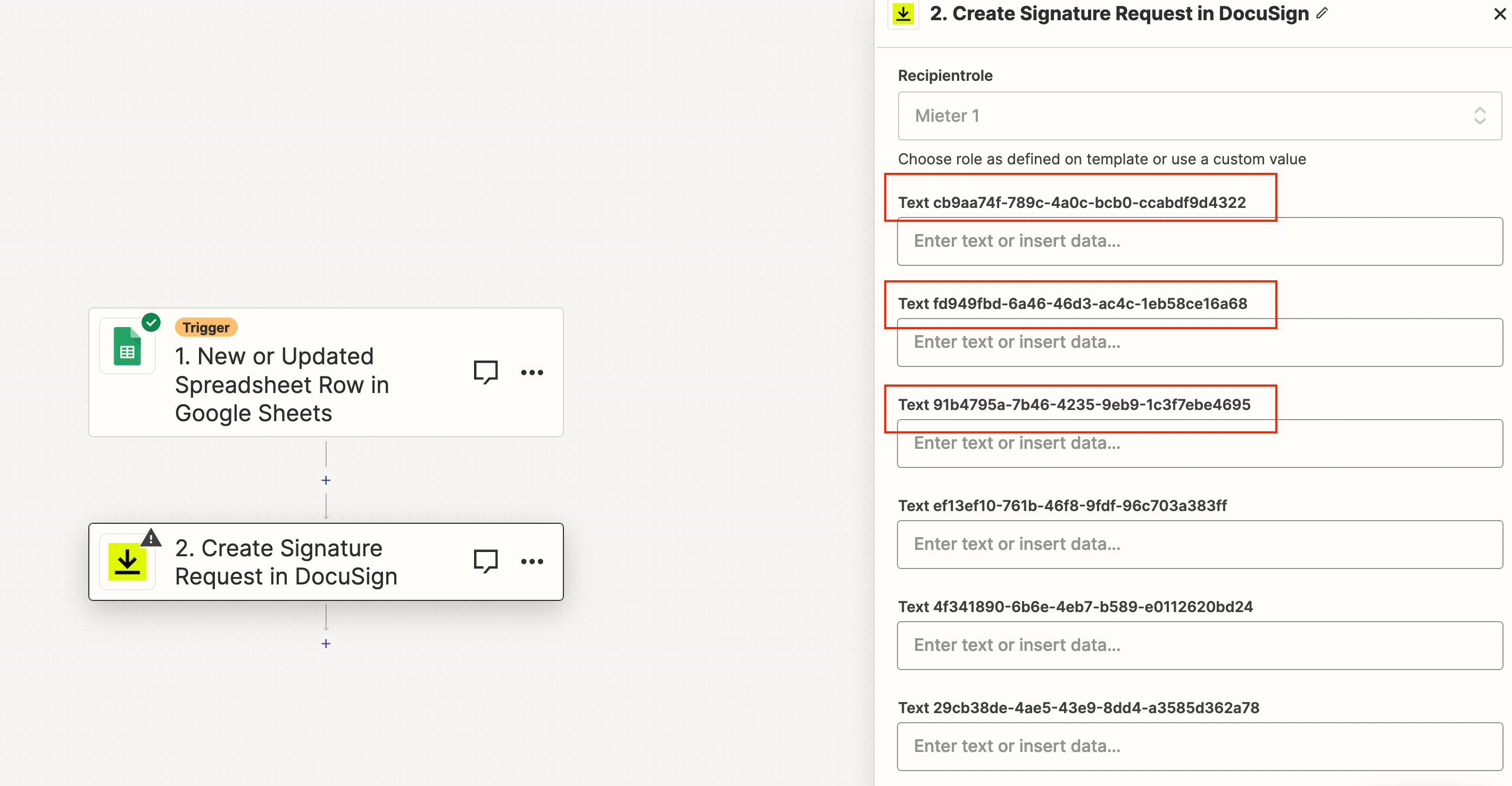


While setting up the DocuSign automation, we’re not able to match the fields given, because we just see the field string.
We tried to fill in “Data Label” but doesn’t work either.

Build and deploy automations from AI tools you already use. With Agentic Management, if anything breaks, the agent diagnoses the issue and proposes a fix.
Enter your E-mail address. We'll send you an e-mail with instructions to reset your password.



