


I hope this message finds you guys well. I'm reaching out because we're experiencing persistent issues when attempting to connect our Printavo account to Zapier for workflow automation.
Issue Details:
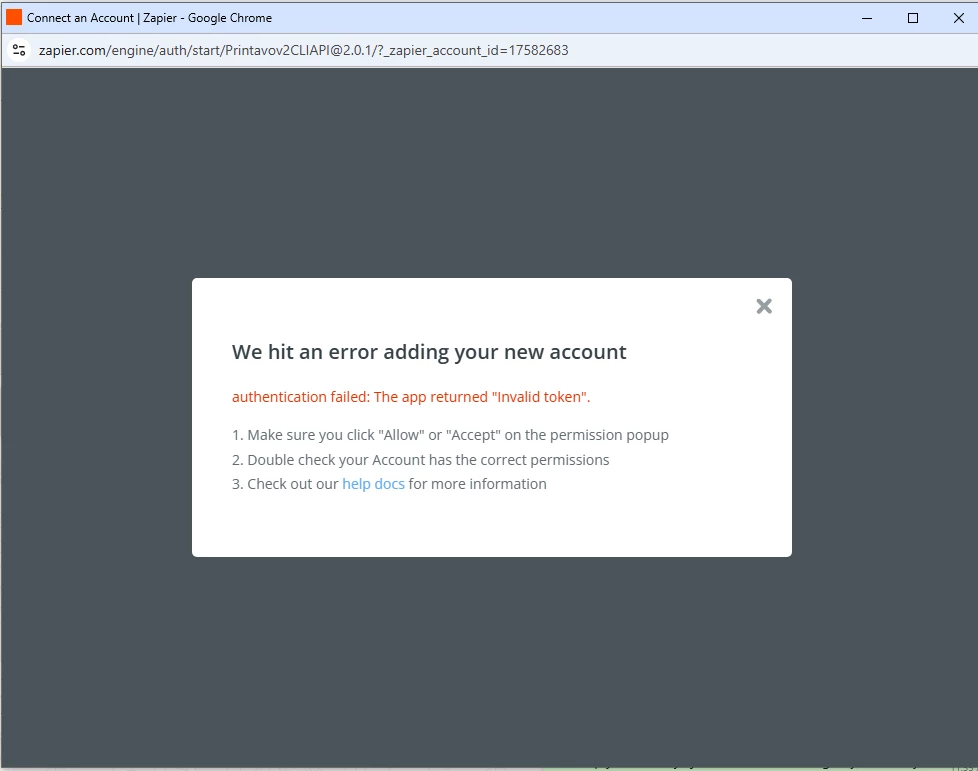
We've attempted to connect our Printavo account through Zapier multiple times, but each attempt results in an authentication error. The error message states: "authentication failed: The app returned 'Invalid token'."
Steps Taken:
- Attempted connection multiple times from the Zapier platform
- Confirmed that we clicked "Allow" on any permission popups that appeared
Error Screenshot: The error we're encountering is shown in the attached screenshot.
Request:
- Any specific permissions or settings required in Printavo to enable Zapier integration
- Whether there are any known compatibility issues between our Printavo account type and Zapier
Please let us know what information you need from us to resolve this.
Thank you for your assistance.
Best regards,




