Question

Troubleshooting partial population of Google Docs from a Squarespace web form

  • December 3, 2025
  • 16 replies
  • 88 views

 Hello,

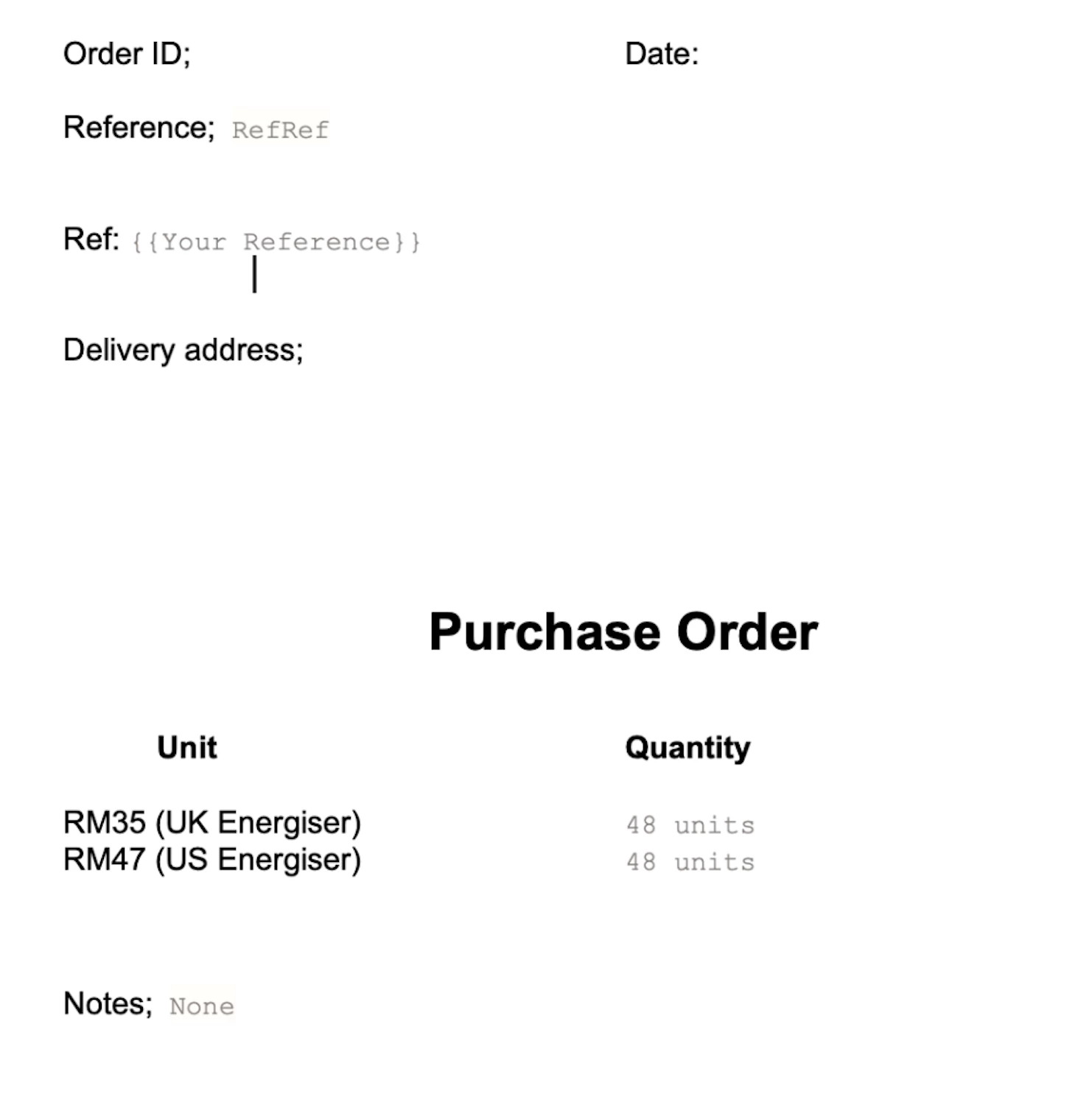
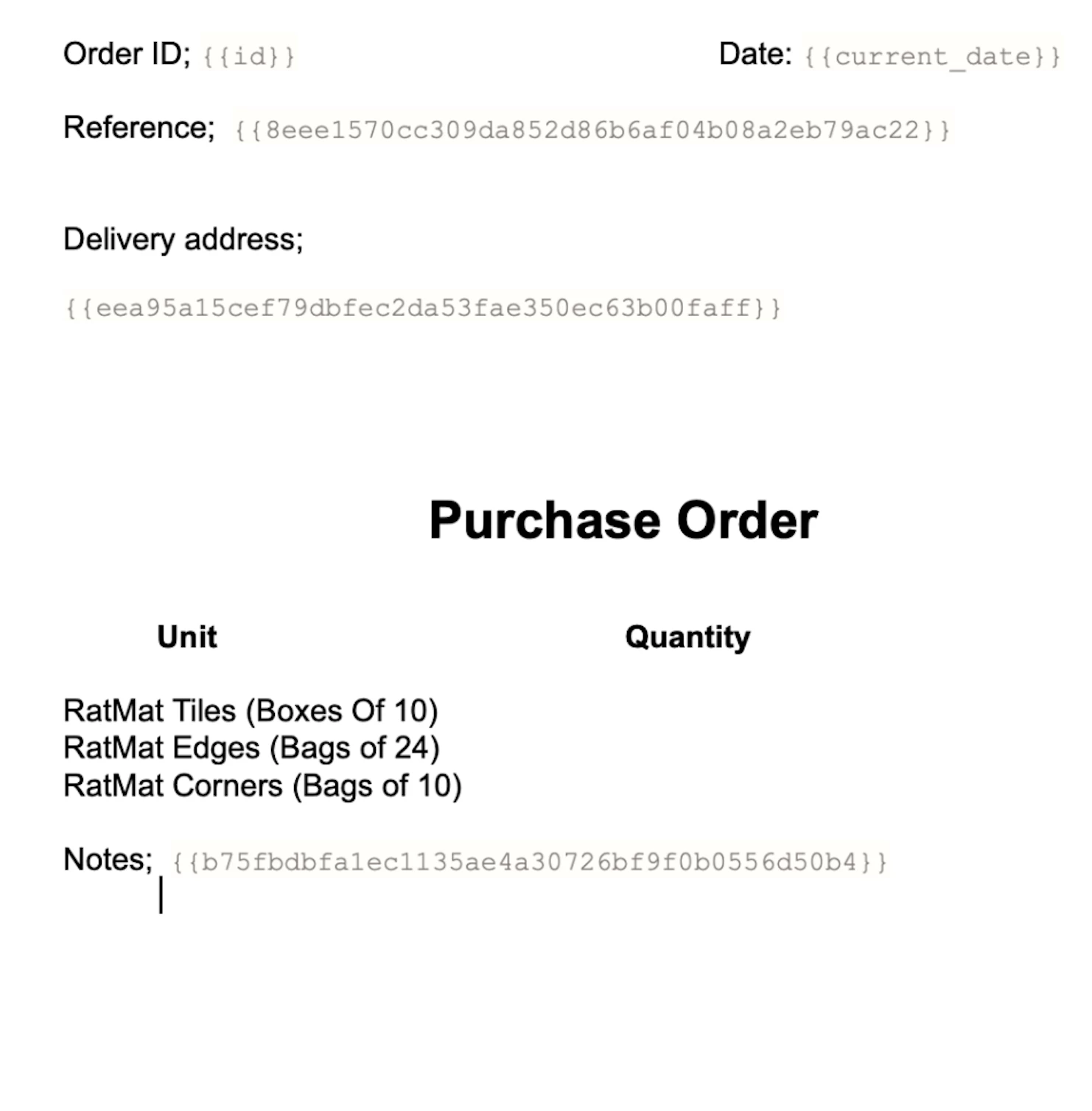
I am trying to create an automated ordering system for my Squarespace website where a form is completed, passed to Zapier which creates a purchase order which is sent to an email address. The order is added to a spreadsheet. There are two types of product which are spilt to two purchase order templates as these are sent to two different factories. The form is working fine and the spreadsheet is populating correctly which is brilliant but the POs are only partially populating. It keeps saying the field mapping isn’t working correctly. I have added screenshots of the output POs. (I haven’t added fields for the quantities of the tiles, edges and corners but all the other fields are what the system asked me to add.) 

Specifically, it has not populated Order ID, Date, Ref, Delivery Address. It has populated number of RM 47 correctly but got number of RM 35 wrong. It has populated ‘Notes’ correctly. On the second purchase order it has not got ‘Notes’ right either.

I have now tried about 25 troubleshooting cycles now and it is not fixing it. I have now spent several hours going round in circles; please help! 

Best wishes,

Toby

 

16 replies

AndrewJDavison
Forum|alt.badge.img+11
  • Zapier Solution Partner
  • December 3, 2025

@TobyB 

When you say “It keeps saying the field mapping isn’t working correctly.” … where are you seeing this error?


Sparsh from Automation Jinn
Forum|alt.badge.img+6

Hey ​@TobyB,

I think there is a problem with the fields mapping in your Zap. Please post screenshots of Data In, Data Out as well as how each Zap step is configured for us to have more context. Also make sure to use Create document from template action.


Here is a helpful article about dynamic mapping in Zapier- https://help.zapier.com/hc/en-us/articles/8496343026701-Send-data-between-steps-by-mapping-fields

I can understand how frustrating it can be but once you fix the mapping, it should give you the desired output. Hope it helps!


  • New
  • December 4, 2025

@TobyB 

updating correctly but the PO templates only partially populate, it’s almost always a mapping issue inside the Zap, not the form or spreadsheet.

A few things to double-check that often get missed:

1. Re-test the trigger after updating fields
Zapier won’t always refresh the data sample automatically.
Go back to your trigger (Squarespace form) → “Test Trigger” → pull in a new sample submission.
Old samples cause missing fields like Order ID, Date, Ref, Address, etc.

2. Make sure your PO generator step is using the correct “dynamic” fields
Sometimes Zapier shows similar field names (e.g., Address vs Shipping Address vs Delivery Address).
Click each field in the template and confirm it’s pulling from the right data source—not from the wrong dropdown or an older sample.

3. Check if the spreadsheet step is modifying fields before the PO step
If your Zap is:
Form → Sheet → PO
…then the PO step may be reading the sheet row, not the original form data.
If the row isn’t fully populated at that moment, those fields go blank.

Try using the form output directly to fill the PO, not the sheet output.

4. For the incorrect RM35 value
This usually happens when the field is interpreted as text instead of numeric.
In your PO template step, add a Formatter → Number → Convert before it, so the value is normalized.

5. Reconnect your spreadsheet or PO app
Sometimes a stale connection causes partial population.
Disconnect → reconnect the app in Zapier and test again.

You’re definitely close — these issues are super common when multiple templates + factories are involved. Refreshing the sample and remapping with fresh data usually fixes the missing fields.

Hope this helps break the loop for you!


  • Author
  • Beginner
  • December 5, 2025

Thank you all. Copilot says there is a problem with the mapping. I will work through your suggestions, thank you all for your help.


Toby


​ @TobyB 

Quick follow-up — I’ve gone back through all the mapping steps and refreshed everything, but the PO templates are still only partially populating. I re-tested the trigger with a fresh sample, reselected all the dynamic fields, and even added the Number → Convert step for the RM35 value, but a few fields (like the reference details + address lines) keep coming through blank.

I also reconnected the spreadsheet and the PO app to clear any stale connections, and while it helped the field list update, the missing sections in the template are still happening. At this point it really does feel like Zapier is pulling from an incomplete data source somewhere in the chain.

Next thing I’m looking at is whether the PO step is still reading from the sheet before all the cells have populated — or if the form data needs to be used directly instead. If anyone else has had this issue where everything looks mapped correctly yet fields refuse to populate, would love to hear what finally fixed it for you.


  • Author
  • Beginner
  • December 9, 2025

Hello,


Thank you so much for doing this, very helpful!


I have checked that the form fields are being populated, they are sent to my email and I can see that the data is populating on the form which is coming through to the system.

I am wondering whether I should just start again with this from scratch? It looks like an undetectable error has crept in somewhere. What do you think?

Best wishes,

Toby


Sparsh from Automation Jinn
Forum|alt.badge.img+6

Hey ​@TobyB,

For live Zap runs, you can check the Zap history(https://zapier.com/app/history) to see where it’s going wrong. 

I think it will probably be a mapping issue as the values have to be dynamic from previous triggers/ actions. Hope it helps!


  • Author
  • Beginner
  • December 9, 2025

Thank you very much. Here is one of the problems; the data fields on the order form look like this;


However the field in Zapier looks like this;


​​​​​I asked the AI to fix this several times but it didn't work. Any suggestions how I do this please?

Thank you very much!

Toby


Sparsh from Automation Jinn
Forum|alt.badge.img+6

Hey ​@TobyB,

From the screenshots you posted, I can’t tell the exact error you are running into as it doesn’t show how the Zap steps are being configured or how it’s outlined.

But if it’s a live Zap, please look into Zap history- https://zapier.com/app/history to spot where it’s going wrong as I mentioned earlier as well. I can understand it can be a bit annoying and that AI was not able to fix it. But I would say test step by step and find the exact action and field due to which you are running into this error. Hope it helps!

PS: If you need more active help, I’m happy to connect through my Zapier Solution Partner page if you’d like to reach out here- https://zapier.com/partnerdirectory/automation-jinn


  • Author
  • Beginner
  • December 9, 2025

Hi,


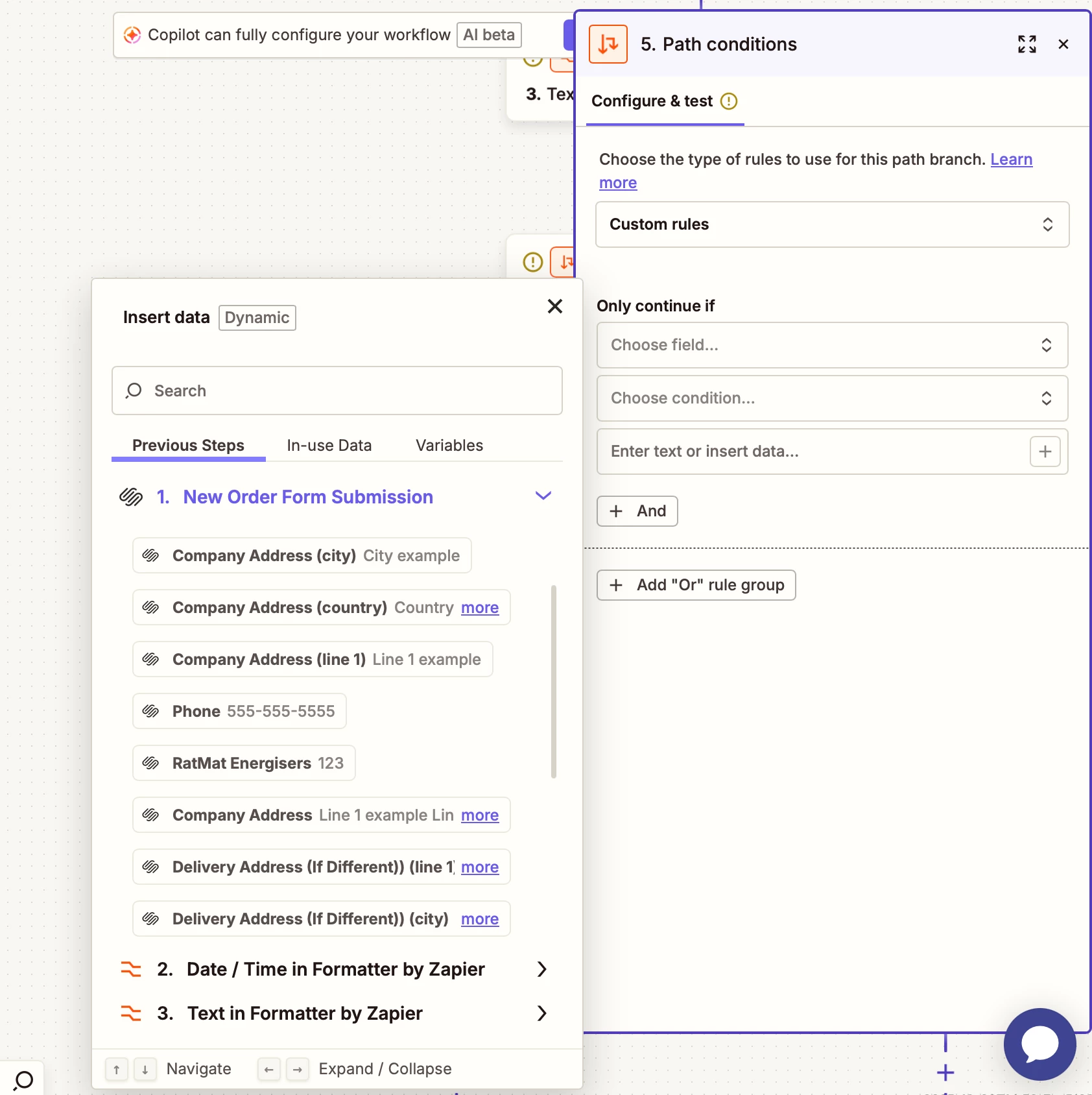
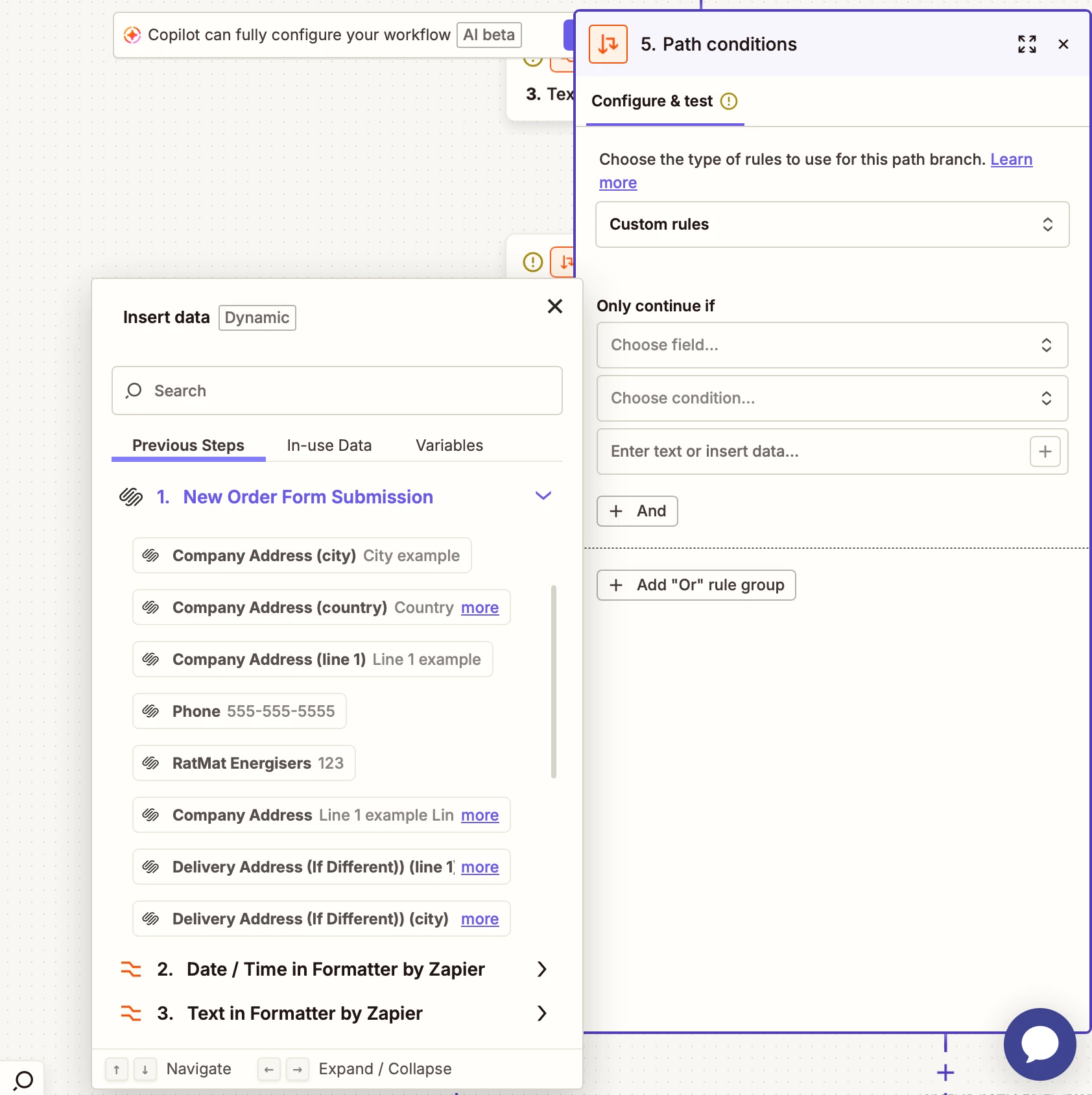
This is the step with the error; when I go to configure the steps I need to select one of these which are on the form;


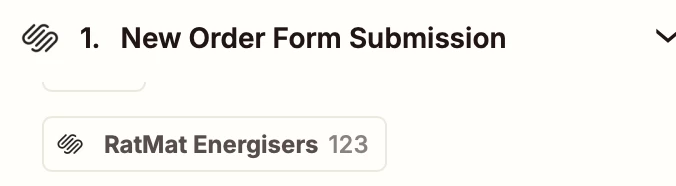
But this is what I get to choose from;


It only says ‘RatMat Energisers’, which is the original field I entered, I can’t choose the individual items.


Sparsh from Automation Jinn
Forum|alt.badge.img+6

Hey ​@TobyB,

Right now it’s just the example records created by Zapier. Try using previous Zap runs as trigger for test records. See more about it here- https://help.zapier.com/hc/en-us/articles/35632951078029-Use-previous-Zap-runs-as-trigger-test-record. Hope it helps!


  • Author
  • Beginner
  • December 9, 2025

The previous records don’t help. I need to select the RM 35 and RM 37 options which are on the order form from the drop down but they aren’t there;


Sparsh from Automation Jinn
Forum|alt.badge.img+6

Hey ​@TobyB,

Here is a helpful article about Squarespace in Zapier- https://help.zapier.com/hc/en-us/articles/8496018137741-How-to-get-started-with-Squarespace-Forms-on-Zapier

You can see the limitation there-

  • Squarespace does not store form submissions, so Zapier automatically generates example forms for testing purposes.

I am not saying previous records but previous Zap runs.

Try using previous Zap runs as trigger for test records. See more about it here- https://help.zapier.com/hc/en-us/articles/35632951078029-Use-previous-Zap-runs-as-trigger-test-record

Hope it helps!


  • Author
  • Beginner
  • December 9, 2025

The form information is coming through fine so that is not the problem, as I said earlier. No one is getting to grips with the problem here, the solutions being offered aren't relevant so I am going to start again.


  • New
  • December 11, 2025

@TobyB 

Hi Toby,

I’ve seen similar issues when setting up automated workflows with Squarespace forms and Zapier. Often, when some fields partially populate or don’t map correctly, it’s because the data types or field names don’t match exactly between the form, Zap, and the PO template. Double-checking that every field in the form exactly matches the expected field in the template usually fixes most of these mapping problems.

Also, make sure to re-test the trigger with a fresh sample submission, as Zapier sometimes caches old data and won’t update field mappings until a new sample is pulled.


Check that all fields in your Squarespace form are correctly mapped in Zapier, especially Order ID, Date, Ref, and Delivery Address. Use Zapier’s Formatter if values like dates or numbers need adjusting. Make sure both PO templates have matching field names and test each Zap step individually. Verify any filters or paths are set correctly for the two product types. Finally, review Zap run logs to see where data is failing and adjust mappings as needed.