Question

Troubleshooting Hubspot deal values syncing to Google Sheets via Zapier

  • March 20, 2026
  • 6 replies
  • 50 views

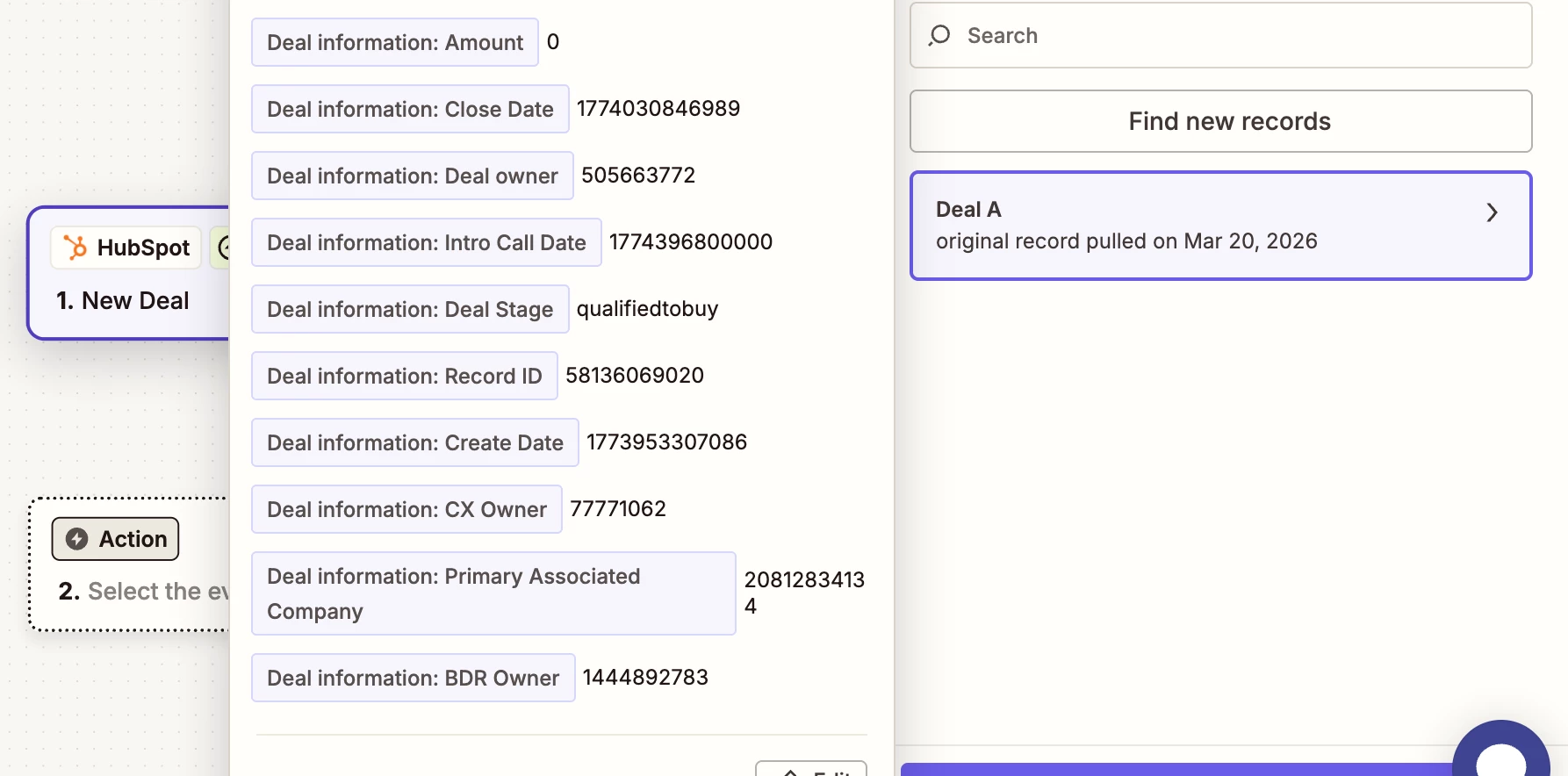
Hi! I am trying to pull in Hubspot deal property data into Zapier to then be created as new lines in an external GoogleSheet. I am able to sync my Hubspot and GoogleSheets to Zapier, but the returned values from Hubspot are only piping through as numeric values. 


I’ve seen other posts with similar issues but have not found a workable solution, any input would be appreciated!


The Deal Property Values i am trying to pull in are a mix of Date Range, Numeric Values, and Text (i.e. Hubspot Users and Owners, Company Names, Deal Stage)
 

6 replies

Troy Tessalone
Zapier Orchestrator & Solution Partner
Forum|alt.badge.img+14
  • Zapier Orchestrator & Solution Partner
  • March 21, 2026

Hi ​@kyas.io 

Date values are in UNIX millisecond format.

You can use a Formatter > Date & Time > Format step to change the format.

Formatter help: https://zapier.com/apps/formatter/integrations#help


The others indicate internal field IDs and linked records across different HubSpot objects.

You have to use other HubSpot steps to lookup a record by the ID to get the record details.

e.g. Find Company

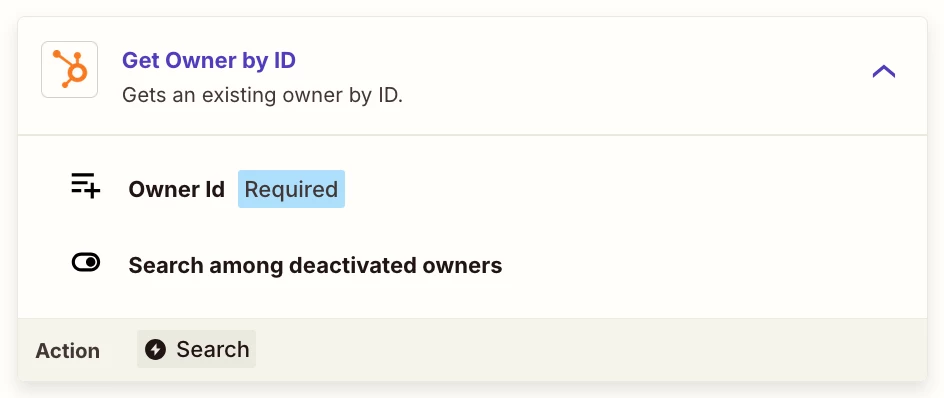
e.g. Get Owner by ID


Forum|alt.badge.img+2
  • Zapier Solution Partner
  • March 23, 2026

Hi ​@kyas.io 

Building on what ​@Troy Tessalone  mentioned, here's a more detailed example of how to structure the full Zap:

Step-by-step setup:

  1. Trigger: HubSpot - New Deal

  2. Lookup Company: Add HubSpot - Find Company action

    • Map Primary Associated Company from the trigger to the Company ID field

    • This returns the actual company name

  3. Lookup Owners: Add HubSpot - Get Owner by ID actions

    • One for Dealer Owner, one for CX Owner, one for BDR Owner

    • Map each numeric ID to its respective action

  4. Format Dates: Add Formatter by Zapier - Date/Time actions

    • For Close DateCreate Date, and Intro Call Date

    • Set "Format" action, input the timestamp, choose your preferred output format (e.g., MM/DD/YYYY)

  5. Final Action: Google Sheets - Create Row

    • Map the outputs from your lookup and formatter steps (not the original trigger fields)

Pro tip: Use Zapier's "Run Test" after setting up each lookup to verify you're getting the readable values before adding them to your final Sheets step.

This approach ensures all your date fields, owner names, company names, and deal stages appear correctly in Google Sheets

Hope this helps you get it sorted! And let me know how it goes — happy to dig deeper if needed!

If you're still stuck, I offer a free 20-min Zapier troubleshooting call. Book it through my Zapier Directory profile — it's listed under Resources on the left side: https://zapier.com/partnerdirectory/automatemybiz!-->


Sparsh from Automation Jinn
Forum|alt.badge.img+6

Hey ​@kyas.io,

You will have to use Find Owner and Find Company action to find the owner and the company details. You can map the owner and company’s id to these action.

Hubspot stores the timestamp in unix but you can easily convert using Formatter → Date/Time → Format. Put unix in time format. 

I can understand it’s not as user friendly as you would like but if it’s important for you, you can give this approach a try. Hope it helps!

PS: If you need more active help, I’m happy to connect through my Zapier Solution Partner page if you’d like to reach out here- https://zapier.com/partnerdirectory/automation-jinn


  • Author
  • Beginner
  • March 25, 2026

Thank you ​@Sparsh from Automation Jinn ​@Fahad S ​@Troy Tessalone 


All super helpful and got it to work! A quick follow up, if I am trying to set up an automation to Update property values (let’s say on a daily or weekly basis) FROM hubspot TO Google Sheets, I am running into a pagination limitation on Zapier front of only being able to do a lookup for up to 10 row values (deals). Is this a known limitation or do you think I am running something incorrectly? 


i.e. I want to have a daily sync where all deal properties are updated to reflect their most recent value in Hubspot and updated within the google sheet (not creating a new row value)


Thank you!


Sparsh from Automation Jinn
Forum|alt.badge.img+6

Hey ​@kyas.io,

Glad it worked. For the pagination problem, you can probably using Looping by Zapier. Here is a helpful article about it here- https://help.zapier.com/hc/en-us/articles/8496106701453-Loop-your-Zap-actions.

Hope it helps!


Forum|alt.badge.img+2
  • Zapier Solution Partner
  • March 26, 2026

Hi ​@kyas.io ! Glad to hear the initial setup worked for you!

You're hitting a known limitation—most Zapier search actions return a max of 10-20 results by default. You're not doing anything wrong.

Solution: As @Sparsh from Automation Jinn  suggested above, use Looping by Zapier to process each deal individually:

  1. Schedule trigger (daily/weekly)

  2. HubSpot – Find Deals (or "Get Deals" with pagination enabled)

  3. Looping by Zapier – iterate through each deal

  4. Google Sheets – Update Row (inside the loop)

If Looping still doesn't resolve the pagination limit, use Code by Zapier (Python or JavaScript) to handle HubSpot's API pagination manually with limit and offset parameters. This gives you full control to fetch all deals and update them in your sheet.

If you're still running into issues, drop a screenshot of the error and a quick description of what your Zap is doing, happy to take a look!

And if you'd rather just get it sorted quickly, I offer a free 20-min Zapier troubleshooting call. Book it under Resources on my Zapier Directory profile: https://zapier.com/partnerdirectory/automatemybiz

!-->