Question

Troubleshooting Fathom call summaries not syncing with ClickUp

  • April 7, 2026
  • 7 replies
  • 40 views

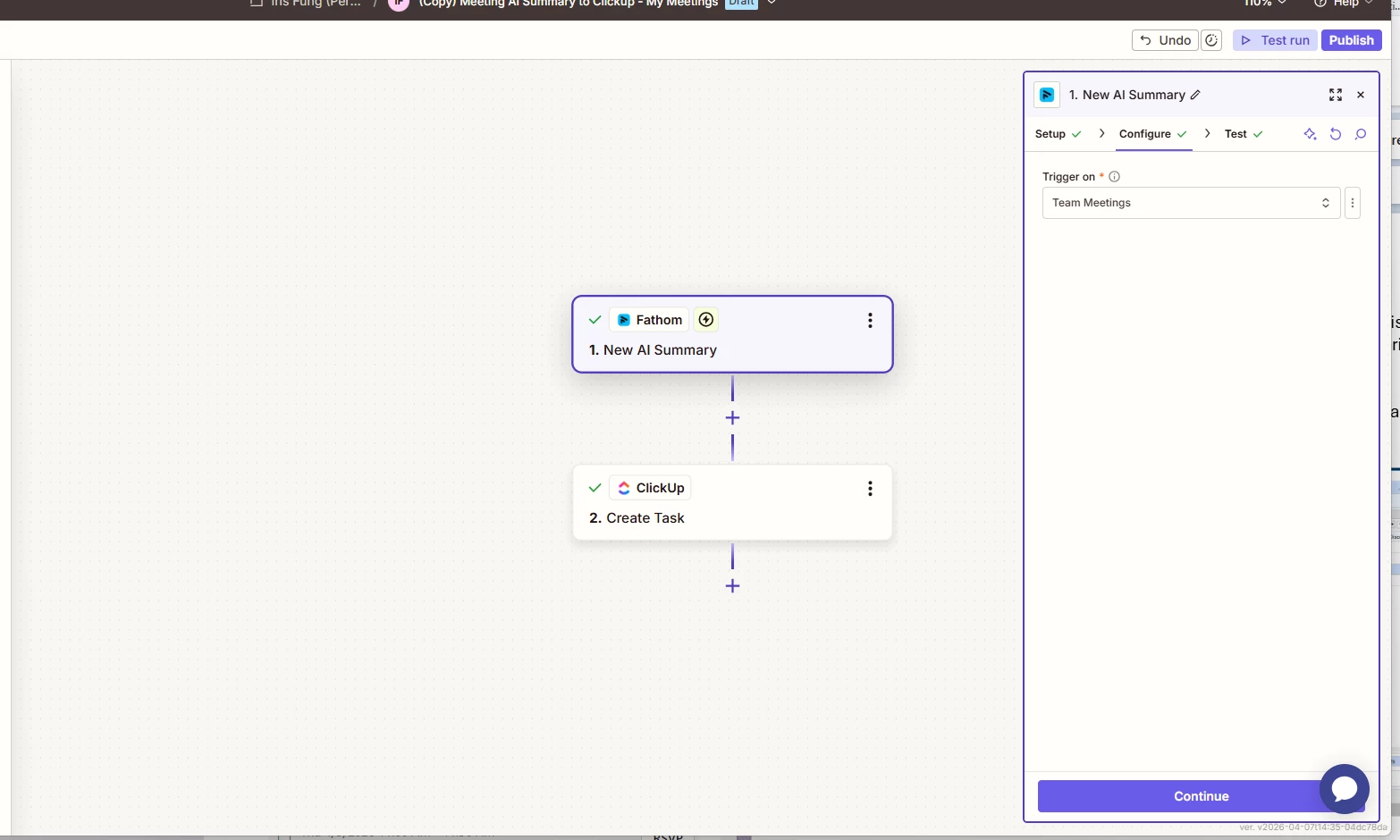
I have a zap set up to take send a call summary from Fathom to Clickup, for ease of searching.

It works great on my calls, and I previously had it work on team calls, but now it’s not recognizing hte calls for one of my team members. When I test the zap trigger of team call, it brings up a meeting that is not a team call but a my call from months ago - i’m not clear what is wrong


I’ve confirmed it’s the right account it’s connected to (because the one call it keeps coming back with is on that account). I’ve confirmed I can see those team calls i’m looking for because when I go to Fathom > My Team Calls, they are there.



7 replies

Troy Tessalone
Zapier Orchestrator & Solution Partner
Forum|alt.badge.img+14
  • Zapier Orchestrator & Solution Partner
  • April 7, 2026

Hi ​@IF23 

Check your Zap Run history for activity: https://zapier.com/app/history/

Zaps work while turned ON for new data going forward.

You may need to reconnect your Fathom account to Zapier here: https://zapier.com/app/connections


Help links for using Fathom in Zaps: 

https://zapier.com/apps/fathom/integrations#help


Prerequisites

To use the Fathom app on Zapier, you must have:


Limitations

Fathom free plan users only get "Premium features for 5 calls per month" including AI action items, follow-up emails, and conversational AI features, which may limit the data available for Zapier automations.


  • Author
  • Beginner
  • April 7, 2026

I recognize it only works going forward, so i had my teammate do a new call - it also didn’t trigger (thus nothing in the history).

i've already tried redoing the connection (and i know the connection works because i have a parallel Fathom to do the same on my calls, and that Zap is working) - that did not help.


Any other ideas?


Troy Tessalone
Zapier Orchestrator & Solution Partner
Forum|alt.badge.img+14
  • Zapier Orchestrator & Solution Partner
  • April 7, 2026

@IF23 

Try reaching out to Fathom Support for help with their Zap app integration.


Troy Tessalone
Zapier Orchestrator & Solution Partner
Forum|alt.badge.img+14
  • Zapier Orchestrator & Solution Partner
  • April 7, 2026

@IF23 

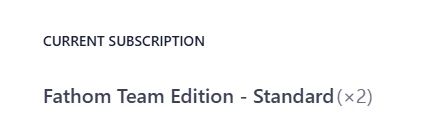
Which Fathom plan do you have? (name)

See screenshot below.

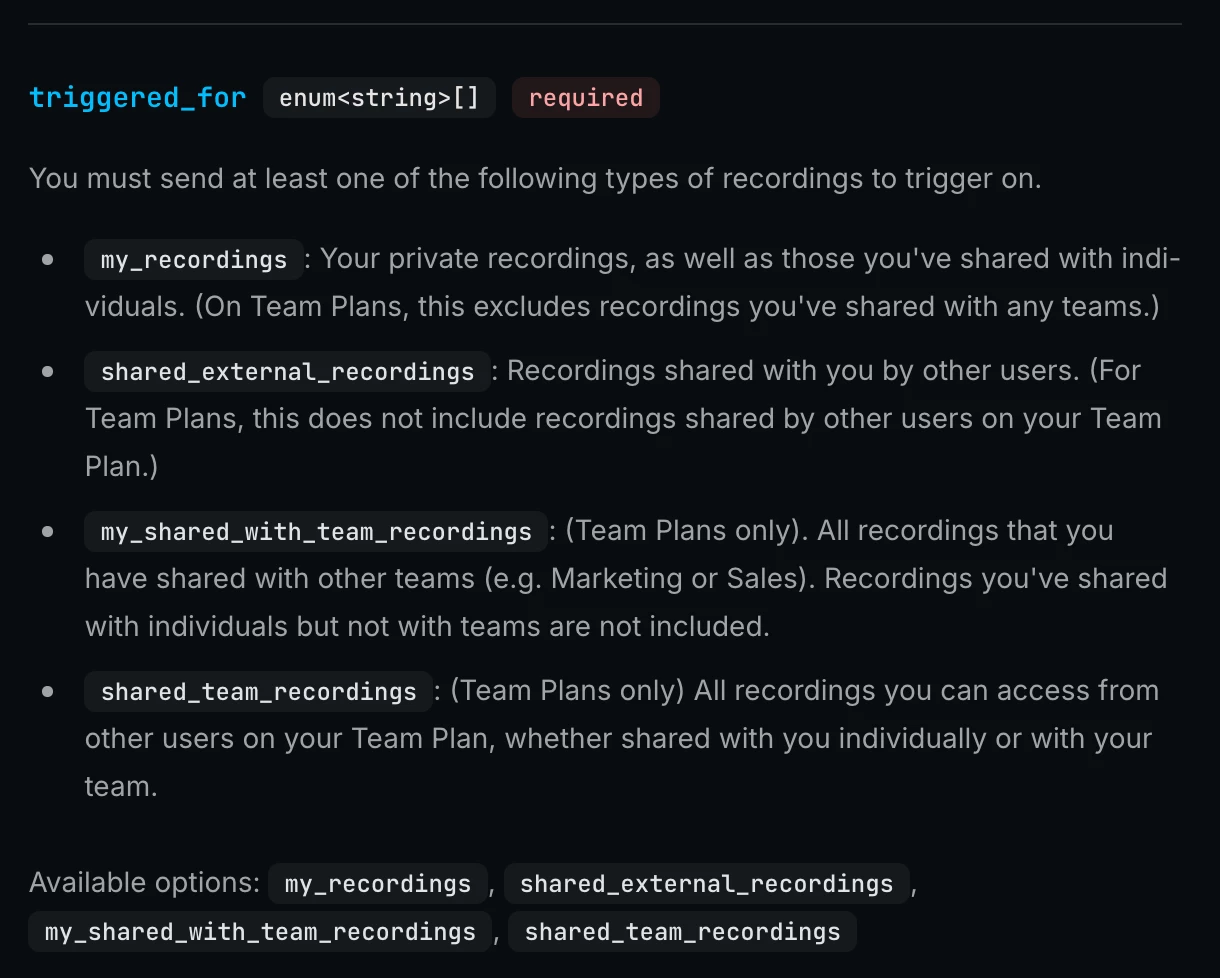
Some Fathom webhook events depend on your Fathom plan. (need Teams plan)


Try this workaround…

You can configure webhooks in Fathom.

Zap trigger: Webhook - Catch Hook

This will generate a unique webhook URL to configure in Fathom.

Help: https://developers.fathom.ai/webhooks#option-1-in-settings


Option 1 - in Settings

Webhooks can be configured in the API Access section of your User Settings.


  • Author
  • Beginner
  • April 7, 2026

Point taken, I’ve left a ticket with Fathom and will see what they say. Thanks ​@Troy Tessalone 


  • Author
  • Beginner
  • April 7, 2026

This is from my billing page - so pretty sure I am on the team plan.


Sparsh from Automation Jinn
Forum|alt.badge.img+6

Hey ​@IF23,

I think it may very well be a permissions issue that it’s not trigger on team calls. Try going to the team folder to see the transcript permissions. You may also want to become the admin of the team folder as it might be the issue as well.

The other workaround is using using Webhooks in Fathom and catching that webhook in Zapier using Webhooks in Zapier. Here is a helpful article about it here- https://help.zapier.com/hc/en-us/articles/8496083355661-How-to-get-started-with-Webhooks-by-Zapier.

Hope it helps!

PS: If you need more active help, I’m happy to connect through my Zapier Solution Partner page if you’d like to reach out here- https://zapier.com/partnerdirectory/automation-jinn